
Introduction
The HOSONGIN MIDI to USB C Cable provides a simple and efficient way to connect your MIDI-enabled musical instruments, such as keyboards, synthesizers, and electronic drums, to your computer or mobile device. This cable facilitates MIDI data transfer for editing, recording, and performance, offering broad compatibility and reliable performance.
Product Overview
This 6-foot MIDI interface adapter features a USB-A connector with an included USB-C converter, and two 5-PIN MIDI connectors labeled "IN" and "OUT". It is designed for plug-and-play functionality without the need for additional driver installations.
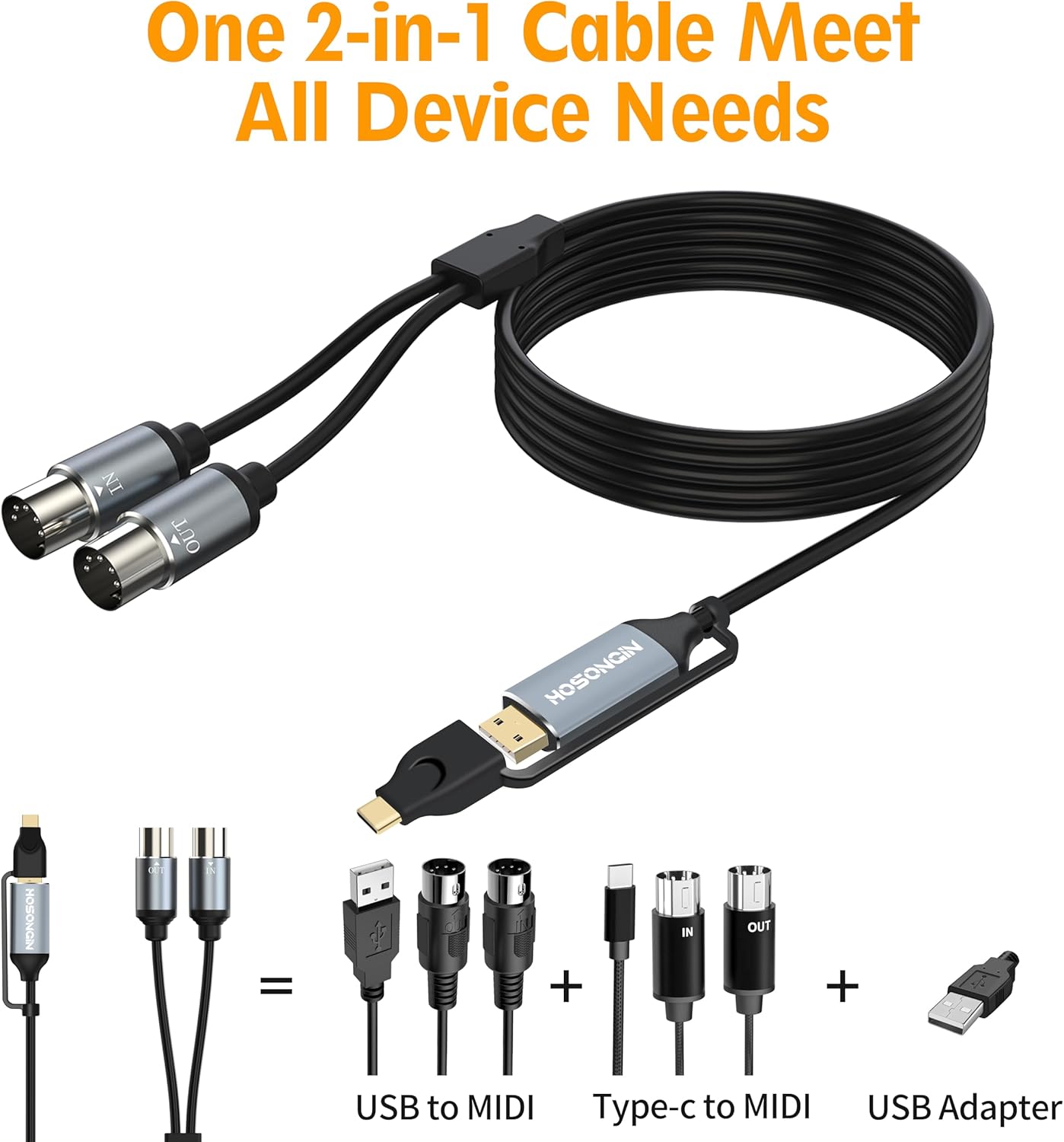
Image: Overview of the HOSONGIN MIDI to USB C Cable, showing its various connectors and overall design.
Key Features:
- Plug and Play: No driver installation required.
- Dual Connectivity: Includes both USB-A and USB-C connectors for versatile device compatibility.
- High-Quality Construction: Aluminum alloy shell for durability and multi-layer protection against electromagnetic interference.
- No Sound Delay: Built-in high-performance FPT processing chip ensures stable and accurate MIDI data transmission.
- 16 MIDI Channels: Supports 16 channels of MIDI input/output.
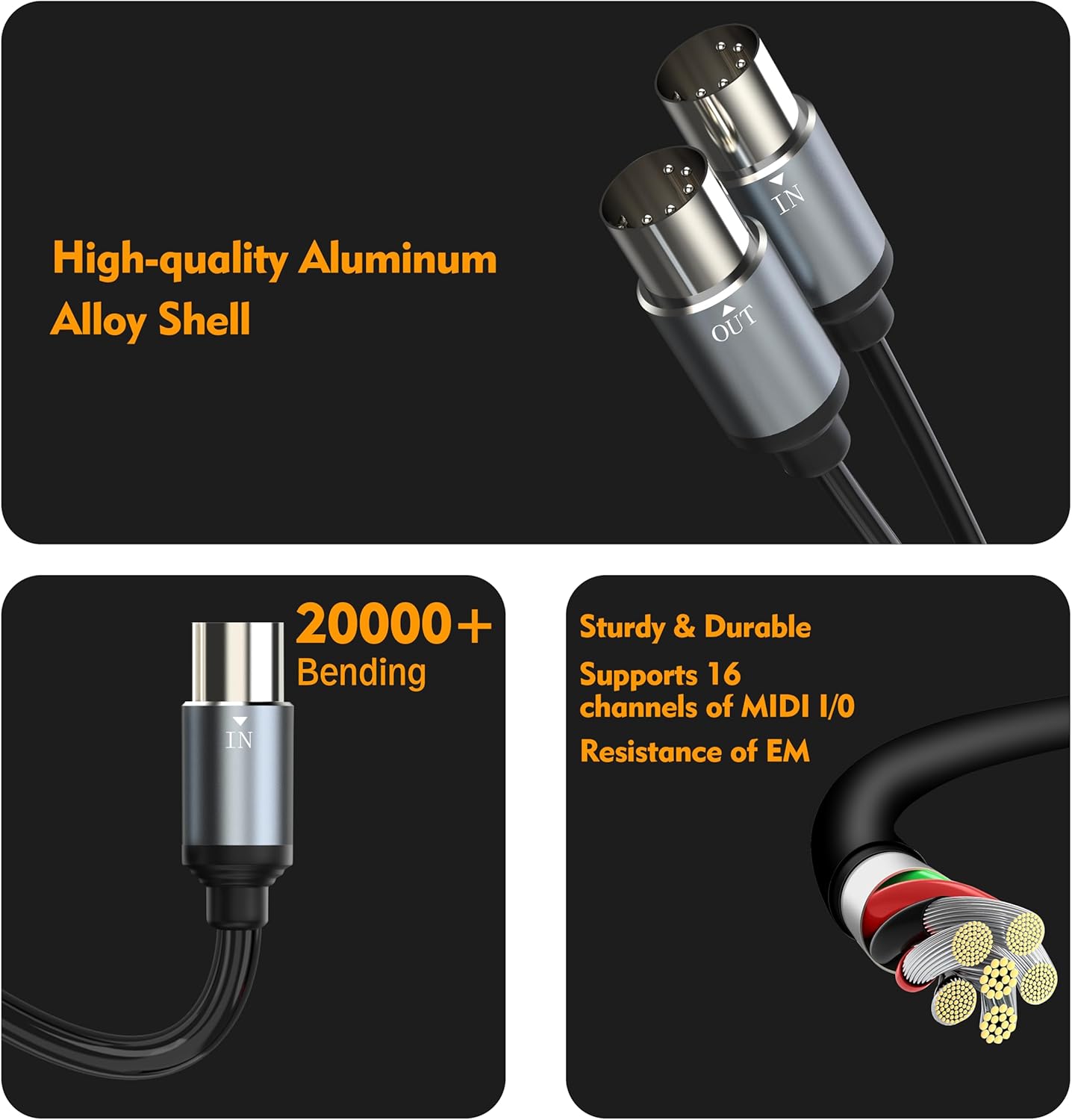
Image: Detail of the cable's high-quality aluminum alloy shell and internal structure, emphasizing durability and signal integrity.
Setup and Installation
Follow these steps to connect your MIDI device to your computer or mobile device:
- Connect MIDI IN: Insert the MIDI connector labeled "MIDI IN" into the MIDI "OUT" port of your musical instrument (e.g., keyboard, synthesizer).
- Connect MIDI OUT: Insert the MIDI connector labeled "MIDI OUT" into the MIDI "IN" port of your musical instrument.
- Connect to Computer/Device: Connect the USB-A plug of the cable to an available USB port on your computer. If your device uses a USB-C port, attach the provided USB-C converter to the USB-A plug and then connect it to your device. No additional drivers are needed.

Image: Visual guide for connecting the MIDI IN and MIDI OUT plugs to a musical instrument and the USB end to a computer.
For connecting to a phone or tablet, ensure your device supports OTG functionality and that the software you intend to use is MIDI compatible.
Operating Instructions
Once connected, your computer or mobile device should automatically recognize the HOSONGIN MIDI to USB C Cable as a MIDI interface. You can then use your preferred Digital Audio Workstation (DAW) software or other MIDI-compatible applications to send and receive MIDI data.
- MIDI Input: Data from your musical instrument (e.g., notes played on a keyboard) will be sent to your computer via the "MIDI IN" connection.
- MIDI Output: Data from your computer (e.g., MIDI sequences from a DAW) will be sent to your musical instrument via the "MIDI OUT" connection.
Video: A demonstration of the HOSONGIN MIDI Cable connecting a musical keyboard to a laptop for music production. This video illustrates the cable's use in a studio environment.
Compatibility
Operating Systems:
- Windows: 10, 8, 7, Vista, XP
- Mac OS X
- Android (with OTG support and MIDI-compatible software)
- Linux

Image: Visual representation of the cable's compatibility with multiple operating systems.
Compatible Musical Instruments:
The cable supports all standard MIDI interface devices, including but not limited to:
- Electronic Drums
- MIDI Keyboards
- Synthesizers
- Digital Pianos
- Electric Guitars (with MIDI effects)
- Specific models mentioned: KORG (SP170S, DP-80, X2, Triton, M1, Poly 8, SV1), M-Audio (Midiman Radium-61, Ozonic), Nord (Drum 3P, Electro 2), AKAI (MPC-1000, MPD16), Simmons (SD7K), Behringer (DSP9024), Technics (PX-203, SX-P30, SX-PR804), Roland (D-20, HP-2, KR-575, PK-5, RD-100, TD-12, V-Drums, VS-2480, XP-30), CASIO (CTK-700, CZ-101, LK-100, Privia-120, WK-1250), YAMAHA (CVP-105, CVP-305, CLP-350, Clavinova-600, Clavinova-820, DD-55, DGX-500, DX-7 II, MM8, M7CL Mixer, NU1X Hybrid Piano, P-200, P-85, P-90, PF-85).
Troubleshooting
| Problem | Solution |
|---|---|
| No MIDI signal detected. |
|
| Sound delay or latency. |
|
| Cable not recognized by Android phone/tablet. |
|
Specifications
| Feature | Detail |
|---|---|
| Brand | HOSONGIN |
| Model | MIDI to USB C Cable |
| Connector Type | 5-PIN MIDI, USB-A, USB-C (via adapter) |
| Cable Type | USB |
| Cable Length | 6 Feet (approximately 1.8 meters) |
| Number of Pins | 5 (for MIDI connectors) |
| MIDI Channels | 16 (Input/Output) |
| Special Feature | Multiple Interface Compatibility, Plug and Play |
| Color | Black |
| Item Weight | 3.52 ounces (approximately 100 grams) |
| Package Dimensions | 6.69 x 4.65 x 0.83 inches |
| UPC | 743623189850 |
Maintenance
The HOSONGIN MIDI to USB C Cable is designed for durability and requires minimal maintenance. To ensure its longevity and optimal performance:
- Store the cable in a clean, dry environment when not in use.
- Avoid extreme temperatures and direct sunlight.
- Do not bend the cable sharply or apply excessive force to the connectors.
- Clean the connectors periodically with a dry, lint-free cloth to remove dust or debris.
Warranty and Support
For warranty information, technical support, or any inquiries regarding your HOSONGIN MIDI to USB C Cable, please refer to the official HOSONGIN website or contact their customer service directly. Keep your purchase receipt for warranty claims.
HOSONGIN Official Website: HOSONGIN Store on Amazon