
1. Introduction
This manual provides instructions for the CLNCBJ EC40V2FA replacement remote control. This remote is designed to be compatible with Caixun Android TV models EC40V2FA and EC32V2HA, offering a direct replacement without requiring complex setup procedures.
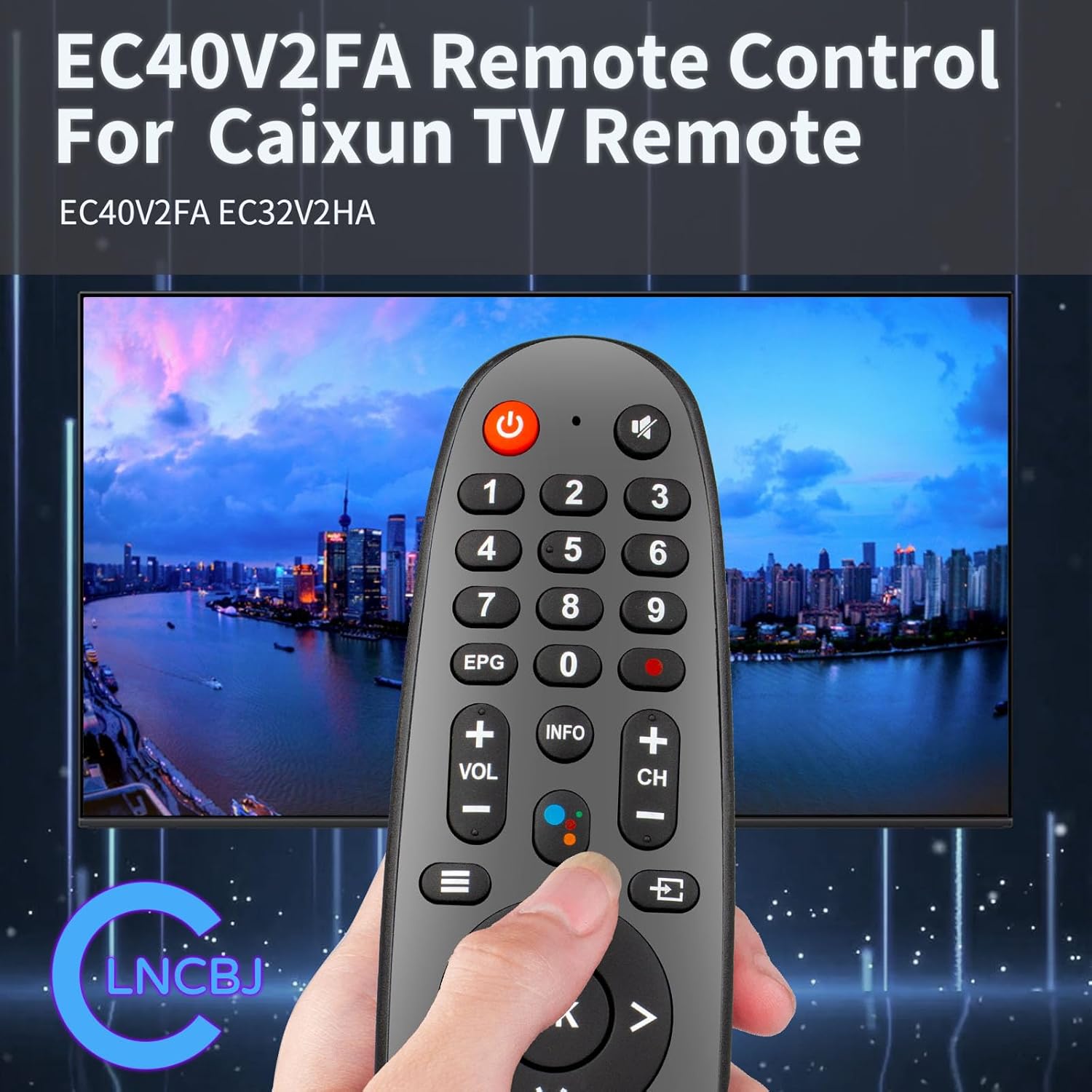
Image: The CLNCBJ EC40V2FA remote control displayed with a compatible Caixun Android TV.
2. Setup and Battery Installation
The CLNCBJ EC40V2FA remote control requires no programming. Simply install the batteries to begin operation.
2.1 Battery Requirements
- Two (2) AAA alkaline batteries are required (not included).
2.2 Installation Steps
- Locate the battery compartment cover on the back of the remote control.
- Slide the cover downwards or press the release tab (if present) to open the compartment.
- Insert two AAA batteries, ensuring the positive (+) and negative (-) terminals align correctly with the markings inside the compartment.
- Replace the battery compartment cover by sliding it back into place until it clicks securely.

Image: Proper insertion of AAA batteries into the remote control's battery compartment.
Video: This video demonstrates the unboxing of the remote control and the process of installing batteries into the compartment.
3. Operating Instructions
The CLNCBJ EC40V2FA remote control provides intuitive access to your Caixun Android TV functions.
3.1 Button Functions Overview

Image: A detailed diagram illustrating the function of each button on the remote control.
- Power Button (●): Turns the TV on or off.
- Mute Button: Mutes or unmutes the TV audio.
- Number Keys (0-9): Directly select channels.
- EPG (Electronic Program Guide): Accesses the TV program guide.
- Info: Displays information about the current program or input.
- Volume Up/Down (+VOL/-VOL): Adjusts the TV volume.
- Channel Up/Down (+CH/-CH): Changes TV channels.
- Navigation Pad (Up, Down, Left, Right, OK): Navigates menus and confirms selections.
- Back: Returns to the previous screen or menu.
- Exit: Exits the current menu or application.
- Home Button: Returns to the TV's home screen.
- Dedicated App Buttons (Netflix, YouTube, Prime Video, Google Play): Provides direct access to these streaming applications.
- Media Control Buttons (Play, Pause, Fast Forward, Rewind, Stop): Controls media playback.
- SUBT (Subtitles): Toggles subtitles on/off.
- AUDIO: Selects audio tracks or languages.
3.2 Usage Tips
- Ensure a clear line of sight between the remote control and the TV's infrared receiver for optimal performance.
- The remote operates effectively up to a distance of approximately 30 feet (9 meters).
- Press buttons firmly but gently. The buttons are designed for soft and sensitive response.

Image: Demonstrates the remote control's effective range for controlling the television.
4. Maintenance
To ensure the longevity and proper functioning of your remote control, follow these maintenance guidelines:
- Cleaning: Wipe the remote control with a soft, dry cloth. Do not use liquid cleaners or abrasive materials.
- Battery Replacement: Replace batteries when the remote's response becomes sluggish or stops working. Always replace both batteries at the same time with new AAA alkaline batteries.
- Storage: Store the remote in a dry place, away from direct sunlight and extreme temperatures.
- Avoid Drops: Protect the remote from drops and impacts, which can damage internal components.
5. Troubleshooting
If you encounter issues with your remote control, refer to the following common solutions:
| Problem | Possible Cause | Solution |
|---|---|---|
| Remote not responding. | Dead or incorrectly inserted batteries. | Replace both AAA batteries with new ones, ensuring correct polarity (+/-). |
| Limited operating range. | Low batteries or obstruction between remote and TV. | Replace batteries. Ensure no objects block the signal path to the TV. |
| Buttons feel unresponsive. | Dirt or debris under buttons. | Clean the remote surface with a soft, dry cloth. Avoid liquid cleaners. |
| Battery cover is loose or batteries pop out. | Improperly secured cover or manufacturing variation. | Ensure the battery cover is fully closed and latched. If the issue persists, consider contacting customer support. |
6. Specifications
- Model Number: EC40V2FA
- Brand: CLNCBJ
- Compatible TV Models: Caixun Android TV EC40V2FA, Caixun Android TV EC32V2HA
- Power Supply: 2 x 1.5V AAA Alkaline Batteries
- Product Dimensions: 7.83 x 1.97 x 1.22 inches (19.9 x 5.0 x 3.1 cm)
- Item Weight: 3.04 ounces (86.2 grams)
- Color: Black
- Special Feature: Ergonomic design
- Max Number of Supported Devices: 1 (Television)
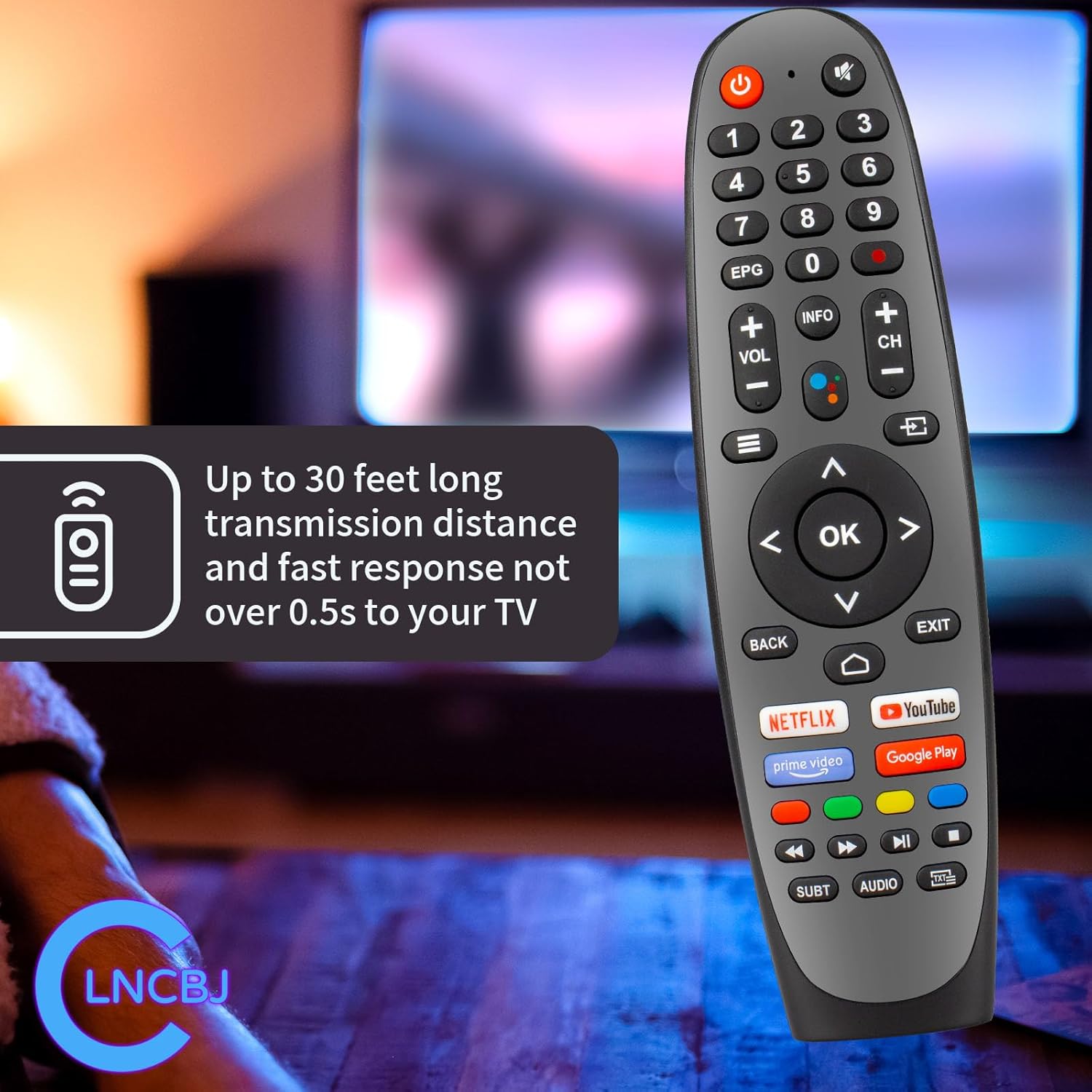
Image: Front and side profiles of the remote control, highlighting its ergonomic design.
7. Warranty and Support
For warranty information or technical support, please contact the seller or manufacturer directly. Keep your purchase receipt as proof of purchase.
Manufacturer: CLNCBJ