
Suuim 75W Megaphone
Suuim 75W Megaphone Instruction Manual
Model: 75W Megaphone
1. Introduction
Thank you for purchasing the Suuim 75W Megaphone. This powerful and versatile megaphone is designed for clear voice amplification over long distances, featuring multiple functions including talk, record, siren, and support for external audio sources. Please read this manual thoroughly before use to ensure proper operation and to maximize the product's lifespan.
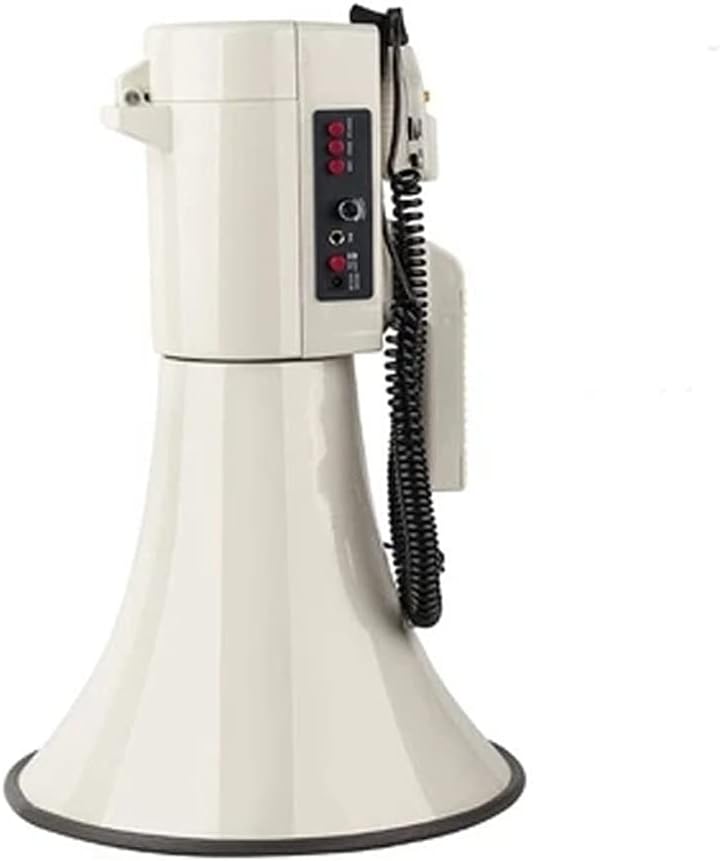
Image 1: The Suuim 75W Megaphone, showcasing its robust design and horn shape.

Image 2: The megaphone being used in diverse environments, including public gatherings, sports events, and emergency situations, highlighting its versatility.
2. Safety Instructions
- Do not expose the megaphone to rain or moisture to prevent electric shock or damage.
- Avoid directing the sound output directly at people's ears from close range, as the high volume can cause hearing damage.
- Use only the recommended battery type and ensure correct polarity during installation. Batteries are not included.
- Keep the device away from extreme temperatures, direct sunlight, and heat sources.
- Do not attempt to disassemble or repair the megaphone yourself. Refer all servicing to qualified personnel.
- Keep out of reach of children.
3. Package Contents
Please check the package for the following items:
- Suuim 75W Megaphone Unit
- Detachable Wired Microphone
- Shoulder Strap (if included with your model)
- User Manual (this document)
Note: Batteries are not included and must be purchased separately.
4. Product Overview
Familiarize yourself with the various parts and controls of your Suuim 75W Megaphone.

Image 3: A detailed diagram illustrating the various components and control buttons of the megaphone, including the microphone, volume controls, and input ports.
Main Unit Features:
- Pager Handle: For carrying the megaphone.
- Lanyard Mouth: Attachment point for a shoulder strap.
- Battery Compartment: Located at the rear, for battery installation.
- Dustproof Microphone Piece: For shouting directly into the megaphone without the detachable microphone.
Control Panel (Detailed Description 2):
- WHISTLE Button: Activates a whistle sound.
- SIREN Button: Activates a siren sound.
- USB (Function Conversion Key): Switches between USB/SD/AUX modes.
- VOLUME Knob: Adjusts the overall volume output.
- MIC (External Sound Source Hole): Input for the detachable microphone.
- DC 12V (12V Power Port): External power input.
- ON/OFF Switch: Powers the megaphone on or off.
Microphone Controls (Detailed Description 1):
- SIREN Button: Activates the alarm sound.
- REC Button: Initiates recording (up to 120 seconds).
- PLAY Button: Plays back recorded audio.
- ON/OFF (Host Switch): Powers the microphone on or off.
- Volume Gear: Adjusts microphone volume.
Media Ports:
- SD/MMC Card Socket: For playing audio from SD/MMC cards.
- USB Disk Socket: For playing audio from USB drives.
- AUX Input: For connecting external audio sources (e.g., mobile phone, MP3 player).
- LED Indicator: Indicates power or operational status.
- M (Mode Switch Key): Cycles through USB/SD/AUX modes.
- Playback Controls: Previous track, Next track, Play/Pause.

Image 4: A diagram illustrating the megaphone's multi-function integration, showing support for USB disks, SD cards, AUX input for mobile phones, and external microphones.
5. Setup
5.1 Battery Installation
- Locate the battery compartment at the rear of the megaphone.
- Open the compartment cover.
- Insert the required batteries (not included) according to the polarity indicators (+/-) inside the compartment.
- Close the battery compartment cover securely.
5.2 Microphone Connection
- Locate the MIC input port on the control panel.
- Plug the coiled cable of the detachable microphone into the MIC input port.
6. Operating Instructions
6.1 Power On/Off
To power on the megaphone, slide the ON/OFF switch on the main control panel to the 'ON' position. To power off, slide it to 'OFF'.
6.2 Voice Amplification (Talk Mode)
- Ensure the detachable microphone is connected and its ON/OFF switch is set to 'ON'.
- Adjust the VOLUME knob on the main unit to a low setting initially.
- Speak clearly into the microphone. Gradually increase the VOLUME knob to your desired level, avoiding feedback.
- Alternatively, you can speak directly into the dustproof microphone piece on the megaphone body.
6.3 Recording and Playback
- To record, press and hold the REC button on the microphone. Speak into the microphone. The megaphone can record up to 120 seconds of audio.
- Release the REC button to stop recording.
- To play back the recorded message, press the PLAY button on the microphone.
6.4 Siren and Whistle Functions
- To activate the siren, press the SIREN button on either the main control panel or the microphone. Press again to stop.
- To activate the whistle sound, press the WHISTLE button on the main control panel. Press again to stop.
6.5 Using USB/SD/AUX Inputs
- Insert a USB drive into the USB Disk Socket or an SD/MMC card into the SD/MMC Card Socket. For AUX input, connect your external audio device to the AUX Input port.
- Press the M (Mode Switch Key) or the USB (Function Conversion Key) to cycle through USB, SD, and AUX modes until the desired input is selected.
- Use the playback control buttons (Previous, Next, Play/Pause) to manage audio playback.
- Adjust the main VOLUME knob to control the output level.
7. Maintenance
- Cleaning: Wipe the megaphone with a soft, dry cloth. Do not use abrasive cleaners or solvents.
- Storage: When not in use for extended periods, remove the batteries to prevent leakage. Store the megaphone in a cool, dry place away from direct sunlight.
- Battery Replacement: Replace batteries when the sound becomes weak or distorted.
8. Troubleshooting
| Problem | Possible Cause | Solution |
|---|---|---|
| No sound output | Megaphone is off Low or dead batteries Microphone not connected or off Volume too low | Turn on the megaphone Replace batteries Connect microphone and turn it on Increase volume knob |
| Distorted sound | Low batteries Volume too high (feedback) Microphone too close to mouth | Replace batteries Reduce volume Hold microphone at an appropriate distance |
| Recording not working | REC button not held long enough Memory full (if applicable) | Ensure REC button is pressed and held during recording Playback and delete old recordings if necessary |
| USB/SD/AUX not playing | Incorrect mode selected File format not supported Device not properly inserted | Press Mode button to select correct input Ensure audio files are in a compatible format Re-insert USB drive/SD card or AUX cable |
9. Specifications
- Brand: Suuim
- Power Output: 75W
- Propagation Distance: Approximately 2000 meters (2km)
- Recording Time: Up to 120 seconds
- Dimensions (Approximate):
- Length: 53 cm
- Horn Diameter: 34.5 cm
- Top Diameter: 15 cm
- Power Source: Batteries (not included) or DC 12V external power
- Input Support: USB Disk, SD/MMC Card, AUX, External Microphone

Image 5: A visual representation of the megaphone's dimensions, showing its length (approx. 53cm), horn diameter (approx. 34.5cm), and top diameter (15cm), alongside a 600ml beverage bottle for scale.
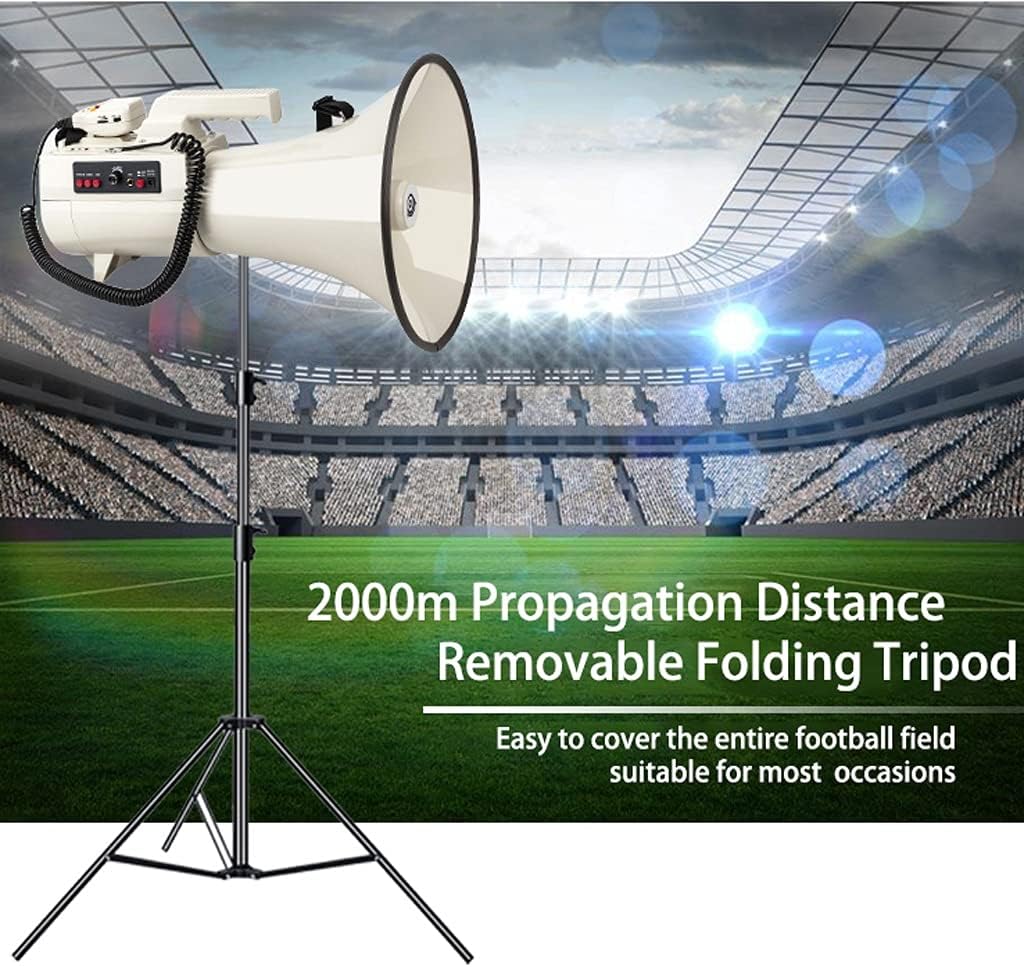
Image 6: The megaphone mounted on a removable folding tripod, illustrating its 2000m sound propagation distance, suitable for covering large areas like a football field.
10. Warranty and Support
For warranty information and customer support, please refer to the documentation provided at the time of purchase or contact your retailer. Keep your purchase receipt as proof of purchase.
Ask a question about this manual
Ask about setup, troubleshooting, compatibility, parts, safety, or missing instructions. Manuals+ will review the question and use this page’s manual context to help answer it.