
AGPTEK T05
AGPTEK T05 MP4 Player User Manual
Model: T05 | Brand: AGPTEK
1. Introduction
The AGPTEK T05 is a high-performance, cost-effective digital audio player designed for a versatile entertainment experience. Featuring a 4-inch IPS LCD touch screen with 480*960 resolution, it offers clear visuals and intuitive operation. Equipped with Wi-Fi and Bluetooth 4.2, it allows for seamless connectivity and a wide range of functions including music playback, video viewing, e-book reading, FM radio, and recording. Its lightweight and portable design makes it an ideal companion for various settings, from home to travel.

Figure 1: AGPTEK T05 MP4 Player Overview
This image displays the AGPTEK T05 MP4 player, highlighting its sleek pink design. The front screen shows a vibrant floral wallpaper and various application icons, while the back panel features the AGPTEK branding and model number T05.
2. Getting Started
2.1 Package Contents
- MP4 Player Unit x 1
- Screen Protector x 2 (one pre-applied)
- Earphones x 1
- Type-C Cable x 1
- User Manual (Japanese) x 1
- Ring Holder x 1

Figure 2: Package Contents
This image shows all items included in the AGPTEK T05 MP4 player package, neatly arranged. It includes the player itself, a USB Type-C charging cable, wired earphones, a ring holder, and two screen protectors (one already on the device).
2.2 Charging the Device
Before first use, fully charge the player. Connect the provided Type-C cable to the player's Type-C port and the other end to a USB power adapter (not included) or a computer's USB port. The battery indicator on the screen will show charging status.
2.3 Power On/Off
- To power on: Press and hold the power button until the screen lights up.
- To power off: Press and hold the power button, then select "Power off" on the screen.
- To restart: Press and hold the power button, then select "Restart" on the screen.
3. Basic Operations
3.1 Touch Screen Navigation
The AGPTEK T05 features a responsive touch screen for intuitive control. Tap icons to open applications, swipe to navigate between screens, and use pinch-to-zoom gestures where applicable.

Figure 3: Touch Screen Interaction
This image shows a close-up of the AGPTEK T05's touch screen, emphasizing its interactive nature with a glowing fingerprint icon over a floral background, indicating touch functionality.
3.2 Wi-Fi Connectivity
To connect to a Wi-Fi network:
- Go to Settings.
- Select Network & Internet.
- Turn on Wi-Fi.
- Select your desired network from the list and enter the password if prompted.

Figure 4: Wi-Fi Enabled Music Playback
This image illustrates the AGPTEK T05 MP4 player displaying a music playback screen, with a prominent "WIFI" text overlay, indicating its wireless connectivity feature for online music streaming or content access.
3.3 Bluetooth Connectivity
To pair with Bluetooth devices (e.g., headphones, speakers):
- Go to Settings.
- Select Connected devices.
- Turn on Bluetooth.
- Select Pair new device and choose your device from the list.

Figure 5: Bluetooth Functionality
This image shows a side profile of the AGPTEK T05 MP4 player, with graphic overlays of a Bluetooth symbol, a speaker icon, and a headphone icon, illustrating its wireless audio capabilities.
3.4 Expanding Storage with MicroSD Card
The device supports microSD cards up to 32GB (sold separately) for expanded storage. Insert the microSD card into the designated slot until it clicks into place. The device will automatically detect the card.
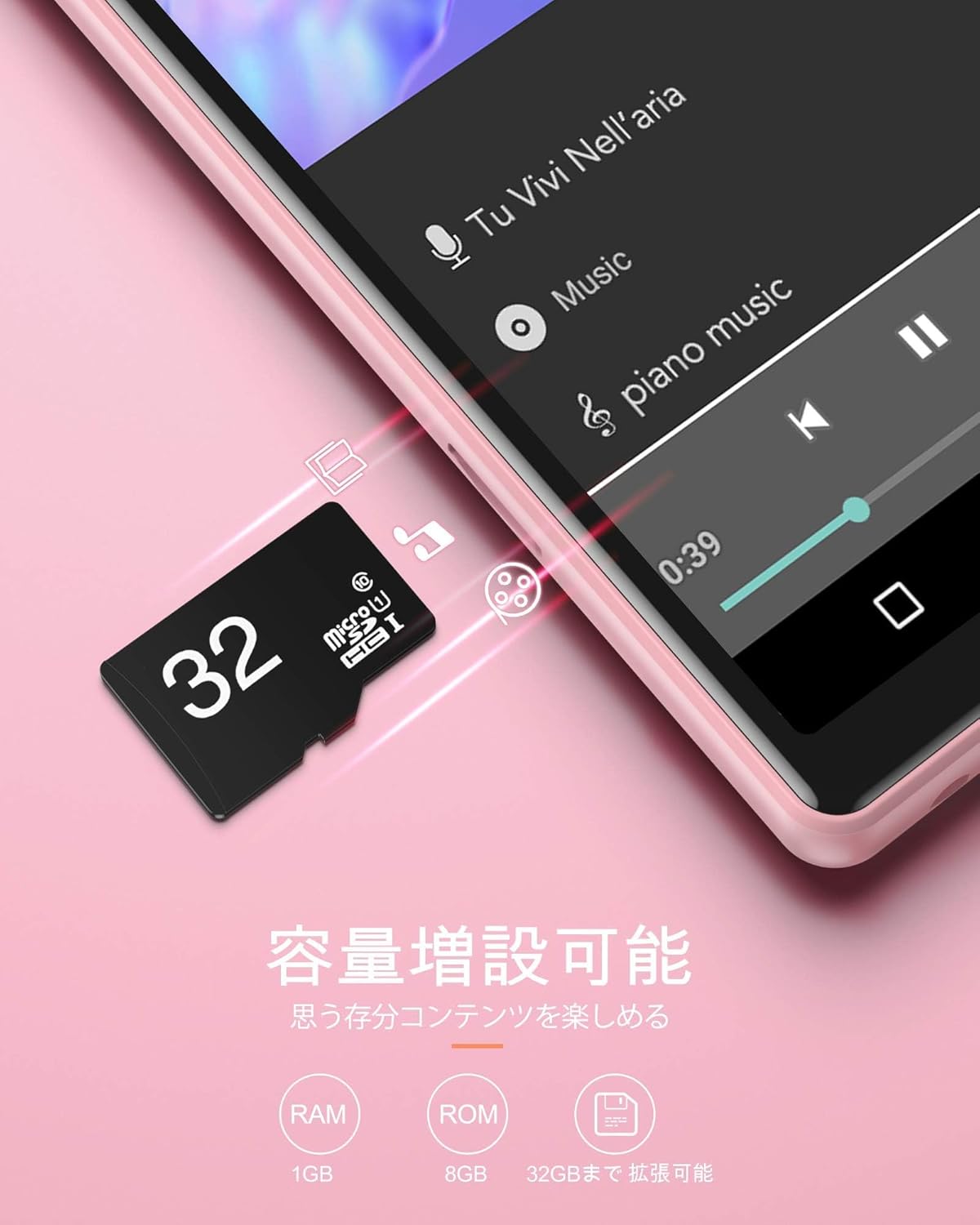
Figure 6: MicroSD Card Insertion
This image depicts a microSD card being inserted into the AGPTEK T05 MP4 player, with text indicating "Capacity expandable" and specifications for RAM (1GB), ROM (8GB), and expandable storage up to 32GB.
4. Operating Functions
4.1 Music Playback
Access the "Music" application from the home screen. You can browse music by artist, album, song, or folder. The player supports various formats including FLAC for Hi-Fi lossless audio quality.

Figure 7: High-Fidelity Audio Experience
This image features a smiling woman wearing headphones, with the word "HIFI" prominently displayed, symbolizing the high-fidelity audio experience offered by the player.
4.2 Video Playback
Open the "Video" application to play stored video files. The 4-inch HD screen provides a clear viewing experience for movies and dramas.
4.3 E-book Reader
The device supports TXT file reading. Open the "E-book" application to access your digital books. Adjust font size and background for comfortable reading.

Figure 8: E-book Reading Interface
This image shows the AGPTEK T05 MP4 player displaying an e-book, with text content visible on the screen and icons on the side for adjusting reading settings like font size and background color.
4.4 FM Radio
Plug in the earphones (they act as an antenna) and open the "FM Radio" application. You can scan for available stations and save your favorites.
4.5 Recording Function
Use the built-in microphone and the "Recorder" application to capture audio. This is useful for lectures, meetings, or personal notes.
4.6 Other Applications
The device includes various other useful applications such as a calculator, puzzle games, and an image viewer. You can also access web content via Wi-Fi for learning or entertainment.

Figure 9: Image Viewing and Editing
This image shows the AGPTEK T05 MP4 player displaying an image with various editing options, including filters like "None", "Punch", "Vintage", "B/W", and "Bleach", demonstrating its multimedia capabilities beyond just playback.
5. Maintenance
- Keep the device dry. Avoid exposure to moisture or liquids.
- Clean the screen and body with a soft, dry cloth. Do not use abrasive cleaners.
- Protect the screen with the provided screen protector.
- Avoid extreme temperatures.
- Store the device in a cool, dry place when not in use for extended periods.
- Regularly back up important data to a computer or cloud storage.
6. Troubleshooting
| Problem | Solution |
|---|---|
| MicroSD card not recognized or playback issues. |
|
| Screen touch response is poor or slow. |
|
| Cannot input alphabet characters for Wi-Fi settings. |
|
| PC does not recognize the device. |
|
| Screen static/malfunction on startup. |
|
| YouTube/Chrome freezes or requires updates that fail. |
|
7. Specifications
| Feature | Detail |
|---|---|
| Model Name | T05 |
| Brand | AGPTEK |
| Color | Pink |
| Memory Storage Capacity | 8 GB (expandable up to 32GB with microSD card) |
| Connectivity Technology | Bluetooth, Wi-Fi |
| Wireless Communication Standard | Bluetooth 4.2 |
| Screen Size | 4 Inches (480*960 resolution IPS LCD) |
| Battery Life (Continuous Use) | Video playback: Max 2 hours (Wi-Fi), Audio playback: Max 20 hours (earphone mode), Standby: Max 300 hours |
| Battery Capacity | 1000mAh |
| Supported Media Types | MP4, MP3, FLAC, TXT (e-book) |
| Dimensions | 15.4 x 9.9 x 4.4 cm; 240 g |
8. Warranty and Support
AGPTEK products are designed for reliability and performance. For any issues or inquiries, please contact AGPTEK customer support. Please refer to the official AGPTEK website or your purchase platform for specific warranty terms and contact information.
For frequently asked questions and further assistance, you may visit the AGPTEK brand store: AGPTEK Store on Amazon.co.jp