Introduction
Thank you for choosing the AAOBOSI Portable Induction Cooktop. This appliance is designed for efficient and convenient cooking, featuring an ultra-thin body, precise temperature control, and multiple safety functions. Please read this manual thoroughly before use to ensure safe operation and optimal performance.

Image: The AAOBOSI Portable Induction Cooktop in use, showcasing its sleek design and a pan with a cooked meal.
Important Safety Information
To prevent injury or damage, always follow basic safety precautions when using electrical appliances. Keep this manual for future reference.
- Ensure the cooktop is placed on a stable, flat, heat-resistant surface.
- Do not immerse the appliance, cord, or plug in water or other liquids.
- Keep out of reach of children. Use the Child Safety Lock function to prevent accidental operation.
- Only use induction-compatible cookware. Refer to the "Compatible Cookware" section.
- Do not touch the cooktop surface immediately after use; it may still be hot from residual heat. A "Hot Surface" indicator will be displayed.
- Do not block the ventilation openings on the bottom or sides of the cooktop.
- Unplug the cooktop from the power outlet when not in use and before cleaning.
- This appliance features Over-heat Protection and High/Low Pressure Protection for enhanced safety.
- The cooktop is designed with 4D Solid Waterproof features, but avoid excessive liquid spills.

Image: Visual representation of the cooktop's integrated safety features, such as child lock, overheat protection, and waterproof design.
Product Overview
The AAOBOSI Portable Induction Cooktop is designed for ease of use and portability. It features a sleek, ultra-thin design and intuitive touch controls.
Key Features:
- Ultra-thin and Portable Design: Measuring approximately 32 x 26 x 4.2 cm and weighing 2.2 kg, it is lighter and more compact than many induction cooktops, ideal for small kitchens, camping, RVs, or dorms.
- Sensor Touch Controls: Responsive touch buttons for easy operation.
- 20 Power Levels: Adjustable power from 100W to 2000W for precise cooking.
- 20 Temperature Levels: Temperature settings ranging from 50°C to 240°C.
- 10-Hour Timer: Convenient timer function for unattended cooking.
- Booster Function: Provides maximum power for rapid heating.
- Child Safety Lock: Prevents accidental changes to settings.
- Efficient Cooling System: Designed for lower noise operation (≤ 61dB) and effective heat dissipation.
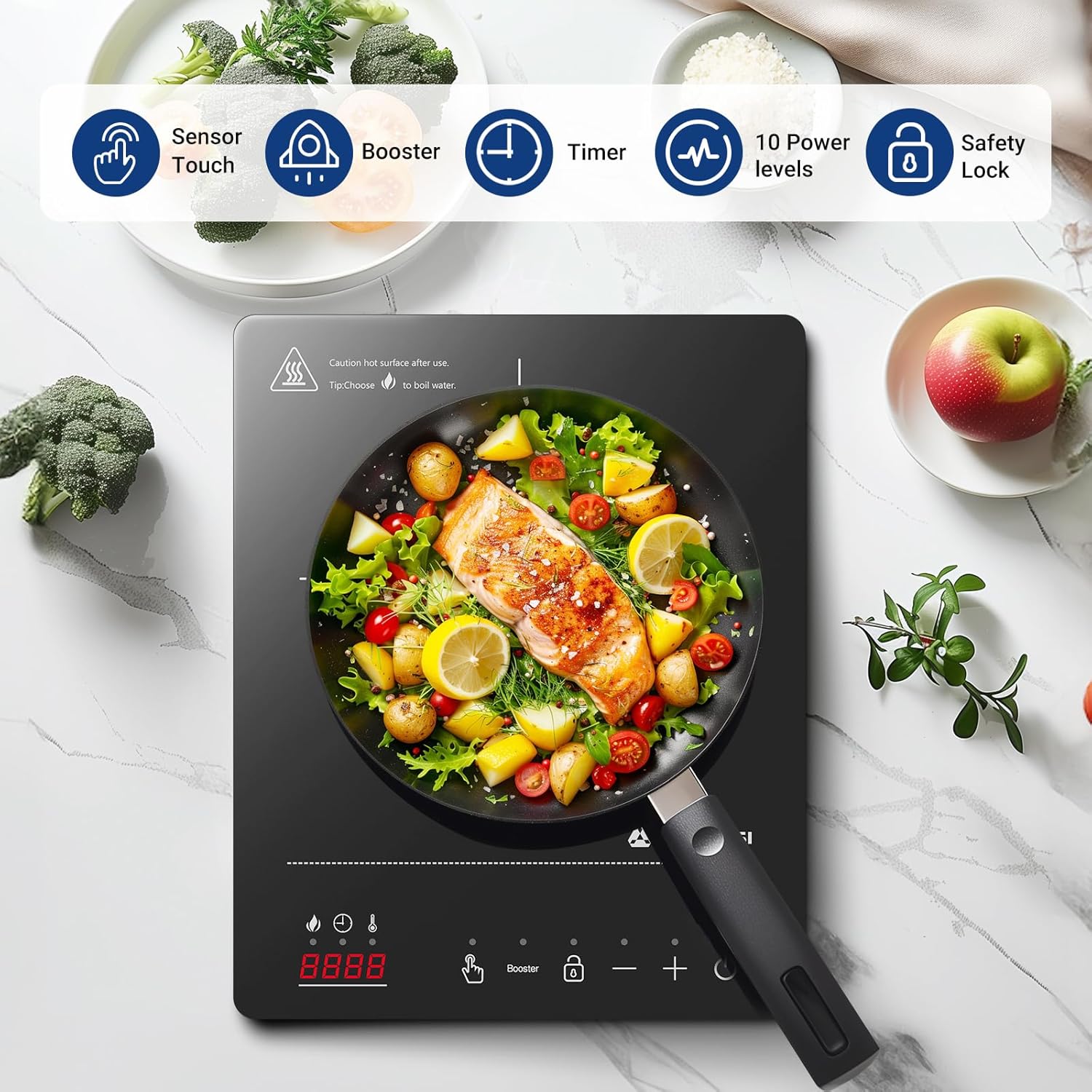
Image: An overhead view of the cooktop, illustrating its primary control features such as sensor touch, booster, timer, power levels, and safety lock.
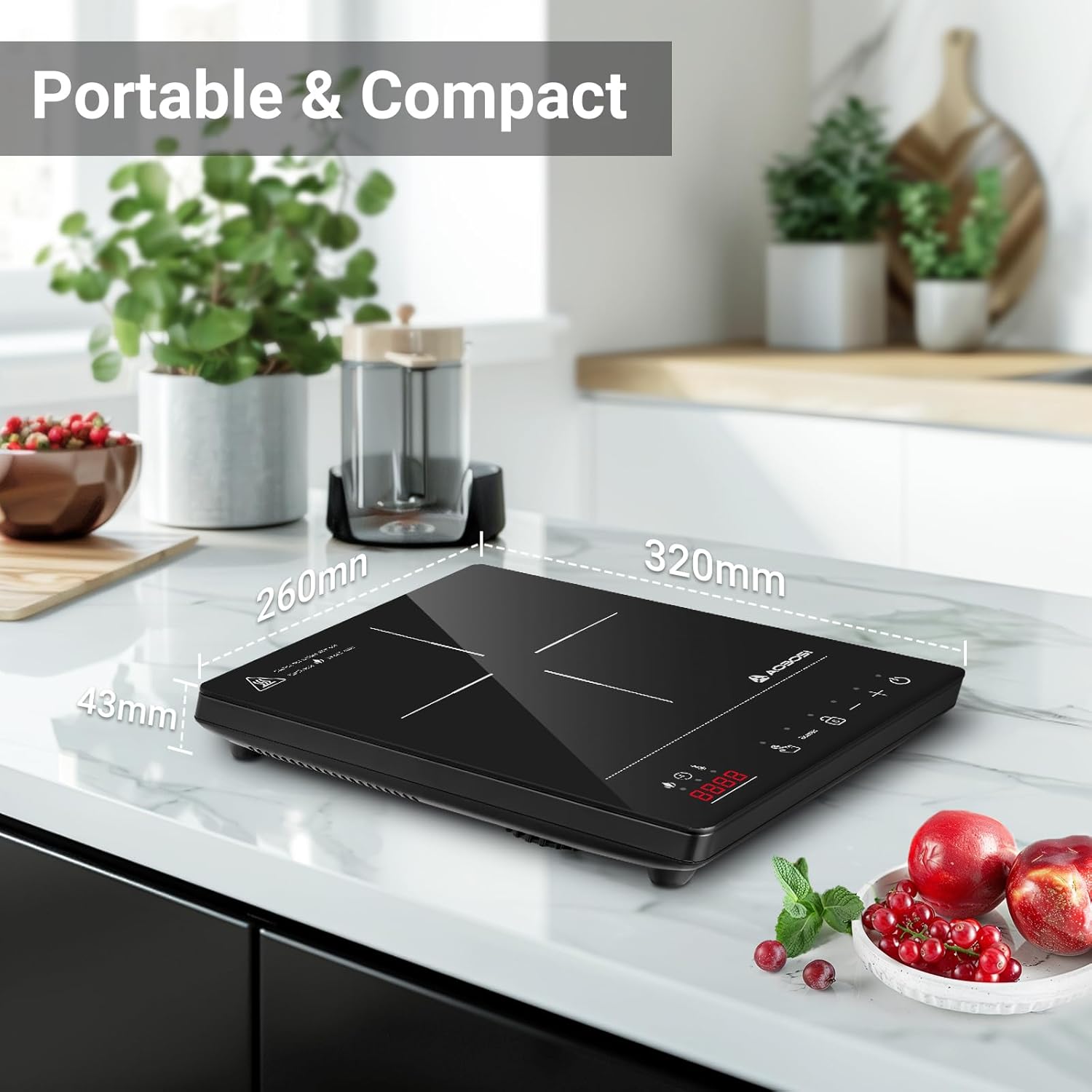
Image: The cooktop positioned on a kitchen counter, demonstrating its portable and compact size with dimensions labeled.

Image: The underside of the cooktop, illustrating its cooling system with air vents and a fan for efficient heat dissipation and low noise operation.
Setup
- Unpack the induction cooktop and all accessories.
- Place the cooktop on a dry, stable, and heat-resistant surface, ensuring adequate ventilation around the unit.
- Ensure the power cord is not pinched or damaged.
- Plug the power cord into a standard electrical outlet.
Operating Instructions
1. Power On/Off
- Press the Power button (usually indicated by a circle with a vertical line) to turn the cooktop on. The display will light up.
- Press the Power button again to turn the cooktop off.
2. Adjusting Power and Temperature
- After turning on, place an induction-compatible pot or pan on the cooking zone.
- Use the '+' and '-' buttons to adjust the power level (100W to 2000W) or temperature (50°C to 240°C). The cooktop offers 20 levels for both power and temperature.
- The display will show the current power or temperature setting.

Image: The cooktop demonstrating its precise temperature control capabilities, with visual indicators for power and temperature ranges.
3. Booster Function
- Press the Booster button to activate maximum power for rapid heating.
- The Booster function will operate at maximum power for 10 minutes, then automatically revert to the previously selected power or temperature setting. This is ideal for quickly boiling water or searing food.

Image: The cooktop with a visual representation of the Booster function, showing intense heat for quick cooking.
4. Timer Function
- Press the Timer button.
- Use the '+' and '-' buttons to set the desired cooking time, up to 10 hours.
- The cooktop will automatically turn off once the set time has elapsed.
5. Child Safety Lock
- To activate the Child Safety Lock, press and hold the Lock button (usually indicated by a padlock icon) for a few seconds. The display will show a lock indicator.
- Once activated, all other buttons will be disabled, preventing accidental changes.
- To deactivate, press and hold the Lock button again until the indicator disappears.
Compatible Cookware
The AAOBOSI Induction Cooktop requires cookware with a magnetic base. Compatible cookware typically includes:
- Cast Iron: All types of cast iron cookware.
- Stainless Steel: Many types of stainless steel cookware are induction compatible. Check for a magnetic base.
- Enamel Cast Iron: Cookware made from enamel-coated cast iron.
To test if your cookware is compatible, place a magnet on the bottom of the pot or pan. If the magnet sticks, the cookware is suitable for induction cooking. The recommended cookware diameter is between 12 cm and 22 cm.
Cookware NOT compatible with induction cooktops includes ceramic, copper, glass, and aluminum (unless specifically designed for induction).
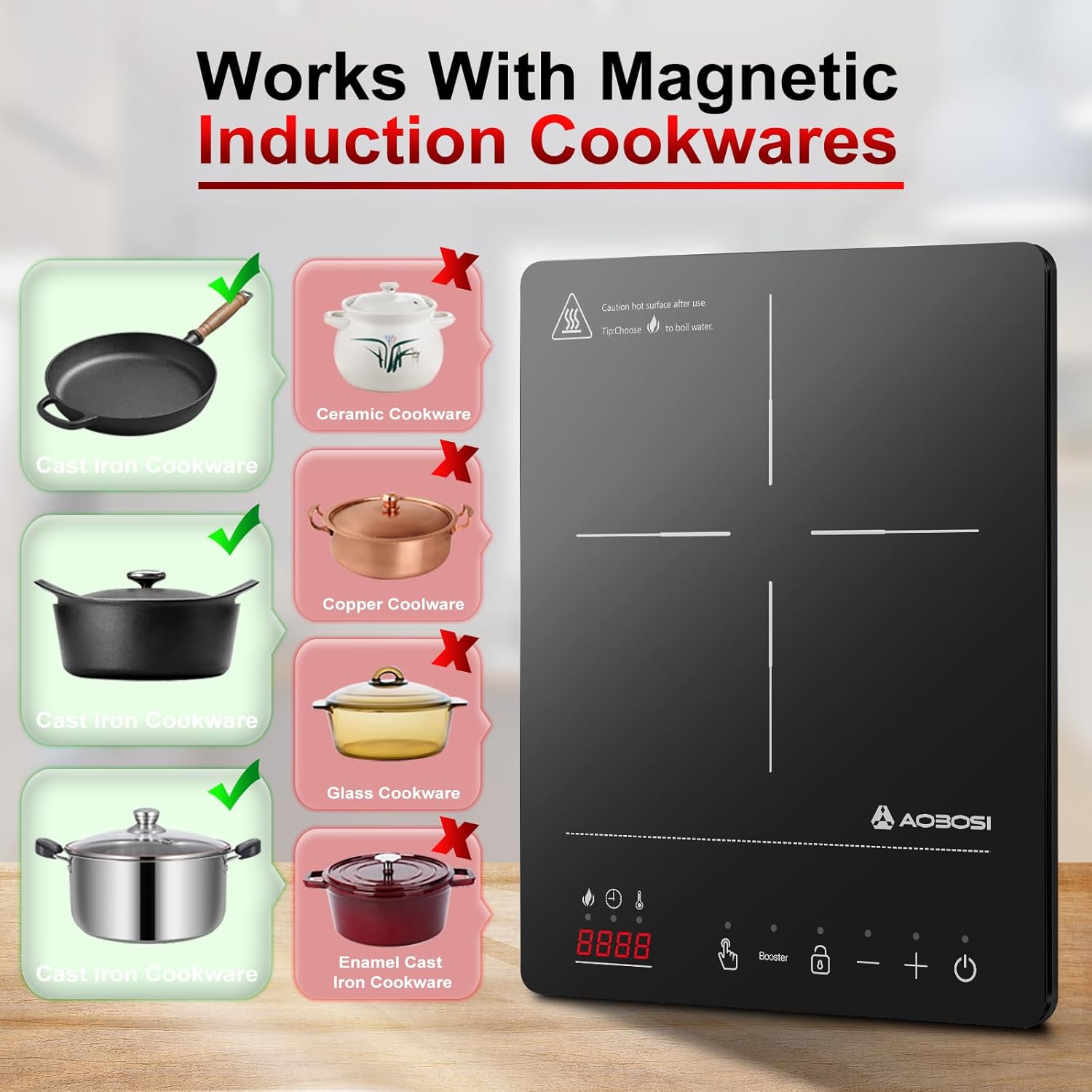
Image: A visual guide to induction-compatible cookware, showing examples of suitable (cast iron, stainless steel) and unsuitable (ceramic, copper, glass) materials.
Maintenance and Cleaning
Regular cleaning ensures the longevity and optimal performance of your induction cooktop.
- Always unplug the cooktop and allow it to cool completely before cleaning.
- Wipe the glass surface with a soft, damp cloth and a mild detergent. For stubborn stains, a non-abrasive cooktop cleaner can be used.
- Do not use abrasive cleaners, scouring pads, or harsh chemicals, as these can scratch or damage the surface.
- Clean the control panel with a soft, damp cloth. Ensure no liquid enters the control area.
- Wipe the exterior housing with a damp cloth.
- Ensure all parts are thoroughly dry before storing or next use.
Troubleshooting
| Problem | Possible Cause | Solution |
|---|---|---|
| Cooktop does not turn on. | Not plugged in; power outage; faulty outlet; Child Safety Lock active. | Check power connection; verify power supply; try a different outlet; deactivate Child Safety Lock. |
| No heating or "E0" error. | Incompatible cookware; no cookware on surface; cookware too small/large. | Use induction-compatible cookware; place cookware on the cooking zone; ensure cookware diameter is 12-22 cm. |
| Cooktop stops heating during operation. | Overheat protection activated; power fluctuation. | Remove cookware, turn off, and allow to cool; check power supply stability. |
| Unusual noise during operation. | Normal fan operation; resonance from cookware. | A slight humming sound from the cooling fan is normal. Some cookware may produce a faint buzzing sound due to vibration. This is not a defect. |
Specifications
| Brand | AAOBOSI |
| Model Number | CE-FS-IC015-Black |
| Color | Black |
| Dimensions (L x W x H) | 32 x 26 x 4.2 cm (Product body) / 39 x 30 x 8 cm (Overall product) |
| Weight | 2.12 kg |
| Power | 2000 Watts |
| Material | Glass |
| Control Type | Sensor Touch |
| Heating Elements | 1 |
| Special Features | 20 Power Levels, 20 Temperature Levels, 10-Hour Timer, Booster Function, Child Safety Lock, Over-heat Protection, High/Low Pressure Protection, 4D Solid Waterproof |
Warranty and Support
For warranty information, technical support, or any questions regarding your AAOBOSI Portable Induction Cooktop, please contact the seller or manufacturer directly through the platform where the product was purchased. Please retain your proof of purchase for warranty claims.