
Rolanstar hq-dnzh031-01
Rolanstar Computer Desk with Power Outlets & LED Light User Manual
Model: hq-dnzh031-01 | Brand: Rolanstar
Product Overview
The Rolanstar Computer Desk is a versatile home office solution designed for productivity and entertainment. It features a built-in power strip, multi-color RGB LED lighting, ample storage with three fabric drawers, and convenient side shelves. The integrated monitor stand promotes ergonomic posture, making it suitable for various tasks including working, writing, and gaming.

Figure 1: Overview of the Rolanstar Computer Desk with LED lighting activated.

Figure 2: The desk integrated into a home office setup, showcasing its monitor stand and LED lighting.
Setup and Assembly
Assembly of the Rolanstar Computer Desk is required. All necessary tools and parts are included. Follow the provided instructions carefully to ensure proper and stable construction. It is recommended to assemble the desk in the room where it will be used.
Dimensions and Components

Figure 3: Detailed dimensions of the desk and its components, including the monitor stand and fabric drawers.
Fabric Drawer Assembly
The three fabric drawers are designed for easy assembly. Simply unfold each drawer and insert the bottom panel to create a sturdy storage box. No additional tools are required for drawer assembly.

Figure 4: Step-by-step guide for assembling the fabric drawers.
Operating Instructions
Power Outlets and USB Ports
The desk is equipped with a built-in power strip featuring 2 standard AC outlets (120V/12A), 2 USB-A ports (5V/2.4A), and 1 Type-C port (5V/3A). These provide convenient charging for your electronic devices directly on the desktop. Ensure the desk is plugged into a grounded wall outlet.

Figure 5: The integrated power strip with various charging ports.
LED Lighting System
The desk features multi-color RGB LED light strips. These lights can be controlled via a phone application or a physical controller. You can customize brightness, color, mode, and timer settings. The LED lights also offer a music sync mode to enhance your gaming or work environment.
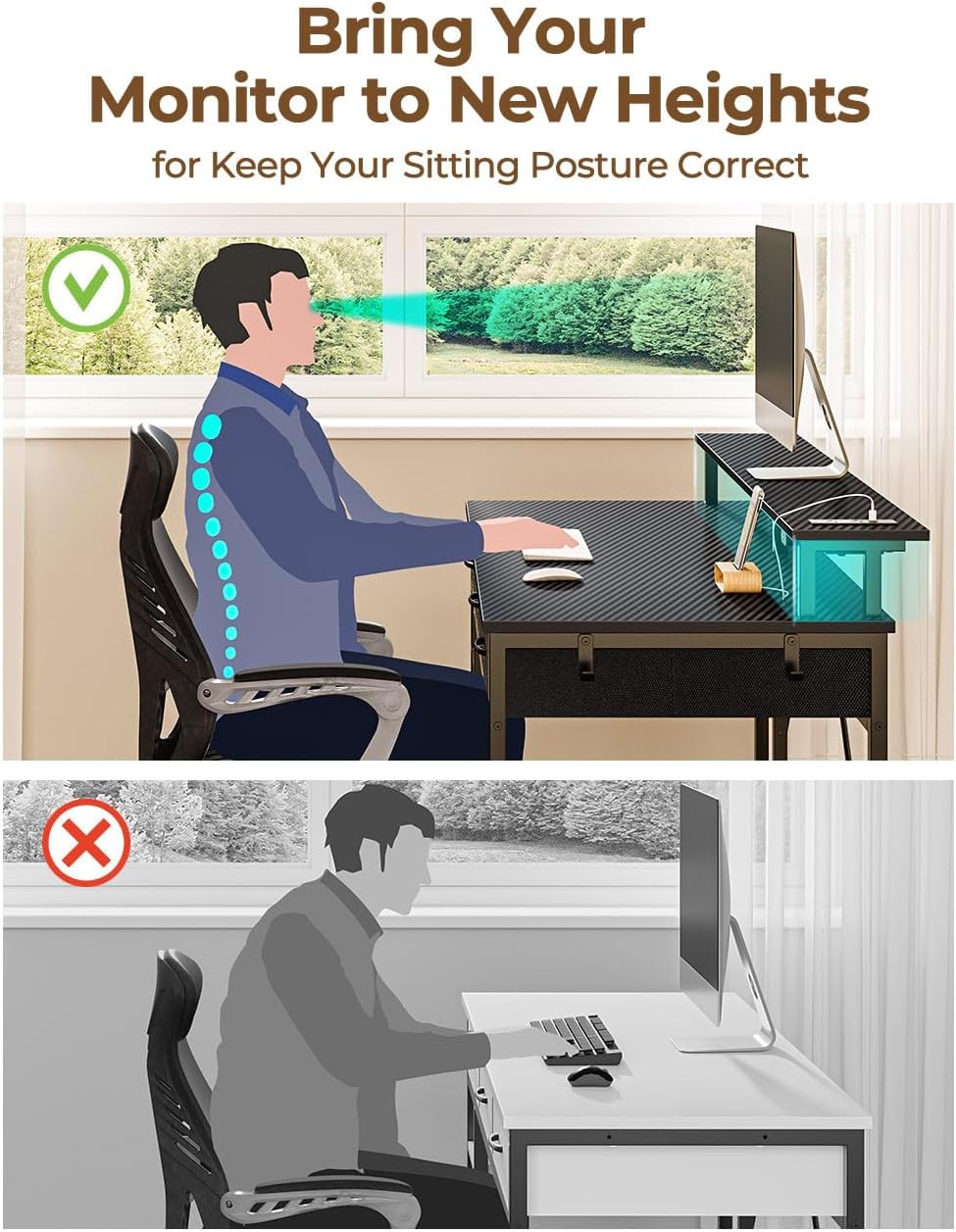
Figure 6: The LED lighting system with options for app control and various modes.
Storage Features
The desk includes three large capacity fabric drawers, perfect for organizing documents, office supplies, or gaming equipment. Each drawer can support up to 8 lbs. Additionally, two lower shelves on the side provide extra space for items like a computer tower or paperwork, helping to keep your area clutter-free.
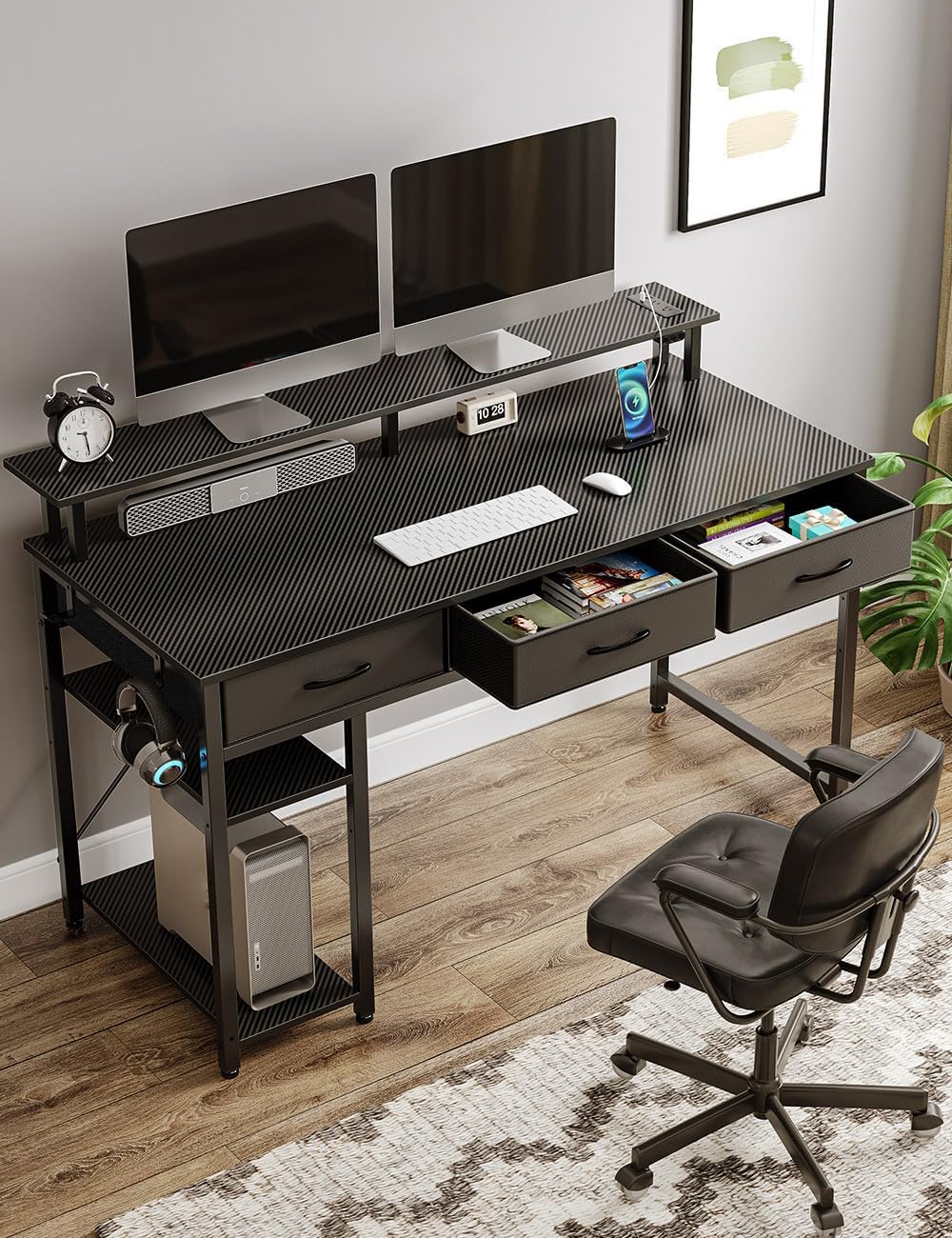
Figure 7: The desk's fabric drawers providing ample storage space.
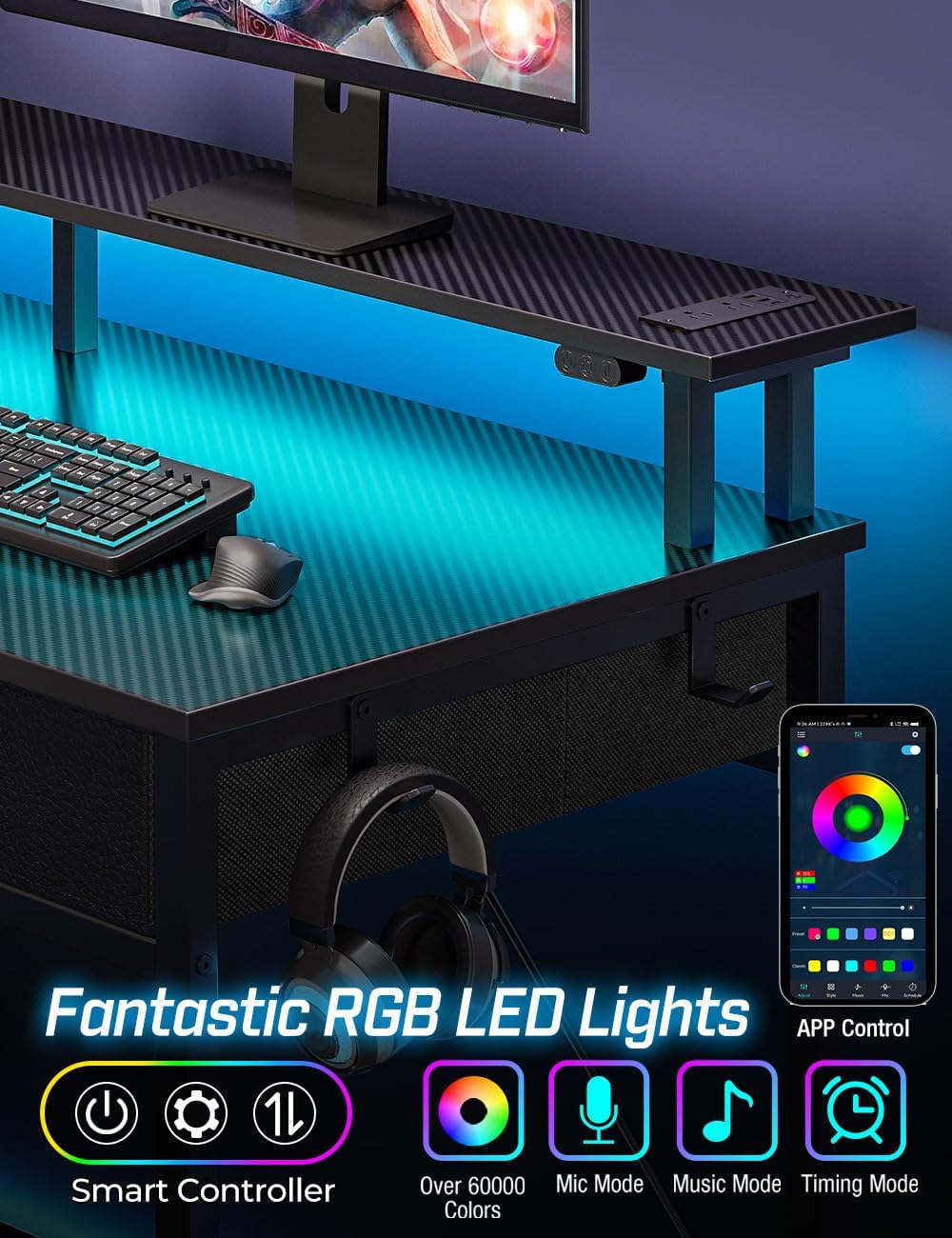
Figure 8: The convenient side shelves for additional storage or computer tower placement.
Monitor Stand
The integrated monitor stand helps elevate your screen to an ergonomic height, promoting a healthy sitting posture and reducing neck strain during long work or gaming sessions.
Figure 9: The monitor stand helps maintain correct ergonomic posture.
Maintenance
To maintain the quality and appearance of your Rolanstar Computer Desk, wipe surfaces with a damp cloth. Avoid using harsh chemicals or abrasive cleaners. Ensure that no liquids come into contact with the electrical components, including the power outlets and LED lights, to prevent damage or electrical hazards.
Regularly check all screws and connections to ensure they remain tight and secure, especially after initial assembly and during periods of heavy use, to maintain the desk's stability.
Troubleshooting
| Issue | Possible Cause | Solution |
|---|---|---|
| Desk is wobbly. | Loose screws or uneven floor. | Tighten all assembly screws. Ensure the desk is on a flat, level surface. Adjust leg levelers if available. |
| LED lights not working. | Power connection issue, app/controller malfunction. | Check if the LED strip is properly connected to the power source. Verify the power outlet is functional. Restart the app or check controller batteries. |
| Power outlets/USB ports not functioning. | Desk not plugged in, circuit overload, faulty device. | Ensure the desk's main power cord is securely plugged into a working wall outlet. Avoid overloading the power strip. Test with different devices. |
| Fabric drawers do not slide smoothly. | Improper assembly or obstruction. | Ensure drawers are correctly assembled and inserted into their designated slots. Check for any obstructions within the drawer compartments. |
If you encounter issues not listed here or if the suggested solutions do not resolve the problem, please contact Rolanstar customer support for assistance.
Specifications
| Feature | Detail |
|---|---|
| Brand | Rolanstar |
| Model Number | hq-dnzh031-01 |
| Product Dimensions (D x W x H) | 20.5"D x 39"W x 34.6"H |
| Color | Carbon Black |
| Material | Metal (legs), Wood (desktop) |
| Item Weight | 32.6 Pounds |
| Power Outlets | 2 AC Outlets (120V/12A) |
| USB Ports | 2 USB-A (5V/2.4A), 1 Type-C (5V/3A) |
| LED Lights | Multi-color RGB, App/Controller controlled, Music Sync |
| Storage | 3 Fabric Drawers (8 lb capacity each), 2 Open Shelves |
| Maximum Static Load Capacity (per shelf) | 220 lb (99.79 kg) |
Warranty and Support
This product comes with no stated warranty from the manufacturer. However, optional protection plans may be available for purchase separately through your retailer.
For product support, technical assistance, or inquiries regarding parts, please contact Rolanstar customer service directly. Refer to your purchase documentation or the retailer's website for specific contact information.
Official Product Videos
The following official product video provides additional visual guidance on the features and functionality of the Rolanstar Computer Desk:
Video 1: "Rolanstar Computer Desk with LED Light" - This video showcases the desk's features, including its use in a home office setting, storage drawers, and LED lighting. It highlights the versatility and design of the desk.
Ask a question about this manual
Ask about setup, troubleshooting, compatibility, parts, safety, or missing instructions. Manuals+ will review the question and use this page’s manual context to help answer it.