
HP Projector HP BP5000 PLUS
HP BP5000 PLUS Ultra Short Throw Laser TV Projector
User Instruction Manual
1. Introduction
This manual provides detailed instructions for the setup, operation, and maintenance of your HP BP5000 PLUS Ultra Short Throw Laser TV Projector. Please read this manual thoroughly before using the product to ensure proper functionality and safety. Keep this manual for future reference.
2. Safety Information
Important Safety Instructions:
- Do not block ventilation openings.
- Do not expose the projector to rain or moisture.
- Do not open the projector casing; refer all servicing to qualified personnel.
- Avoid direct eye exposure to the projector lens when the unit is operating.
- Ensure proper grounding for the power supply.
3. What's in the Box
- HP BP5000 PLUS Projector
- Adaptor
- Power Cord
- User Manual
- Remote Control
4. Product Overview
4.1. Physical Appearance
The HP BP5000 PLUS features a sleek, minimalist design, typically in a white finish with a metallic grille along the front for the integrated speakers. Its compact form factor allows for discreet placement in any living space.

Figure 4.1: Front view of the HP BP5000 PLUS Projector.

Figure 4.2: Close-up front view highlighting the ultra-short throw lens.
4.2. Ports and Controls
The rear panel of the projector houses various input and output ports for versatile connectivity.

Figure 4.3: Rear view showing connectivity ports.
- LAN: Ethernet port for wired network connection.
- S/PDIF Audio Output: Digital audio output for connecting to external sound systems.
- USB 2.0: USB ports for connecting external storage devices or accessories.
- HDMI 2.0 (HDMI 1/ARC): HDMI input, with HDMI 1 supporting Audio Return Channel (ARC).
- HDMI 2.0 (HDMI 2): Additional HDMI input.
- ANT: Antenna input (if applicable for TV tuner models).
- AC IN: Power input for the AC power cord.
4.3. Key Features
- Immersive Home Theater Experience: Projects a massive 150-inch display from only 18.7 inches away.
- Superb Brightness & Contrast: Delivers 2000 ANSI Lumens for clear visuals in various lighting conditions.
- Aesthetic Visual Experience: Native 4K Ultra HD (3840x2160) resolution with HDR10 support and 110% DCI-P3 color gamut coverage.
- Intuitive Motion Compensation (MEMC): Reduces motion blur for smooth delivery of fast-moving images.
- Smart Auto Focus & Zero-Distortion: Built-in smart Auto Focus system and 8-point 2-axes curved correction for precise image alignment.
- Integrated Audio: Features built-in high fidelity audio speaker set.
- Liquid Cooling Technology: Ensures quiet operation.
- Long Lifespan: 25,000+ hours of zero-maintenance lifetime for the laser light source.
5. Setup
5.1. Placement
Due to its ultra-short throw lens, the HP BP5000 PLUS is designed to be placed directly in front of a wall or screen, just a few inches away. For a 100-inch screen, place the projector approximately 8.7 inches (22 cm) from the projection surface. For a 120-inch screen, approximately 13 inches (33 cm) away. For a 150-inch screen, approximately 18.7 inches (48 cm) away.

Figure 5.1: Illustration of ultra-short throw distances for various screen sizes.
5.2. Power Connection
- Connect the power cord to the AC IN port on the rear of the projector.
- Plug the other end of the power cord into a suitable electrical outlet.
5.3. Initial Power-On
Press the power button on the projector or the remote control to turn on the unit. The projector will perform an initial startup sequence.
5.4. Connectivity
Connect your devices using the available ports:
- HDMI: For connecting Blu-ray players, gaming consoles, streaming devices, or computers.
- USB: For playing media from USB drives.
- Ethernet (LAN): For a stable wired internet connection.
- Wi-Fi: Connect to your home network for streaming and smart features.
- Bluetooth: For connecting wireless audio devices.

Figure 5.4: External audio connection options.
5.5. Auto-Focus and Keystone Correction
The projector features smart auto-focus and 8-point 2-axes curved correction to ensure a sharp and perfectly rectangular image, even if the projector is not perfectly aligned with the screen. This process typically occurs automatically upon startup or when the projector is moved.
6. Operating
6.1. Basic Operation
- Power On/Off: Use the power button on the remote or projector.
- Input Selection: Use the remote control to select the desired input source (HDMI, USB, etc.).
- Navigation: Use the directional buttons on the remote to navigate menus and select options.
6.2. Smart Features
The HP BP5000 PLUS supports various smart features for enhanced entertainment:
- 4K Android TV Stick: Access a wide range of streaming apps (Netflix, YouTube, etc.) and Google Assistant.
- Wireless Screen Mirroring: Share content from your iOS, Android, Windows, or Mac OS devices wirelessly to the big screen.
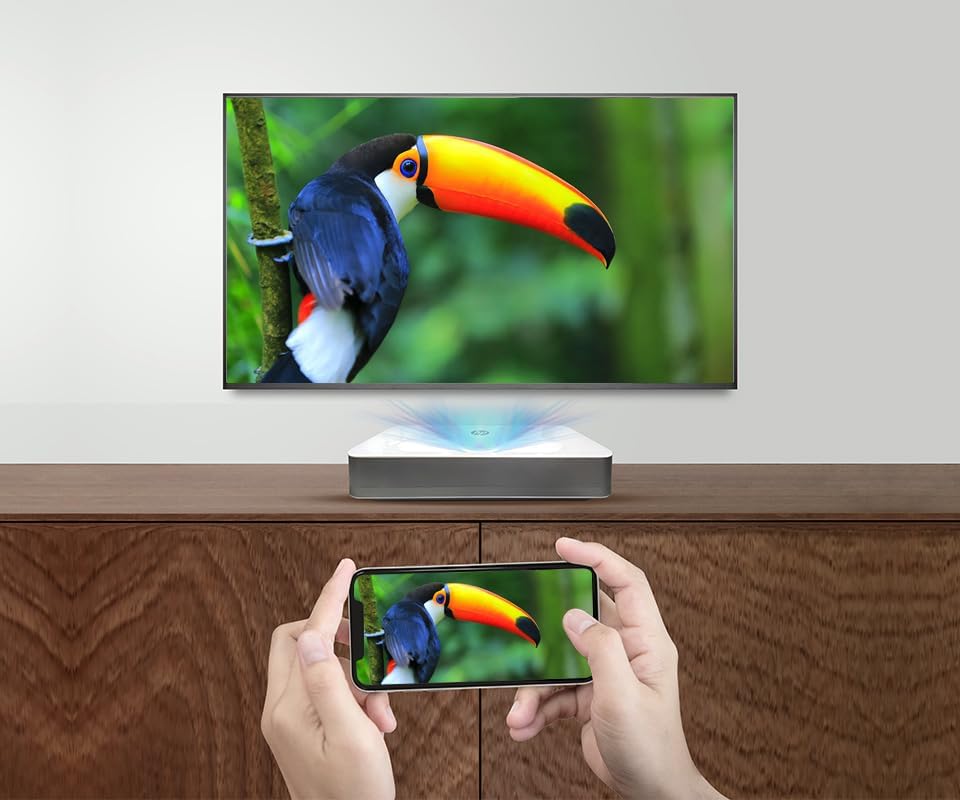
Figure 6.1: Wireless screen mirroring in action.
6.3. Audio
The projector includes integrated 30W stereo speakers with a sub-woofer for a rich audio experience. For external audio, use the S/PDIF or HDMI (ARC) outputs to connect to a soundbar or home theater system.

Figure 6.2: Options for connecting external audio systems.
6.4. Video Features
- Native 4K UHD: Enjoy crisp, detailed images at 3840x2160 resolution.
- HDR10 Support: Provides a wider range of colors and contrast for a more dynamic picture.
- MEMC Technology: Enhances motion clarity, especially beneficial for fast-paced content like sports or action movies.

Figure 6.3: Visual comparison of MEMC technology in action.
7. Maintenance
7.1. Cleaning Instructions
- Use a soft, dry cloth to clean the exterior of the projector.
- For the lens, use a lens cleaning cloth and specialized lens cleaning solution. Do not use abrasive cleaners.
- Ensure the projector is powered off and unplugged before cleaning.
7.2. Laser Light Source
The HP BP5000 PLUS utilizes an ALPD 3.0 laser-phosphor light source with a lifespan of over 25,000 hours, requiring zero maintenance throughout its operational life.
7.3. Cooling System
The projector incorporates liquid-cooling technology for efficient heat dissipation and quiet operation. Ensure the ventilation vents are not obstructed to maintain optimal performance and prevent overheating.

Figure 7.1: Internal view of the liquid cooling system.
8. Troubleshooting
| Problem | Possible Cause | Solution |
|---|---|---|
| No picture/No power | Power cord not connected; Power outlet issue; Projector not turned on. | Check power connections; Try a different outlet; Press the power button. |
| No sound | Volume too low; Mute enabled; Incorrect audio output selected; External speaker issue. | Increase volume; Disable mute; Check audio settings; Verify external speaker connection. |
| Bluetooth audio delayed/distorted | Interference; Device compatibility; Outdated firmware. | Move Bluetooth device closer; Try a different Bluetooth device; Check for firmware updates. |
| Cannot change language (stuck in Chinese) | Software configuration issue. | Navigate to system settings (look for gear/settings icon) and locate language options. If persistent, contact customer support. |
| Apps not functioning/Firmware update issue | Software bug; Network connectivity issue. | Ensure stable internet connection; Restart projector; Check for official firmware updates via system settings or manufacturer website. |
| Wireless broadcast/Screen mirroring issues | Network configuration; Device compatibility; App malfunction. | Ensure both devices are on the same Wi-Fi network; Restart both devices; Check projector's screen mirroring settings; Update relevant apps. |
| Wi-Fi shows as suspended despite good signal | Software glitch; Network settings conflict. | Restart the projector and router; Forget and reconnect to the Wi-Fi network; Check for system updates. |
9. Specifications
| Feature | Detail |
|---|---|
| Model Number | HP BP5000 PLUS |
| Product Dimensions | 29.76 x 20.16 x 9.69 inches |
| Item Weight | 36.1 pounds |
| Display Resolution | 3840 x 2160 (4K UHD) |
| Brightness | 2000 ANSI Lumens (6000 Optical Lumens) |
| Light Source | ALPD 3.0 Laser-Phosphor |
| Light Source Lifespan | 25,000+ hours |
| Throw Ratio | 0.23 Ultra-short throw |
| Max Screen Diagonal | 150 inches / 381 cm |
| Audio | Integrated 30W Stereo Speakers with Sub-woofer |
| Connectivity | Bluetooth, Wi-Fi (2.4GHz & 5.8GHz), USB, Ethernet, HDMI (HDMI 1 with ARC) |
| Special Features | Built-In Speaker, Auto Focus, Built-In Cooling System, Ultra Short Throw, Built-In Wi-Fi, HDR10, MEMC, Eye Protection Smart Sensor |
| Recommended Uses | Home Cinema, Gaming, Business |
10. Warranty and Support
Your HP BP5000 PLUS Projector is covered by a manufacturer's warranty. Please refer to the warranty card included in your product packaging for specific terms and conditions. For technical support, troubleshooting assistance, or warranty claims, please contact HP customer service or visit the official HP Projector support website.
Manufacturer: HP