
LG 43LQ60006LA
LG LED LQ60 43" FHD Smart TV User Manual
Model: 43LQ60006LA
1. Introduction
Welcome to the user manual for your new LG LED LQ60 43-inch Full HD Smart TV. This manual provides essential information for setting up, operating, maintaining, and troubleshooting your television. Please read it thoroughly to ensure proper use and to maximize your viewing experience.

Image: Front view of the LG LQ60 43-inch Smart TV, showcasing its sleek design and display.
2. What's in the Box
Before you begin, please ensure all components listed below are included in your package:
- LG LED LQ60 43" FHD Smart TV
- Remote Control
- Stand (2 pieces)
- Power Cable
- User Manual (this document)
- Warranty Card
- 2 AAA batteries (for remote control)
3. Setup
3.1 Physical Setup
Attaching the Stand: Carefully place the TV screen-down on a soft, flat surface. Align the stand pieces with the slots on the bottom of the TV and secure them with the provided screws. Ensure the stand is firmly attached for stability.
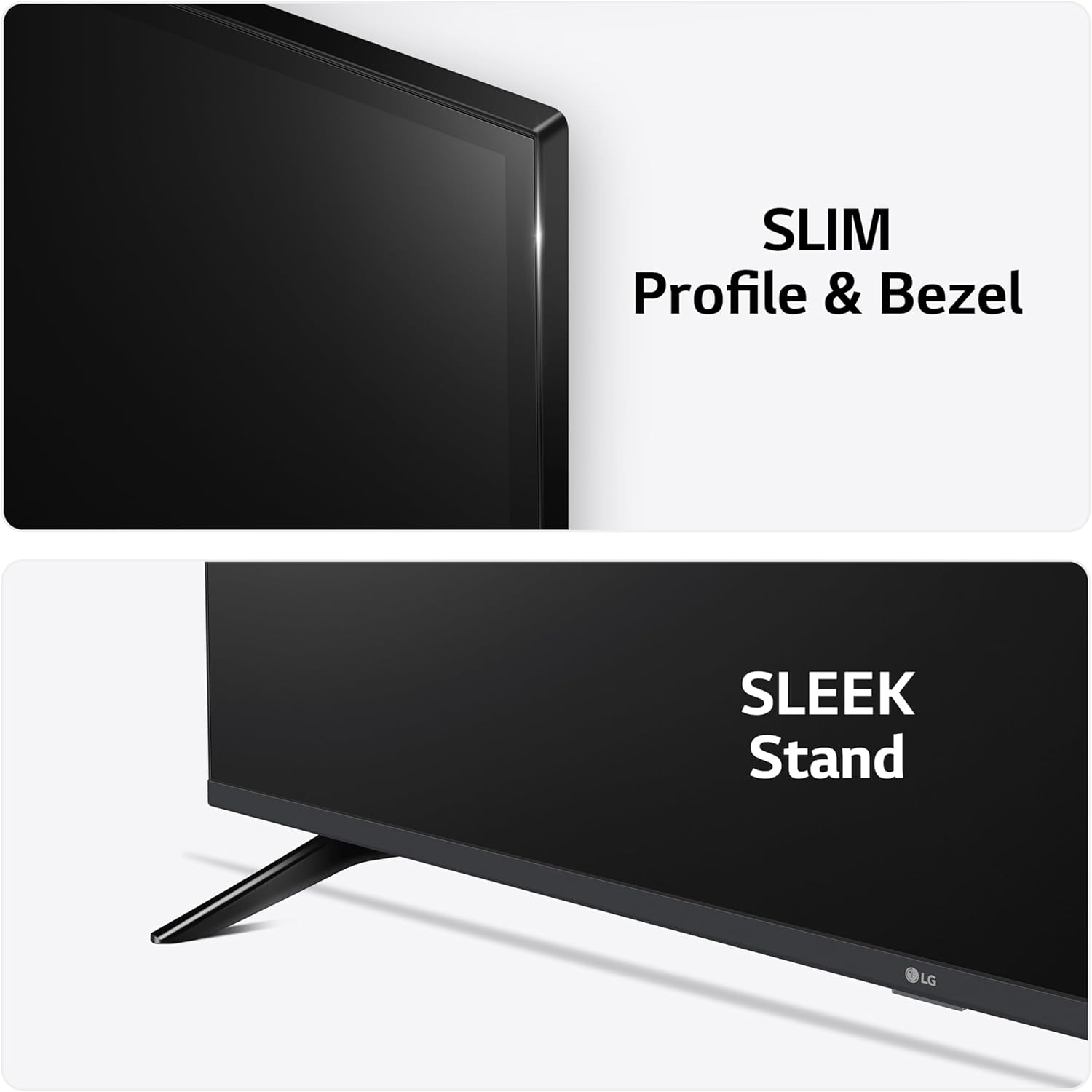
Image: Close-up view highlighting the TV's slim profile, narrow bezel, and the design of its sleek stand.
Connecting Cables: Connect your power cable, antenna/cable, and any external devices (e.g., set-top box, game console, soundbar) to the appropriate ports on the back of the TV. The LG LQ60 features multiple HDMI ports, a USB port, LAN, TV Aerial, Satellite, and Optical Audio Out connections.

Image: Rear view of the LG TV, illustrating the placement of HDMI, USB, LAN, TV Aerial, Satellite, and Optical Audio Out ports.
3.2 Initial Power On and First-Time Setup
After connecting all necessary cables, plug the power cable into an electrical outlet. Press the power button on the remote control or on the TV. The TV will guide you through the initial setup process, which includes language selection, network connection (Wi-Fi), channel scanning, and agreeing to terms and conditions for smart features.
4. Operating
4.1 Remote Control
The included remote control allows you to navigate the TV's features. Familiarize yourself with the main buttons:
- Power Button: Turns the TV on or off.
- Number Buttons: For direct channel selection.
- Volume Up/Down: Adjusts the sound level.
- Channel Up/Down: Changes TV channels.
- Home Button: Accesses the webOS Smart TV dashboard.
- Navigation Pad (Up/Down/Left/Right) & OK Button: For menu navigation and selection.
- Back Button: Returns to the previous screen.
- Quick Access Buttons: Dedicated buttons for popular streaming services like Netflix and Prime Video.

Image: The LG TV remote control, displaying its layout including power, number, volume, channel, navigation, and quick access buttons.
4.2 Smart TV Features (webOS)
Your LG LQ60 TV runs on the intuitive webOS platform, providing access to a wide range of streaming services and smart features. Press the Home button on your remote to access the webOS dashboard, where you can find:
- Built-in Streaming Apps: Access popular services like Netflix, Prime Video, Disney+, YouTube, and more directly from your TV.
- Content Recommendations: webOS learns your viewing habits and suggests content you might enjoy.
- Home Dashboard: Manage connected devices, inputs, and smart home features.

Image: A screenshot of the LG webOS smart TV interface, showing various app icons and content recommendations.
4.3 Connectivity
The TV offers robust connectivity options:
- Wi-Fi: Connect to your home network wirelessly for internet access and smart features.
- AirPlay: Easily share content (photos, videos, music) from your Apple devices directly to the TV.
- HDMI: Connect up to two HDMI devices for high-definition audio and video.
- USB: Play media files from a USB storage device.
4.4 Gaming
The LG LQ60 features a Game Optimiser, designed to enhance your gaming experience by automatically adjusting picture settings for optimal performance and reduced input lag. Access this feature through the TV's settings menu.
5. Maintenance
To ensure the longevity and optimal performance of your TV, follow these maintenance guidelines:
- Cleaning the Screen: Gently wipe the screen with a soft, dry microfiber cloth. For stubborn marks, slightly dampen the cloth with water or a specialized screen cleaner (never spray directly onto the screen).
- Cleaning the Frame: Use a soft, dry cloth to clean the TV frame and stand.
- Ventilation: Ensure the ventilation openings on the back of the TV are not blocked to prevent overheating.
- Power Off When Not in Use: Turn off the TV when not in use to save energy and extend its lifespan.
6. Troubleshooting
If you encounter issues with your TV, refer to the following common problems and solutions:
| Problem | Possible Solution |
|---|---|
| No Power | Check if the power cable is securely plugged into both the TV and the wall outlet. Ensure the outlet is active. Try a different outlet. |
| No Picture, But Sound is Present | Check the input source. Ensure external devices are powered on and connected correctly. Try restarting the TV. |
| No Sound, But Picture is Present | Check the volume level and mute status. Ensure external audio devices are connected properly. Check audio output settings in the TV menu. |
| Cannot Connect to Wi-Fi | Ensure your Wi-Fi router is on and working. Re-enter the Wi-Fi password. Try restarting both the TV and the router. |
| Remote Control Not Working | Check and replace the batteries. Ensure there are no obstructions between the remote and the TV's IR sensor. |
If the problem persists after trying these solutions, please contact LG customer support.
7. Specifications
Below are the key technical specifications for the LG LED LQ60 43" FHD Smart TV:
| Feature | Detail |
|---|---|
| Model Number | 43LQ60006LA |
| Screen Size | 43 Inches (110 cm) |
| Display Technology | LCD, LED |
| Resolution | 1080p (Full HD) |
| Refresh Rate | 60 Hz |
| Smart TV Platform | webOS |
| Processor | α5 AI Processor Gen5 |
| Connectivity | Wi-Fi, 2x HDMI, 1x USB, LAN, TV Aerial, Satellite, Optical Audio Out |
| Product Dimensions (WxDxH) | 95.5 x 22.9 x 60.5 cm (with stand) |
| Weight | 11 kg |
| Power Consumption | 63 watts per year (typical) |
| Included Batteries | 2 AAA batteries (for remote) |

Image: A technical diagram illustrating the precise dimensions (width, height, depth) of the 43-inch LG TV in millimeters.
8. Warranty and Support
Your LG LED LQ60 43" FHD Smart TV comes with a manufacturer's warranty. Please refer to the included Warranty Card for specific terms, conditions, and duration of coverage. Keep your proof of purchase for warranty claims.
For technical support, service, or further inquiries, please visit the official LG Electronics website or contact their customer service department. Contact information can typically be found on the LG website or in the warranty documentation.
Online Resources: For the latest drivers, firmware updates, and additional support materials, please visit the LG support website.
Ask a question about this manual
Ask about setup, troubleshooting, compatibility, parts, safety, or missing instructions. Manuals+ will review the question and use this page’s manual context to help answer it.