
soges 10CZSSZ01-BK
soges L Shaped Desk Instruction Manual
Model: 10CZSSZ01-BK | Brand: soges
Introduction
Thank you for choosing the soges L Shaped Desk. This manual provides detailed instructions for the assembly, operation, maintenance, and troubleshooting of your new desk. Please read this manual thoroughly before beginning assembly to ensure proper setup and safe use. This L-shaped computer desk is designed to maximize your workspace, fitting perfectly into corners and providing ample room for multiple monitors, office equipment, and personal items. Its sturdy construction and thoughtful design make it ideal for gaming, home office work, writing, and various other activities.
Safety Information
- Always follow assembly instructions carefully.
- Do not overtighten screws during assembly, as this may damage the metal frame or wood panels. Tighten all screws only after the entire structure is aligned.
- Ensure all connections are secure before placing items on the desk.
- Do not exceed the maximum weight capacity of the desk (approximately 132 lbs, as indicated in product images).
- Keep small parts and packaging materials away from children.
- Place the desk on a level surface to prevent wobbling and ensure stability. Adjustable foot pads are provided for uneven floors.
- Avoid exposing the desk to excessive moisture or direct sunlight for prolonged periods.
Package Contents
Before beginning assembly, please verify that all components listed below are present and undamaged. If any parts are missing or damaged, please contact customer support.
- L-shaped desktop panels (3 sections)
- Metal frame components (legs, support bars)
- Assembly hardware (screws, bolts, washers, Allen wrench)
- Adjustable foot pads
- Instruction Manual (this document)
Setup and Assembly
Assembly typically requires two people and approximately 1-2 hours. Follow these steps carefully:
- Unpack and Identify Parts: Lay out all components on a clean, soft surface (like a carpet) to prevent scratches. Identify each part using the provided parts list and diagrams.
- Assemble Frame Sections: Begin by attaching the metal frame components for each straight section of the desk. Insert screws loosely, keeping them "finger tight" as recommended in customer reviews. This allows for flexibility and alignment adjustments later.
- Connect Corner Section: Join the two straight frame sections with the corner frame piece. Again, keep screws loose.
- Attach Desktop Panels: Carefully place the desktop panels onto the assembled frame. Align the pre-drilled holes in the panels with the holes in the frame.
- Final Tightening: Once all desktop panels are in place and the entire desk structure is aligned, gradually tighten all screws using the provided Allen wrench. Ensure even tightening to prevent warping or instability. Do not overtighten.
- Install Adjustable Foot Pads: Screw the adjustable foot pads into the bottom of each leg. Adjust them as needed to level the desk on uneven floors.
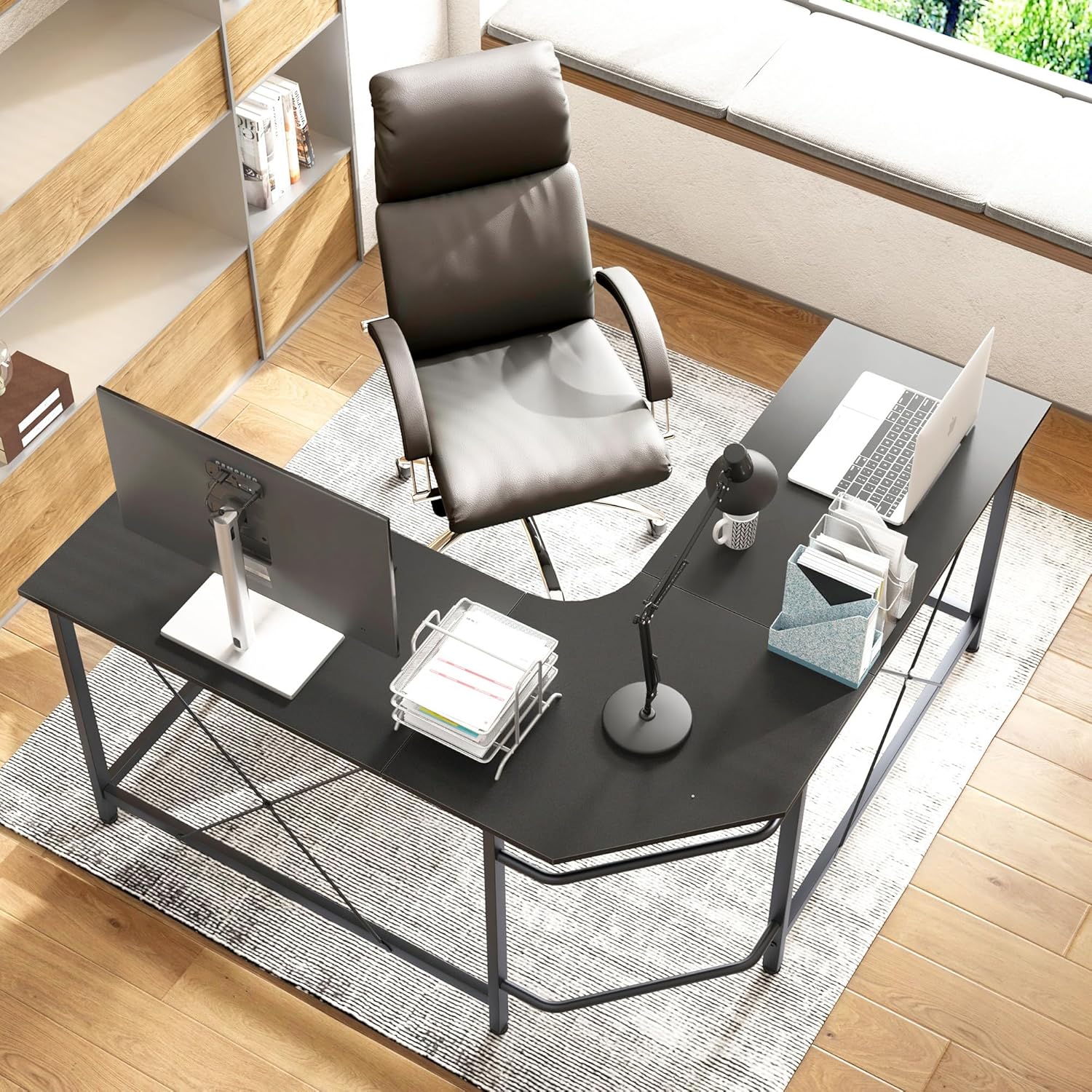
Figure 1: Product Dimensions. This diagram illustrates the overall dimensions of the L-shaped desk, including length, width, and height, to assist with space planning and assembly.

Figure 2: Adjustable Foot Pads. These pads allow for precise leveling of the desk on uneven surfaces, enhancing stability and preventing wobbling.

Figure 3: Ample Legroom. The desk's design provides generous space underneath, allowing users to sit comfortably and store items like CPU towers or file cabinets.
Operating and Usage
The soges L Shaped Desk is designed for versatile use in various settings:
- Spacious Workspace: The (59+59)L * 19.7W * 30H inch dimensions provide ample surface area for multiple monitors, laptops, and other work or gaming peripherals.
- Corner Optimization: Its L-shaped design is ideal for maximizing space in room corners, creating an efficient workstation.
- Multifunctional: Suitable for use as a computer desk, gaming desk, writing desk, or general home office workstation.

Figure 4: Spacious Workspace. This image demonstrates the generous surface area of the desk, accommodating multiple devices and accessories for an organized setup.

Figure 5: Corner Placement. The L-shaped design allows the desk to fit snugly into room corners, optimizing space utilization in home offices or gaming setups.
Maintenance
To ensure the longevity and appearance of your soges L Shaped Desk, follow these maintenance guidelines:
- Cleaning: Wipe the desk surface with a soft, damp cloth. For stubborn marks, use a mild soap solution and dry immediately. Avoid abrasive cleaners or harsh chemicals.
- Spills: The desk surface is waterproof and scratch-resistant. However, promptly wipe up any spills to prevent potential damage over time.
- Inspection: Periodically check all screws and connections to ensure they remain tight. Retighten if necessary.
- Protection: While the surface is scratch-resistant, using coasters for drinks and mouse pads can further protect the desktop from wear and tear.

Figure 6: Durable Surface. The desk features a thickened eco-friendly wood surface that is waterproof, scratch-resistant, and free from unpleasant odors, making it easy to maintain.

Figure 7: Anti-Collision Rounded Corners. The desk's rounded corners enhance safety and comfort, while the thicker steel frame provides increased stability and durability.
Troubleshooting
| Problem | Possible Cause | Solution |
|---|---|---|
| Desk is wobbly or unstable. | Screws are not fully tightened; desk is on an uneven surface; foot pads are not adjusted. | Ensure all screws are securely tightened. Adjust the adjustable foot pads to level the desk on uneven floors. |
| Parts do not align during assembly. | Screws were tightened too early; incorrect orientation of parts. | Loosen all screws, re-align parts, and then gradually tighten all screws only after full alignment. Refer to assembly diagrams. |
| Missing or damaged parts. | Packaging error or shipping damage. | Do not proceed with assembly. Contact soges customer support immediately for replacement parts. |
Specifications
| Feature | Detail |
|---|---|
| Brand | soges |
| Model Number | 10CZSSZ01-BK |
| Product Dimensions | 19.6"D x 59"W x 30"H (59*19.7 inch) |
| Color | Black |
| Style | Modern |
| Base Material | Metal |
| Top Material Type | Engineered Wood |
| Finish Type | Glossy |
| Item Weight | 41.9 Pounds |
| Required Assembly | Yes |
| Special Feature | Corner, Adjustable Foot Pads, Waterproof, Scratch-resistant, Anti-collision Rounded Corners |
Warranty and Support
For warranty information or technical support, please refer to the official soges website or contact their customer service directly. You can visit the official soges store on Amazon for more information and contact details: soges Official Store.
Related documents10CZSSZ01-BK


Ask a question about this manual
Ask about setup, troubleshooting, compatibility, parts, safety, or missing instructions. Manuals+ will review the question and use this page’s manual context to help answer it.