
Eranvaban 20230411002
User Manual: BAFANG DZ43 eBike LCD Display
Model: DZ43 | Brand: Eranvaban
Introduction
The BAFANG DZ43 LCD Display is an intelligent eBike speedometer designed for BAFANG BBS01, BBS02, and BBSHD mid-drive motors. It provides essential riding data, features a USB charging port, and boasts IPX5 waterproof capability, ensuring durability and functionality in various conditions. This manual provides detailed instructions for installation, operation, and maintenance of your DZ43 display.
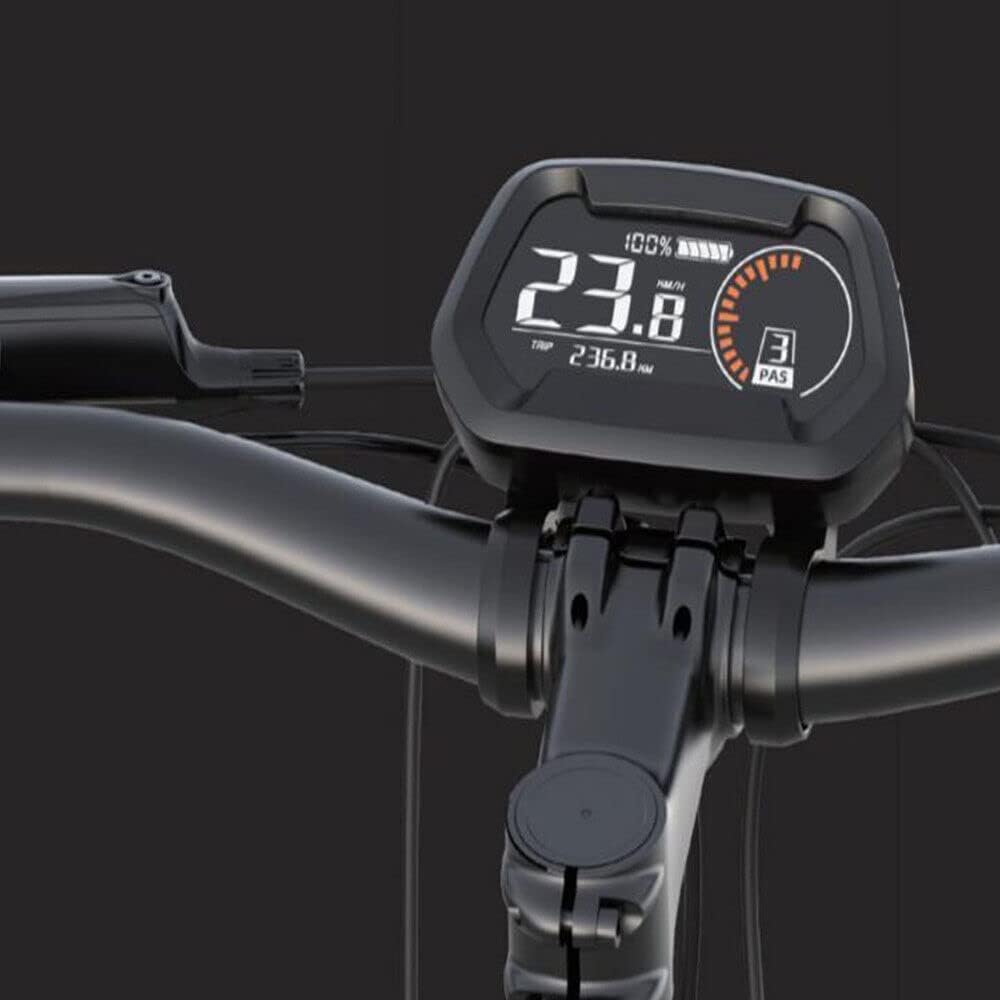
Figure 1: The BAFANG DZ43 LCD Display installed on an eBike handlebar, showing its clear digital interface.
Safety Information
- Always ensure the display is securely mounted before riding.
- Do not attempt to disassemble or modify the display, as this may void the warranty and cause damage.
- Keep the display clean and free from excessive dirt or debris.
- While the display is IPX5 waterproof, avoid submerging it in water or exposing it to high-pressure water jets.
- Ensure all connections are dry and secure before powering on the system.
Package Contents
Verify that all items are present in the package:
- 1 x DZ43 LCD Instrument Display
- 1 x Detachable Mounting Bracket
- 1 x Control Button Pad (integrated with cable)

Figure 2: Contents of the package, showing the DZ43 display, its control button pad, and the connecting cable.
Setup and Installation
Follow these steps to install your DZ43 LCD Display:
- Mounting the Display: Attach the detachable mounting bracket to your eBike handlebars. Ensure it is positioned centrally for optimal viewing and does not obstruct other controls. Secure the display onto the bracket.
- Connecting to Motor: Locate the appropriate UART protocol cable from your BAFANG BBS01, BBS02, or BBSHD mid-drive motor. Connect the display's cable to the motor's cable. Ensure the connection is firm and secure.
- Securing Cables: Route all cables neatly along the bike frame and secure them with zip ties or cable clips to prevent snagging or damage during riding.

Figure 3: The green connector cable of the DZ43 display, which connects to compatible BAFANG mid-drive motors.

Figure 4: The DZ43 display mounted on an eBike handlebar, showing its position relative to other bike controls.
Operating Instructions
The DZ43 display provides comprehensive information and control over your eBike system.

Figure 5: Labeled diagram of the DZ43 display and its control buttons, indicating key functions such as speed display, battery level, gear display, and mileage.
Display Functions:
- Speed Display: Shows current riding speed (km/h or mph).
- Electric Quantity Indication: Displays remaining battery charge.
- Gear Display (PAS Level): Indicates the current pedal assist level.
- Mileage Value: Shows trip distance (TRIP) and total odometer (ODO).
- Photosensitive Headlight: The display features a sensor that automatically turns the eBike headlight on or off based on ambient light conditions.
Control Buttons:
- Mode Key (M): Used to cycle through display modes (e.g., TRIP, ODO, Max Speed, Avg Speed) and enter settings.
- "+" Button: Increases pedal assist level or navigates up in menus.
- "-" Button: Decreases pedal assist level or navigates down in menus.
- Open Key (Power Button): Powers the display on/off.
USB Charging Port:
The integrated USB charging port allows you to charge small electronic devices, such as smartphones, directly from the display while riding. This feature is located below the display unit.

Figure 6: A close-up view of the DZ43 display mounted on an eBike, highlighting the clarity of the screen during operation.
Maintenance
- Cleaning: Use a soft, damp cloth to wipe the display screen and body. Avoid abrasive cleaners or solvents.
- Connections: Periodically check all cable connections to ensure they are secure and free from corrosion.
- Storage: If storing the eBike for an extended period, ensure the display is clean and stored in a dry environment.
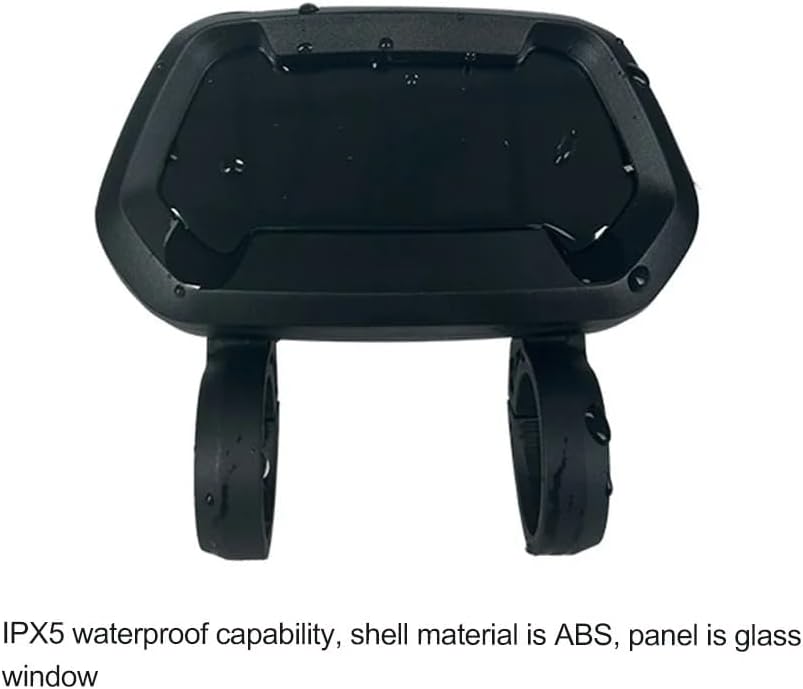
Figure 7: Rear view of the DZ43 display, illustrating its robust, IPX5 waterproof casing designed to protect internal components from water ingress.
Troubleshooting
| Problem | Possible Cause | Solution |
|---|---|---|
| Display does not power on. | Loose cable connection, low battery, or power button issue. | Check all cable connections. Ensure eBike battery is charged. Press and hold the power button firmly. |
| Incorrect speed reading. | Wheel circumference setting incorrect or speed sensor issue. | Consult your eBike motor manual for display settings. Check speed sensor for proper alignment and cleanliness. |
| USB charging not working. | Device not compatible or cable issue. | Ensure the device is compatible with USB charging. Try a different USB cable. |
Specifications
| Feature | Detail |
|---|---|
| Model Name | DZ43 LCD Instrument |
| Display Type | 3.2-inch VA Multicolor Full Perspective Segment LCD |
| Compatibility | BAFANG BBS01, BBS02, BBSHD Mid-Drive Motors (UART Protocol) |
| Waterproof Grade | IPX5 |
| Shell Material | ABS |
| Panel Material | Glass |
| Rated Current | 42mA |
| Voltage | 24V, 36V, 48V |
| Weight | 215g |
| Dimensions | 11.43 x 10.16 x 4.01 cm (approx.) |
| Special Features | USB Charging Port, Detachable Mounting Bracket, Photosensitive Headlight Function |

Figure 8: Detailed dimensions of the DZ43 display and its mounting components.
Warranty and Support
For warranty information and technical support, please refer to the manufacturer's official website or contact your point of purchase. Keep your proof of purchase for warranty claims.
Manufacturer: Eranvaban
Related Documents - 20230411002
 |
Bafang Go APP: User Instructions and Guide Comprehensive instructions for using the Bafang Go APP, covering features like eBike connection, ride tracking, settings customization, and technical support. Designed for optimal user experience and SEO. |
 |
OFFBONDAGE YA100-A Wireless Bicycle Computer User Manual User manual for the OFFBONDAGE YA100-A wireless bicycle computer. Includes specifications, installation instructions, and operation guide for this IPX5 waterproof cycling device. |
 |
Bafang Go+ App Manual for Lekker eBikes User manual for the Bafang Go+ app, detailing how to download, connect, and use features like homescreen information, navigation, and troubleshooting for Lekker eBikes. |
 |
EggRider V2 & C1 User Manual: Setup, Features, and Troubleshooting Comprehensive user manual for EggRider V2 and C1 ebike displays and mobile apps. Covers installation, setup, firmware updates, app usage, ebike settings configuration, troubleshooting, and compatibility for various ebike systems. |
 |
Bafang GO App User Guide A comprehensive user guide for the Bafang GO App, detailing its features for smart cycling, including connection, settings, ride modes, navigation, and activity tracking. |
 |
EggRider V2 User Manual: Ebike Display and Mobile App Guide Comprehensive user manual for the EggRider V2 ebike display and mobile app. Covers setup, configuration, features, app usage, troubleshooting, and compatibility with Bafang, Lishui, ASI, and other ebike controllers. |
Ask a question about this manual
Ask about setup, troubleshooting, compatibility, parts, safety, or missing instructions. Manuals+ will review the question and use this page’s manual context to help answer it.