1. Introduction
This manual provides essential information for the proper setup, operation, and maintenance of your ciciglow Metal Detector. Designed for efficient and precise metal detection, this device utilizes advanced technology for locating various metals underground. Please read this manual thoroughly before using the product to ensure safe and optimal performance.

Image: The ciciglow Metal Detector in action, indicating the presence of a metallic object buried underground.
2. Safety Information
To ensure safe operation and prevent damage to the device or injury, please observe the following safety guidelines:
- Always operate the device in a stable and clear environment, free from excessive wind or other interferences.
- Keep the device away from water and moisture unless specifically rated for waterproof use (this model has an IP67 rating, indicating protection against temporary immersion).
- Do not attempt to disassemble or modify the device. Repairs should only be performed by authorized personnel.
- Use only the provided charger and battery. Incorrect charging equipment may cause damage or fire.
- Store the device in a cool, dry place when not in use.
- Be aware of your surroundings when operating the detector, especially in unfamiliar terrain.
3. Package Contents
Verify that all items are present in the package:
- 1 x Main Unit (Metal Detector)
- 1 x Power Adapter (EU Plug 100-240V)
- 1 x User Manual

Image: The main unit of the ciciglow Metal Detector along with its power adapter.
4. Specifications
| Feature | Specification |
|---|---|
| Product Type | Metal Detector |
| Model Number | ciciglownu02tv458o-12 |
| Material | Metal, Plastic |
| Product Size | Approx. 26 x 9.5 x 6 cm (10.2 x 3.7 x 2.4 inches) |
| Weight | Approx. 1.125 kg (39.7 oz) |
| Detection Range | Up to 1500 m (4921.3 feet) |
| Detection Depth | Up to 30 m (98.4 feet) |
| Battery Type | Rechargeable NiMH battery, AAA, 1600 mAh (built-in) |
| Charging Time | 10-12 hours |
| Transmission Frequency | 5.6-6 kHz |
| Signal Frequency | 360-440 Hz |
| Detection Types | Gold, Silver, Copper, Diamond, Aluminum, Porcelain, Hollow, Ebony, Dragon Vein |
| International Protection Rating | IP67 |
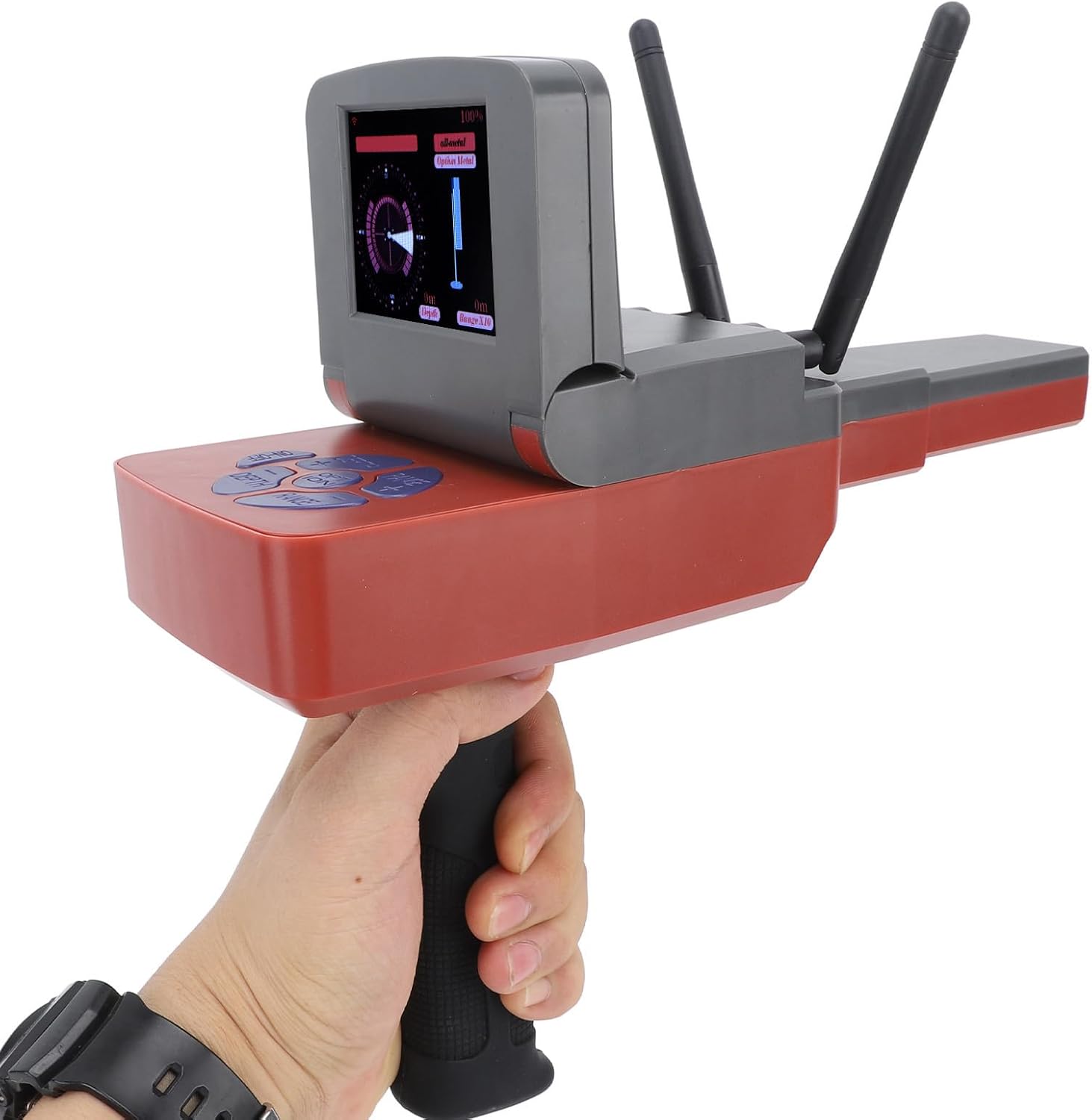
Image: Detailed dimensions of the ciciglow Metal Detector, showing its length, width, and height.

Image: Visual representation of the detection types (gold, silver, copper, etc.) and operating frequencies of the device.
5. Setup
- Charge the Battery: The device comes with a built-in rechargeable NiMH battery. Connect the provided power adapter to the device and a suitable power outlet (EU Plug 100-240V). Allow 10-12 hours for a full charge before first use.
- Install Antennas: Ensure the detection antennas are securely installed on the main unit.
- Power On: Once fully charged and antennas are installed, turn on the main unit.
- Adjust Settings: Use the control interface to adjust the desired detection depth and range. The device features a microcomputer control chip unit for quick calibration.
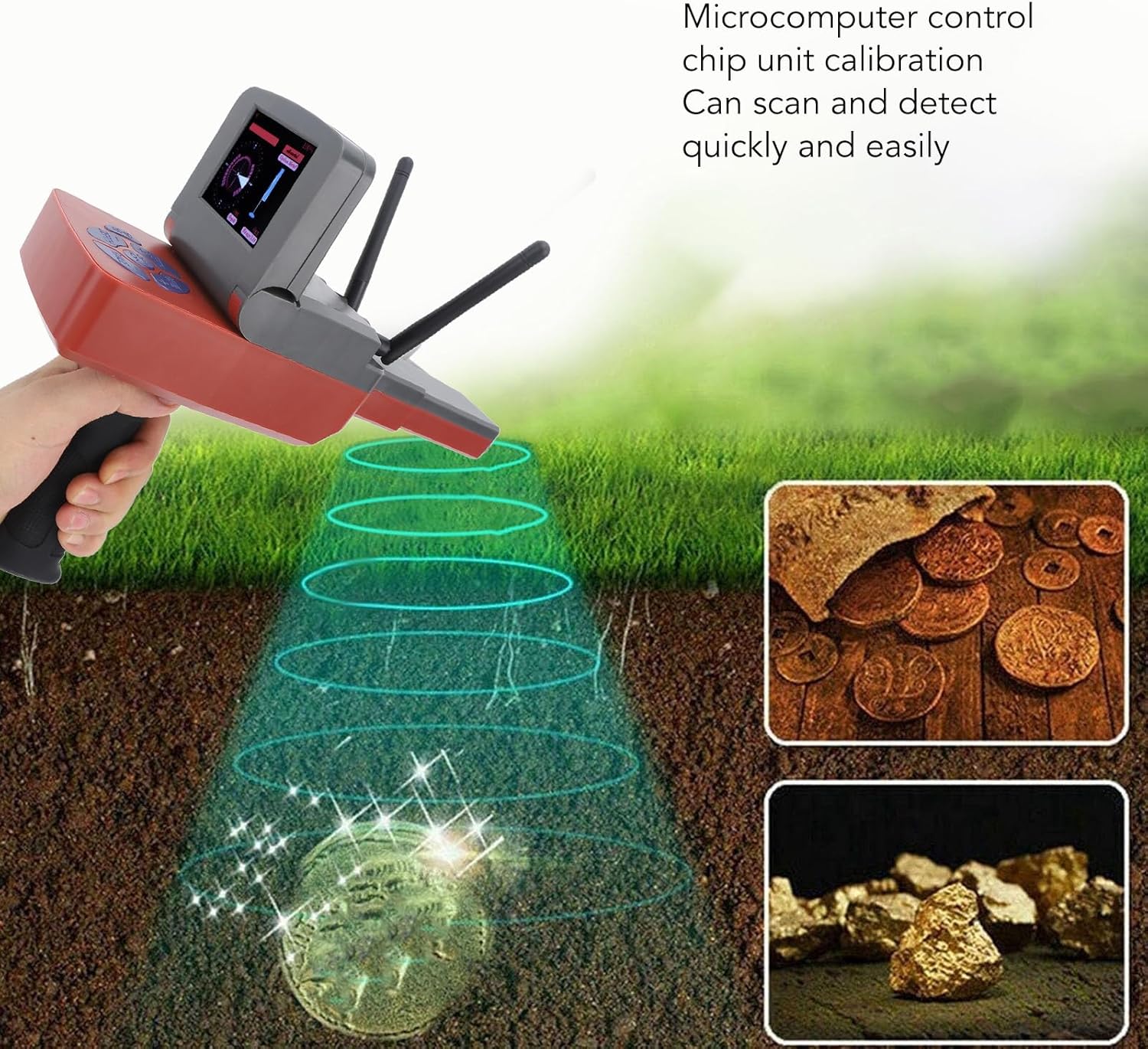
Image: The ciciglow Metal Detector main unit, showing its display and antennas, ready for operation.
6. Operating Instructions
Follow these steps for effective metal detection:
- Hold the Device: Hold the detector in a stable, portable manner, ensuring no external interference affects its balance.
- Scanning: As you move the detector, it will scan for designated objects. When a metallic object is detected, the device will indicate its presence by swinging left and right.
- Interpreting Signals: The amplitude of the swinging action will increase for larger detected objects, providing an indication of the target's size.
- Adjusting Detection Parameters: To quickly adjust detection type, range, or depth, long-press the '+' or '-' buttons on the control panel until the desired value is reached. The precise positioning detection system helps in locating targets accurately.

Image: A user operating the ciciglow Metal Detector in an outdoor environment, demonstrating its use for remote searching.

Image: The detector's capability to identify different types of metals such as gold, silver, and copper.
7. Maintenance
Proper maintenance ensures the longevity and optimal performance of your metal detector:
- Cleaning: After each use, especially in dusty or muddy conditions, gently wipe the device with a soft, damp cloth. Avoid using harsh chemicals or abrasive materials.
- Storage: Store the detector in its original packaging or a protective case in a cool, dry place, away from direct sunlight and extreme temperatures.
- Battery Care: For long-term storage, ensure the battery is partially charged (around 50-60%) and recharge it every few months to prevent deep discharge.
- Inspection: Periodically check all connections, cables, and the housing for any signs of wear or damage.
8. Troubleshooting
If you encounter issues with your ciciglow Metal Detector, consider the following common solutions:
- Device Not Powering On:
- Ensure the battery is fully charged.
- Check that the power button is pressed correctly.
- Inaccurate Detection or No Signal:
- Verify that the antennas are securely installed.
- Check the selected detection range and depth settings. Adjust them as needed.
- Ensure there are no strong electromagnetic interferences nearby.
- Confirm the device is held stably and not subject to excessive movement unrelated to scanning.
- Short Battery Life:
- Ensure the battery is fully charged for the recommended 10-12 hours.
- Battery performance can degrade over time; consider battery replacement if issues persist after several years of use.
If problems persist after attempting these steps, please contact customer support for further assistance.
9. Warranty and Support
Information regarding the product warranty and customer support details are not provided within this manual. Please refer to your purchase documentation, the product packaging, or the official ciciglow website for warranty terms and contact information for customer service and technical support.
For online resources and frequently asked questions, you may visit the ciciglow brand store on Amazon.


