
1. Introduction
Thank you for choosing the MAcnas M47 Open Ear Wireless Earbuds. These earbuds feature an open-ear design for situational awareness, LED power display, Bluetooth 5.3 connectivity, and smart touch controls. This manual provides detailed instructions for setup, operation, and troubleshooting to ensure optimal performance and user experience.
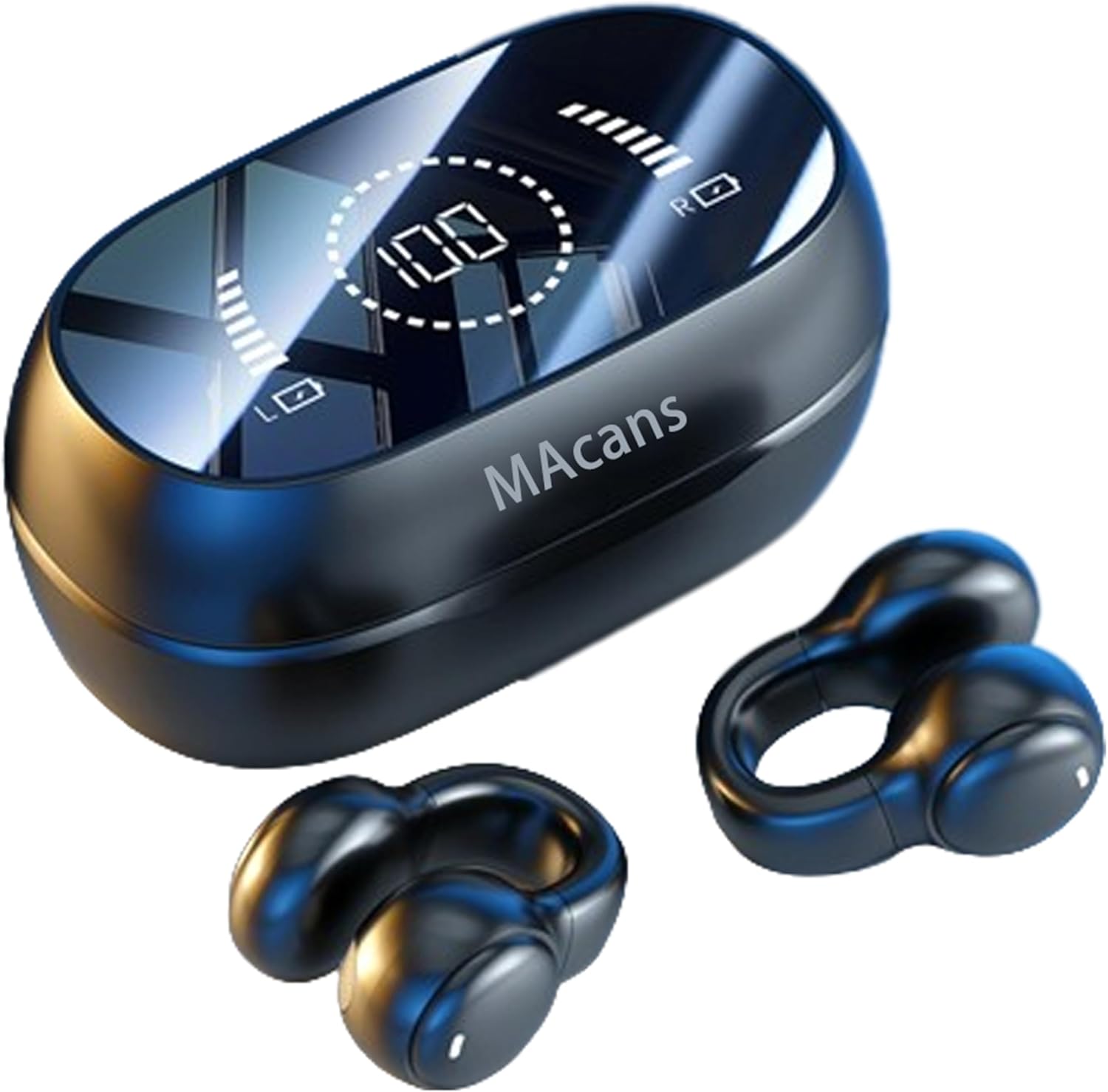
Image 1.1: MAcnas M47 Open Ear Wireless Earbuds and Charging Case.
Key Features:
- Open Ear Air Conduction Design: Allows you to enjoy audio while remaining aware of your surroundings, ideal for outdoor activities.
- LED Power Display: Dual digital display on the charging case shows battery levels for both the case and individual earbuds.
- Bluetooth 5.3 Technology: Ensures stable, fast, and low-latency wireless connection for music, videos, and gaming.
- 360° Surround Sound: High-fidelity audio components deliver immersive sound with clear highs, full mids, and elastic lows.
- Automatic Pairing & Smart Touch Control: Quick connection after initial setup and intuitive touch controls for managing music, calls, and voice assistant.
- Extended Playback: Up to 5 hours of continuous music playback per charge, with an additional 40 hours provided by the charging case.
2. What's in the Box
Please check the package contents upon unboxing:
- A pair of headphones (2pcs)
- Charging box (1pc)
- Type-C charging cable (1pc)
- User Manual (1pc)
3. Product Overview
Familiarize yourself with the components of your MAcnas M47 earbuds and charging case.

Image 3.1: Product Structure Diagram. This diagram illustrates the charging compartment display, magnetic suction groove, function key (touch area), headphone charging contacts, and headphone indicator lights.
Wearing Instructions:
Clip the earbuds onto your ear perch. Adjust their position until the sound is clear and comfortable. The earbuds are designed with small balls in the back and larger balls in the front for proper fit.

Image 3.2: Proper wearing of the MAcnas M47 Open Ear Wireless Earbuds.
4. Setup and Charging
Initial Charging:
Before using the product for the first time, please fully charge it. The charging case takes approximately 1.5 hours to fully charge. When the earbuds are placed in the case, they will begin charging automatically. The LED display on the case shows the current battery percentage.

Image 4.1: Charging case with LED power display.
Pairing with Your Device:
- Ensure the earbuds are charged.
- Open the charging case. The earbuds will automatically power on and enter pairing mode.
- On your device (smartphone, tablet, etc.), enable Bluetooth and search for available devices.
- Select "M47" from the list of devices to connect.
- Once connected, the indicator lights on the earbuds will turn off.
After the first successful connection, the earbuds will automatically reconnect to your device when you open the charging case, provided Bluetooth is enabled on your device and it is within range.
5. Operating Instructions
The MAcnas M47 earbuds feature smart touch controls for easy management of music, calls, and other functions.
Touch Control Functions:
| Function | Operation | Light Indicator | Tone |
|---|---|---|---|
| Boot | When earbuds are in charging compartment, take out to auto-boot. To manually boot, press and hold Function button for 3 seconds. | Blue light on | Power on/off |
| Shutdown | After earbuds are placed in charging case, they are turned off. To manually shut down, press and hold Function button for 5 seconds. | Red light flashes three times | Power off/off |
| Pair the left and right earphones | The left and right earphones will automatically enter pairing mode after powering on. | After left and right earbuds are successfully paired, blue and red lights of main earbud flash alternately, and light of secondary earbud will be extinguished. | Boom/boom |
| Toggle Chinese and English prompt tones | When the smart device is not connected, tap any left or right earbud function key three times in a row. Factory default is English. | / | English/Chinese |
| Smart device connectivity | When the earbuds are successfully paired, it will automatically enter the state to be connected. At this time, turn on the Bluetooth of the smart device to search and click "M47" to connect. After the earbuds are successfully connected to the smart device, there will be a prompt tone, and the headset indicator will go off. | The lights in the left and right earbuds are turned off | Connected |
| Toggle Music/Game mode | Click the function buttons of the left and right earbuds 4 times in a row to switch modes. Factory default is music mode. | / | Music/Game Mode |
| Play/Pause | When connected, double-click any left or right earbud function key. | / | / |
| Previous song | In music mode, tap the left earbud function key three times. | / | / |
| Next song | In music mode, tap the right earbud function button three times. | / | / |
| Increase the volume | In the connected state, click the right earbud function key. | / | Maximum volume indicator (knock) |
| Reduce the volume | In the connected state, click the left earbud function key. | / | / |
| Voice assistant | In the connected state, press and hold any earbud function key for 2 seconds to wake up the voice assistant. | / | Boom |
| Clear the pairing history | When not connected, tap the left/right earbud function button 5 times. | / | Power off/off |
| Answer an incoming call | When the call is incoming, double-click any left or right earbud function key. | / | Ringtone of your phone |
| Reject an incoming call | When the call is incoming, press and hold the function button of any left or right earbud for 2 seconds. | / | / |
| Hang up | In the call state, double-click the function keys of any left and right earbuds. | / | / |
| Low battery alarm | When the voltage of the earbuds is lower than 3.3V, there will be a prompt up to the ear. Powered off. | The red light flashes every 5 seconds | Ding Dong |
| Disconnect | Outside the effective connection range, or manually disconnect the Bluetooth connection of the smart device. | The red and blue lights of the main earbud flash alternately, and the secondary earbud light went out. | Disconnected |
| Automatic reconnection | After powering on or disconnecting, the earbuds will automatically reconnect to the last connected smart device within the effective distance. | The lights go out | Connected |
| Charge the headphones | The earbud is put back into the charging bin and automatically shuts down and begins to charge. The red light of the earbud is always on, and the light goes out when it is fully charged. | / | / |
| Place the headset back into the charging case | The headphone is put into the charging bin, the charging bin immediately charges the headphone and activates the screen to show the power. The screen of the charging status of the headphone, the charging indicator lamp turns off when the headphone is fully charged and the charging bin screen shows the charging status stops, the final charging chamber screen shows the remaining light to go off after 15 seconds. | / | / |
| Charging the charging case | When the battery is too low, charge the battery with a power adapter with a standard output of 5V. The battery screen lights up and flashes to show the current battery. | / | / |
| Fully charge the charging case | Charging bin charged screen display always bright number 100. | / | / |
Note: When the Bluetooth headset is connected to a smart device and the game mode is switched, the usage time and connection distance of the headset will be shortened.
6. Maintenance
To ensure the longevity and optimal performance of your MAcnas M47 earbuds, follow these maintenance guidelines:
- Cleaning: Regularly wipe the earbuds and charging case with a soft, dry, lint-free cloth. Avoid using harsh chemicals or abrasive materials.
- Storage: Store the earbuds in their charging case when not in use to protect them from dust and damage. Keep them in a cool, dry place away from extreme temperatures.
- Charging: Use the provided Type-C charging cable and a standard 5V power adapter. Avoid overcharging or completely draining the battery frequently.
- Water Resistance: These earbuds are not water resistant. Avoid exposure to water, sweat, or moisture to prevent damage.
7. Troubleshooting
If you encounter any issues with your MAcnas M47 earbuds, refer to the table below for common problems and their solutions.
| Fault | Cause | Resolution |
|---|---|---|
| Doesn't turn on | The headphones are low on battery. | Charge the headphones. |
| The headphones flash red | The headphones are low on battery. | Charge the headphones. |
| Charging is silent | The headphones were not put away correctly. | Adjust the position where the headphones are placed. |
| Automatic power off | Automatic low battery. | Charge the headphones. |
| The headphones have an echo | The volume is too loud or the environment is too noisy. | Adjust the volume or change the environment. |
| There is a murmur from the headphones | Serious external interference or too far away from the phone. | Change the location or be close to your phone. |
| The other party's voice is quiet | The headphones are worn incorrectly or the volume is too low. | Adjust the headset wear or volume. |
| The signal is intermittent | Serious external interference or too far away from the phone. | Choose a distraction-free environment or be close to your phone. |
8. Specifications
Detailed technical specifications for the MAcnas M47 Open Ear Wireless Earbuds:
| Parameter | Value |
|---|---|
| Product Name | M47 |
| Bluetooth Version | Bluetooth 5.3 |
| Support Mode | AAC/SBC |
| Bluetooth Transmission Distance | 10m |
| Carrier Frequency | 2.402GHz-2.480GHz |
| Frequency Response Range | 20Hz-20KHz |
| Horn Size | Φ13mm |
| Horn Sensitivity | 115dB ±3dB |
| Horn Impedance | 32Ω±15% |
| Horn Rated Power | 3mW |
| Headphone Battery Capacity | 3.7V/40mAh (polymer battery) |
| Charging Bin Battery Capacity | 3.7V/200mAh (polymer battery) |
| Charging Interface | USB Type-C |
| Headset Use Time | ≈5 hours |
| Earphone Single Charging Time | ≈1.5 hours |
| Charging Time (Case) | 1.5 Hours |
| Charge the Headset | 2 times |
| Shutdown Standby Time | ≈2300 hours |
| Item Weight | 68 Grams (charging case) / 2.4 ounces (total) |
| Water Resistance Level | Not Water Resistant |
| Material | Acrylonitrile Butadiene Styrene (ABS) |

Image 8.1: Bluetooth 5.3 Fast Transmission Technology.

Image 8.2: High Fidelity Live Sound and 9D Surround Sound Components.
9. Safety Guidelines
Please read and follow these safety guidelines to prevent injury or damage to your device:
- Do not disassemble, repair, or modify the product. This may cause fire, electronic breakdown, or complete damage to the product.
- Keep the product away from water and other liquids. Do not use it in high humidity environments.
- Avoid exposing the product to extreme temperatures (hot or cold) or direct sunlight.
- Do not use the product during thunderstorms, as this may cause malfunction or electric shock.
- Keep the product out of reach of children and pets.
- Dispose of the product and its batteries responsibly according to local regulations.
10. Product Video
Watch the official product video for a visual guide to the MAcnas M47 Open Ear Wireless Earbuds.
Video 10.1: Official MAcnas M47 Open Ear Wireless Earbuds Product Overview. This video demonstrates the features, design, and usage of the earbuds and charging case.
11. Warranty and Support
For warranty information or technical support, please refer to the product packaging or contact MAcnas customer service through the retailer where you purchased the product. You may also visit the official MAcnas store on Amazon for more details: MAcnas Store.