
1. Introduction
Thank you for choosing GUANDA Wireless Bluetooth Headphones. These earbuds are designed to provide an immersive audio experience with bright treble, strong bass, and clear mids, suitable for music, gaming, and calls. Featuring Bluetooth 5.3 technology, smart touch controls, and a long-lasting battery, they offer convenience and high-quality sound.
2. What's in the Box
- 2 x Bluetooth Wireless Earbuds
- 1 x Wireless Charging Case
- 1 x Type-C Charging Cable
- 1 x User Manual
- 2 Pairs x Eartips (A Pouch)
3. Product Overview
The GUANDA Wireless Bluetooth Headphones consist of two earbuds and a portable charging case. The charging case features a dual LED digital display to show the battery level of both the case and individual earbuds.

Image: The GUANDA Wireless Bluetooth Headphones in their charging case, displaying the LED battery indicator.

Image: A close-up view of a single earbud, highlighting the touch control area and microphone.
4. Setup
4.1 Charging the Earbuds and Case
Before first use, fully charge the charging case and earbuds. Connect the provided Type-C charging cable to the charging port on the case and a power source. The LED display will indicate charging progress. The case also supports wireless charging.
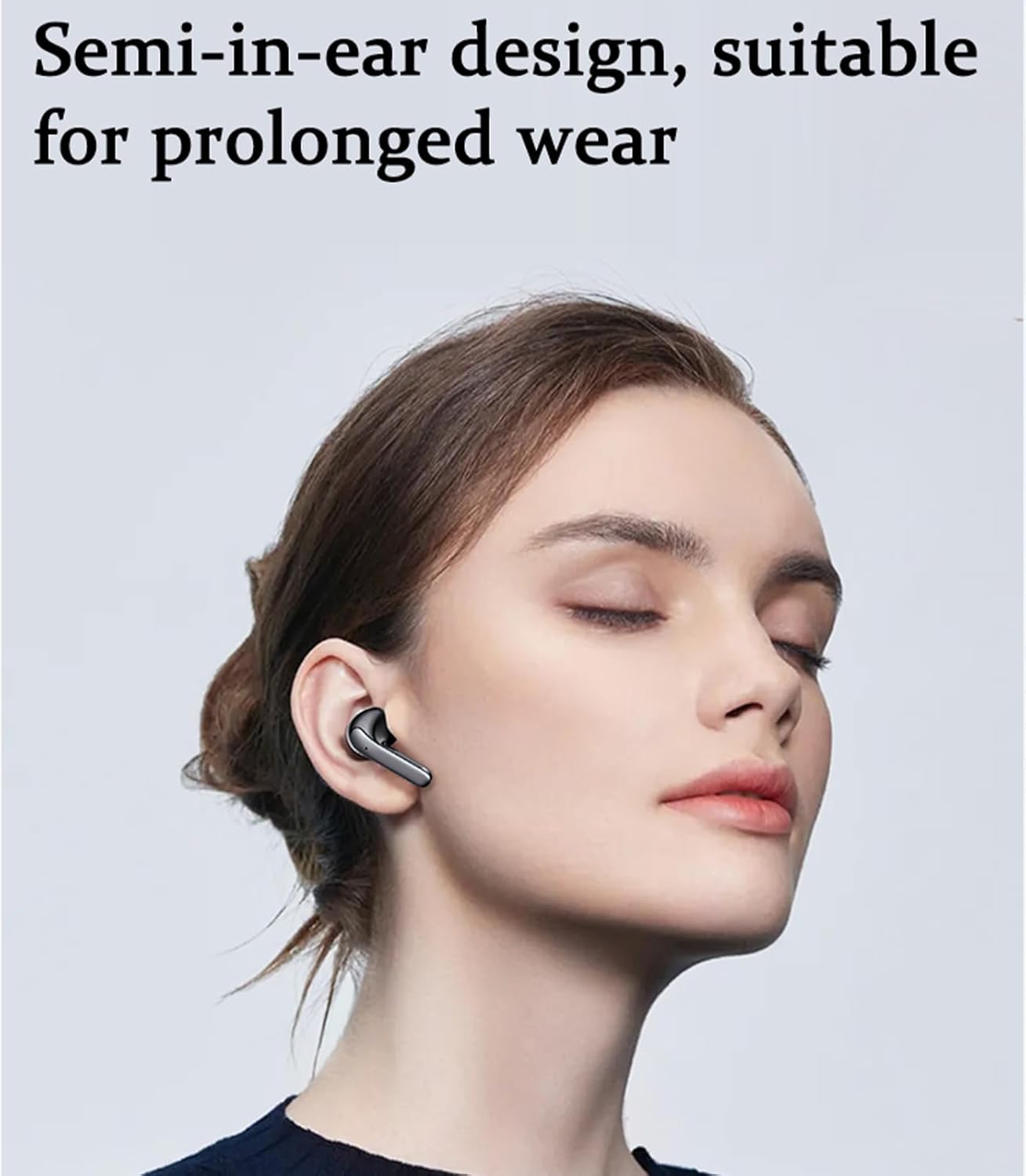
Image: The charging case connected to a Type-C charging cable.

Image: The charging case placed on a wireless charging pad, indicating wireless charging capability.
4.2 Pairing with Your Device
These earbuds utilize Bluetooth 5.3 for stable and low-latency connections.
- Initial Pairing: Open the charging case. The earbuds will automatically enter pairing mode. On your device (smartphone, tablet, laptop), go to Bluetooth settings and select "S52" from the list of available devices. Both earbuds will connect immediately.
- Automatic Reconnection: Once paired, simply take the earbuds out of the charging case, and they will automatically connect to the last paired device.

Image: A visual representation of the one-step pairing process, showing the earbuds connecting to a phone.

Image: A diagram illustrating the seamless one-step pairing process when the charging case is opened.
5. Operating Instructions
5.1 Smart Touch Controls
The earbuds feature intuitive touch controls for managing music playback, calls, and voice assistant activation.
| Action | Control | Function |
|---|---|---|
| Tap once (L/R) | Single Tap | Play/Pause Music, Answer Call |
| Double tap (L) | Double Tap Left | Previous Song |
| Double tap (R) | Double Tap Right | Next Song |
| Triple tap (L/R) | Triple Tap | Wake up Voice Assistant |
| Long press (L/R) | Press and Hold | Hang up Call |
| Single tap (R) | Single Tap Right | Volume + |
| Single tap (L) | Single Tap Left | Volume - |

Image: A detailed diagram illustrating the various smart touch control functions for both left and right earbuds.
5.2 Single/Dual Earbud Use
The earbuds support master/slave switching, allowing you to use either earbud independently or both together for a stereo experience. Simply take one earbud out of the case to use it in mono mode, or both for stereo.

Image: A diagram illustrating the flexibility of using one or both earbuds independently (master/slave switch).
6. Battery Life
Each earbud provides up to 6 hours of listening time on a single charge. With the fully charged charging case, the total playback time extends to approximately 40 hours. The charging case takes about 2 hours to fully charge.

Image: A graphic detailing the battery life: 6 hours on a single charge and up to 40 hours with the charging case.

Image: An infographic showing up to 50 hours battery life (6-7 hours single use, 2 hours fast charge) and LED power display.
7. Comfort and Fit
The earbuds are ergonomically designed for a comfortable and secure fit, ensuring fatigue-free wear even during prolonged use. They come with 3 pairs of ear caps (S/M/L) to help you find the optimal fit for your ear canals, which also aids in sound isolation and bass performance.

Image: A woman wearing the semi-in-ear earbuds, demonstrating their comfortable and discreet fit.

Image: A diagram illustrating the comfort design, showing how the earbud fits in the ear canal and the availability of different sized ear tips.
8. Compatibility
These wireless earbuds are widely compatible with most Bluetooth-enabled devices, including iOS and Android smartphones, tablets, laptops, and car audio systems.

Image: A visual representation of the earbuds' wide compatibility with various devices such as smartphones, tablets, and laptops.
9. Specifications
| Feature | Detail |
|---|---|
| Model Name | SM300 |
| Connectivity Technology | Wireless (Bluetooth) |
| Bluetooth Version | 5.3 |
| Bluetooth Range | 10 Meters |
| Audio Driver Type | Dynamic Driver |
| Audio Driver Size | 13 Millimeters |
| Frequency Response | 20 KHz |
| Sensitivity | 80 dB |
| Impedance | 32 Ohm |
| Noise Control | Sound Isolation |
| Control Type | Touch Control |
| Battery Life (Earbuds) | Up to 6 hours (single charge) |
| Battery Life (with Case) | Up to 40 hours |
| Charging Time | 2 Hours |
| Water Resistance Level | Waterproof (IPX5) |
| Item Weight | 0.09 Kilograms (3.17 ounces) |
| Product Dimensions | 2.6 x 2.05 x 1.02 inches |
| Material | Acrylonitrile Butadiene Styrene (ABS) |
| Included Components | Earbuds, Charging Case, Type-C Cable, Eartips, User Manual |
10. Troubleshooting
10.1 Earbuds Not Pairing/Connecting
- Ensure both earbuds are fully charged.
- Place both earbuds back into the charging case, close the lid, wait a few seconds, then open the lid again.
- Turn off and on your device's Bluetooth.
- Forget/delete "S52" from your device's Bluetooth list and attempt to re-pair.
- Ensure no other Bluetooth devices are interfering or connected to the earbuds.
10.2 No Sound or Low Volume
- Check the volume level on both your device and the earbuds (using touch controls).
- Ensure earbuds are properly seated in your ears and the correct size ear tips are used for a good seal.
- Reconnect the earbuds to your device.
- Clean any debris from the earbud speakers.
10.3 Charging Issues
- Ensure the charging cable is securely connected to both the case and the power source.
- Try a different Type-C cable and power adapter.
- For wireless charging, ensure the case is correctly positioned on the wireless charging pad.
- Clean the charging contacts on both the earbuds and inside the case.
11. Maintenance
- Cleaning: Regularly clean the earbuds and charging case with a soft, dry, lint-free cloth. For ear tips, remove them and clean with mild soap and water, then dry thoroughly before reattaching.
- Storage: Store the earbuds in their charging case when not in use to protect them and keep them charged. Avoid extreme temperatures.
- Water Resistance: The earbuds are IPX5 waterproof, meaning they are resistant to splashing water. Do not submerge them in water or expose them to heavy rain. Dry them thoroughly if they get wet.
- Battery Care: To prolong battery life, avoid fully discharging the battery frequently. Charge regularly, even if not in constant use.
12. Warranty and Support
For information regarding warranty, returns, or technical support, please refer to the official GUANDA TECHNOLOGIES CO., LTD. website or contact their customer service directly. Details are typically provided with your purchase documentation.