
Introduction
Thank you for choosing the Lehoo Castle Remote Control Dinosaur Car. This manual provides essential information for the safe and optimal use of your new toy. Designed for toddlers aged 2-4, this RC car offers simple controls, engaging lights, music, and dinosaur sounds to enhance playtime.

Image: The Lehoo Castle Remote Control Dinosaur Car, featuring a green dinosaur figure and vibrant lights.
What's in the Box
Your Lehoo Castle Remote Control Dinosaur Car package includes the following items:
- 1 x Dino RC Car (with built-in 500mAh lithium battery)
- 1 x Remote Control
- 2 x Removable Dino Characters (one green, one orange)
- 1 x USB Charging Cable
- 1 x Screwdriver
- 1 x User Guide
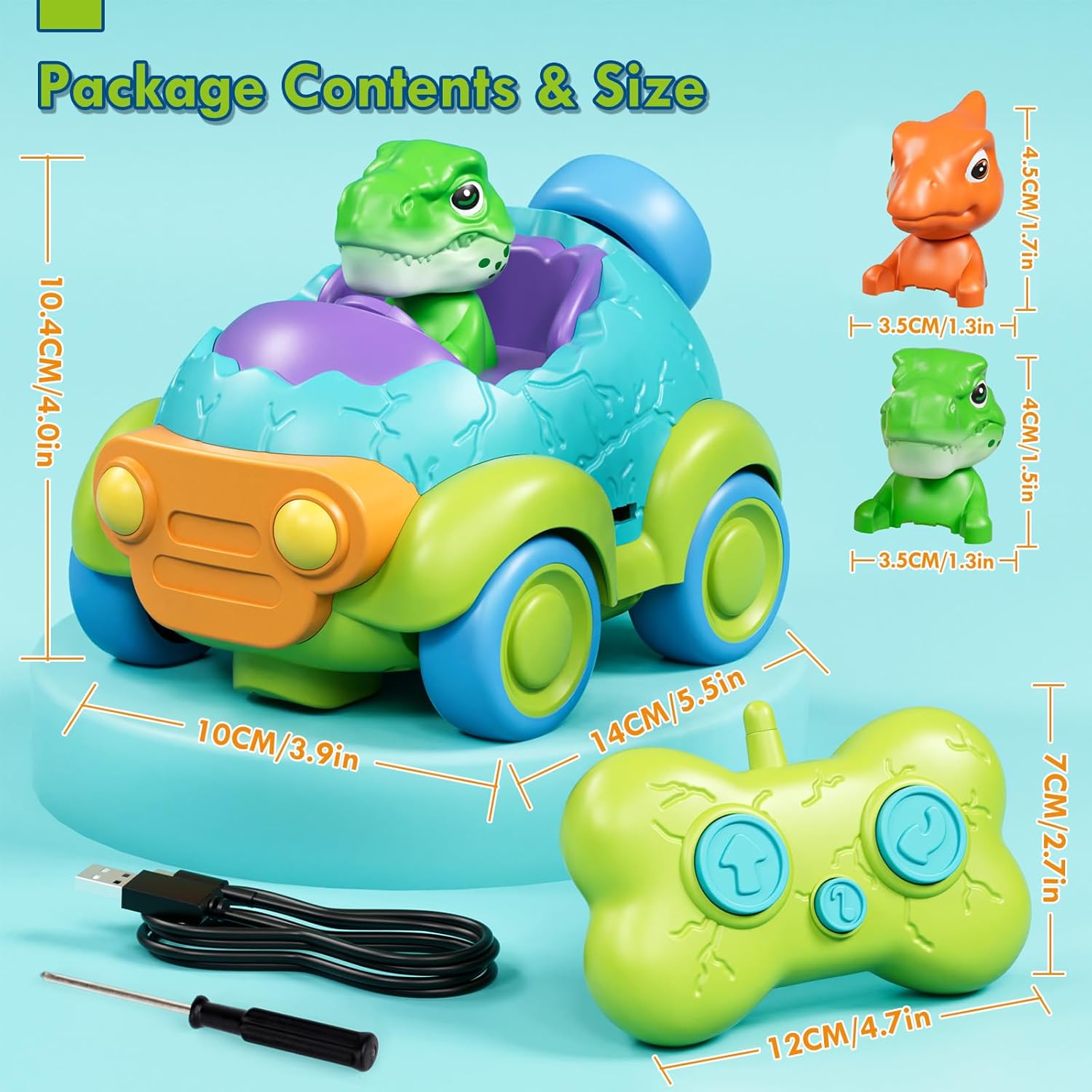
Image: All components included in the product package.
Setup
1. Remote Control Battery Installation
- Use the included screwdriver to open the battery compartment on the back of the remote control.
- Insert 2 x AA batteries (not included) into the compartment, ensuring correct polarity (+/-).
- Close the battery compartment and secure it with the screw.
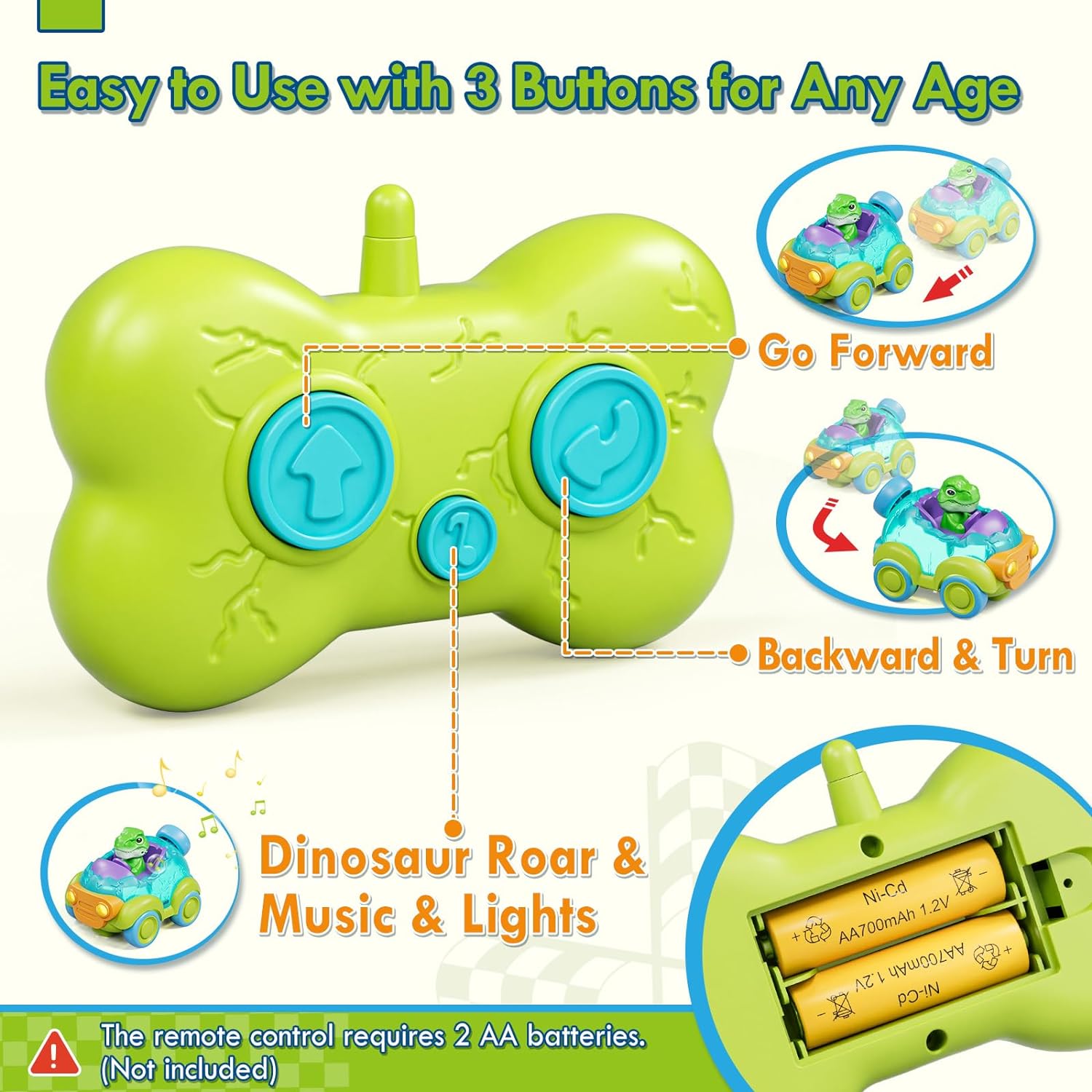
Image: The remote control, highlighting the battery installation area.
2. Car Charging
- The Dino RC car has a built-in 500mAh lithium battery.
- Locate the charging port on the side of the car.
- Connect the included USB charging cable to the car's charging port and plug the other end into a USB power source (e.g., computer, wall adapter).
- The charging indicator light on the car will turn red during charging and turn off when fully charged.

Image: The RC car being charged via its USB port.
3. Power On
Flip the power switch located on the bottom of the Dino RC car to the 'ON' position to activate the car.
Setup Video Guide
Video: A visual guide demonstrating battery installation for the remote and charging the car.
Operating Instructions
The remote control features simple 2-button operation, making it easy for toddlers to control the car:
- Forward Button (Up Arrow): Press this button to make the car move straight forward.
- Backward & Turn Button (Curved Arrow): Press this button to make the car move backward and turn simultaneously.
- Sound/Music Button (Number 1): Press this button to activate various dinosaur roars, tunes, and flashing lights.

Image: Children engaging with the remote control cars.
Operation Video Guide
Video: A demonstration of the Lehoo Castle Dinosaur RC Car in action, showcasing its movements and features.
Features
- Dino Egg Design: The car features a unique dino egg shell design.
- Removable Dino Figures: Includes two interchangeable dinosaur characters that can be placed in the driver's seat.
- Lights & Music: The car is equipped with flashing headlights, vibrant internal lights, and plays engaging tunes and dinosaur roars.
- Toddler-Friendly Design: Smooth edges and soft curved tires ensure safe play and prevent damage to surfaces.

Image: The car's dazzling lights in operation.
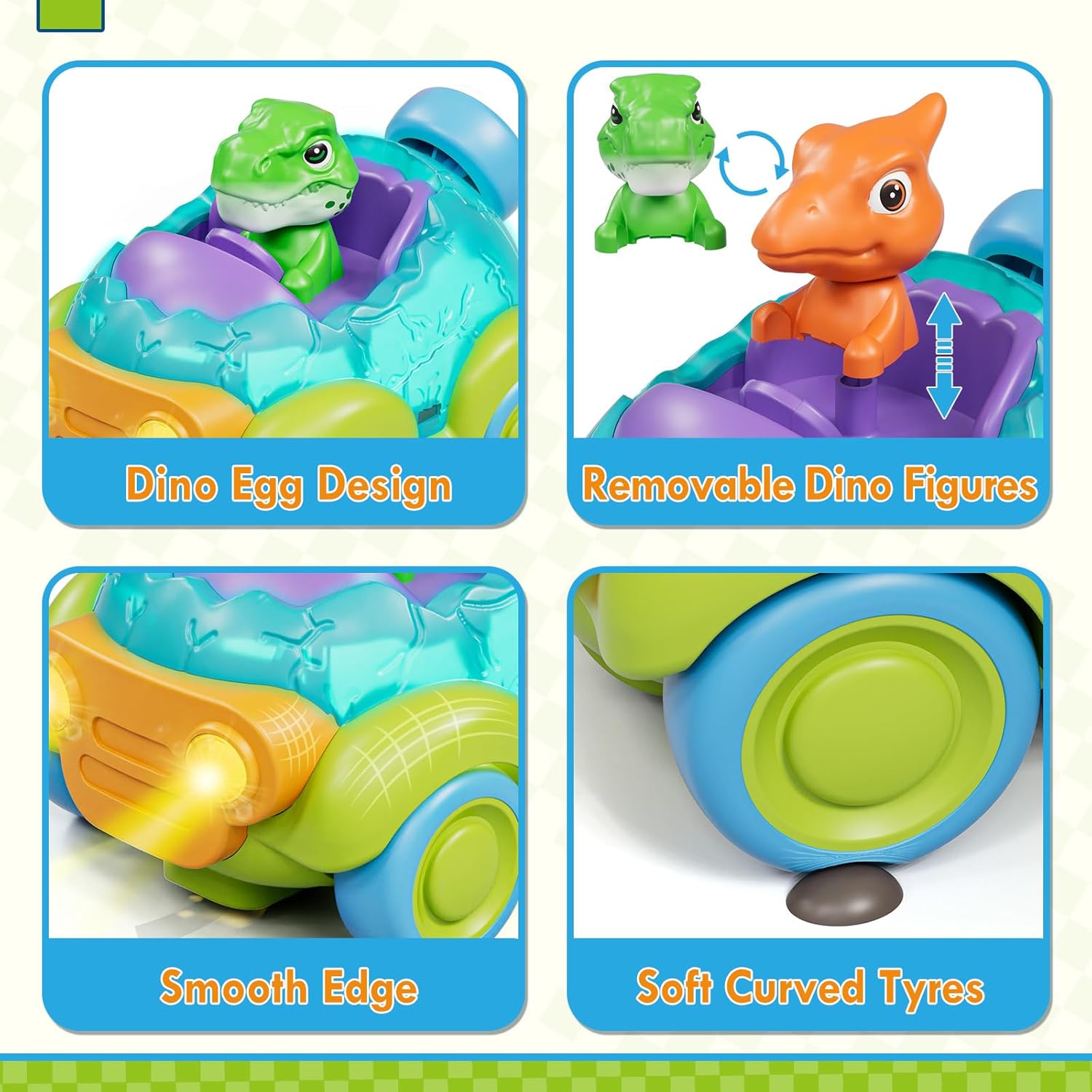
Image: Detailed view of the car's design features.
Safety Information
Your child's safety is our priority. Please observe the following safety guidelines:
- Made from high-quality ABS plastic, ensuring durability and safety.
- Designed with rounded edges and no loose parts to prevent choking hazards or injuries.
- BPA-Free, Non-Toxic, and Phthalate-Free materials.
- Adult supervision is recommended during play.
- Do not operate near stairs, open flames, or water.

Image: Safety features and material quality of the product.
Maintenance
- Wipe the car and remote control with a clean, damp cloth to remove dust and dirt.
- Do not immerse the toy in water.
- Store the toy in a cool, dry place away from direct sunlight when not in use.
- Remove batteries from the remote control if storing for extended periods to prevent leakage.
Troubleshooting
| Problem | Possible Cause | Solution |
|---|---|---|
| Car does not move or respond to remote. | Low battery in car or remote; Car power switch is off. | Charge the car's battery. Replace AA batteries in the remote. Ensure the car's power switch is ON. |
| Lights or sounds are not working. | Low battery in car; Sound/Music button not pressed. | Charge the car's battery. Press the Sound/Music button on the remote. |
| Remote control not pairing with car. | Interference; Remote too far from car. | Ensure no other RC devices are nearby. Bring the remote closer to the car. |
Specifications
- Brand Name: Lehoo Castle
- Model Number: LY-011
- Age Range: Toddler (Manufacturer Minimum Age: 18 Months, Maximum Age: 120 Months)
- Material Type: Plastic (ABS)
- Power Source: Battery Powered (Car: 1 Lithium Ion battery included; Remote: 2 AA batteries required, not included)
- Item Dimensions: 5.8 x 4.3 x 4.1 inches
- Item Weight: 0.3 Kilograms
- Additional Features: Flashing Light, Realistic Sound
- Educational Objective: Supports fine motor skill development, imaginative play, and sensory exploration.
Warranty and Support
For any product inquiries, technical support, or warranty claims, please contact Lehoo Castle customer service through the retailer's platform or visit the official Lehoo Castle store online. Please retain your proof of purchase for warranty purposes.
Lehoo Castle Store: Visit Store