Introduction
This manual provides essential information for the safe and efficient operation of your HP Projector CC180. Please read it thoroughly before using the projector and retain it for future reference.

Image: Front view of the HP Projector CC180, showcasing its compact design and lens.
Product Overview
The HP Projector CC180 is a portable HD projector designed for versatile use. It features a native HD (1280x720P) resolution, motorized focus, built-in stereo speakers, and multiple connectivity options.
Key Features:
- Portable Design: Compact size (105mm width) and lightweight (0.89kg / 1.96 lb) for easy transport.
- HD Resolution: Native 1280x720P for clear and detailed images.
- Motorized Focus: Remote-controlled focus adjustment for sharp visuals.
- Built-in Speakers: Integrated 6W stereo speakers for audio output.
- Flexible Power: Can be powered by a 65W PD power bank via USB-C for outdoor use.
- Long LED Life: LED optical system provides up to 20,000 hours of usage.

Image: Rear view of the HP Projector CC180, showing the various input ports including HDMI, USB, and USB-C power input.
Package Contents
Ensure all items are present in the package:
- HP Projector CC180 Unit
- Power Adaptor
- Power Cord
- Remote Control
Setup
1. Placement
Place the projector on a stable, flat surface. For optimal viewing, position the projector perpendicular to the projection surface. The CC180 can project a 75-inch screen from approximately 7.35 feet (2.2 meters) away.
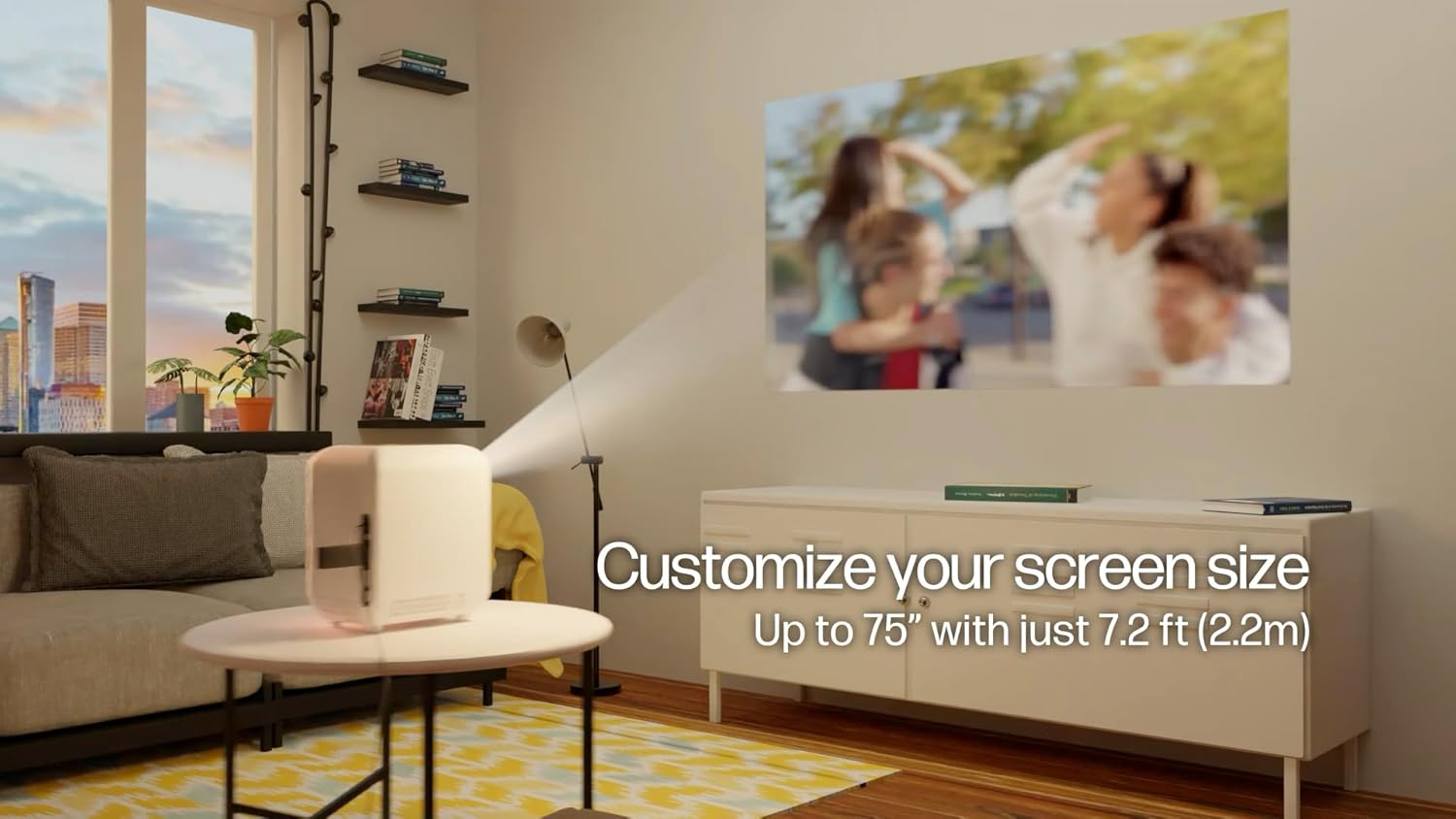
Image: The HP Projector CC180 positioned on a table, projecting a large image onto a wall in a living room setting.
2. Power Connection
- Connect the power adaptor to the projector's DC-IN port.
- Plug the power cord into the power adaptor, then into a power outlet.
- Alternatively, for portable use, connect a 65W (or higher) PD power bank to the USB-C port.
3. Initial Power On
Press the power button on the projector or the remote control to turn on the device. The power indicator light will illuminate.
Operating Instructions
1. Connecting Devices
- HDMI: Connect your laptop, streaming stick, game console, or other HDMI-enabled device to the projector's HDMI port. Select the HDMI input source using the remote control.
- USB: Insert a USB flash drive into the USB port to play media files directly. The built-in media player supports various formats.
- Audio Out: Connect external speakers or headphones to the 3.5mm audio jack for alternative audio output.

Image: A visual representation of various devices (laptop, phone, game console, streaming stick, USB drive) connecting to the HP Projector CC180 via its available ports.
2. Adjusting Focus
Use the focus buttons on the remote control to adjust the image clarity. The motorized focus allows for precise adjustments to achieve a sharp picture.

Image: A hand holding the projector's remote control, illustrating the motorized focus adjustment feature.
3. Audio Output
The projector has built-in 6W stereo speakers. Adjust the volume using the remote control. For a different audio experience, connect external speakers or headphones to the 3.5mm audio output port.
Maintenance
1. Cleaning the Lens
Gently wipe the projector lens with a soft, lint-free cloth specifically designed for optical surfaces. Avoid using abrasive materials or harsh chemicals.
2. General Cleaning
Wipe the exterior of the projector with a soft, dry cloth. Do not use liquid cleaners directly on the unit.
3. LED Lamp Life
The projector utilizes an LED light source with an expected lifespan of up to 20,000 hours, requiring minimal maintenance.

Image: The HP Projector CC180 highlighting its LED lamp life of over 20,000 hours.
Troubleshooting
| Problem | Possible Cause | Solution |
|---|---|---|
| No image displayed |
|
|
| Image is blurry |
|
|
| No sound |
|
|
Specifications
| Feature | Detail |
|---|---|
| Model Number | CC180 (88T90AA) |
| Display Resolution | Native HD (1280 x 720) |
| Brightness | 200 LED / 100 ANSI Lumens |
| Light Source | LED (up to 20,000 hours lifespan) |
| Throw Ratio | 1.35 |
| Projection Size | Up to 75 inches from 7.35 ft (2.2m) |
| Focus Adjustment | Motorized (via remote) |
| Speakers | Built-in 6W Stereo |
| Connectivity | HDMI, USB, 3.5mm Audio Out |
| Power Input | DC-IN, USB-C (65W PD recommended) |
| Product Dimensions | 9.25 x 7.92 x 6.3 inches |
| Item Weight | 1.96 lb (0.89 kg) |
Warranty and Support
For warranty information and technical support, please refer to the documentation included with your purchase or visit the official HP Projector support website. Keep your proof of purchase for warranty claims.
For further assistance, contact HP Projector customer service.