
1. Introduction
The Kidz Delight My First Smartphone and Watch Set is an interactive educational toy designed for children 18 months and up. This set allows children to engage in imaginative play, mimicking adult activities like making calls and organizing schedules. It features a pretend smartphone and a fitness tracker watch, both designed to introduce basic concepts such as colors, numbers, and animal sounds in a fun, bilingual (English and Spanish) environment.
This manual provides essential information for the safe and proper use, setup, and maintenance of your My First Smartphone and Watch Set.
2. What's in the Box
Upon unpacking, please ensure all components are present:
- 1 x Replica Fitness Watch
- 1 x Replica Smartphone

Image: The Kidz Delight My First Smartphone and Watch Set, including the smartphone and watch, shown in its retail packaging.
3. Setup
3.1 Battery Installation and Replacement
The My First Smartphone and Watch Set comes with batteries included for initial use. For replacement, 4 AAA batteries are required. To replace batteries:
- Locate the battery compartment on the back of the smartphone.
- Using a screwdriver, open the battery compartment cover.
- Insert 4 new AAA batteries, ensuring correct polarity (+/-).
- Securely close the battery compartment cover with the screwdriver.
Note: Always use new batteries of the same type. Do not mix old and new batteries or different types of batteries. Remove batteries if the toy will not be used for an extended period.
3.2 Wearing the Fitness Watch
The fitness watch features a semi-open cuff bracelet designed for easy wearing and removal by young children. Simply slide the watch onto the child's wrist. The design promotes independence and helps develop motor skills.
4. Operating Instructions
The My First Smartphone and Watch Set offers various interactive modes and activities.
4.1 Smartphone Functions
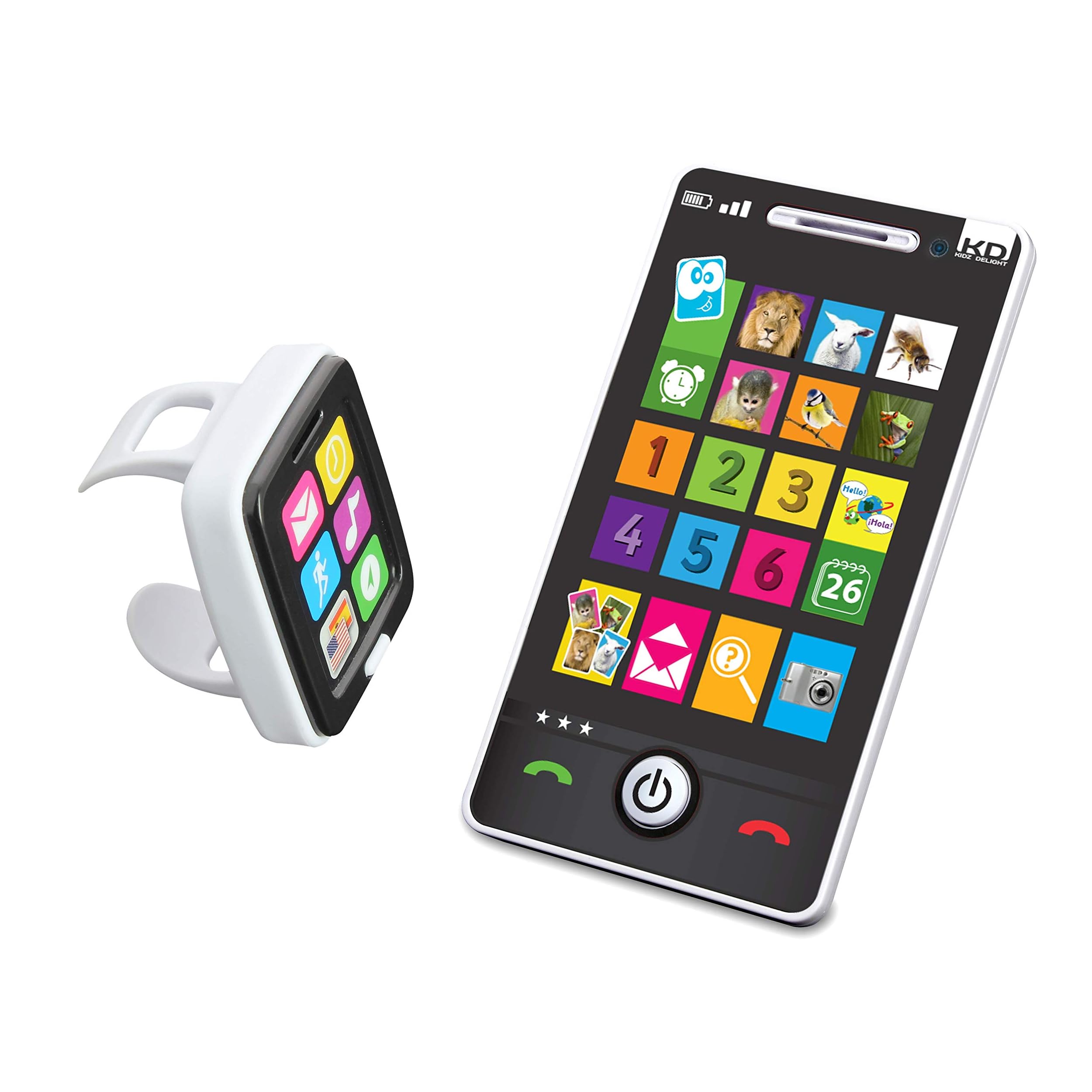
Image: A young child holding the Kidz Delight My First Smartphone to their ear, engaging in pretend play.
- Game Modes: The smartphone includes 4 distinct game modes designed to teach numbers, colors, animal names, characteristics, and sounds. Press the corresponding icons on the screen to activate these games.
- Pretend Calls: Press the call button to initiate a pretend call. The smartphone will automatically call back after a few seconds, enhancing the role-play experience.
- Music and Calendar: Explore icons for listening to music and organizing pretend appointments with the calendar feature.
- Quiz Mode: This mode allows children to test their knowledge of numbers, colors, and shapes at their own pace, fostering imagination and learning.
- Bilingual Feature: The smartphone supports both English and Spanish. Refer to the on-screen prompts or a dedicated language button (if present) to switch between languages for smooth learning.
4.2 Fitness Watch Functions
- Activity Challenges: The watch encourages physical activity with 6 sports challenges, including dancing, jumping, and turning. Follow the prompts on the watch screen to participate.
- Educational Content: The watch also teaches colors, numbers, and shapes, complementing the learning experience provided by the smartphone.
4.3 Product Demonstration Video
Video: A detailed demonstration of the Kidz Delight My First Smartphone and Watch Set features and interactive play modes.
5. Maintenance
5.1 Cleaning
To clean the My First Smartphone and Watch Set, wipe the surfaces with a soft, damp cloth. Do not immerse the toy in water or use harsh cleaning agents, as this may damage the electronic components.
5.2 Storage
Store the toy in a cool, dry place away from direct sunlight when not in use. If storing for an extended period, remove the batteries to prevent leakage.
6. Troubleshooting
6.1 No Sound or Lights
- Check Batteries: Ensure batteries are correctly installed and not depleted. Replace with fresh AAA batteries if necessary.
- Power On: Confirm the toy is powered on.
6.2 Limited Light Functionality
Please note that not all buttons or screen areas on the smartphone are designed to light up. For example, only specific buttons like the weather button may feature light effects, while others produce sounds without illumination. This is normal product behavior.
6.3 Other Issues
If you encounter any other issues not covered here, please refer to the Support section for assistance.
7. Specifications
| Product Dimensions | 5.4 x 0.8 x 2.9 inches |
| Item Weight | 9.9 ounces |
| Manufacturer Recommended Age | 18 months and up |
| Batteries Required | 4 AAA batteries (included for initial use) |
| Manufacturer | Kidz Delight |
8. Warranty Information
The Kidz Delight My First Smartphone and Watch Set comes with a 90-day limited warranty from the date of purchase. This warranty covers manufacturing defects under normal use. Please retain your proof of purchase for warranty claims. For full terms and conditions, please contact customer support.
9. Support
For further assistance, product information, or to report any issues, please visit the Kurioworld Support website or contact their customer service department.
Kurioworld Support: www.kurioworld.com/support (Placeholder link)