
1. Important Safety Information
WARNING: Do not use for children. Keep out of reach of children. This product contains a rechargeable battery which may pose a choking hazard if swallowed.
Statements regarding dietary supplements have not been evaluated by the FDA and are not intended to diagnose, treat, cure, or prevent any disease or health condition.
2. Product Overview
The Philips Sonicare DiamondClean Smart 9300 electric toothbrush provides advanced oral care with smart sensor technology, multiple brushing modes, and intensity levels. It is designed to remove plaque, improve gum health, and remove stains effectively.
Included Components
- 1x DiamondClean Smart 9300 sonic electric toothbrush handle
- 1x A3 Premium All-in-One brush head
- 1x C3 Premium Plaque Control brush head
- 1x Charging glass and stand
- 1x Travel case

Figure 1: Philips Sonicare DiamondClean Smart 9300 Electric Toothbrush with charging glass and travel case.
3. Setup and First Use
Attaching the Brush Head
- Align the brush head with the metal shaft on the toothbrush handle.
- Push the brush head down onto the shaft until it clicks into place.
Video 1: Demonstration of attaching and detaching the brush head.
Charging the Toothbrush
The DiamondClean Smart 9300 comes with a charging glass and a travel case with a built-in USB charger.
- Charging Glass: Place the toothbrush handle into the charging glass. Ensure the charging base is plugged into a power outlet. The light indicator on the handle will show charging status.
- Travel Case: Place the toothbrush handle into the travel case. Connect the USB cable from the travel case to a USB power adapter or computer.
A full charge provides up to two weeks of regular use (based on two two-minute brushings per day on standard mode).

Figure 2: The Philips Sonicare DiamondClean Smart 9300 charging in its elegant glass.
Video 2: Demonstration of the charging glass and travel case charging features.
4. Operating Instructions
Brushing Modes and Intensity Levels
The toothbrush offers 4 brushing modes and 3 intensity levels:
- Clean Mode: For daily cleaning.
- White+ Mode: For stain removal.
- Gum Health Mode: For gentle yet effective cleaning of the gums.
- Deep Clean+ Mode: For a refreshing, thorough clean.
To select a mode, press the mode button when the toothbrush is off. To adjust intensity, press the mode button repeatedly when the toothbrush is on.

Figure 3: Display of the 4 brushing modes and 3 intensity levels on the toothbrush handle.
Pressure Sensor
The built-in light ring pressure sensor on the handle will flash if you apply too much pressure during brushing, reminding you to ease off and protect your teeth and gums.
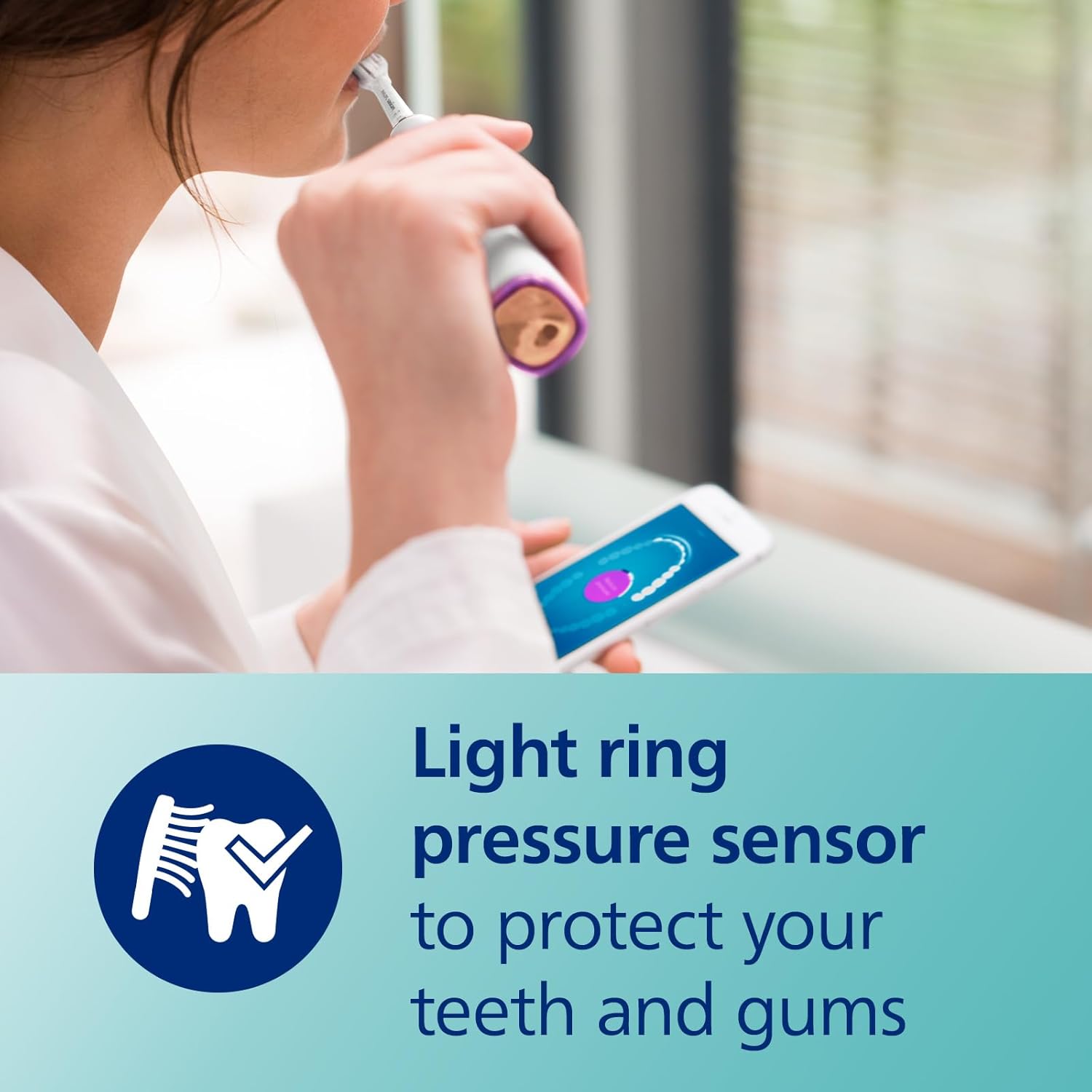
Figure 4: Close-up of the toothbrush handle showing the light ring pressure sensor.
Smartimer and QuadPacer
- Smartimer: Ensures you brush for the dentist-recommended 2 minutes.
- QuadPacer: Alerts you every 30 seconds to move to the next quadrant of your mouth for a thorough clean.
Philips Sonicare App Connectivity
Connect your toothbrush to the Philips Sonicare app via Bluetooth to receive personalized brushing guidance, track your brushing habits, and get real-time feedback to improve your technique.

Figure 5: A user viewing personalized brushing guidance on the Philips Sonicare app.
5. Maintenance and Cleaning
Brush Head Replacement
The innovative BrushSync™ technology will notify you when it's time to change your brush head, typically every 3 months or when the blue indicator bristles fade to white.
- Pull the old brush head straight off the handle.
- Push the new brush head onto the handle until it clicks into place.
Video 3: Demonstration of how to easily replace the brush head on the Philips Sonicare toothbrush.
Cleaning the Toothbrush and Accessories
- After each use, rinse the brush head and handle under running water.
- Wipe the handle with a damp cloth.
- The charging glass can be removed from its base and cleaned with water and mild soap.
- The travel case can be wiped clean with a damp cloth.
6. Troubleshooting
- Toothbrush not turning on: Ensure the toothbrush is fully charged. Place it on the charging glass or in the travel case charger for several hours.
- Reduced vibration/power: The battery may be low. Recharge the toothbrush. If the issue persists, the brush head might need replacement.
- Pressure sensor light flashing frequently: You are applying too much pressure. Reduce the force while brushing.
- App not connecting: Ensure Bluetooth is enabled on your smartphone and the toothbrush is within range. Restart both the app and the toothbrush if necessary.
7. Product Specifications
| Feature | Specification |
|---|---|
| Model Number | HX9903/65 |
| Power Source | Battery Powered (1 Lithium Ion battery included) |
| Battery Life | Up to 2 weeks on a single charge |
| Brushing Modes | 4 (Clean, White+, Gum Health, Deep Clean+) |
| Intensity Levels | 3 |
| Special Features | Pressure Sensor, Brushing Timer, Rechargeable, Lightweight, Ergonomic, App Connectivity, Brush Head Detection |
| Bristle Material | Nylon |
| Handle Material | Plastic |
| Color | New Rose Gold |
8. Warranty and Support
The Philips Sonicare DiamondClean Smart 9300 Electric Toothbrush comes with a 2-year guarantee. For detailed warranty information, product support, or to register your product, please visit the official Philips Sonicare website or contact customer service.


