
Philips Sonicare HX9957/71
Philips Sonicare DiamondClean Smart 9700 Electric Toothbrush User Manual
Model: HX9957/71
Introduction
This manual provides essential instructions for the safe and effective use of your Philips Sonicare DiamondClean Smart 9700 electric toothbrush. Please read it thoroughly before first use and retain it for future reference. This advanced sonic toothbrush is designed to enhance your oral hygiene routine with personalized features and smart technology.
What's in the Box
- 1x DiamondClean Smart 9700 sonic electric toothbrush handle
- 1x A3 Premium All-in-One brush head
- 3x C3 Premium Plaque Control brush heads
- 1x Charging glass
- 1x USB charging travel case
- 1x USB wall adapter

Image: The complete Philips Sonicare DiamondClean Smart 9700 package, showcasing the toothbrush handle, various brush heads, the elegant charging glass, and the convenient USB charging travel case.
Setup
- Initial Charge: Before first use, place the toothbrush handle in the charging glass or USB travel case and connect to power. Allow it to charge for a full 24 hours to ensure optimal battery performance. The battery indicator will blink while charging.
- Attach Brush Head: Align the brush head with the handle and push down firmly until it clicks into place. The toothbrush will automatically detect the brush head type.
- Download Philips Sonicare App: For personalized guidance and advanced features, download the Philips Sonicare app from your device's app store. Follow the in-app instructions to pair your toothbrush via Bluetooth.

Image: The Philips Sonicare DiamondClean Smart 9700 toothbrush handle charging upright in its specialized glass, with the USB charging travel case positioned next to it, ready for travel.
Operating Instructions
Brushing Modes and Intensity Levels
Your DiamondClean Smart 9700 offers 5 brushing modes and 3 intensity levels to customize your brushing experience:
- Clean: For daily, thorough cleaning.
- White+: For stain removal and brighter teeth.
- Gum Health: Gentle yet effective cleaning for gums.
- Deep Clean+: For an invigorating, thorough clean.
- Tongue Care: For fresh breath.
Press the mode button to cycle through the available modes. Use the intensity button to select low, medium, or high intensity.

Image: A detailed view of the Philips Sonicare DiamondClean Smart 9700 handle, highlighting the illuminated indicators for its five distinct brushing modes and three intensity levels, allowing for personalized oral care.
Smart Sensor Technology
- Pressure Sensor: A light ring on the end of the handle will flash if you apply too much pressure, signaling you to reduce force to protect your gums and teeth.
- Brush Head Detection: The toothbrush automatically recognizes the attached brush head and suggests the optimal mode and intensity.
- SmarTimer & QuadPacer: The SmarTimer ensures you brush for the dentist-recommended 2 minutes, while the QuadPacer guides you to brush each quadrant of your mouth evenly.
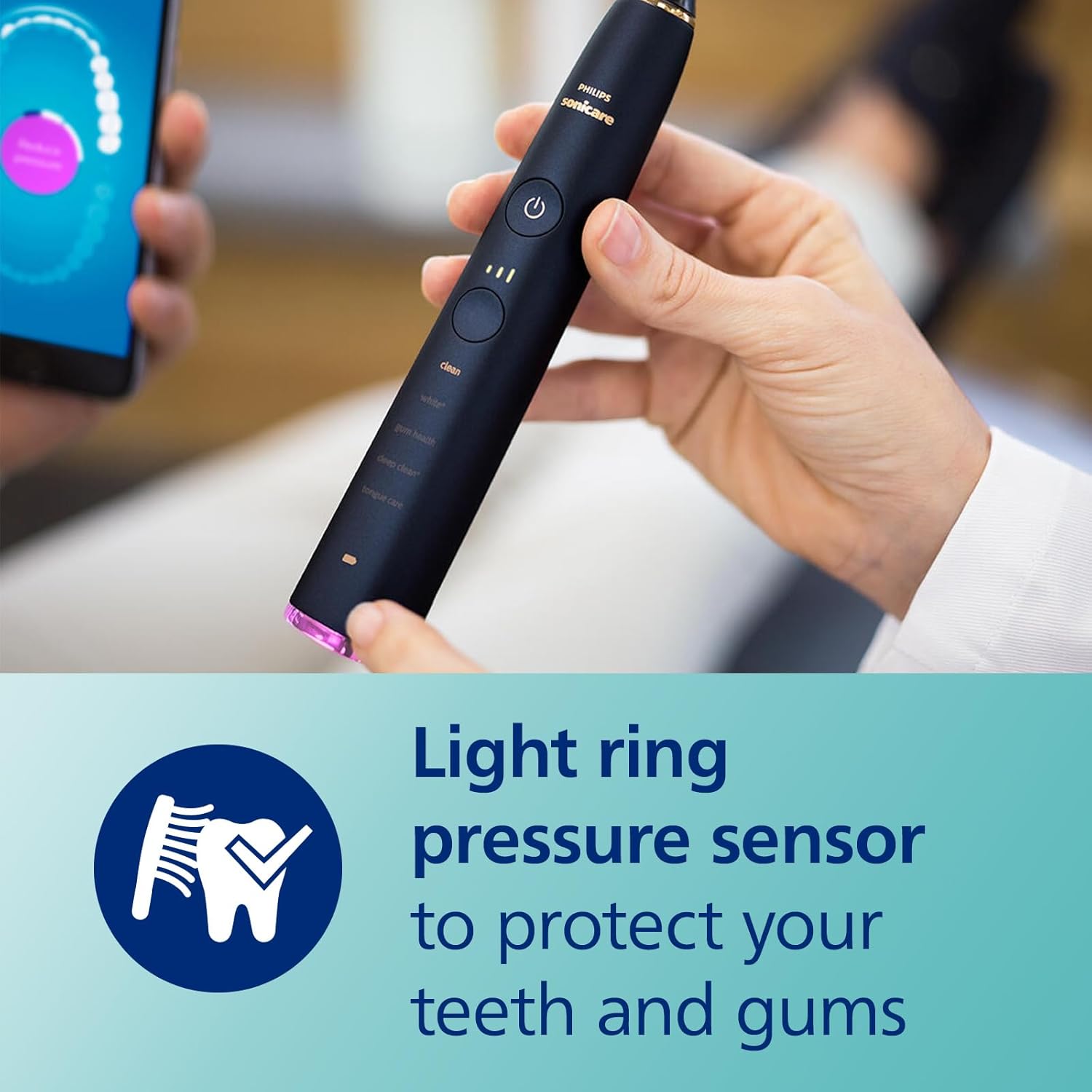
Image: A user's hands demonstrating the Philips Sonicare DiamondClean Smart 9700 toothbrush in use, with a clear view of the light ring pressure sensor, which illuminates to indicate excessive brushing force.
Philips Sonicare App Integration
Connect your toothbrush to the Philips Sonicare app for real-time feedback, personalized coaching, and progress reports. The app helps you identify missed spots and improve your brushing technique.

Image: A man engaging with the Philips Sonicare app on his smartphone, demonstrating the personalized guidance and connectivity features of the DiamondClean Smart 9700 toothbrush.
Maintenance
Cleaning
- After each use, rinse the brush head thoroughly under running water.
- Wipe the handle with a damp cloth. Do not submerge the handle in water.
- Clean the charging glass and travel case regularly with a damp cloth.
Brush Head Replacement
The BrushSync™ technology will alert you when it's time to replace your brush head, typically every 3 months. Worn brush heads are less effective at removing plaque.

Image: A magnified view of a Philips Sonicare brush head, illustrating the intricate bristle design and the advanced sonic technology that generates powerful cleaning action.
Battery Life
With regular use (two 2-minute brushings per day), the battery lasts up to two weeks on a single charge. Recharge as needed using the charging glass or travel case.
Troubleshooting
| Problem | Possible Cause / Solution |
|---|---|
| Toothbrush does not turn on. | Battery may be depleted. Place on charger for 24 hours. Ensure charger is properly connected to power. |
| Pressure sensor light flashes frequently. | You may be brushing too hard. Reduce pressure on your teeth and gums. |
| Brush head does not fit properly. | Ensure the brush head is aligned correctly and pushed down firmly until it clicks. Use genuine Philips Sonicare brush heads. |
| App not connecting to toothbrush. | Ensure Bluetooth is enabled on your device and the toothbrush is charged. Try restarting both the app and your toothbrush. |
If you encounter issues not listed here, please refer to the Philips Sonicare app or contact customer support.
Specifications
- Model Number: HX9957/71
- Power Source: Battery Powered
- Battery Type: 1 Lithium Ion battery
- Special Features: Pressure Sensor, Brushing Timer, Rechargeable, Lightweight, Ergonomic
- Item Firmness: Soft
- Dimensions: 10.25 x 9.1 x 4.95 inches (Package)
- Weight: 3.19 Pounds (Package)
Warranty and Support
Your Philips Sonicare DiamondClean Smart 9700 electric toothbrush comes with a 2-year guarantee. For detailed warranty information, product registration, or technical support, please visit the official Philips Sonicare website or contact their customer service. Keep your proof of purchase for warranty claims.
Online Support: www.philips.com/sonicare
Important Safety Information
Always follow the instructions provided in the Philips Sonicare app for safe and effective use. Keep brush heads out of reach of children to prevent choking hazards. Replace brush heads every 3 months or as indicated by the BrushSync™ technology. Do not use the toothbrush for purposes other than oral hygiene.
Official Product Videos
No official seller videos were provided for this product in the available data. For additional visual guides, please visit the official Philips Sonicare website or their authorized channels.
Related Documents - HX9957/71
 |
Philips Sonicare DiamondClean Smart 9700: Advanced Sonic Electric Toothbrush with App Discover the Philips Sonicare DiamondClean Smart 9700, an advanced sonic electric toothbrush offering personalized coaching, smart sensor technology, and five brushing modes for complete oral care. Learn about its features, benefits, and specifications. |
 |
Philips Sonicare Toothbrush Charging, Usage, and Cleaning Guide A comprehensive guide for Philips Sonicare electric toothbrushes, detailing charging methods for various models (DiamondClean, PowerUp), instructions for changing brushing modes and intensity settings, tips for brushing with braces, and essential cleaning procedures. |
 |
Philips Sonicare DiamondClean Prestige 9900 Electric Toothbrush - Advanced Oral Care Discover the Philips Sonicare DiamondClean Prestige 9900, an advanced electric toothbrush with SenseIQ technology for personalized oral care, superior plaque removal, and improved gum health. Features include a pressure sensor, multiple modes, and long battery life. |
 |
Philips Sonicare DiamondClean 9000 Series User Manual Comprehensive guide to the Philips Sonicare DiamondClean 9000 Series electric toothbrush, covering features, usage, safety information, and app integration for optimal oral hygiene. |
 |
Philips Sonicare DiamondClean Prestige 9900 Electric Toothbrush - Advanced Oral Care Discover the Philips Sonicare DiamondClean Prestige 9900, an advanced electric toothbrush with SenseIQ technology for personalized oral care, superior plaque removal, and healthier gums. Features include multiple modes, intensity levels, and smart app connectivity. |
 |
Philips Sonicare DiamondClean 9000 HX9914/75 Rechargeable Toothbrush - Advanced Oral Care Explore the Philips Sonicare DiamondClean 9000 HX9914/75 rechargeable toothbrush. Achieve superior plaque removal, whiter teeth, and healthier gums with smart sensor technology, multiple modes, intensities, and app connectivity for personalized oral hygiene. |
Ask a question about this manual
Ask about setup, troubleshooting, compatibility, parts, safety, or missing instructions. Manuals+ will review the question and use this page’s manual context to help answer it.