
Introduction
Welcome to enhanced oral care with your new Philips Sonicare DiamondClean Smart 9300 Electric Toothbrush. This manual provides essential information for setting up, operating, maintaining, and troubleshooting your device to ensure optimal performance and a superior cleaning experience.
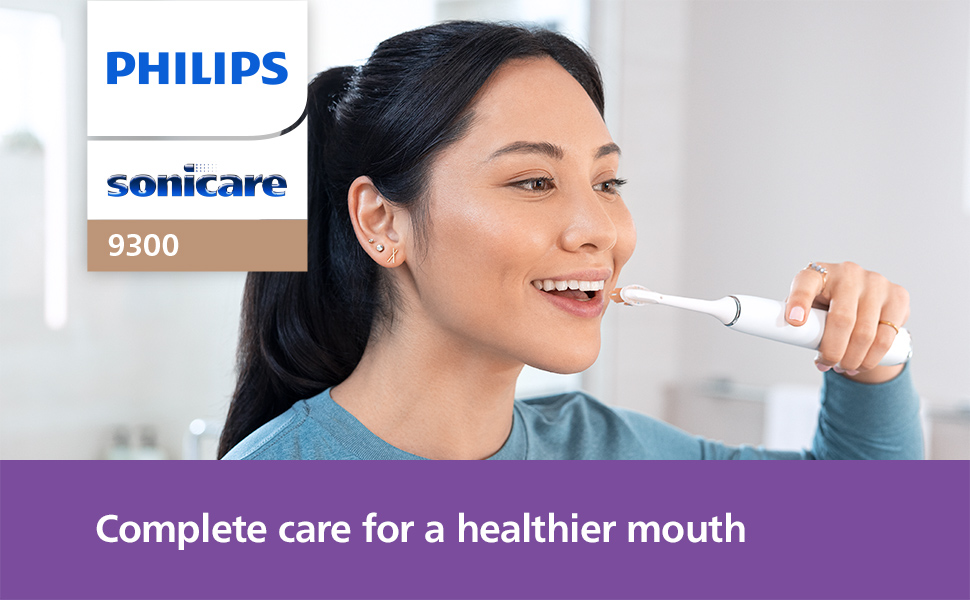
Image: Overview of the Philips Sonicare DiamondClean Smart 9300 features, highlighting comprehensive care, pressure sensing, and app connectivity.
Key Features
- Advanced Sonic Technology: Provides gentle yet effective cleaning, removing up to 20x more plaque and up to 100% more stains than a manual toothbrush.
- Personalized Brushing: Offers 4 brushing modes (Clean, White+, Gum Health, Deep Clean+) and 3 intensity levels.
- Smart Sensor Technology: Includes a light ring pressure sensor to alert you when brushing too hard, protecting teeth and gums.
- Philips Sonicare App Connectivity: Provides personalized brushing guidance, tracks progress, and identifies missed spots.
- BrushSync™ Technology: Reminds you when it's time to replace your brush head.
- SmarTimer & QuadPacer: Ensures recommended brushing time of 2 minutes with 30-second interval alerts.
- Convenient Charging: Features an iconic charging glass and a USB charging travel case.
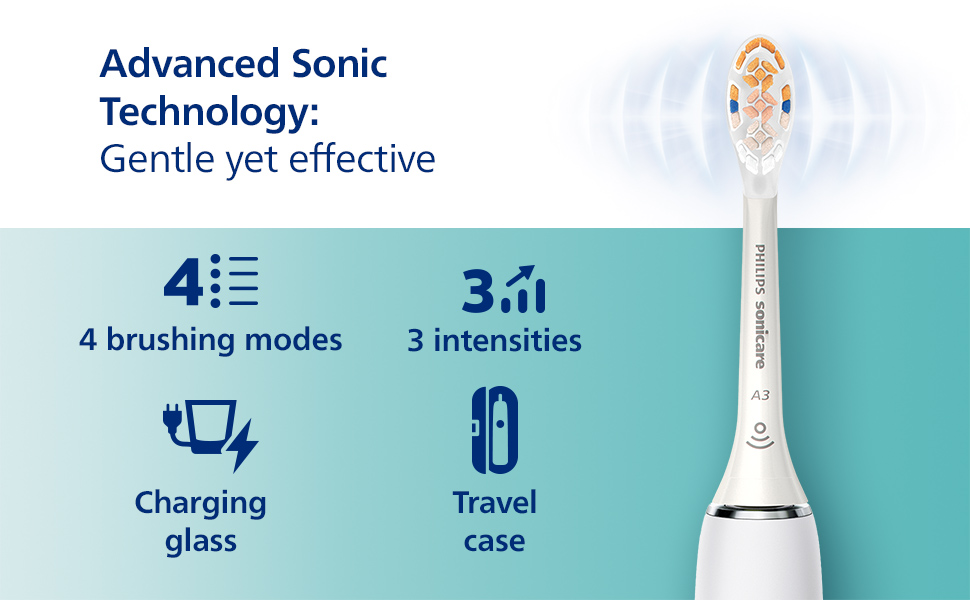
Image: Visual representation of the toothbrush's advanced sonic technology, multiple modes and intensities, and included charging and travel accessories.
Package Contents
Your Philips Sonicare DiamondClean Smart 9300 package includes:
- 1x DiamondClean Smart 9300 sonic electric toothbrush handle
- 1x A3 Premium All-in-One brush head
- 1x C3 Premium Plaque Control brush head
- 1x Charging glass and stand
- 1x Travel case (USB charging compatible)

Image: The Philips Sonicare DiamondClean Smart 9300 toothbrush, shown with its charging glass and travel case, illustrating the complete set.
Setup
1. Charging the Toothbrush
Before first use, fully charge your toothbrush for 24 hours. The battery indicator lights will show the charging status.
- Place the charging glass on its stand and plug the stand into a power outlet.
- Place the toothbrush handle into the charging glass. The light ring at the bottom of the handle will illuminate to indicate charging.

Image: The Philips Sonicare DiamondClean Smart 9300 toothbrush handle placed in its elegant charging glass, connected to power.
2. Attaching a Brush Head
Align the brush head with the metal shaft on the handle and push it down firmly until it clicks into place.
Operating Instructions
1. Power On/Off
Press the power button to turn the toothbrush on or off.
2. Selecting Brushing Modes and Intensity Levels
Your DiamondClean Smart 9300 offers 4 brushing modes and 3 intensity levels for a personalized experience.
- Modes: Clean, White+, Gum Health, Deep Clean+. Press the mode button to cycle through the available modes.
- Intensity: While the brush is on, press the intensity button to select low, medium, or high intensity.

Image: The toothbrush handle displaying its various cleaning modes and intensity settings, allowing users to customize their brushing experience.
3. Smart Sensor Technology (Pressure Sensor)
The toothbrush is equipped with a pressure sensor. If you apply too much pressure during brushing, the light ring at the bottom of the handle will flash, and the vibration pattern will change, signaling you to reduce pressure. This helps protect your gums and teeth from excessive force.

Image: A user demonstrating the Philips Sonicare DiamondClean Smart 9300, with the pressure sensor light ring visible, indicating proper brushing technique.
4. SmarTimer and QuadPacer
The SmarTimer ensures you brush for the dentist-recommended 2 minutes. The QuadPacer divides your mouth into four sections and signals every 30 seconds to move to the next section, ensuring thorough cleaning of all areas.
5. Philips Sonicare App Integration
Connect your toothbrush to the Philips Sonicare app via Bluetooth for personalized coaching, real-time feedback, and progress reports. The app helps you identify missed spots and improve your brushing habits over time.

Image: A user interacting with the Philips Sonicare app on their smartphone, demonstrating how the app provides personalized guidance for brushing.
Maintenance
1. Cleaning the Toothbrush
- After each use, rinse the brush head and bristles thoroughly under running water.
- Wipe the handle with a damp cloth. Do not immerse the handle in water.
2. Replacing Brush Heads
The BrushSync™ technology tracks your brush head usage and reminds you when it's time for a replacement. Typically, brush heads should be replaced every 3 months for optimal performance and hygiene.
3. Cleaning the Charging Glass
The charging glass can be removed from its base for easy cleaning. Wash it with warm water and mild soap, then dry thoroughly before reassembling.
Troubleshooting
If you encounter any issues with your Philips Sonicare DiamondClean Smart 9300, please refer to the following common solutions:
- Toothbrush not turning on: Ensure the battery is charged. Place the handle in the charging glass for at least 24 hours.
- Reduced vibration/power: The brush head may be worn out. Replace it with a new Philips Sonicare brush head. Ensure the brush head is securely attached.
- Charging indicator not working: Check if the charging base is properly plugged into a functional power outlet. Ensure the handle is correctly placed in the charging glass.
- App connectivity issues: Ensure Bluetooth is enabled on your smartphone and the toothbrush is within range. Try restarting both the app and the toothbrush.
For further assistance, please contact Philips Sonicare customer support.
Specifications
| Product Dimensions | 4.37 x 6.85 x 9.92 inches; 2.31 Pounds |
| Item Model Number | HX9903/05 |
| Batteries | 1 Lithium Ion batteries required (included) |
| Manufacturer | Philips Sonicare |
| Power Source | Battery Powered |
| Special Features | Pressure Sensor, Brushing Timer, Rechargeable, Lightweight, Ergonomic |
| Item Firmness Description | Soft |
Safety Information
- Choking hazard - Keep out of reach of children under 3 years.
- Do not use for purposes other than oral hygiene.
- Always supervise children under 12 years while brushing.
- Replace brush head every 3 months for optimal performance and hygiene.
Warranty & Support
Philips Sonicare products typically come with a manufacturer's warranty. Please refer to the warranty card included in your product packaging for specific terms and conditions. For product support, replacement parts, or warranty claims, please visit the official Philips Sonicare website or contact their customer service directly.
Online Support: www.philips.com/sonicare


