BP-252 7.4V Li-ion Battery User Manual
For ICOM IC-M2A, IC-M21, IC-M31, IC-M32, IC-M33, IC-M35, IC-M36, IC-M90, IC-M90E, GM1600E, GM1600, IC-M34 Radios
1. Introduction
Thank you for choosing the LIENIAO BP-252 7.4V Li-ion Battery. This battery is designed as a high-quality replacement and compatible power source for various ICOM marine handheld radios, including models such as IC-M2A, IC-M21, IC-M31, IC-M32, IC-M33, IC-M35, IC-M36, IC-M90, IC-M90E, GM1600E, GM1600, and IC-M34. This manual provides essential information for the safe and effective use, charging, and maintenance of your new battery.
2. Safety Information
WARNING: Read all safety warnings and instructions before using this battery. Failure to follow the warnings and instructions may result in electric shock, fire, and/or serious injury.
- Do not open, jolt, short-circuit, or incinerate the battery.
- The battery may ignite or burst if not used with specified items.
- Keep the battery away from water, moisture, and high temperatures.
- Do not dispose of the battery in household waste. Follow local regulations for proper disposal of Li-ion batteries.
- Do not attempt to disassemble, modify, or repair the battery.
- Use only chargers specified for Li-ion batteries and compatible with the BP-252 model.
- If the battery leaks, avoid contact with the liquid. If contact occurs, wash immediately with water.
3. Product Overview
The BP-252 is a 7.4V Li-ion battery pack designed for reliable performance. It features a robust construction and built-in microchip protection against overcharging, over-discharging, short-circuiting, and overheating.

Image: Front and back view of the BP-252 battery, showing the label with model number, voltage, capacity, and safety warnings.

Image: An angled perspective of two BP-252 batteries, highlighting their compact design.
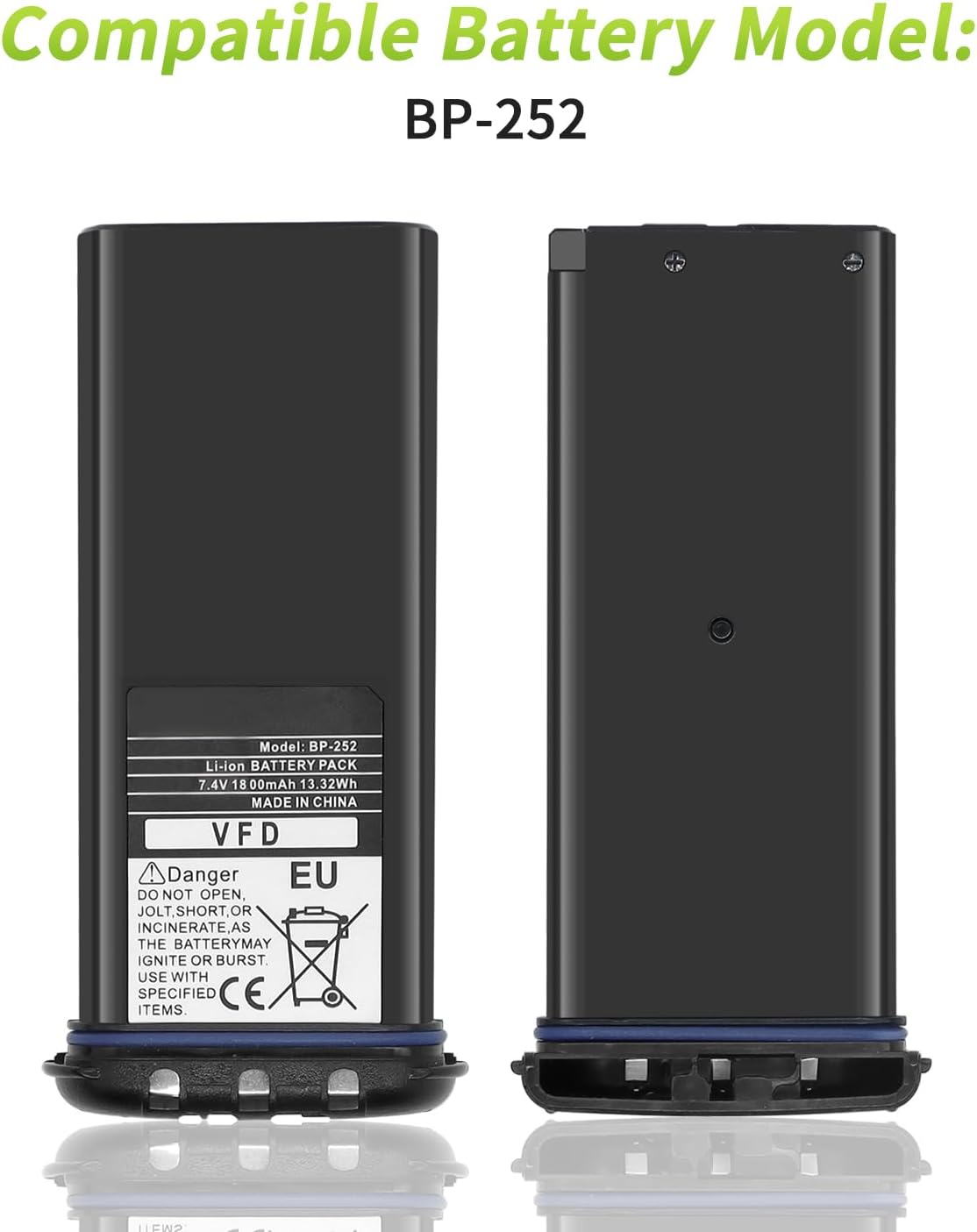
Image: The BP-252 battery displayed with text indicating its compatibility as a battery model.

Image: The BP-252 battery shown alongside graphics indicating its 7.4V voltage and 1800mAh capacity.
4. Setup
To install the BP-252 battery into your compatible ICOM radio:
- Ensure your radio is powered off.
- Locate the battery compartment on the back of your radio.
- Align the battery with the compartment, ensuring the contacts on the battery match the terminals in the radio.
- Gently push the battery into place until it clicks securely.
- If your radio has a battery latch or cover, secure it according to your radio's specific instructions.
5. Operating (Charging)
For optimal performance and longevity, it is crucial to charge the BP-252 battery correctly.
Initial Charging
For the first 3 charging and discharging cycles, we kindly suggest fully draining the battery before fully charging it. This practice can greatly improve the overall life of the BP-252 battery.
Standard Charging Procedure
- Connect your compatible ICOM radio (with the BP-252 battery installed) or the BP-252 battery directly to its designated charger.
- Ensure the charger is connected to a stable power source.
- Observe the charging indicator on your radio or charger. It will typically show a solid light or change color when charging is complete.
- Once fully charged, disconnect the battery or radio from the charger.
6. Maintenance
Proper maintenance can extend the life and performance of your BP-252 battery.
- Storage: If storing the battery for an extended period, charge it to approximately 50% capacity and store it in a cool, dry place away from direct sunlight and extreme temperatures.
- Cleaning: Periodically clean the battery contacts with a clean, dry cloth to ensure good connection with the radio and charger.
- Avoid Deep Discharge: While the battery has protection, try to avoid consistently running the battery completely flat before recharging, especially after the initial cycles.
- Temperature: Avoid exposing the battery to extreme hot or cold temperatures, as this can degrade performance and shorten lifespan.
7. Troubleshooting
If you encounter issues with your BP-252 battery, consider the following common solutions:
- Battery Not Charging:
- Ensure the charger is properly connected to a power source and the battery.
- Check for any debris or corrosion on the battery and charger contacts and clean them if necessary.
- Verify that the charger is compatible with the BP-252 battery.
- Short Battery Life:
- Ensure the battery is fully charged before use.
- Review the initial charging recommendations (full drain/charge for first 3 cycles).
- Extreme temperatures can affect battery performance; avoid using or storing in very hot or cold conditions.
- The battery has a lifespan of over 800 charge cycles. If it has exceeded this, replacement may be necessary.
- Battery Not Fitting Correctly:
- Double-check that your radio model is listed as compatible with the BP-252 battery.
- Ensure proper alignment of the battery within the compartment.
If problems persist, please refer to the Warranty & Support section for assistance.
8. Specifications
| Model Number | BP-252 |
| Battery Type | Li-ion (Lithium Polymer) |
| Voltage | 7.4V |
| Capacity | 1800mAh (13.32Wh) |
| Estimated Charge Cycles | Over 800 |
| Item Weight | 3.2 ounces |
| Package Dimensions | 5 x 4.7 x 1.5 inches |
| Manufacturer | LIENIAO |
9. Warranty & Support
LIENIAO is committed to providing excellent customer service. If you have any questions, concerns, or require assistance with your BP-252 battery, please do not hesitate to contact us. We aim to provide a satisfactory resolution within 24 hours and address all quality-related issues with a replacement or refund.
Please refer to your purchase documentation or the seller's contact information for specific details on how to reach customer support.