
Product Overview
The XiaYchaug Wireless Meat Thermometer is designed to provide precise temperature monitoring for a variety of cooking applications, including grilling, smoking, oven use, rotisserie, and sous vide. With its smart APP control and extended wireless range, it ensures perfectly cooked meals every time, eliminating guesswork and enhancing your culinary experience.
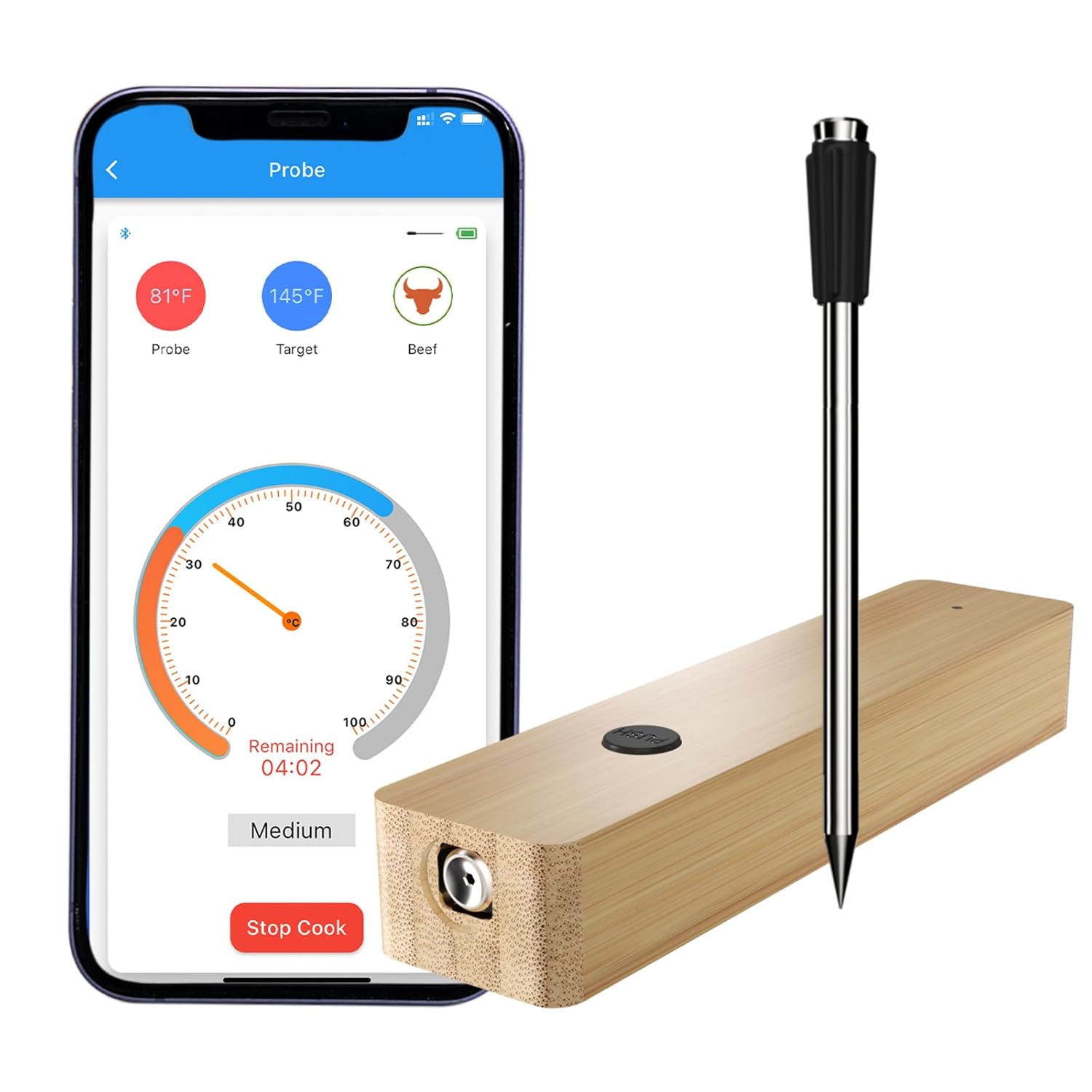
Image: The XiaYchaug Wireless Meat Thermometer, featuring the bamboo booster and stainless steel probe, alongside a smartphone displaying the temperature monitoring app.
Setup Guide
Follow these steps for initial setup and pairing:
- Charge the Booster: Connect the booster to a power source using the provided USB cable. Charge for 10-15 minutes until the indicator light turns blue, indicating a full charge. A full charge provides 36-48 hours of continuous cooking.
- Download the APP: Scan the QR code provided in the user manual or search for "PROBER" in your device's App Store (iOS/Android) to download and install the application.
- Pair the Device: Press the 'PUSH' button on the booster to release the probe. Launch the PROBER app on your smartphone. Click the "+" sign within the app to initiate pairing. The app will detect and connect to the booster.

Image: A visual guide illustrating the four easy steps for using the thermometer, from charging to monitoring the accurate temperature.

Image: Diagram showing the Bluetooth repeater function, extending the wireless range up to 500 feet for convenient monitoring.
Video: An official product video demonstrating the setup and initial use of the Wireless Bluetooth Meat Thermometer for grilling.
Operating Your Thermometer
Once paired, the thermometer is ready for use. Insert the probe into the thickest part of the meat, ensuring it passes the safety notch to avoid damage and ensure accurate readings. Use the PROBER app to select from ten built-in recipes for various meats (beef, chicken, lamb, etc.) or customize your target temperature. The app will provide real-time temperature monitoring and alert you when your food reaches the desired doneness.

Image: This image highlights the versatility of the thermometer, suitable for both indoor cooking (oven, frying, sous vide, air fryer) and outdoor cooking (smoker, rotisserie, grill, kamado).
Video: An official product video showcasing the Wireless Meat Thermometer in action, demonstrating its ease of use and monitoring capabilities during cooking.
Probe Features
The thermometer probe is engineered for durability and accuracy:
- Material: Constructed from premium food-grade 304 stainless steel.
- Temperature Range: Monitors internal meat temperatures up to 608°F (320°C).
- Accuracy: Provides readings with an accuracy within ±1.5°F.
- Response Time: Fast response in 2 seconds.
- Handle: Features a heat-resistant food-grade handle.
- Durability: Water-resistant design, dustproof, and easy to clean.

Image: A detailed view of the thermometer probe, illustrating its key features such as the stainless steel construction, heat-resistant handle, and safety notch for proper insertion.
Intelligent Cooking System
The PROBER app offers a comprehensive intelligent cooking system:
- Built-in Recipes: Access ten pre-programmed recipes for common meats like beef, veal, lamb, and chicken, ensuring optimal doneness.
- Customizable Settings: Add new menus and customize target temperatures to suit your specific cooking preferences.
- Real-time Monitoring: View real-time temperature readings and remaining cooking time directly on your smartphone.
- Alerts: Receive timely alerts when the target temperature is about to be reached or when cooking is complete, allowing for a hassle-free experience.

Image: Screenshots of the PROBER app, demonstrating features like menu selection, alert notifications, and sensitive temperature feedback for precise cooking control.
Care and Maintenance
Proper care ensures the longevity and performance of your thermometer:
- Cleaning: The probe is water-resistant (IPX7). After use, wipe clean with a damp cloth or rinse under running water.
- Drying: Ensure the probe is completely dry before placing it back into the charging dock/booster to prevent damage.
- Storage: Store the thermometer and booster in a cool, dry place when not in use.

Image: A visual demonstration of cleaning the thermometer probe under running water, emphasizing its IPX7 waterproof rating and the importance of drying before storage.
Troubleshooting
| Issue | Possible Cause | Solution |
|---|---|---|
| No Bluetooth Connection | Booster not charged, out of range, app not open. | Ensure booster is charged, keep within 500ft range, open PROBER app and re-pair. |
| Inaccurate Temperature Readings | Probe not inserted past safety notch, probe damaged. | Always insert probe past the safety notch. If readings persist, contact support. |
| Booster Not Charging | Faulty USB cable or power source. | Try a different USB cable or power adapter. Ensure connections are secure. |
| App Crashing/Freezing | Outdated app version, software conflict. | Update the PROBER app to the latest version. Restart your smartphone. |
Technical Specifications
- Product Dimensions: 15 x 1.99 x 2 inches
- Weight: 5.93 ounces
- Batteries: 1 A battery required (included)
- Manufacturer: XiaYchaug
- Country of Origin: China
- Special Feature: Waterproof
- Color: 1 Probe
- Included Components: Batteries, Probes
- Outer Material: Stainless Steel
- Display Type: Digital
- Connectivity Technology: Bluetooth
- Product Care Instructions: Wipe Clean
Warranty and Support
For warranty information or technical support, please refer to the contact details provided with your product packaging or visit the official XiaYchaug website. Our customer service team is available to assist you with any questions or concerns regarding your Wireless Meat Thermometer.