1. Product Overview
The BORUIT V15 is a compact and powerful Everyday Carry (EDC) flashlight designed for versatility and durability. It features multiple lighting modes, a rechargeable battery, and practical functionalities like an 80-degree head swivel, a two-way clip, and a tail magnet.
Key Features
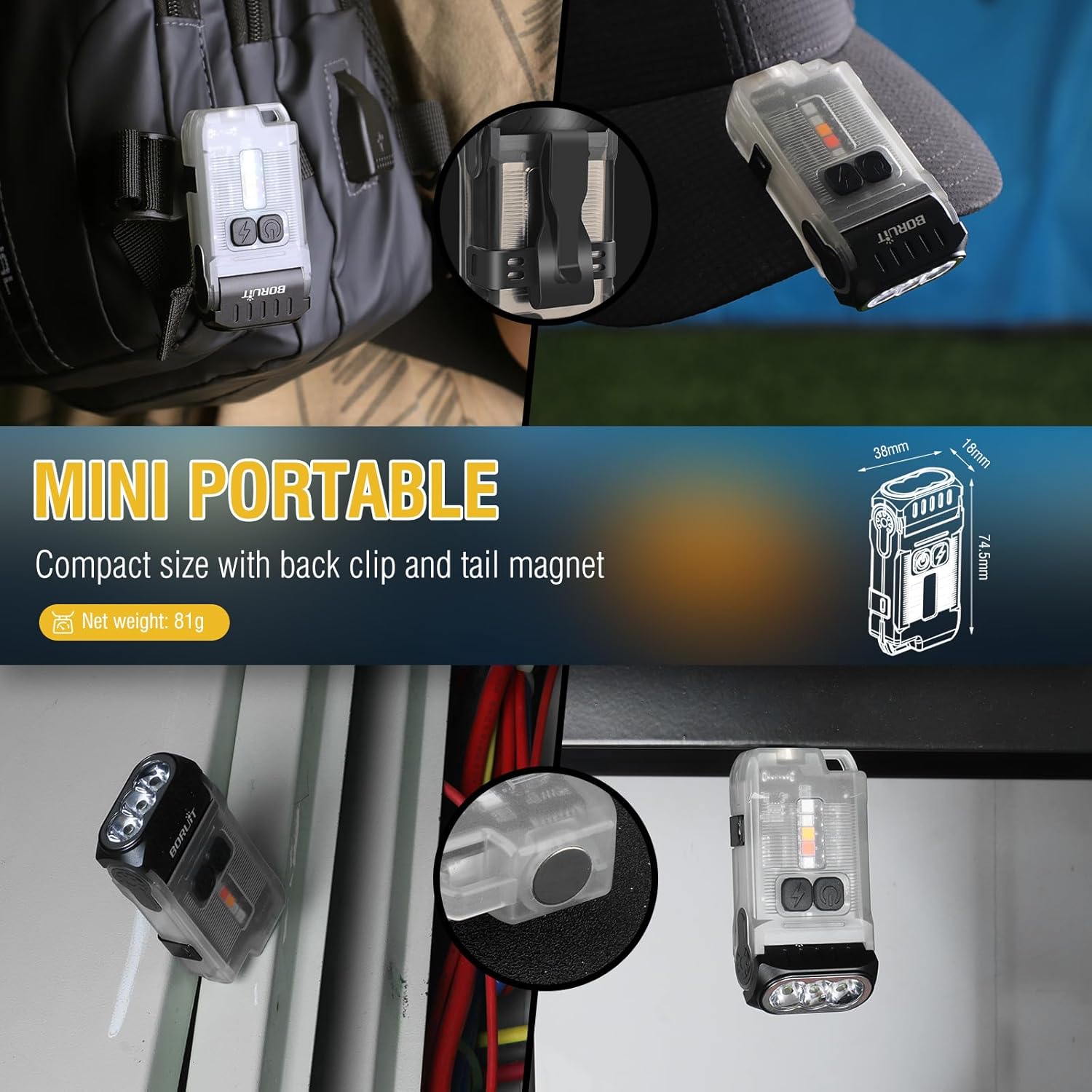
- Compact and Lightweight: Measures 2.93"x1.49"x0.7" and weighs 2.85 oz for easy portability.
- High Brightness: Up to 1200 lumens with a 328-foot irradiation distance.
- Multiple Lighting Modes: 5 main white light modes (Turbo, High, Medium, Low, Economic) and 5 side light modes (Warm, White, Red, Red Flash, Red Blue Flash).
- 80° Head Swivel: Adjustable head for wider illumination angles.
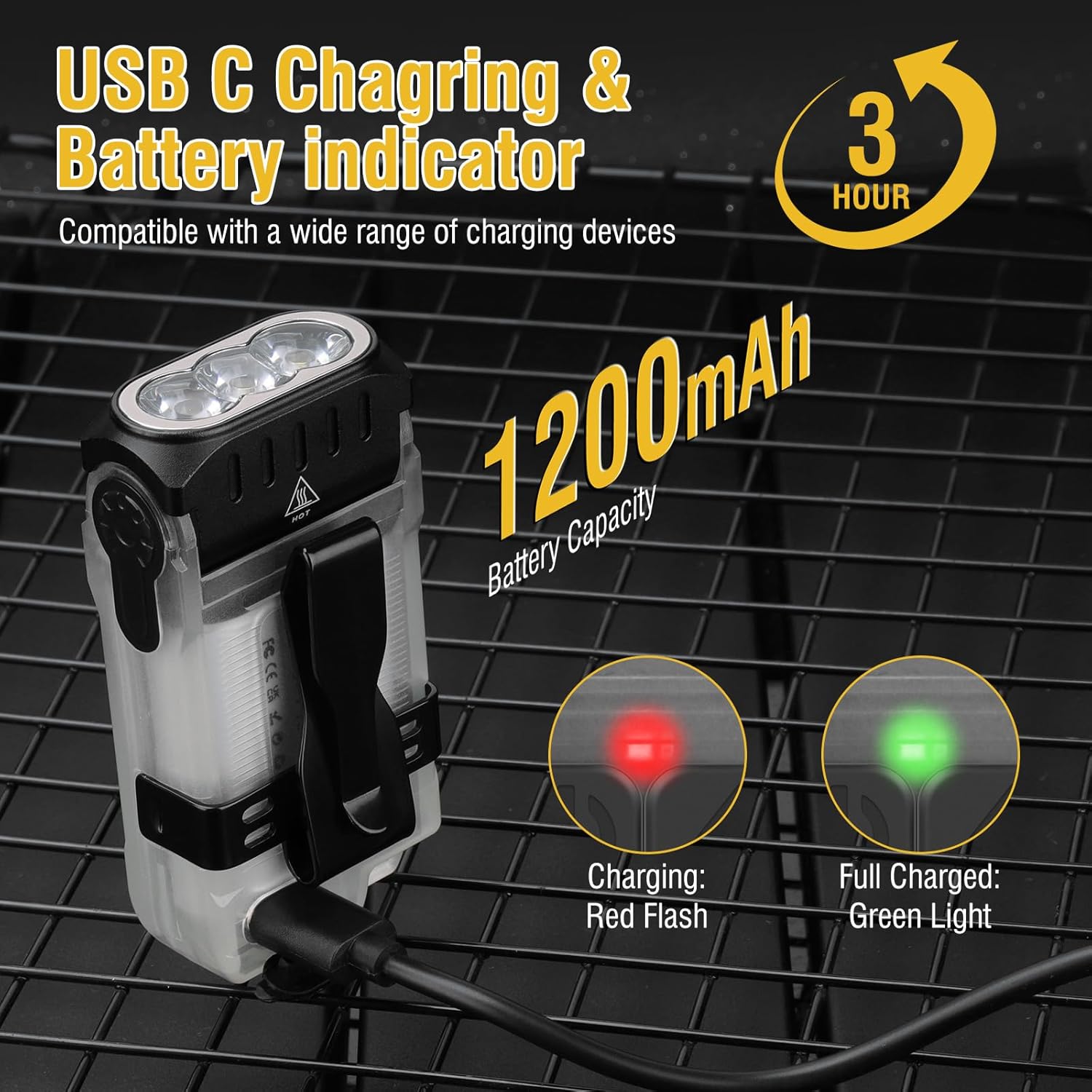
- USB-C Rechargeable: Built-in 1200mAh battery with fast charging.
- Durable Construction: Made of high-quality ABS and aluminum alloy, IP67 waterproof rating.
- Versatile Mounting: Features a two-way clip and a tail magnet for hands-free use.

2. Setup
Charging the Device
Before first use, fully charge your BORUIT V15 flashlight. The device is equipped with a USB-C charging port for convenience.
- Locate the USB-C charging port on the flashlight.
- Connect the provided USB-C cable to the flashlight and the other end to a compatible USB power source (e.g., wall adapter, computer USB port).
- The battery indicator will show a red flashing light during charging.
- Once fully charged, the indicator light will turn solid green. Charging typically takes approximately 3 hours.
3. Operating Instructions
Main Lamp Modes
The main lamp offers five distinct brightness levels for various illumination needs.
- Turn On/Off (Turbo Mode): Long press the power button to activate Turbo mode. Release the button to turn off.
- Cycle Modes: Double-click the power button to turn on the light. Then, single-click to cycle through High, Medium, Low, and Economic modes.
- Turn Off (from cycled modes): Long press the power button to turn off the light from any cycled mode.
- Memory Function: The main lamp has a memory function, recalling the last used mode when turned on again (except for Turbo mode).

Side Lamp Modes
The side lamp provides multi-colored lighting options for signaling or ambient light.
- Turn On/Off (Warm Light): Long press the side lamp button to activate Warm Light mode. Release the button to turn off.
- Cycle Modes: Double-click the side lamp button to turn on. Then, single-click to cycle through Warm Light, White Light, Red Light, and Red Flash.
- Red Blue Flash: Triple-click the side lamp button to activate the Red Blue Flash mode.
- Turn Off (from cycled modes): Long press the side lamp button to turn off the light from any cycled mode.
- Memory Function: The side lamp also has a memory function, recalling the last used mode when turned on again (except for Red Blue Flash).
Head Swivel Function
The BORUIT V15 features an 80-degree adjustable head, allowing you to direct the light precisely where needed. Simply pivot the head of the flashlight to achieve the desired angle of illumination.

Clip and Magnet Functionality
The flashlight is designed with a two-way clip and a tail magnet for versatile attachment options, freeing your hands.
- Two-Way Clip: Attach the flashlight to hat brims, pockets, belts, or backpack straps.
- Tail Magnet: Securely attach the flashlight to any ferrous metal surface for hands-free lighting in workshops, under car hoods, or on electrical panels.
4. Maintenance
Cleaning
To ensure optimal performance and longevity, keep your flashlight clean.
- Wipe the exterior with a soft, damp cloth.
- Do not use abrasive cleaners or solvents.
- Ensure the charging port is free of dust and debris.
Storage
When not in use for extended periods, store the flashlight in a cool, dry place away from direct sunlight and extreme temperatures.
Battery Care
To prolong battery life, avoid fully discharging the battery frequently. Recharge the flashlight when the battery indicator shows low power.
5. Troubleshooting
If you encounter issues with your BORUIT V15 flashlight, refer to the following common problems and solutions:
| Problem | Possible Cause | Solution |
|---|---|---|
| Flashlight does not turn on. | Low battery. | Charge the flashlight fully using the provided USB-C cable. |
| Light is dim or flickers. | Low battery. | Recharge the flashlight. |
| Flashlight does not charge. | Faulty cable or power source. | Try a different USB-C cable or power adapter. Ensure the charging port is clean. |
| Head swivel is stiff. | Accumulated dirt or debris. | Gently clean around the swivel mechanism. Do not force movement. |
If the problem persists after attempting these solutions, please contact customer support.
6. Specifications
| Feature | Detail |
|---|---|
| Model Number | V3-1 |
| Dimensions | 2.93"D x 1.49"W x 0.7"H (74.5mm x 38mm x 18mm) |
| Item Weight | 2.85 oz (81 Grams) |
| Material | ABS, Aluminum Alloy |
| Light Source Type | LED |
| White Brightness | Up to 1200 Lumens |
| Light Path Distance | 100 Meters (328 feet) |
| Battery Capacity | 1200mAh Lithium Ion (Included) |
| Charging Port | USB-C |
| Runtime | Up to 4 hours (High mode), 42 hours (Economic mode) |
| Water Resistance Level | IP67 Waterproof |
| Special Features | 80° Head Swivels, Two-Way Back Clip, Tail Magnet |
7. Warranty and Support
BORUIT products are manufactured with high standards of quality and durability. For any questions, concerns, or technical support regarding your BORUIT V15 LED Flashlight, please refer to the following resources:
- Online Support: Visit the official BORUIT store on Amazon for FAQs and product information: BORUIT Amazon Store
- Included Components: Your product package includes a USB Cable and this user manual.
Please retain your purchase receipt for warranty purposes. Specific warranty terms and conditions may apply.


