
1. Introduction
Thank you for purchasing the KUIDEHACUL HM-G6 Atmosphere Lamp. This device combines multiple functions including an ambient light, Bluetooth speaker, 15W wireless charger, and alarm clock. This manual provides detailed instructions for proper setup, operation, and maintenance to ensure optimal performance and longevity of your product. Please read this manual thoroughly before use and retain it for future reference.
2. Product Overview
The HM-G6 Atmosphere Lamp is designed to enhance your environment with versatile lighting, audio, and charging capabilities.
Key Features:
- 5-in-1 Functionality: Ambient light, Bluetooth speaker, 15W wireless charger, time display, and alarm clock.
- Dynamic Lighting: Soft warm light and dazzling colorful light modes.
- Hi-Fi Audio: Bluetooth 5.2 speaker with support for U disk, TF card, and AUX audio input.
- Fast Wireless Charging: Integrated 15W Qi wireless charging pad.
- Dual Alarm Clock: Customizable alarms with white noise function.
Package Contents:
- 1 x KUIDEHACUL HM-G6 Atmosphere Lamp
- 1 x Type-C Charging Cable
- 1 x Audio Cable
- 1 x Instruction Manual
Product Diagram:

Figure 2.1: Front and rear view of the HM-G6 lamp with labeled controls and ports.
Key Components:
- Switch Button: Long press to turn on/off. Short press to change light mode. Double-click to select timer alarm clock.
- MODE Button: Long press to turn on the alarm clock. Double-click to change the function of white noise, FM radio.
- << Button: Short press to select the previous song. Long press to decrease volume.
- > || Button: Double-click AM/PM switch. TWS pairing. Play/pause music. Search radio station.
- >> Button: Short press the next song. Long press to increase volume.
- Date Display Screen: Shows time and other information.
- Wireless Charging Pad: For Qi-compatible devices.
- AUX Port: For external audio input.
- U Disk Connection/Charging Port (USB): For U disk playback or charging other devices.
- Non-slip Base: Provides stability.
3. Setup
Power Connection:
- Connect the provided Type-C charging cable to the power input port on the back of the lamp.
- Plug the other end of the cable into a suitable USB power adapter (not included) and then into a wall outlet.
- The device will power on automatically or can be turned on by long-pressing the Switch Button.
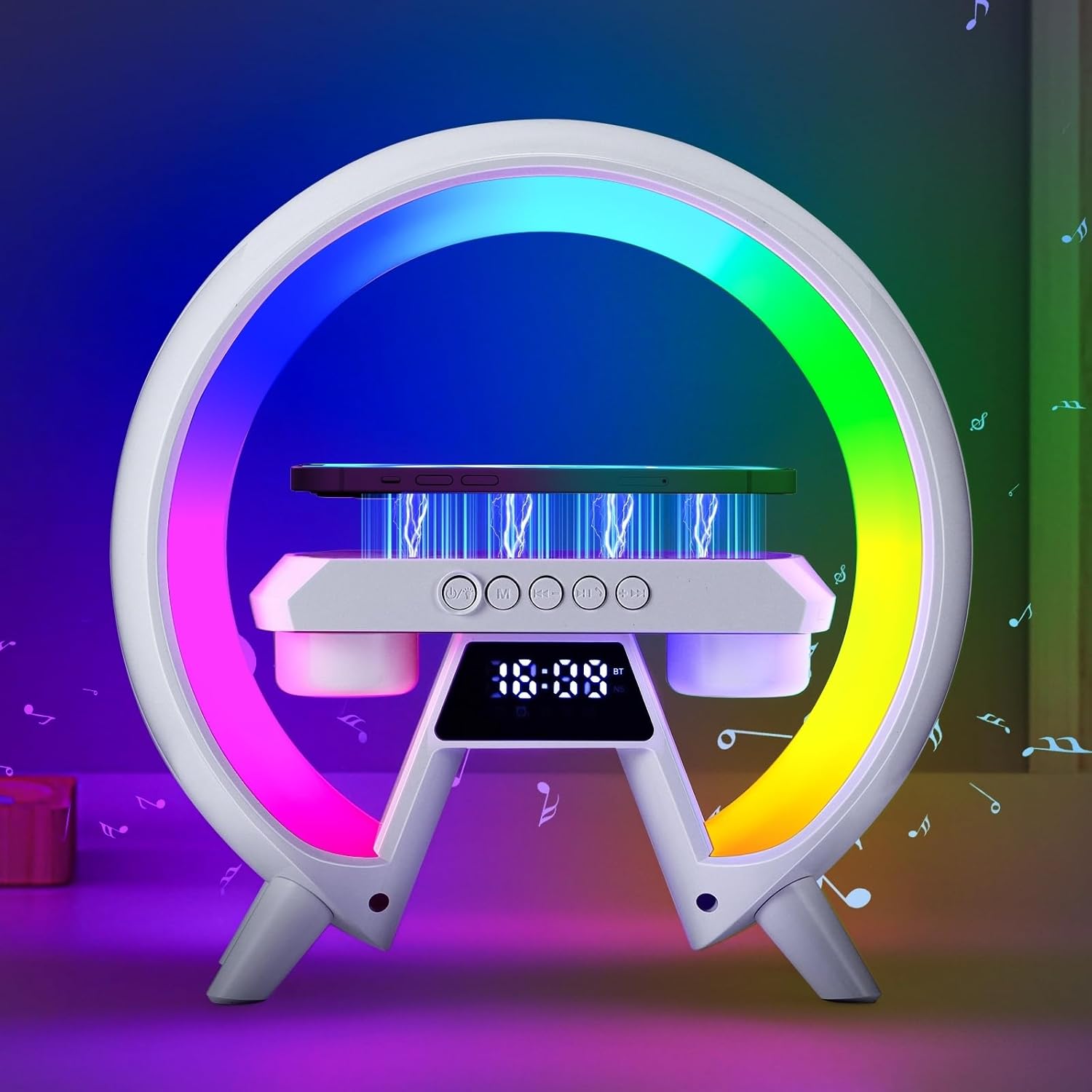
Figure 3.1: HM-G6 Atmosphere Lamp in operation.
4. Operation
4.1 Light Functions
- Turn On/Off: Long press the Switch Button to power the lamp on or off.
- Change Light Modes: Short press the Switch Button to cycle through different light colors and dynamic modes.
- Warm Light: The lamp offers a soft warm light setting for comfortable illumination.
- Colorful Lights: Various dazzling colorful light modes are available.

Figure 4.1: Gentle warm light and brilliant colored light modes.
4.2 Bluetooth Speaker
- Enable Bluetooth: The speaker automatically enters Bluetooth pairing mode when powered on. The display may show 'BT'.
- Pairing: On your mobile device, search for Bluetooth devices and select 'HM-G6A' to connect. A confirmation sound will indicate successful pairing.
- Music Playback: Once connected, you can play audio from your device through the lamp's speaker. Use the << and >> buttons for track control and long press for volume adjustment. The > || button can be used for play/pause.

Figure 4.2: Music playback combined with ambient lighting.
4.3 15W Wireless Charging Pad
The lamp features a 15W Qi wireless charging pad. Ensure the lamp is connected to a power source for this function to operate.
- Place your Qi-compatible smartphone on the designated wireless charging area on top of the lamp.
- Ensure the phone is centered on the charging pad for optimal contact.
- The phone's screen will indicate that charging has begun.

Figure 4.3: Wireless charging in progress.
Note: Your phone must have wireless charging capability, and the lamp needs to be plugged into a power source for wireless charging to function.
4.4 Time Display & Alarm Clock
The lamp automatically synchronizes with your phone's time when connected via Bluetooth.
- Setting Alarms: Long press the MODE Button to set Alarm 1. Long press again to set Alarm 2. Long press a third time to turn off dual alarms.
- White Noise Function: Double-click the Switch Button to activate white noise after 15/30/45/60 minutes of timing. The white noise and light will activate when the alarm sounds.
- AM/PM Switch: Double-click the > || button to switch between AM and PM display.

Figure 4.4: Alarm and white noise control buttons.
4.5 TWS Couplet Mode (True Wireless Stereo)
To achieve a stereo sound experience, you can pair two HM-G6 lamps together.
- Ensure both HM-G6 units are powered on and their Bluetooth functions are active.
- On one of the units, double-click the > || button (Bluetooth switch).
- Wait for a prompt sound indicating that the two machines are connected.
- Once connected, turn on your mobile phone's Bluetooth and search for the pairing name (e.g., 'A106'). Connect to this single pairing name.
- Audio will now play in stereo through both lamps.

Figure 4.5: TWS Couplet Mode in use.
4.6 AUX/TF/FM Playback
In addition to Bluetooth, the HM-G6 supports other audio input methods:
- AUX Input: Connect an external audio device using the provided audio cable to the AUX port. The lamp will automatically switch to AUX mode.
- TF Card Playback: Insert a TF (MicroSD) card with audio files into the designated slot. The lamp will automatically detect and play music from the card.
- U Disk Playback: Insert a USB flash drive (U disk) with audio files into the USB port. The lamp will automatically detect and play music from the drive.
- FM Radio: Double-click the MODE Button to switch to FM radio mode. Use the << and >> buttons to search for radio stations.
5. Maintenance
- Cleaning: Use a soft, dry cloth to wipe the surface of the lamp. Do not use abrasive cleaners, solvents, or harsh chemicals, as these may damage the finish.
- Storage: When not in use for extended periods, store the lamp in a cool, dry place away from direct sunlight and extreme temperatures.
- Power: Always disconnect the power cable before cleaning or moving the device.
- Water Exposure: This product is designed for indoor use. While it has some water resistance, avoid direct exposure to water or high humidity to prevent damage.
6. Troubleshooting
If you encounter any issues with your HM-G6 Atmosphere Lamp, please refer to the following common problems and solutions:
| Problem | Possible Cause | Solution |
|---|---|---|
| Lamp does not turn on. | No power connection or insufficient power. | Ensure the Type-C cable is securely connected to both the lamp and a working power adapter/outlet. |
| Wireless charging not working. | Phone not Qi-compatible, not properly aligned, or lamp not powered. | Verify your phone supports Qi wireless charging. Realign the phone on the charging pad. Ensure the lamp is plugged into a power source. |
| Bluetooth connection issues. | Device too far, Bluetooth not enabled, or already connected to another device. | Ensure your device's Bluetooth is on and within range. Disconnect from other Bluetooth devices. Restart the lamp and your device. |
| Time display is incorrect. | Not synchronized with phone or manual adjustment needed. | Connect the lamp to your phone via Bluetooth to synchronize time. If manual adjustment is needed, refer to the alarm clock setting instructions. |
| Poor audio quality. | Low volume, poor source quality, or interference. | Adjust volume on both the lamp and your connected device. Ensure audio source quality is good. Move away from potential interference sources. |
7. Specifications
| Feature | Specification |
|---|---|
| Model Number | HM-G6 |
| Wireless Charging Power | 15W |
| Bluetooth Version | 5.2 |
| Bluetooth Name | HM-G6A |
| Output Power | 15W |
| Bluetooth Frequency | 2.4GHZ-2.48GHZ |
| Transmission Distance | 10 meters |
| Frequency Range | 50HZ-20KHZ |
| Signal-to-Noise Ratio | > 75db |
| Product Dimensions | 235 x 80 x 238mm (9.3"D x 3.14"W x 9.3"H) |
| Item Weight | 1.57 pounds |
| Power Source | Corded Electric |
| Voltage | 120 Volts |
| Material | Acrylonitrile Butadiene Styrene (ABS) |
| Control Method | Touch |
8. Warranty and Support
KUIDEHACUL provides a 90-day return warranty service for this product. If you encounter any problems during purchase or use, please contact our customer support team. We are committed to resolving any issues you may experience.
For support, please refer to the contact information provided with your purchase or visit the official KUIDEHACUL store on Amazon: KUIDEHACUL Store
This product complies with CE, FCC, and RoHS certifications.


