
SIMBAILAI TL-AH701A
SIMBAILAI 7-Inch Wireless Video Intercom System User Manual
Model: TL-AH701A
1. Introduction
Thank you for choosing the SIMBAILAI 7-inch Wireless Video Intercom System. This system provides a secure and convenient way to monitor your entrance and communicate with visitors. It features a 1080p HD camera, a full touchscreen indoor monitor, PIR motion detection, and night vision capabilities. The wireless design ensures easy installation without complex wiring.
Key features include:
- Wireless connectivity for easy installation.
- Remote video calls and unlocking via mobile application.
- 1080P HD camera with a 7-inch full touchscreen monitor (1280x800 resolution).
- Outdoor unit with a 5000mA battery, offering up to 6 months standby time.
- PIR motion detection and 160° wide-angle camera.
- Video recording and playback, supporting up to 128GB TF card (32GB card included).
2. Package Contents
Please verify that all the following items are included in your package:
- Display Screen (Indoor Monitor)
- Doorbell (Outdoor Unit)
- Power Adapter
- Data Cable
- TF Card (32GB)
3. Safety Information
- Do not expose the outdoor unit to extreme temperatures or direct water immersion. While it is designed for outdoor use, excessive exposure can affect performance.
- Ensure proper power supply connections to prevent electrical hazards.
- Keep the device away from strong magnetic fields.
- Do not attempt to disassemble or repair the device yourself. Contact qualified personnel for service.
- Dispose of batteries according to local regulations.
4. Setup Guide
4.1. Charging the Battery
The outdoor unit is equipped with a 5000mA battery. Before initial use, fully charge the outdoor unit using the provided data cable and adapter. The indoor unit requires continuous power via its adapter.

Figure 4.1: Charging the outdoor unit and powering the indoor monitor.
4.2. Mounting the Outdoor Unit
The outdoor unit can be installed using expansion screws or 3M super glue. Choose a location near your entrance that provides a clear view of visitors and is within wireless range of the indoor monitor.
- Expansion Screw Installation: Secure the mounting bracket to the wall using the provided screws. Then, slide the outdoor unit onto the bracket.
- 3M Super Glue Installation: Apply the 3M super glue to the back of the outdoor unit and firmly press it against a clean, dry surface.

Figure 4.2: Outdoor unit installation methods.
4.3. Indoor Monitor Placement
Place the indoor monitor in a central location within your home where you can easily access it. Ensure it is within effective wireless range of the outdoor unit. The indoor unit has an antenna; ensure it is open to improve signal strength.
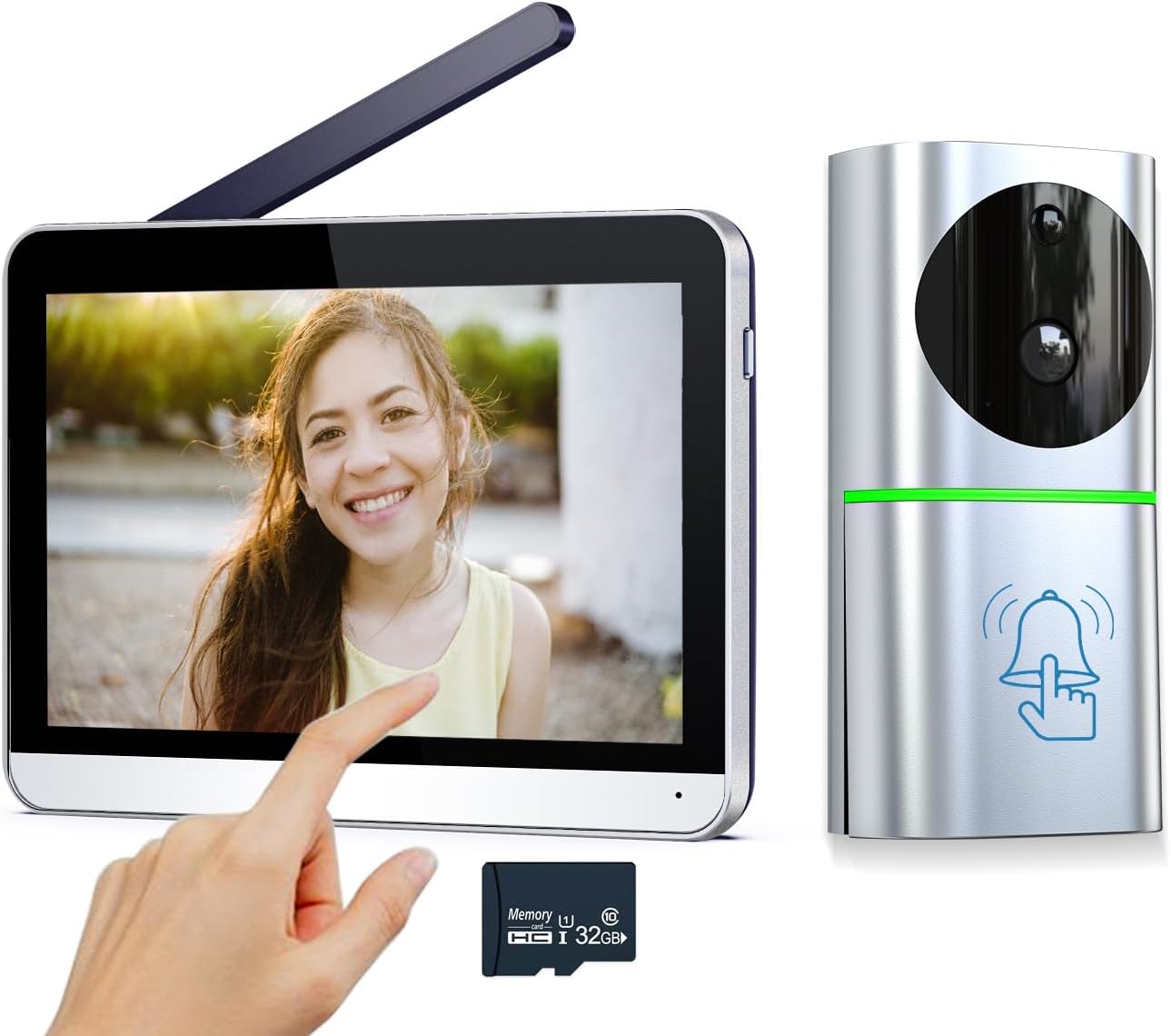
Figure 4.3: SIMBAILAI Wireless Video Intercom System components.
4.4. Initial Pairing/Connection
The system is designed for true wireless operation, requiring no complex wiring between the outdoor and indoor units. They should automatically pair upon power-up. If pairing issues occur, refer to the troubleshooting section.

Figure 4.4: True wireless connection between outdoor and indoor units.
5. Operating Instructions
5.1. Basic Operation
- Answering Calls: When a visitor presses the doorbell, the indoor monitor will ring and display the live video feed. Touch the screen to answer the call and initiate two-way audio communication.
- Remote Unlocking: If connected to an electronic lock (optional, not included), you can remotely unlock your door from the indoor monitor or the mobile app during a call.
- Viewing Live Feed: You can manually access the live video feed from the outdoor unit at any time via the indoor monitor's touchscreen interface.
5.2. Video Recording and Playback
The system automatically records video when motion is detected or when the doorbell is pressed. These recordings are stored on the included TF card in the indoor unit. You can view previous video recordings directly from the indoor monitor or through the mobile application.

Figure 5.1: Video recording and playback interface.
5.3. Motion Detection (PIR)
The outdoor unit features PIR (Passive Infrared) motion detection. When motion is detected within the camera's field of view, an alert will be pushed to your mobile phone and the indoor monitor, and a snapshot or video recording will be initiated automatically.

Figure 5.2: Smart PIR motion detection in action.
5.4. Night Vision
The outdoor unit is equipped with infrared (IR) LEDs for clear night vision. This allows you to see visitors clearly even in low-light conditions or complete darkness.

Figure 5.3: HD 1080P camera with night vision capability.
5.5. Wide-Angle View
The outdoor camera features a 160° wide-angle lens, providing a broad view of your entrance area and reducing blind spots.
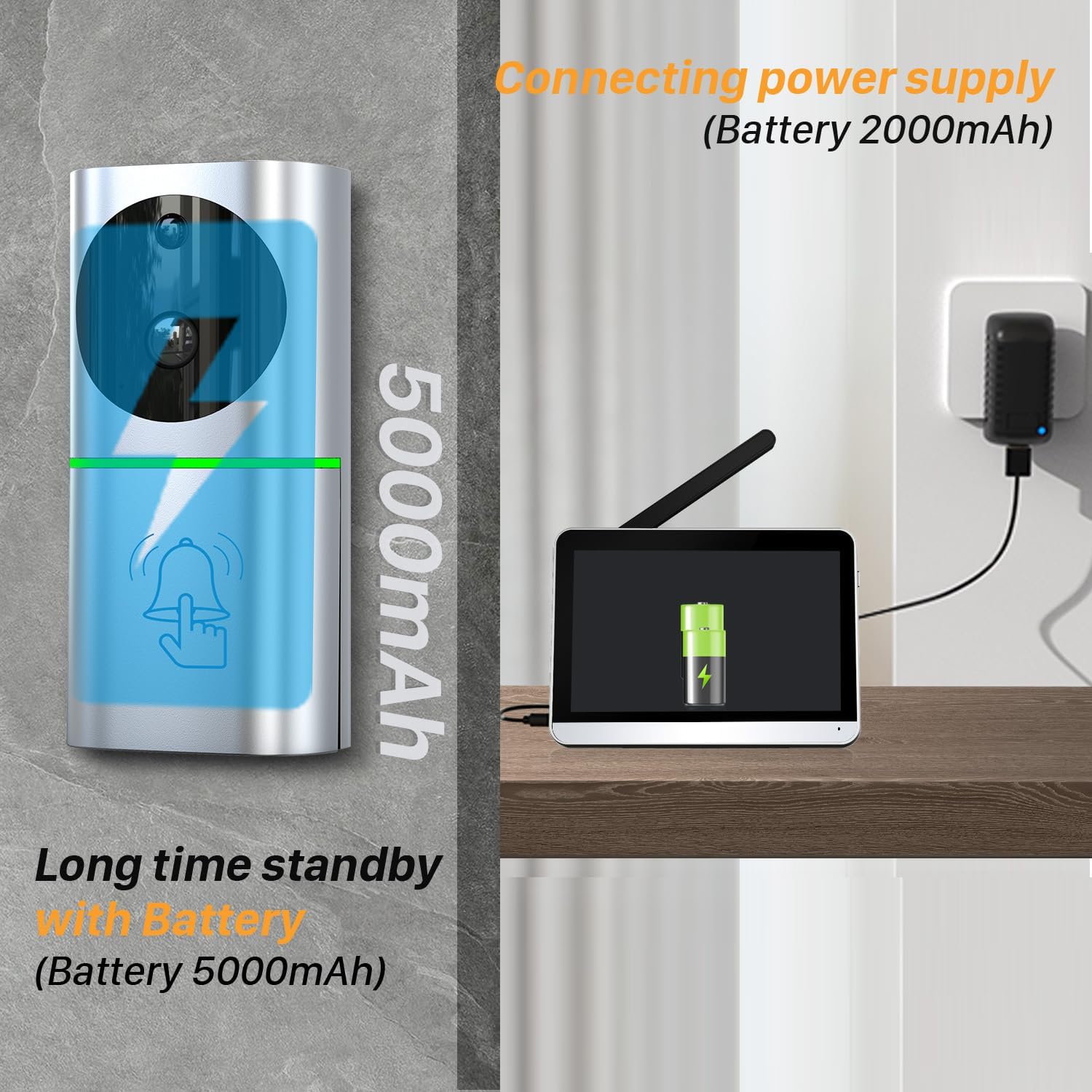
Figure 5.4: 160° wide-angle view of the outdoor unit.
5.6. Multi-Intercom Conversation
The system supports multiple indoor monitors, allowing family members in different rooms to communicate with visitors or with each other through the intercom function.
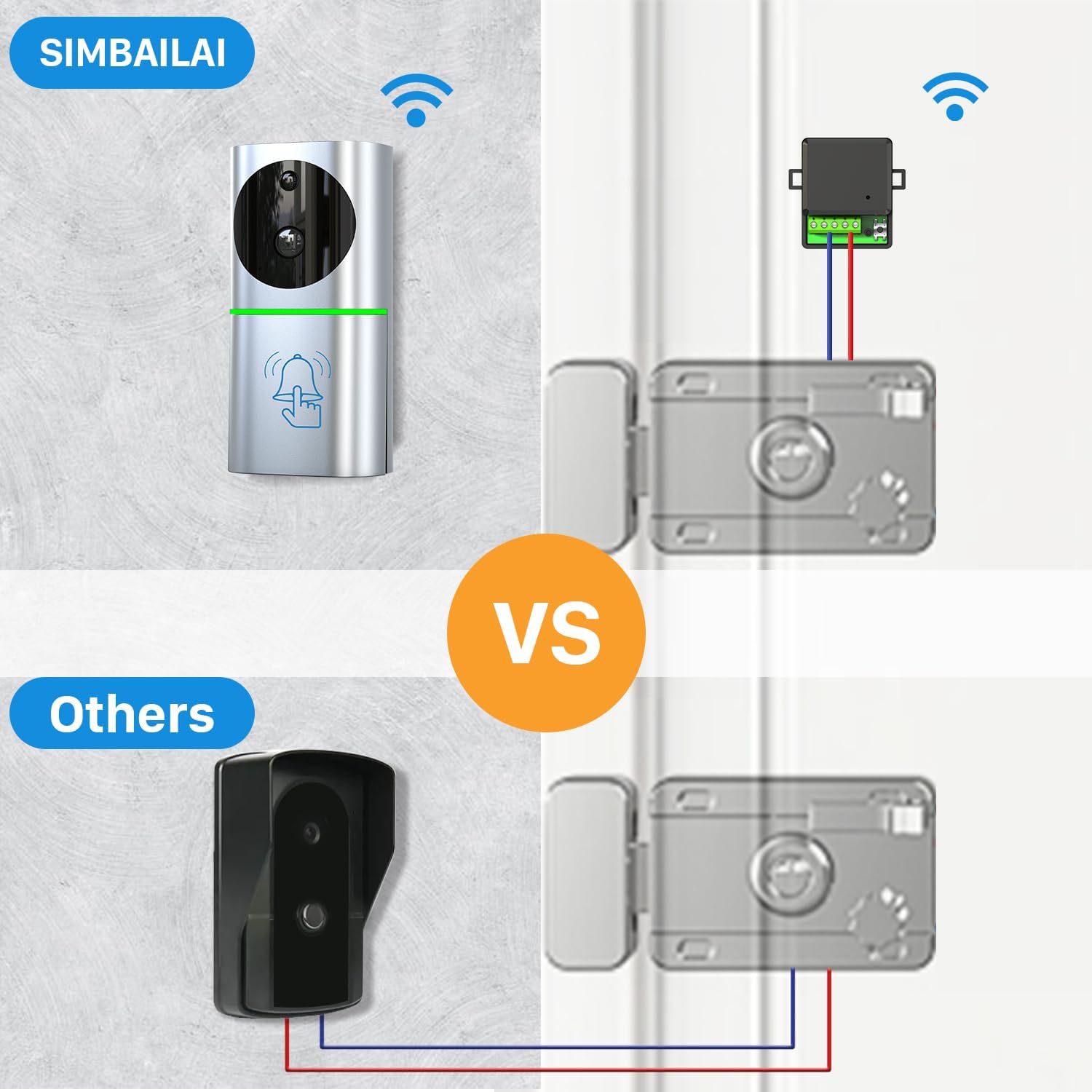
Figure 5.5: Multiple intercom conversation setup.
6. Maintenance
- Cleaning: Use a soft, dry cloth to clean the indoor monitor and outdoor unit. Do not use abrasive cleaners or solvents.
- Battery Care: For optimal battery life of the outdoor unit, avoid prolonged exposure to extreme heat or cold. Recharge the battery when the low battery indicator appears.
- Firmware Updates: Check the manufacturer's website periodically for any available firmware updates to ensure optimal performance and security.
Figure 6.1: Outdoor unit weather resistance (IP65).
7. Troubleshooting
If you encounter any issues with your SIMBAILAI Video Intercom System, please refer to the table below for common problems and their solutions.
| Problem | Possible Cause | Solution |
|---|---|---|
| No signal/Poor connection between units | Distance too far, thick walls, aluminum doors, Wi-Fi interference. | Reduce distance between units. Avoid placing near large metal objects or strong Wi-Fi signals. Ensure indoor unit antenna is open. |
| Outdoor unit battery not charging | Faulty adapter/cable, improper connection. | Ensure the adapter and data cable are securely connected. Try a different compatible adapter/cable. |
| Poor image quality | Dirty camera lens, insufficient lighting, network issues. | Clean the camera lens with a soft cloth. Ensure adequate lighting for optimal image. Check wireless signal strength. |
| Motion detection not working | PIR sensitivity setting, obstruction, battery low. | Check PIR sensitivity settings in the indoor monitor. Ensure no obstructions are blocking the sensor. Charge the outdoor unit battery. |
| No audio during conversation | Microphone/speaker muted, volume too low, connection issue. | Check volume settings on both units. Ensure microphone/speaker are not muted. Re-establish connection if necessary. |
8. Technical Specifications
| Feature | Detail |
|---|---|
| Model Number | TL-AH701A |
| Power Source | Battery Powered (Outdoor Unit), Adapter (Indoor Unit) |
| Connectivity Protocol | Wi-Fi (2.4GHz) |
| Video Recording Resolution | 1080p |
| Outdoor Unit Battery | 5000 mAh Lithium-Ion |
| Indoor Monitor Screen Size | 7 inches |
| Indoor Monitor Resolution | 1280x800 |
| Viewing Angle | 160 degrees |
| Storage Support | Up to 128GB TF Card (32GB included) |
| Special Features | Local Recording, Portable, HD Resolution, Motion Sensor, Night Vision |
| Material | Metal |
| Item Dimensions (L x W x H) | 18.1 x 2 x 13.2 cm |
| Item Weight | 1.19 Kilograms |
9. Warranty and Support
SIMBAILAI products are designed for reliability and performance. This product comes with a standard manufacturer's warranty. Please refer to the warranty card included in your package or contact SIMBAILAI customer support for specific warranty terms and conditions.
For technical support, troubleshooting assistance, or any inquiries regarding your product, please visit the official SIMBAILAI website or contact their customer service department. Contact information can typically be found on the product packaging or the brand's official online presence.
All SIMBAILAI products, including this video intercom system, are CE, FCC, and ROHS certified, ensuring compliance with relevant safety and environmental standards. Furthermore, the product adheres to EU GDPR (General Data Protection Regulation) for enhanced data privacy and security.


Figure 9.1: Product certifications and data privacy commitment.