
1. Introduction
The RWRAPS SVP-60L is an advanced automatic recovery voltage protective device designed to safeguard electrical appliances and systems from damage caused by under-voltage and over-voltage conditions. This device features an LED display for real-time voltage monitoring and automatically restores power once voltage returns to normal operating ranges. It is suitable for various residential and commercial applications requiring stable power supply protection.
2. Safety Information
- Professional Installation: Installation should only be performed by a qualified electrician in accordance with local electrical codes and regulations.
- Power Disconnection: Always disconnect the main power supply before installing, maintaining, or troubleshooting the device to prevent electric shock.
- Voltage Compatibility: Ensure the device's rated voltage (AC 230V) matches your electrical system's voltage.
- Current Rating: Do not exceed the maximum passing current of 40A. Overloading can cause damage or fire.
- Environmental Conditions: Install the device in a dry, well-ventilated area, away from direct sunlight, moisture, and corrosive substances.
- Grounding: Ensure proper grounding of the electrical system.
3. Product Overview
The SVP-60L is a compact and efficient voltage protector. It continuously monitors the input voltage and disconnects the load if the voltage falls outside the safe operating range (under-voltage or over-voltage). Once the voltage stabilizes, the device automatically reconnects the power after a set recovery time, ensuring minimal disruption to connected equipment.

Figure 3.1: Front view of the RWRAPS SVP-60L voltage protector, highlighting its compact design and digital LED display for real-time voltage monitoring.
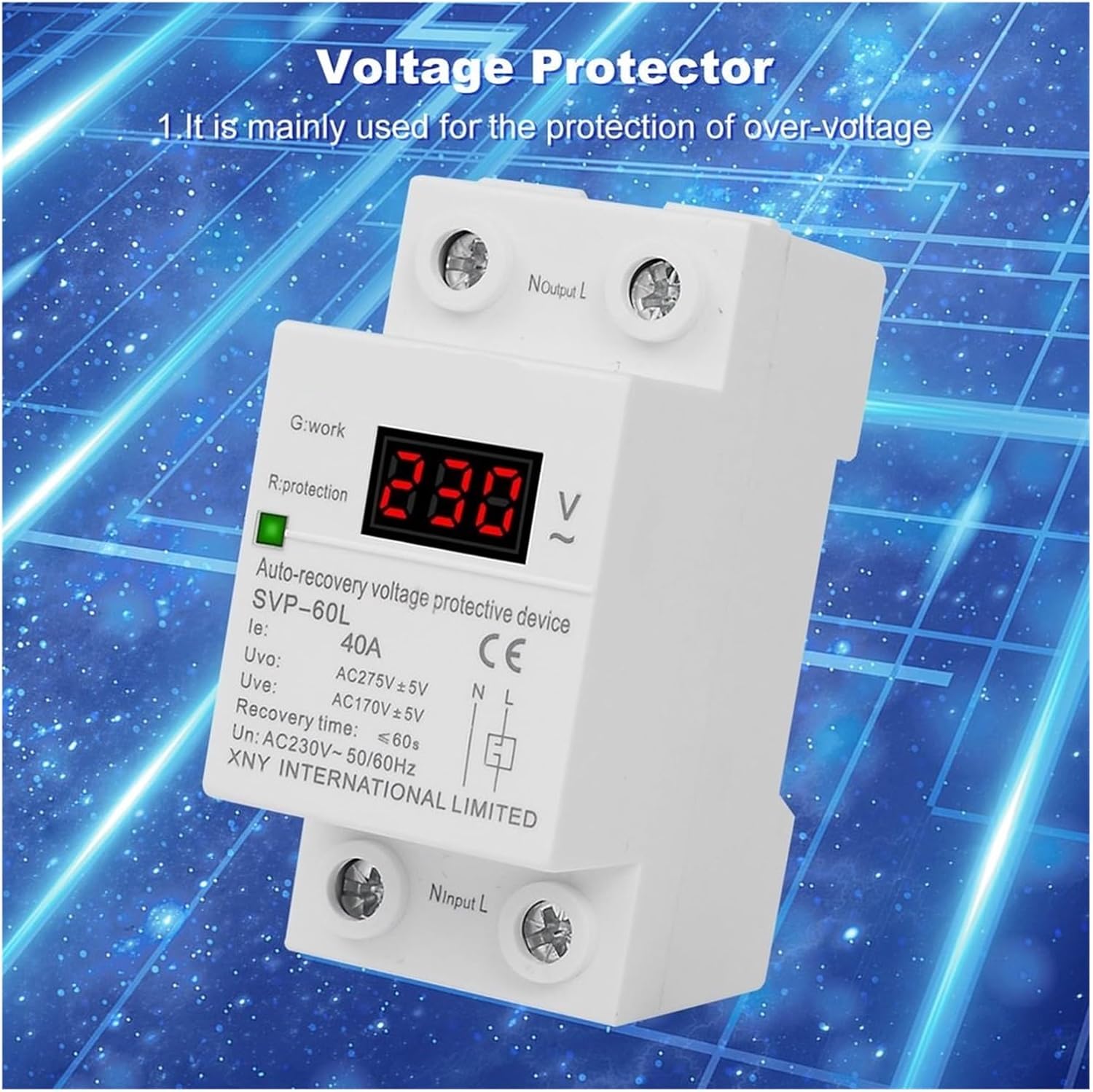
Figure 3.2: An angled view of the SVP-60L device, emphasizing its primary function as a voltage protector against over-voltage conditions.
4. Specifications
| Parameter | Value |
|---|---|
| Model | SVP-60L |
| Rated AC Voltage | AC 230V~50Hz/60Hz |
| Passing Max Current | 40A |
| Over-voltage Cut-off Value | >275VAC+/-5V |
| Under-voltage Cut-off Value | <170VAC+/-5V |
| Recovery Time | 60s |
| Installation | 35mm Din Rail |
| Size (L x W x H) | 77mm x 36mm x 65mm |
| Item Weight | 800 Grams |
| Number of Pieces | 1 |

Figure 4.1: Technical drawing showing the precise dimensions of the SVP-60L voltage protector, including its height (77mm), width (35mm), and depth (65mm) for installation planning.
5. Installation and Setup
WARNING: Ensure all power is disconnected before proceeding with installation. Improper installation can lead to electric shock or damage to the device and connected equipment.
5.1 Mounting
The SVP-60L is designed for 35mm DIN rail mounting. Securely attach the device to the DIN rail within your electrical panel or enclosure.
5.2 Wiring
Connect the device according to the wiring diagram provided. The input terminals are labeled 'Ninput L' and the output terminals 'Noutput L'. Ensure correct polarity (Neutral and Live) for both input and output connections.
- Connect the incoming Live (L) and Neutral (N) wires to the 'Ninput L' terminals.
- Connect the outgoing Live (L) and Neutral (N) wires to the 'Noutput L' terminals, leading to your protected load.
- It is recommended to install an appropriate circuit breaker or power switch upstream of the voltage protector for additional safety and control.

Figure 5.1: A detailed wiring diagram illustrating how to correctly connect the SVP-60L voltage protector within an electrical circuit, including connections to a power switch and an air circuit breaker.

Figure 5.2: Close-up view of the SVP-60L device, clearly indicating the 'Ninput L' and 'Noutput L' terminals with directional arrows for proper electrical connection.
6. Operation
6.1 Power On
After successful installation and wiring, switch on the main power supply. The device's LED display will illuminate, showing the current voltage. The 'G:work' indicator (green) will light up when the device is operating normally and supplying power to the load.
6.2 Protection Mode
If the voltage exceeds the over-voltage cut-off value (>275VAC+/-5V) or drops below the under-voltage cut-off value (<170VAC+/-5V), the device will automatically cut off power to the load. The 'R:protection' indicator (red) will light up, and the LED display may show an error code or flashing voltage.
6.3 Automatic Recovery
Once the voltage returns to a safe operating range, the device will initiate a recovery delay of approximately 60 seconds. After this delay, power will be automatically restored to the load, and the 'G:work' indicator will light up again.
6.4 Adjustable Settings (Advanced)
The SVP-60L offers adjustable parameters for fine-tuning its protection characteristics. These include:
- Over-voltage protection value and recovery value.
- Under-voltage protection value and recovery value.
- Over-voltage and under-voltage protection action times.
- Fault recovery delay time and power-on delay time.
Refer to the detailed programming instructions (if available with your specific unit) for how to access and modify these settings. Incorrect settings can compromise protection.
6.5 Additional Functions
The device may include functions such as reset mode selection, fault query, and factory reset. Consult the specific instructions provided with your unit for details on utilizing these features.
7. Maintenance
The RWRAPS SVP-60L is designed for minimal maintenance. However, periodic checks are recommended:
- Visual Inspection: Regularly inspect the device for any signs of physical damage, discoloration, or loose connections.
- Cleaning: Keep the device clean and free from dust. Use a dry, soft cloth for cleaning. Do not use liquid cleaners.
- Connection Check: Periodically verify that all wiring connections are secure and tight.
- Functionality Test: If possible, periodically test the protection function by simulating an over-voltage or under-voltage condition (only if you are a qualified professional and have the necessary equipment).
8. Troubleshooting
If the device is not functioning as expected, consider the following:
- No Power/Display Off:
- Check the main power supply and upstream circuit breaker.
- Verify input wiring connections.
- Device in Protection Mode (Red 'R:protection' light):
- Check the current voltage reading on the LED display. Is it outside the safe range?
- Wait for the voltage to stabilize and the automatic recovery to initiate.
- If the voltage is stable but the device remains in protection, there might be an internal fault.
- No Automatic Recovery:
- Ensure the voltage has returned to the normal operating range for at least the recovery delay time (60 seconds).
- Check if any advanced settings have been configured to disable automatic recovery or set an excessively long delay.
- Incorrect Voltage Reading:
- Compare the device's reading with a calibrated voltmeter. If there's a significant discrepancy, the device may require service.
For persistent issues or if you suspect a malfunction, contact a qualified electrician or the product manufacturer for assistance. Do not attempt to repair the device yourself.
9. Warranty and Support
Based on the product information, this device is sold with No Warranty. Please refer to your purchase documentation or retailer for any specific return or exchange policies that may apply.
For technical inquiries or support, please contact your point of purchase or the manufacturer, RWRAPS, through their official channels.