1. Setup Guide
This section provides instructions for the initial setup of your Kieslect Smart Watch S1.
1.1 Unboxing and Initial Charge
Upon unboxing, ensure all components are present: the Kieslect Smart Watch S1, magnetic charging cable, and user manual. Before first use, fully charge the smartwatch.
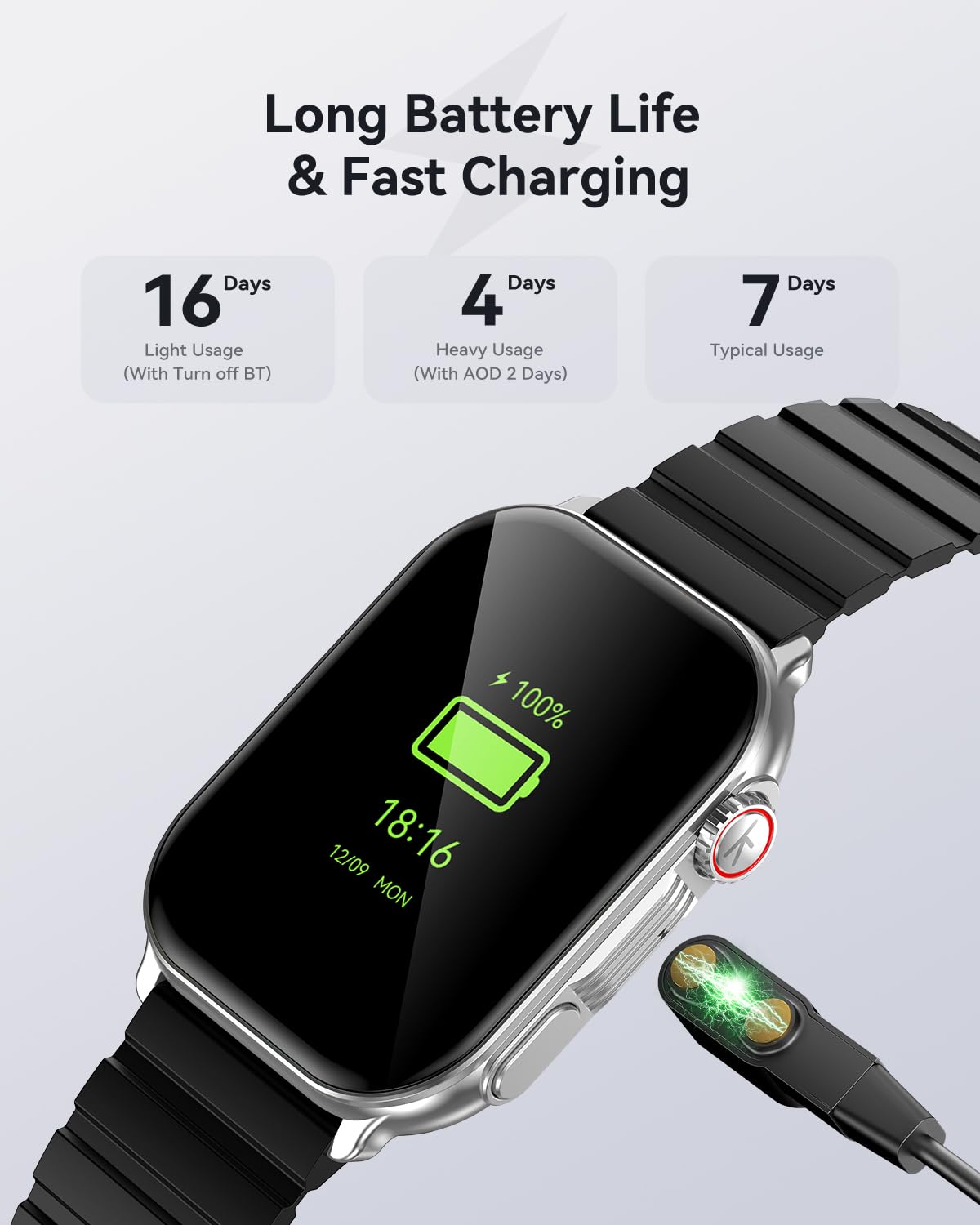
Image: The Kieslect Smart Watch S1 connected to its magnetic charging cable, illustrating the long battery life and fast charging capabilities.
- Connect the magnetic charging cable to the charging points on the back of the watch.
- Plug the USB end of the cable into a standard USB power adapter (5V/1A recommended) or a computer's USB port.
- The watch display will show a charging indicator. Allow approximately 2 hours for a full charge.
1.2 App Download and Pairing
To unlock the full features of your smartwatch, download the official Kieslect app on your smartphone and pair the devices.

Image: A user demonstrating the one-step pairing and call functionality of the Kieslect Smart Watch S1, showing seamless connection to a smartphone.
- Scan the QR code provided in the watch's quick start guide or search for the official Kieslect app in your smartphone's app store (Google Play Store for Android, Apple App Store for iOS).
- Install and open the app. Follow the on-screen prompts to create an account or log in.
- Enable Bluetooth on your smartphone.
- In the app, navigate to 'Add Device' or 'Pair Device'. The app will search for nearby smartwatches.
- Select 'Kieslect S1' from the list of found devices.
- Confirm the pairing request on both your smartphone and the smartwatch.
- Once paired, the watch will synchronize time and data with your phone.
2. Operating Instructions
Learn how to navigate and utilize the various features of your Kieslect Smart Watch S1.
2.1 Basic Navigation
- Touchscreen: Swipe left/right to access different widgets (e.g., activity, heart rate). Swipe up to view notifications. Swipe down to access quick settings. Tap to select an item.
- Side Button: Press to return to the watch face or to access the app menu. Long press for power options.
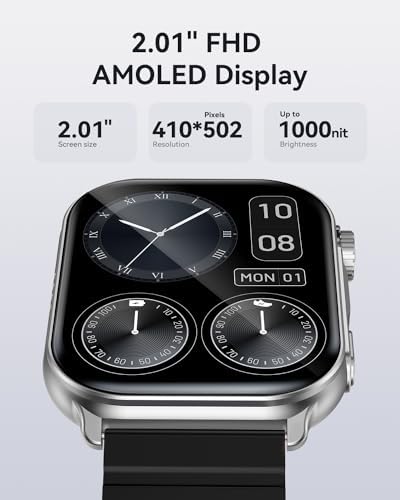
Image: The 2.01" FHD AMOLED display of the Kieslect Smart Watch S1, highlighting its 410*502 pixel resolution and up to 1000 nit brightness for clear visibility.
2.2 Call and Message Functions
The Kieslect Smart Watch S1 supports Bluetooth calls and message notifications.
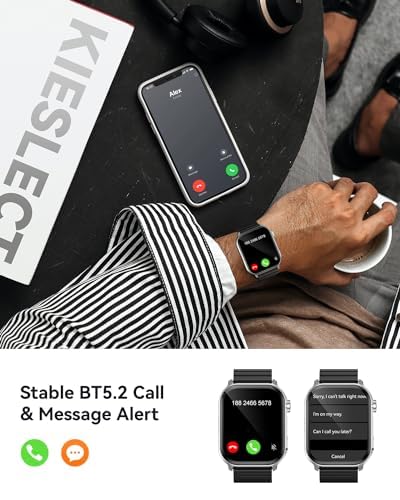
Image: The Kieslect Smart Watch S1 showing an incoming call and a message notification, demonstrating its stable BT5.2 call and message alert capabilities.
- Making Calls: Access the dial pad or contacts from the watch menu to initiate calls directly from your wrist.
- Answering Calls: When a call comes in, tap the green icon on the watch screen to answer.
- Message Notifications: Receive alerts for SMS, social media apps, and other notifications directly on your watch. Swipe up from the watch face to view your notification history.

Image: The Kieslect Smart Watch S1 showing message notifications from various applications, illustrating easy access to app and SMS notifications on the wrist.
2.3 Health Monitoring
The watch provides comprehensive health tracking features.
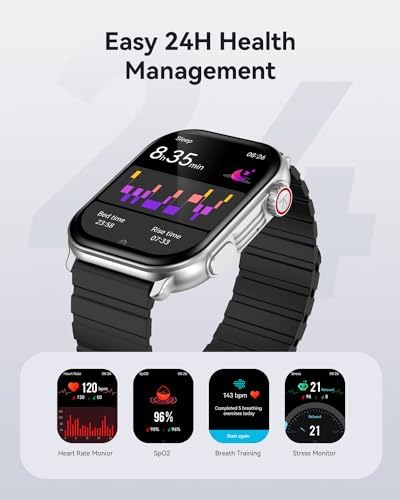
Image: The Kieslect Smart Watch S1 showing its easy 24-hour health management features, including sleep tracking, heart rate monitoring, SpO2, breath training, and stress monitoring.
- Heart Rate Monitor: Continuously tracks your heart rate throughout the day. View real-time data on the watch or detailed graphs in the app.

Image: A user engaged in physical activity, with the Kieslect Smart Watch S1 displaying real-time heart rate data and the accompanying app showing a 24-hour heart rate graph.
- Blood Oxygen (SpO2) Monitor: Measures your blood oxygen saturation levels.

Image: Two individuals running outdoors, with the Kieslect Smart Watch S1 displaying blood oxygen saturation (SpO2) levels and the app showing historical SpO2 data.
- Sleep Monitor: Tracks your sleep patterns, including deep sleep, light sleep, and awake times.

Image: A woman sleeping, with the Kieslect Smart Watch S1 on her wrist displaying sleep duration and the companion app showing detailed sleep analysis.
- Stress Monitor: Provides insights into your stress levels throughout the day.

Image: A man appearing stressed, with the Kieslect Smart Watch S1 displaying his current stress level and the app providing a daily stress average.
- Breath Training: Guided breathing exercises to help reduce stress and improve relaxation.

Image: A woman practicing breath training, with the Kieslect Smart Watch S1 displaying a visual guide for focused breathing exercises.
- Menstrual Cycle Tracking: For female users, track and predict menstrual cycles.

Image: A woman smiling, with the Kieslect Smart Watch S1 displaying menstrual cycle information and the app showing a calendar view for tracking.
2.4 Sports Modes and Activity Tracking
The watch supports over 100 sports modes to accurately track your workouts.
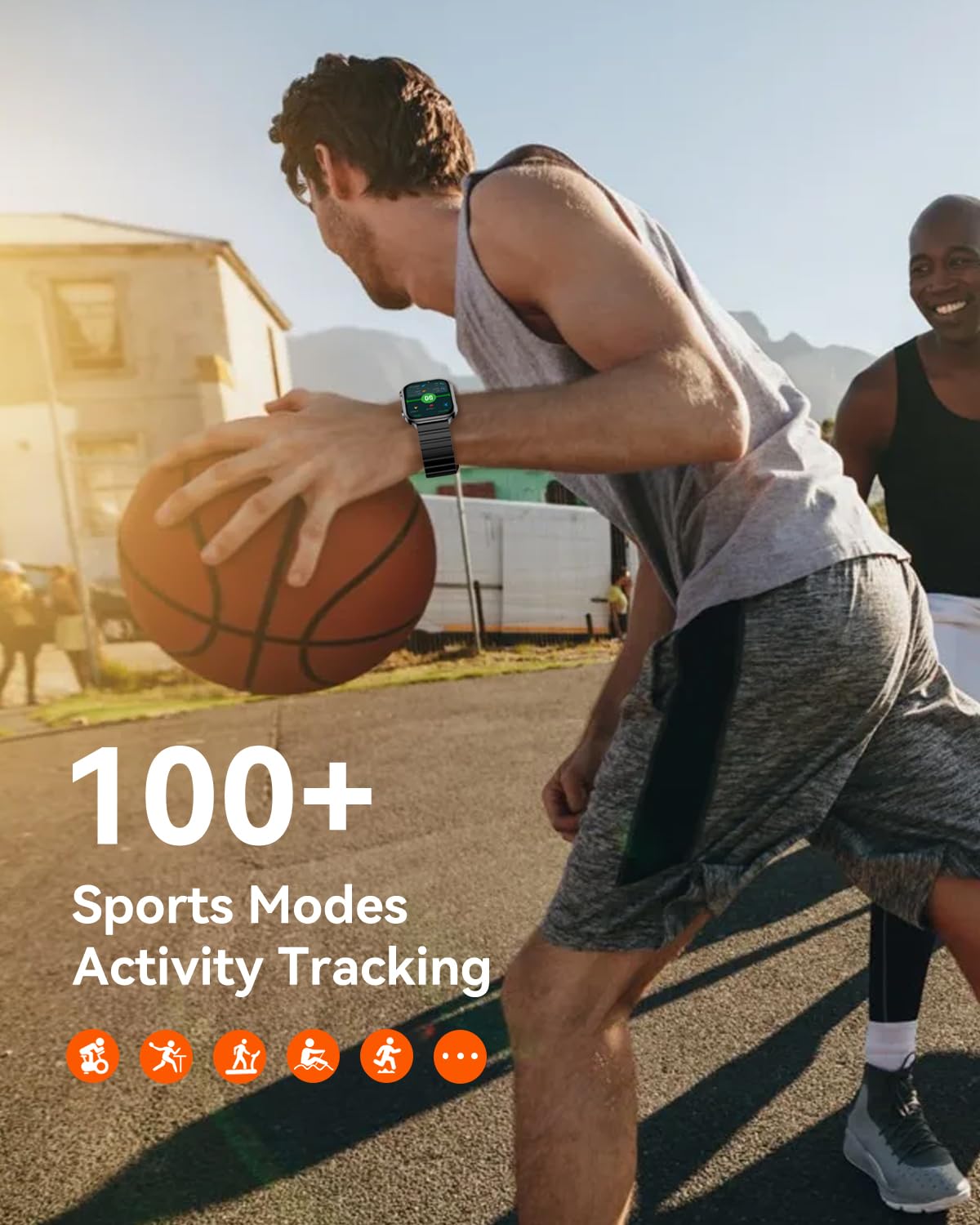
Image: A man playing basketball, showcasing the Kieslect Smart Watch S1's ability to track over 100 sports modes and monitor activity.
- Select your desired sport from the watch's activity menu.
- The watch will track metrics such as duration, calories burned, heart rate, and steps.
- Review detailed workout summaries in the app after your activity.

Image: A man cycling outdoors, with the Kieslect Smart Watch S1 displaying cycling workout data and the app showing a map of the route and performance metrics.
2.5 Customization and Other Features
- Watch Faces: Choose from over 200 editable dynamic watch faces or customize with your own photos via the app.
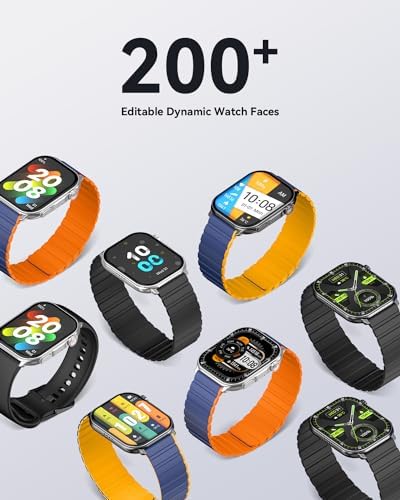
Image: A collection of Kieslect Smart Watch S1 units showcasing over 200 editable dynamic watch faces, highlighting customization options.
- AI Voice Assistant: Interact with your watch using voice commands for quick actions.
- Music Playback & Control: Control music playing on your smartphone directly from the watch.
- Find My Phone/Watch: Use the app to locate your watch, or use the watch to find your phone.
- Built-in Games: Enjoy simple games directly on your watch.
3. Maintenance
Proper care ensures the longevity and optimal performance of your Kieslect Smart Watch S1.
3.1 Cleaning Your Watch
- Regularly clean the watch screen and body with a soft, lint-free cloth.
- For stubborn smudges, slightly dampen the cloth with water. Avoid harsh chemicals or abrasive materials.
- Clean the charging contacts periodically to ensure efficient charging.
3.2 Water Resistance (IP68)
The Kieslect Smart Watch S1 is IP68 waterproof, meaning it is resistant to dust and can withstand immersion in water up to 1.5 meters for 30 minutes.
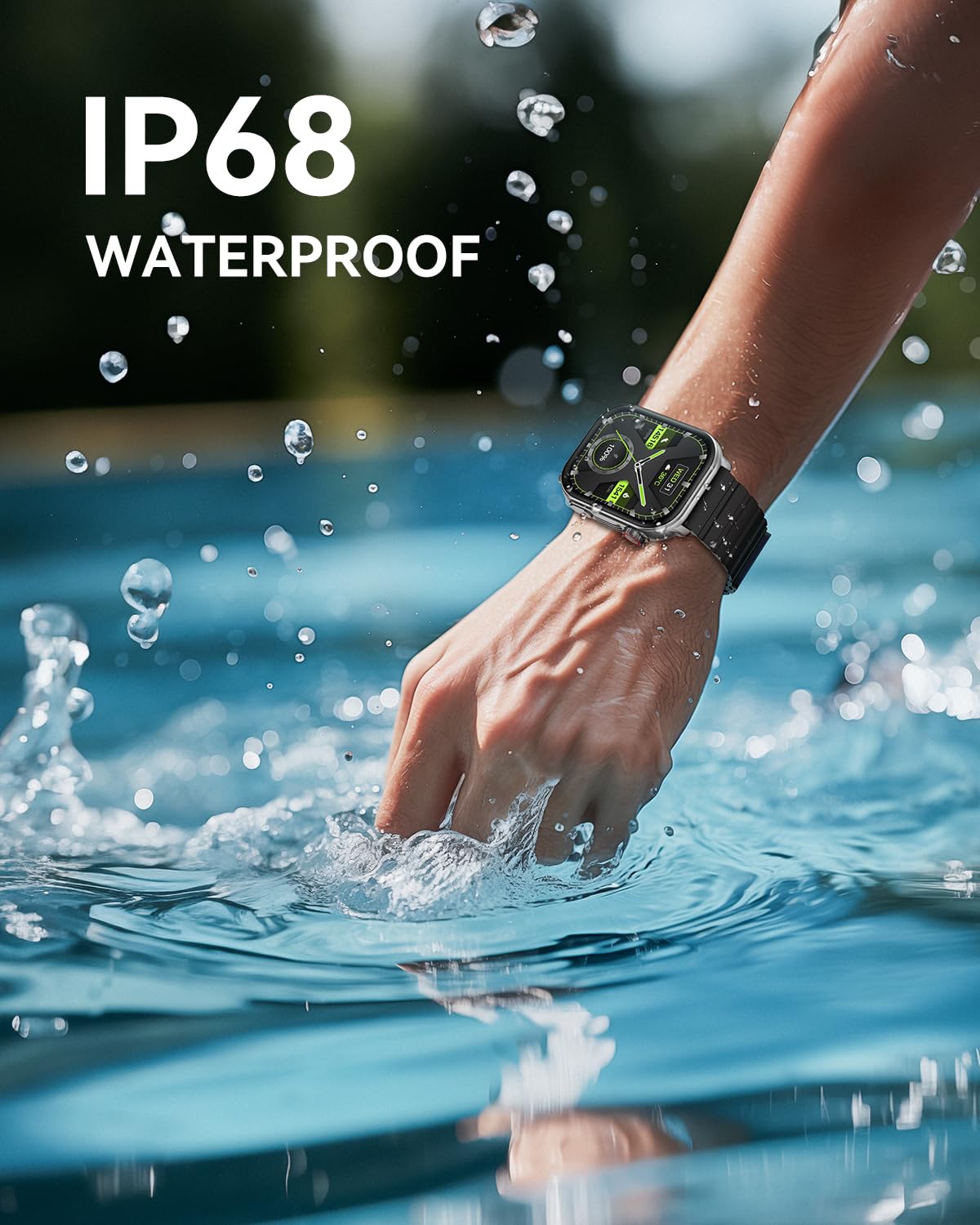
Image: The Kieslect Smart Watch S1 partially submerged in water, illustrating its IP68 waterproof rating and suitability for various water-related activities.
- While suitable for daily use, hand washing, and light rain, avoid prolonged immersion, hot water, or steam.
- Do not press buttons underwater.
- Dry the watch thoroughly after exposure to water to prevent damage.
4. Troubleshooting
This section addresses common issues you might encounter with your Kieslect Smart Watch S1.
| Problem | Possible Cause | Solution |
|---|---|---|
| Watch not turning on | Low battery; Power button not pressed correctly | Charge the watch for at least 30 minutes. Press and hold the side button for 5-10 seconds. |
| Unable to pair with phone | Bluetooth off; App not running; Watch not discoverable; Interference | Ensure Bluetooth is on and the app is open. Restart both watch and phone. Try pairing again. Ensure watch is close to phone. |
| Call/Message notifications not working | App permissions; Bluetooth connection lost; Do Not Disturb mode | Check app permissions for notifications. Reconnect Bluetooth. Disable Do Not Disturb on watch/phone. |
| Inaccurate health data | Improper fit; Sensor obstruction; Movement during measurement | Ensure the watch is snug but comfortable on your wrist. Clean the sensors. Remain still during measurements. |
| Short battery life | Frequent use of power-intensive features (e.g., calls, AOD); High brightness | Reduce screen brightness. Turn off Always-On Display (AOD) if not needed. Limit frequent calls from watch. |
If the problem persists, refer to the official Kieslect support website or the full user manual PDF for more detailed troubleshooting steps.
You can download the comprehensive User Manual (PDF) here.
5. Specifications
Key technical specifications for the Kieslect Smart Watch S1.
| Feature | Specification |
|---|---|
| Model Number | KsP-S1 |
| Display Size | 2.01 Inches |
| Display Type | AMOLED HD |
| Operating System | Android (Compatible with iOS) |
| Connectivity | Bluetooth 5.2 |
| Water Resistance | IP68 |
| Item Weight | 7.8 ounces |
| Manufacturer | Kieslect |
| First Available Date | November 22, 2023 |
6. Warranty and Support
Kieslect products are designed with quality and reliability in mind. For warranty information and customer support, please refer to the following resources:
- Warranty Information: Please consult the warranty card included with your product packaging or visit the official Kieslect website for details on warranty coverage and terms.
- Customer Support: For technical assistance, product inquiries, or service requests, please visit the Kieslect Store on Amazon or their official brand website.
- User Manual (PDF): A detailed PDF version of this user manual is available for download here.


