
RADLEY RYS20-2156
RADLEY Series 20 Smart Calling Watch Instruction Manual
Model: RYS20-2156
Introduction
The RADLEY Series 20 Smart Calling Watch (Model RYS20-2156) is designed to integrate seamlessly into your daily life, offering advanced communication features alongside comprehensive health and fitness tracking. This manual provides essential information for setting up, operating, and maintaining your smartwatch.
What's in the Box
- RADLEY Series 20 Smart Calling Watch
- Ink Silicone Strap (Quick Release)
- USB Charger
- Instruction Manual (this document)
- Presentation Gift Box
Getting Started: Setup
1. Initial Charging
Before first use, fully charge your smartwatch. Connect the provided USB charger to a compatible USB power source and attach the magnetic end to the charging points on the back of your watch. A full charge typically takes approximately 2 hours.

Image: The RADLEY Series 20 Smart Calling Watch with its Ink silicone strap, displaying a digital watch face with a Radley dog logo. This image represents the watch itself, which is charged via a USB charger.
2. Download the Radley Active App
To unlock all features and synchronize data, download the free Radley Active App from your smartphone's app store. The app is compatible with Android 6.0 & above and iOS 12 & above devices.
3. Pairing Your Smartwatch
- Ensure Bluetooth is enabled on your smartphone.
- Open the Radley Active App and follow the on-screen instructions to create an account or log in.
- Select "Add Device" or similar option within the app and choose your RADLEY Series 20 watch from the list of discoverable devices.
- Confirm the pairing request on both your watch and smartphone.
Once paired, your watch will synchronize time and data with your smartphone.
Operating Your Smartwatch
Calling Features
The Series 20 allows you to make and receive calls directly from your wrist. Ensure your watch is connected via Bluetooth to your smartphone for this feature to function.
- Making Calls: Access the dialer or contact list on your watch to initiate a call.
- Receiving Calls: When a call comes in, you can answer or decline directly from the watch screen.
Notifications
Receive call notifications, message notifications, and alerts from various apps directly on your watch. Configure notification settings within the Radley Active App.
Health and Wellness Tracking
Your smartwatch is equipped with sensors to monitor various health metrics:
- Heart Rate Monitor: Continuously tracks your heart rate.
- Sleep Monitor: Analyzes your sleep patterns (typically 9 PM - 8 AM).
- Blood Oxygen: Measures blood oxygen levels.
- Hydration Reminders: Prompts you to drink water throughout the day.
- Breathing Exercises: Guides you through calming breathing sessions.
- Sedentary Reminders: Alerts you when you've been inactive for too long.
Fitness and Sports Tracking
Track your daily activity and specific workouts:
- Step Counter: Records your daily steps.
- Multiple Sport Modes: Supports 14 sport modes including Walking, Running, Treadmill, Hiking, Cycling, Swimming, Rower, Elliptical, Stair Climber, Skipping, Yoga, Workout, Golf, and Badminton. Select the appropriate mode before starting an activity for accurate tracking.
- GPS Connection: Utilizes your smartphone's GPS for accurate distance tracking during outdoor activities.
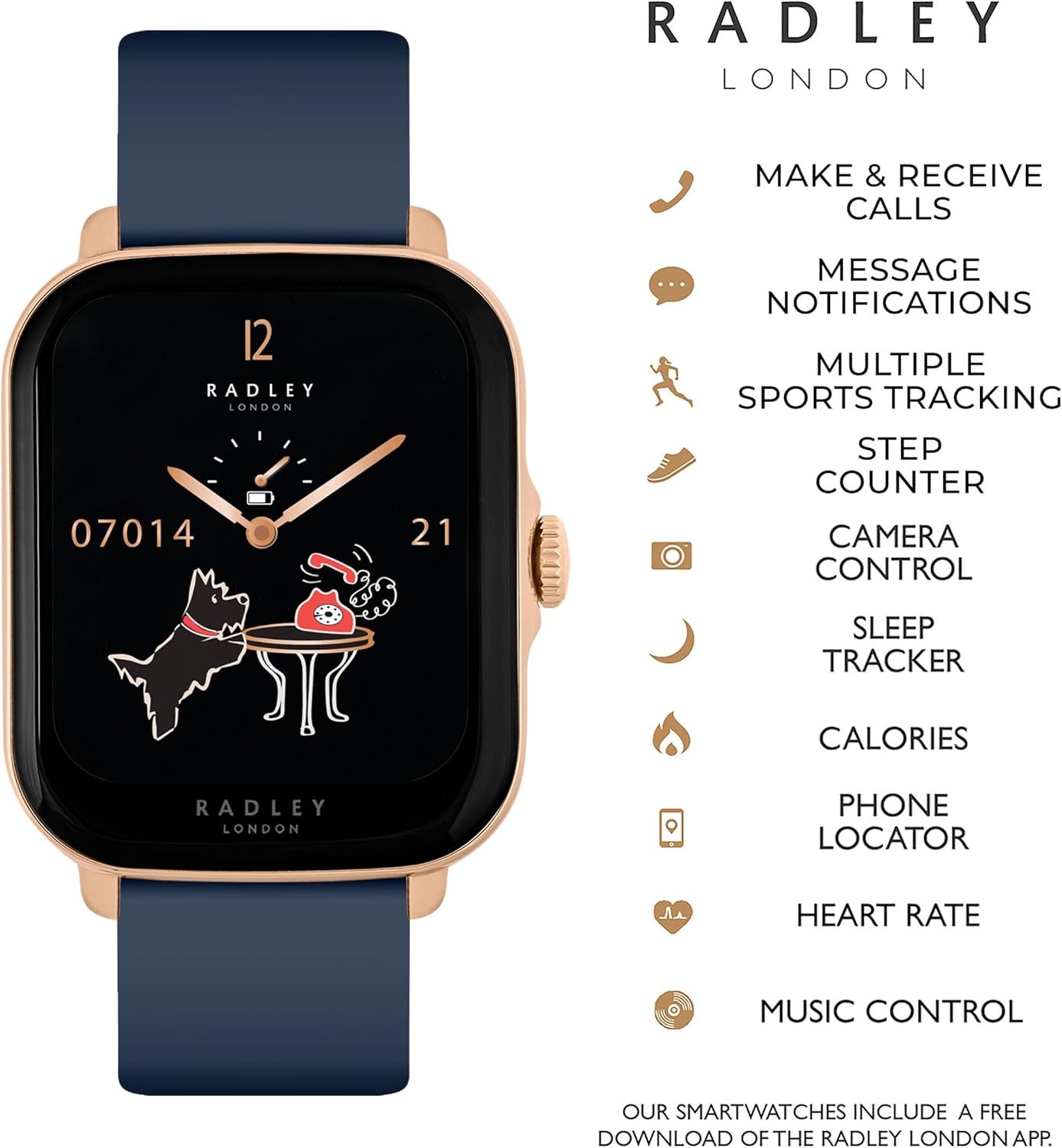
Image: An infographic illustrating key features of the RADLEY Series 20 Smart Calling Watch, including make & receive calls, message notifications, multiple sports tracking, step counter, camera control, sleep tracker, calories, phone locator, heart rate, and music control.
Additional Features
- Music Control: Control music playback on your smartphone directly from your watch.
- Camera Control: Use your watch as a remote shutter for your smartphone camera.
- Phone/Watch Locator: Helps you find your paired phone or watch if misplaced.
- Weather Updates: Get current weather information on your watch.
- Customized Dials: Personalize your watch face with pre-set designs or use your own photos as a background.

Image: The RADLEY Series 20 Smart Calling Watch displayed alongside a grid of various customizable watch faces, demonstrating the ability to change dials with a simple swipe or use personal photos as backgrounds.

Image: The RADLEY Series 20 Smart Calling Watch with an Ink silicone strap worn on a person's wrist, showcasing its rectangular rose gold case and how it appears during use.
Maintenance
- Cleaning: Regularly clean your watch and strap with a soft, damp cloth. Avoid using harsh chemicals or abrasive materials.
- Battery Care: To prolong battery life, avoid fully discharging the watch frequently. Charge it when the battery level is low. Store the watch in a cool, dry place if not used for extended periods.
- Strap Care: The silicone strap is durable but can be cleaned with mild soap and water. Ensure the strap is dry before wearing.
- Water Resistance: Refer to the product specifications for water resistance ratings. Avoid exposing the watch to hot water, steam, or high-pressure water jets.
Troubleshooting
If you encounter issues with your RADLEY Series 20 Smart Calling Watch, try the following solutions:
- Watch Not Turning On: Ensure the watch is fully charged. Connect it to the USB charger and wait a few minutes before attempting to power it on.
- Connectivity Issues (Bluetooth Disconnects):
- Ensure Bluetooth is enabled on your smartphone and the watch is within range.
- Restart both your watch and smartphone.
- "Forget" the device in your phone's Bluetooth settings and re-pair it through the Radley Active App.
- Ensure the Radley Active App is running in the background and has necessary permissions.
- Inaccurate Tracking (Steps, Heart Rate, GPS):
- Ensure the watch is worn snugly on your wrist, not too loose or too tight.
- For GPS, ensure your smartphone's GPS is active and the watch is connected to the app during outdoor activities.
- Calibrate settings within the Radley Active App if available (e.g., stride length).
- Notifications Not Appearing:
- Check notification settings in the Radley Active App and your smartphone's system settings.
- Ensure the app has permission to display notifications.
- Short Battery Life:
- Reduce screen brightness.
- Limit frequent use of power-intensive features like continuous heart rate monitoring or frequent calls.
- Ensure the watch is fully charged each time.
Specifications
| Feature | Detail |
|---|---|
| Model Name | Series 20 |
| Item Model Number | RYS20-2156 |
| Brand | RADLEY |
| Manufacturer | Peers Hardy |
| Connectivity Technology | USB, Bluetooth |
| Wireless Communication Standard | Bluetooth |
| Operating System Compatibility | Android 6.0 & above, iOS 12 & above |
| Special Features | Heart Rate Monitor, Make Calls, Call Notifications, Step Counter, 14 Sport Modes, Hydration/Sedentary/Breathing Reminders, Phone/Watch Locator, Weather Updates, Sleep Monitor, Blood Oxygen, Customised Dials |
| GPS | Via Smartphone |
| Battery Type | 1 Lithium Ion battery (included), Lithium-Cobalt composition |
| Shape | Rectangular |
| Package Dimensions | 12.8 x 8.7 x 7.4 cm; 180 g |
| Date First Available | 27 Oct. 2023 |
Warranty and Support
Your RADLEY Series 20 Smart Calling Watch comes with a 2-year manufacturer guarantee. Please retain your proof of purchase for warranty claims.
For further assistance, detailed FAQs, or to explore more features, please refer to the Radley Active App or visit the official RADLEY website for support resources.
Ask a question about this manual
Ask about setup, troubleshooting, compatibility, parts, safety, or missing instructions. Manuals+ will review the question and use this page’s manual context to help answer it.