
1. Introduction
Thank you for choosing Vloee Rechargeable RGBW Puck Lights. These versatile lights are designed to provide convenient and customizable illumination for various indoor spaces. Featuring a built-in rechargeable battery, remote control, and multiple color and brightness settings, they offer an efficient and flexible lighting solution.
2. Important Safety Information
- Read all instructions before use and retain for future reference.
- This product is intended for indoor use only. Do not expose to water or high humidity.
- Do not attempt to disassemble, repair, or modify the device. This will void the warranty.
- Keep out of reach of children and pets.
- Use only the provided USB-C charging cable.
- Avoid direct eye exposure to the light source when at maximum brightness.
3. What's in the Box
The Vloee Rechargeable RGBW Puck Lights package includes the following components:
- 4 x Vloee Rechargeable Puck Lights
- 1 x Remote Control
- Mounting Hardware (adhesive metal discs)
- 2 x USB-C Charging Cables (each with 3 USB-C connectors)
- 1 x Instruction Manual
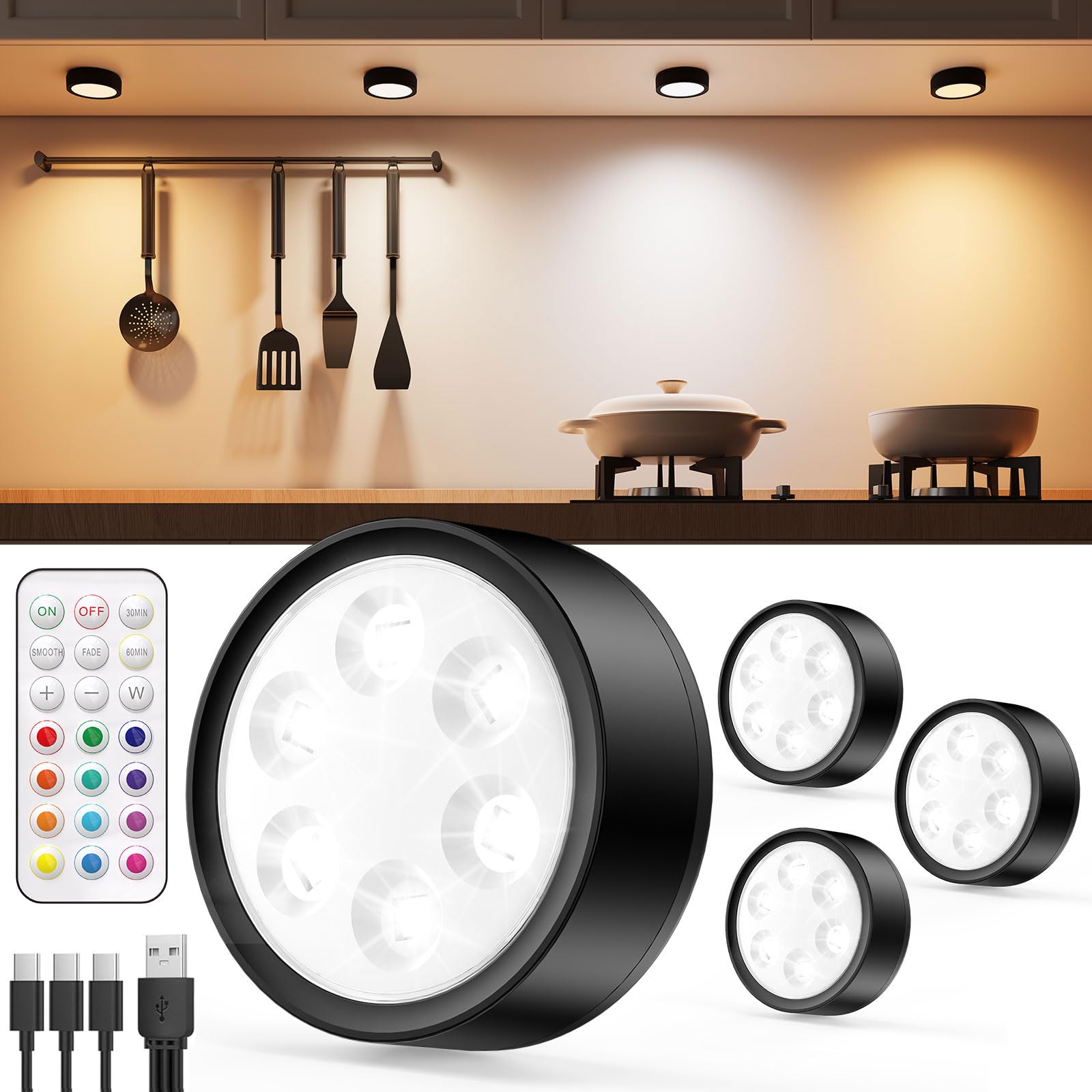
The image displays the Vloee Rechargeable Puck Lights kit, showing four black puck lights, a white remote control, and two multi-head USB-C charging cables, all neatly arranged in their packaging.
4. Setup
4.1 Charging the Puck Lights
Before initial use, fully charge all puck lights. Each light has a built-in 2400mAh lithium battery.
- Locate the USB-C charging port on the side of each puck light.
- Connect one of the provided USB-C cables to the puck light and the other end to a standard USB power adapter (not included).
- A red indicator light will illuminate during charging and turn green when fully charged.
- Charging typically takes approximately 3 hours for a full charge.
This image highlights the 2400mAh battery, indicating 12 hours of usage at maximum brightness and a 3-hour charging time. It also shows a puck light connected to a multi-head USB-C charging cable.
4.2 Installation
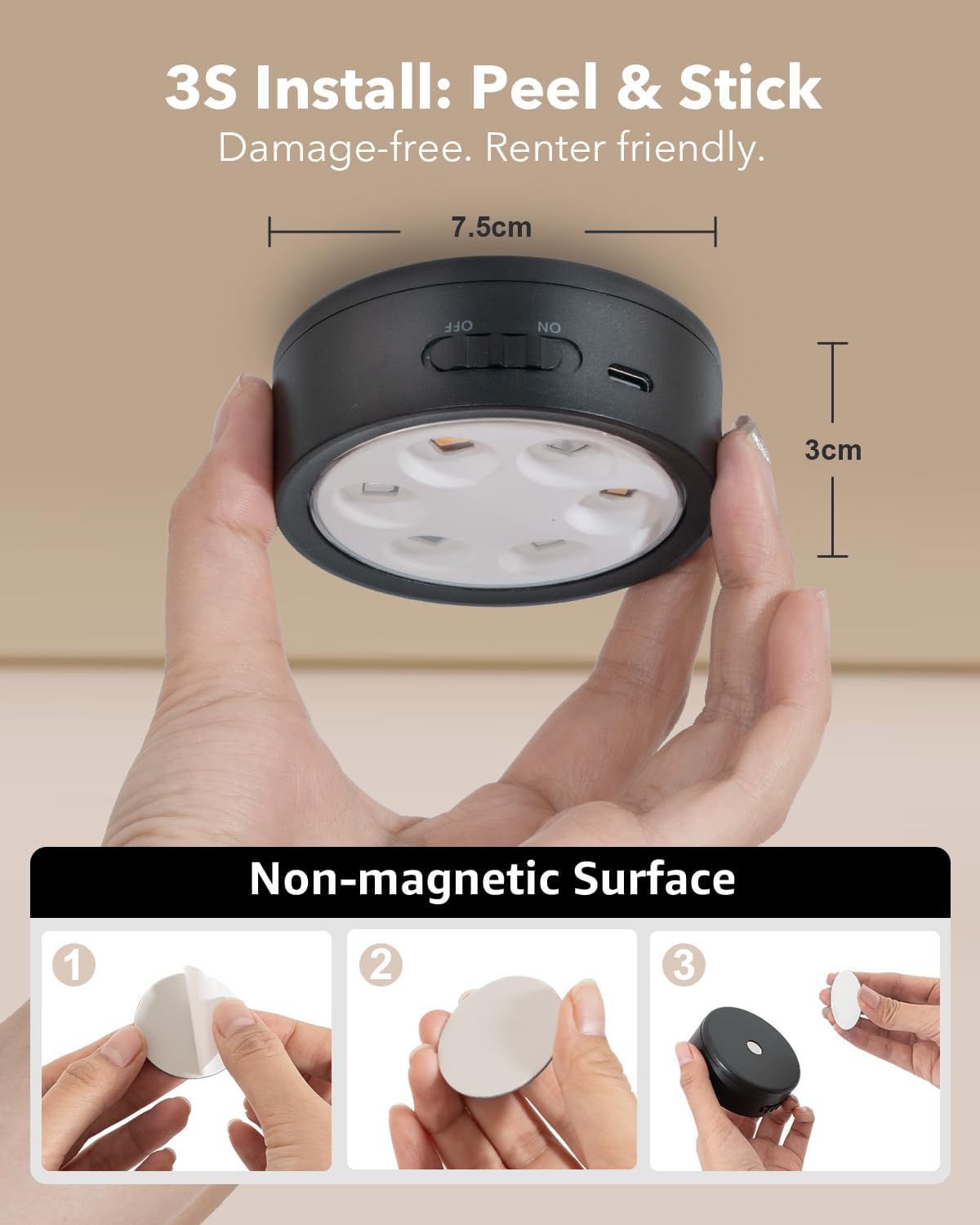
The Vloee puck lights offer two easy installation methods:
- Magnetic Attachment: The puck lights have strong built-in magnets. Simply attach them directly to any iron or magnetic surface.
- Adhesive Mounting: For non-magnetic surfaces, use the provided adhesive metal discs. Peel off the protective film from one side of the metal disc and firmly press it onto your desired clean, dry surface. Then, attach the puck light magnetically to the metal disc.

The image illustrates the three steps for installing the puck light on a non-magnetic surface: peeling the adhesive from the metal disc, sticking the disc to the surface, and then magnetically attaching the puck light to the disc. Product dimensions are also shown.
5. Operating Instructions
5.1 Power On/Off and Basic Control
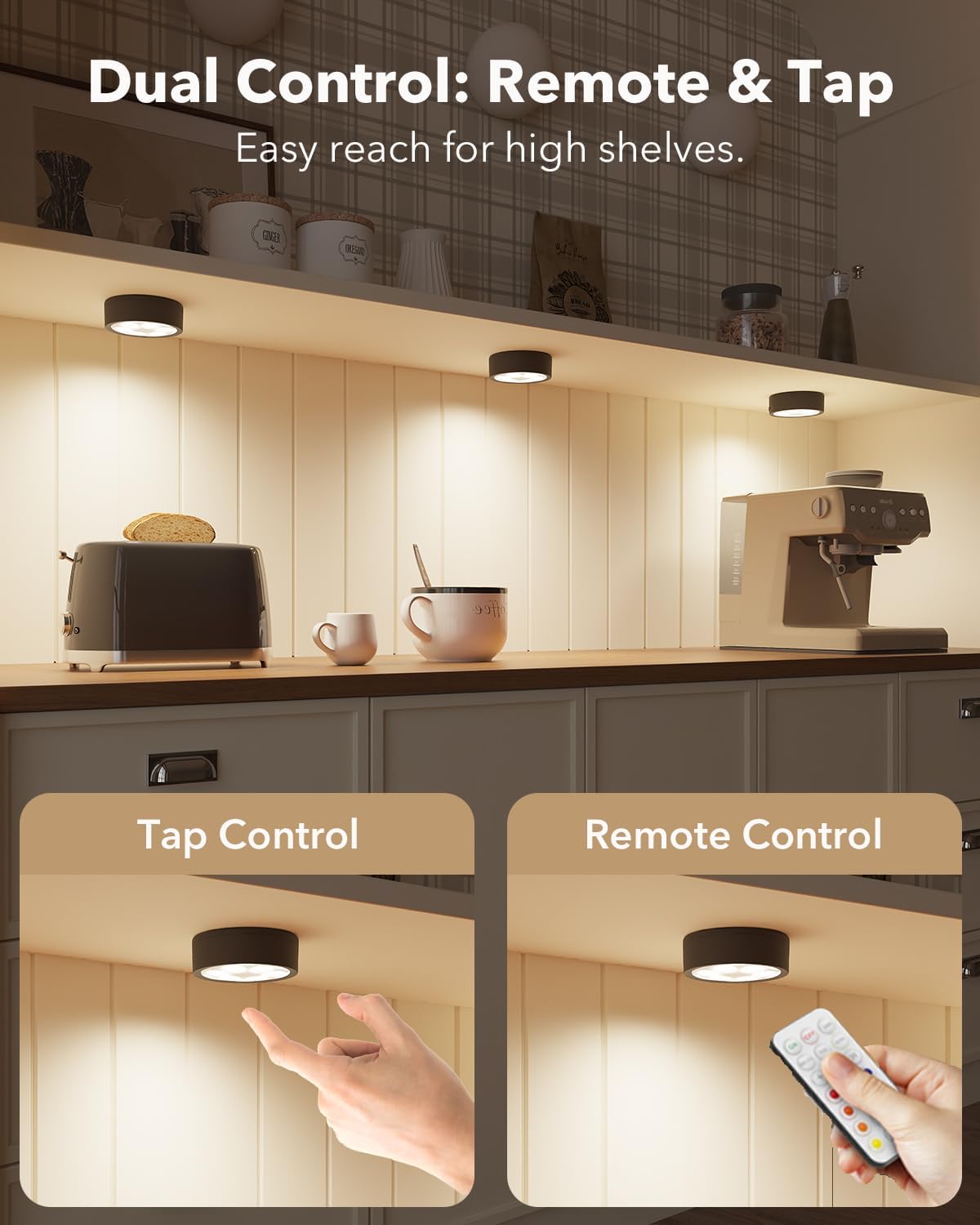
The puck lights can be controlled via touch or the remote control.
- Touch Control: Tap the center lens of the light to turn it on/off or cycle through Warm, Red, Green, and Blue colors.
- Remote Control: Use the 'ON' and 'OFF' buttons on the remote to power the lights. Ensure the remote is pointed directly at the light's sensor for optimal response.

This image shows two methods of controlling the puck lights: a finger tapping the light for direct control and a remote control being used to operate the light from a distance.
5.2 Color Changing Modes
The lights offer 13 vibrant colors and 2 dynamic RGB modes.
- Preset Colors: Use the color buttons on the remote to select from 13 available preset colors (e.g., Red, Green, Blue, Yellow, Purple, etc.).
- Dynamic Modes:
- SMOOTH Mode: Press the 'SMOOTH' button on the remote for a seamless transition through all 13 rainbow colors.
- FADE Mode: Press the 'FADE' button for a soft pulsation of a single color.
The image showcases various display shelves, each illuminated by a puck light set to a different vibrant color, demonstrating the wide range of RGB options available.
5.3 Brightness Adjustment
Adjust the light intensity to suit your needs.
- Touch Control: Long press the center lens of the puck light to cycle through brightness levels.
- Remote Control: Use the '+' and '-' buttons on the remote to increase or decrease brightness. Dedicated '50%' and '100%' buttons are also available for quick adjustments. The lights feature a memory function that retains your last brightness setting.

This image displays puck lights illuminating a shelf, with a visual scale indicating five brightness levels from 10% (Low) to 100% (High), demonstrating the dimmable feature.
5.4 Timer Function
Set the lights to automatically turn off after a specified period.
- Use the timer buttons on the remote control to set the lights to turn off after 30 or 60 minutes. This feature helps conserve battery life and provides convenience.
6. Maintenance
6.1 Cleaning
To clean the puck lights, gently wipe the surface with a soft, dry cloth. Do not use abrasive cleaners or immerse the lights in water.
6.2 Battery Care
- Recharge the lights when the brightness appears dim or they stop working.
- Avoid completely draining the battery frequently to prolong its lifespan.
- If storing the lights for an extended period, charge them fully every 3-6 months.
7. Troubleshooting
| Problem | Possible Cause | Solution |
|---|---|---|
| Light does not turn on. | Low battery. | Charge the puck light fully. |
| Power switch is off. | Ensure the power switch on the light is in the 'ON' position. | |
| Remote control not working. | Remote battery is dead. | Replace the remote control battery (CR2025, included). |
| Remote not pointed correctly. | Point the remote directly at the light's sensor. | |
| Light falls off surface. | Adhesive not strong enough or surface not clean. | Ensure surface is clean and dry before applying adhesive disc. Replace adhesive disc if necessary. |
8. Specifications
| Feature | Detail |
|---|---|
| Brand | Vloee |
| Model Name | VL-CGD-BQ |
| Color | RGBW |
| Material | Acrylonitrile Butadiene Styrene |
| Light Fixture Form | Puck |
| Product Dimensions | 2.95"L x 2.95"W x 1.1"H |
| Power Source | Rechargeable (2400mAh battery) |
| Light Source Type | LED |
| Brightness | 100 Lumens (Max) |
| Wattage | 1.2 watts |
| Voltage | 5 Volts |
| Control Method | Push Button, Remote Control |
| Special Features | Adjustable Color Temperature, Color Changing, Dimmable, Portable, Timer |
| Indoor/Outdoor Usage | Indoor |
| Water Resistance Level | Not Water Resistant |
| Connectivity Protocol | Infrared |
| Item Weight | 1.26 pounds (for 4-pack) |
For detailed energy efficiency information, please refer to the EPREL database (QR code 1469732).
9. Warranty Information
Vloee provides a 12-month hassle-free replacement warranty for this product. This limited warranty covers manufacturing defects and ensures customer satisfaction. Please retain your proof of purchase for warranty claims.
10. Customer Support
If you have any questions, concerns, or require assistance with your Vloee Rechargeable Puck Lights, please contact our customer support team:
- Email: support@vloee.com
- Website: www.vloee.com
Our team is dedicated to providing prompt and helpful solutions.