Introduction
This manual provides comprehensive instructions for the safe and effective use of your Vantexi Flying Fidget Spinner Mini Hand Drone. Please read this manual thoroughly before operating the device to ensure proper function and to prevent damage or injury.

Image: The Vantexi Flying Fidget Spinner Mini Hand Drone, showcasing its blue design and vibrant LED lights.
Safety Information
The Vantexi Flying Fidget Spinner is designed for safe operation, but adherence to the following guidelines is crucial:
- Age Recommendation: Suitable for users 8 years and up. Adult supervision is recommended for younger users.
- Propeller Safety: The device features internal propellers. Do not insert fingers or other objects into the propeller area while the device is operating.
- Impact Resistance: Constructed from high-quality ABS material for flexibility and collision resistance. However, avoid intentional hard impacts.
- Environmental Use: Can be used indoors and outdoors. Ensure sufficient clear space to prevent collisions with people, animals, or objects.
- Water Exposure: Keep the device away from water and moisture to prevent electrical damage.
- Charging Safety: Use only the provided USB charging cable. Do not overcharge the device.
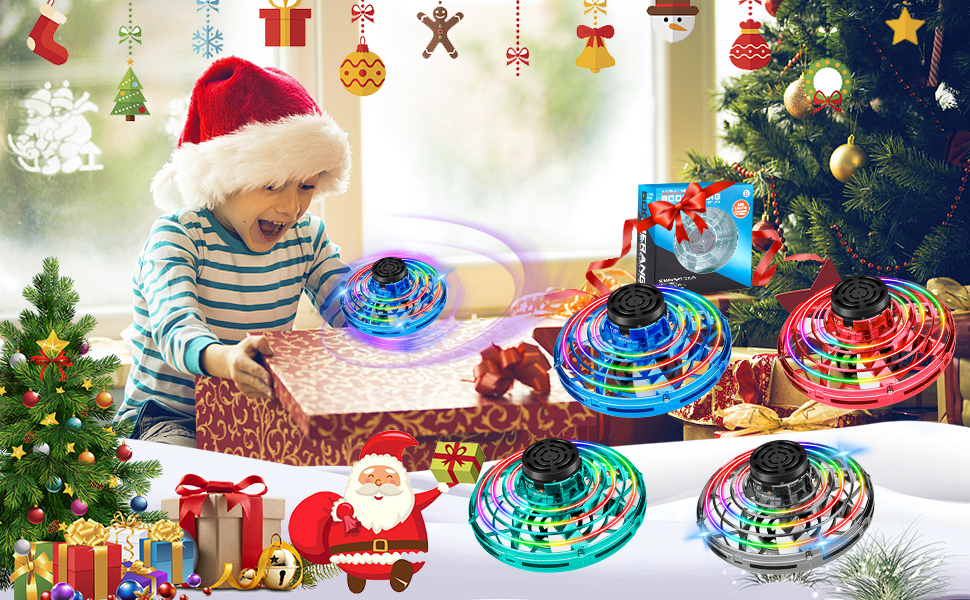
Image: Users enjoying the flying spinner in an open outdoor environment, highlighting safe play.
What's in the Box
Your Vantexi Flying Fidget Spinner package includes the following items:
- Hand Control Drone (Flying Fidget Spinner)
- USB Charging Cable
- User Manual (this document)
Setup
1. Initial Charge
Before first use, fully charge the Flying Fidget Spinner. Locate the USB charging port on the device. Connect the provided USB charging cable to the device and to a compatible USB power source (e.g., computer, power adapter, portable battery).
- Charging Time: Approximately 30 minutes for a full charge.
- Indicator Light: The indicator light will remain on during charging and turn off once charging is complete.

Image: The flying spinner being charged via USB, illustrating different power source options.
2. Powering On/Off
Locate the ON/OFF button on the device. Press the button to turn the device on. The LED lights will illuminate, indicating it is ready for use. Press the button again to turn it off.

Image: Detailed view of the flying spinner, highlighting the ON/OFF switch and charging interface.
Operating Instructions
The Vantexi Flying Fidget Spinner utilizes advanced sensor hovering technology for stable flight and 360° rotation. Follow these steps to operate your device:
1. Starting Flight
- Ensure the device is powered on (LED lights illuminated).
- Hold the device horizontally.
- Gently hold the center axis and rotate the wheel to initiate the propellers.
- Release the device and throw it gently to begin flight.

Image: Visual steps for activating and launching the flying spinner.
2. Flight Modes and Tricks
Different throwing speeds and angles will result in various flight paths and maneuvers:
- Roundabout (Boomerang Effect): Tilt the device up approximately 30 degrees, push forward, and release. It will circle back to you.
- Low-altitude Play: Push and release horizontally. The device will float forward or fall with inertia.
- Dive Play: Tilt the device down approximately 30 degrees and release. It will dive during flight.
- Suspended Play: To start rotation on a flat plane, release your finger. It will float in the air or slowly rise.

Image: Visual guide to performing various flight maneuvers with the flying spinner.
3. Stopping Flight
To stop the device, simply grab the mini drone with your hand. The propellers will cease rotation upon contact.
4. Demonstration Video
Video: A demonstration of the flying spinner's boomerang effect and various flight patterns.
Charging
The Vantexi Flying Fidget Spinner is equipped with a USB rechargeable battery for convenience. Follow these steps to charge your device:
- Locate the "CHG" (charging) port on the side of the device.
- Connect the small end of the provided USB charging cable to the device's charging port.
- Connect the standard USB end of the cable to a powered USB port (e.g., computer, wall adapter, power bank).
- The indicator light will illuminate during charging. It will turn off when the battery is fully charged.
- A full charge typically takes about 30 minutes and provides approximately 10 minutes of flight time.
Image: The flying spinner being charged via USB, illustrating different power source options.
Maintenance
To ensure the longevity and optimal performance of your Flying Fidget Spinner, follow these maintenance tips:
- Cleaning: Use a soft, dry cloth to wipe the device clean. Do not use harsh chemicals or immerse in water.
- Storage: Store the device in a cool, dry place away from direct sunlight and extreme temperatures.
- Battery Care: If storing for an extended period, charge the battery periodically to maintain its health.
- Inspection: Regularly inspect the device for any signs of damage, such as cracks in the casing or bent propellers. Do not operate if damaged.
Troubleshooting
If you encounter issues with your Vantexi Flying Fidget Spinner, refer to the following common problems and solutions:
| Problem | Possible Cause | Solution |
|---|---|---|
| Device does not turn on. | Low battery or device is off. | Charge the device fully. Ensure the ON/OFF button is pressed. |
| Device does not fly or flies erratically. | Insufficient power, damaged propellers, or improper launch technique. | Ensure battery is charged. Check for obstructions or damage to propellers. Review operating instructions for proper launch. |
| LED lights are not working. | Device is off or a malfunction. | Turn the device on. If lights still do not work, contact customer support. |
| Short flight time. | Battery not fully charged or battery degradation. | Ensure full charge. Battery life naturally decreases over time. |
Specifications
- Product Dimensions: 1 x 1 x 1 inches
- Item Weight: 1.76 ounces
- Model Number: B0CLY2ZYL4
- Manufacturer: Vantexi
- Recommended Age: 8 years and up
- Charging Interface: USB
- Battery Life: Approximately 10 minutes per charge
- Charging Time: Approximately 30 minutes
Warranty and Support
For any questions, concerns, or issues not covered in this manual, please contact Vantexi customer support. Specific warranty details may vary; please refer to your purchase documentation or the official Vantexi website for the most current warranty information.
We are committed to providing a positive experience with your Vantexi product.