
Product Overview
The LWOHSI PG103-2GEU-D is a comprehensive wireless home security alarm system designed to provide robust protection and peace of mind. This system integrates various sensors and smart features, allowing for self-monitoring without recurring monthly fees. It is ideal for securing homes, apartments, or small businesses.
Components Included
The standard package includes the following components:
- 1 x PG103-2G Alarm System Host
- 3 x PIR Motion Detectors
- 3 x Remote Controls
- 6 x Door/Window Sensors
- 1 x PE-513 Siren
- 2 x RFID Tags
- 1 x SOS Button

Image: Overview of the LWOHSI PG103-2GEU-D Home Security Alarm System, showing the main control panel, three PIR motion detectors, six door/window sensors, three remote controls, two RFID tags, an external siren, and an SOS panic button.
Setup and Installation
The LWOHSI alarm system is designed for easy self-installation, requiring no professional assistance or complex wiring.
Main Panel Placement
Place the main alarm panel in a central location within your home, ensuring it has access to a power outlet and a stable Wi-Fi signal for optimal connectivity. The panel can be mounted on a wall or placed on a flat surface.

Image: The LWOHSI alarm system control panel placed on a wooden cabinet, illustrating a typical installation location within a home environment.
Sensor Installation
- Door/Window Sensors: Install these sensors on the frames of doors and windows. Ensure the two parts of the sensor are aligned and within 1 cm of each other when the door/window is closed.
- PIR Motion Detectors: Mount motion detectors in corners of rooms or hallways to cover the widest possible area. Position them at a height of approximately 2.2 meters (7.2 feet) for optimal detection.
- Siren: The external siren should be placed in a location where its 120dB alarm can be heard effectively, both inside and outside the property.
- SOS Button: Place the SOS button in an easily accessible location for emergency use.
Connecting to the Smart Life App
- Download the "Smart Life" application from your smartphone's app store.
- Register or log in to your Smart Life account.
- Follow the in-app instructions to add the LWOHSI alarm system as a new device. This typically involves putting the alarm panel into pairing mode and connecting it to your home's Wi-Fi network.
- Once the main panel is connected, you can add and configure individual sensors and accessories through the app.

Image: The LWOHSI alarm system integrates with various smart home devices via the Smart Life app, allowing for a unified smart home experience.
Operating the System
Arming and Disarming
The system can be armed or disarmed using the control panel, remote controls, RFID tags, or the Smart Life mobile application.
- Arm (Away Mode): Activates all sensors for full protection when you leave the property.
- Disarm: Deactivates the alarm system.
- Home Arm (Stay Mode): Activates perimeter sensors (e.g., door/window sensors) while allowing free movement inside the property.

Image: The system supports scheduled arming and disarming, allowing users to automate security routines for convenience and efficiency.
Notifications and Alerts
When an alarm is triggered, the system will activate the siren and send instant push notifications to your smartphone via the Smart Life app.
The system also supports up to 5 preset alarm calls. If the primary number is busy, it will automatically dial the next reserved number, ensuring no alarm information is missed.

Image: The alarm system can automatically dial up to five pre-configured phone numbers in sequence when an alarm event occurs, ensuring reliable notification.
Anti-Tamper Function
The main panel features an anti-demolition alarm function. If the device is forcibly removed from its mounting location, it will beep an alarm and send a call or text message notification to the registered host.

Image: The anti-demolition feature ensures that any unauthorized attempt to remove the alarm panel triggers an immediate alert to the owner.
Language Settings
The system supports 9 languages for menu display, voice prompts, and SMS settings, allowing users to customize the interface to their preference.
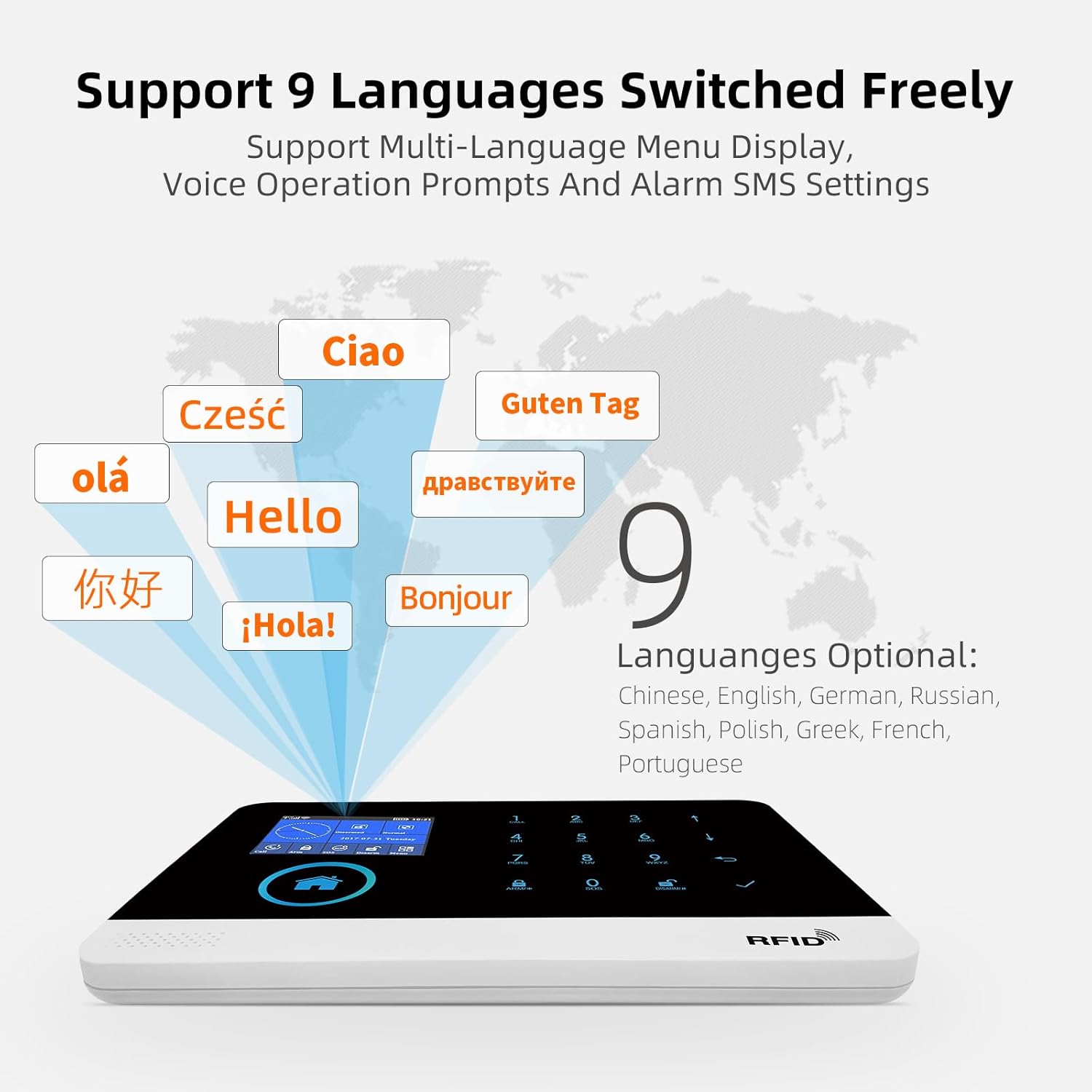
Image: The alarm system offers multi-language support, providing flexibility for users in different regions.
Alexa Compatibility
The LWOHSI system is compatible with Alexa, allowing for voice control of arming and disarming functions.

Image: The system's compatibility with Alexa enables convenient voice commands for managing your security.
Maintenance
Battery Management
The main alarm panel includes a built-in Lithium-ion battery for backup power during outages. It is designed to be powered by the included adapter for continuous operation.
Important Note: Some users have reported that the internal battery may not hold a charge for extended periods when disconnected from the main power. Ensure the main panel remains connected to a power source for reliable operation.
Wireless sensors (PIR detectors, door/window sensors) are battery-powered. The system will send a low battery alarm notification to your app when a sensor's battery is running low. Replace batteries promptly to ensure continuous protection.

Image: The system provides app notifications for low battery status on wireless sensors, prompting timely replacement.
Cleaning
Regularly wipe the alarm panel and sensors with a soft, dry cloth to remove dust and dirt. Avoid using abrasive cleaners or solvents, as these can damage the device surfaces.
Troubleshooting
Common Issues and Solutions
| Problem | Possible Cause | Solution |
|---|---|---|
| Main panel battery drains quickly or does not hold charge. | The internal battery is primarily for backup; continuous power is expected. Battery degradation over time. | Ensure the main panel is continuously connected to its power adapter. If issues persist, contact customer support for potential battery replacement or further assistance. |
| Frequent "network disconnection" alerts. | Unstable Wi-Fi connection; panel too far from router; Wi-Fi interference. | Relocate the alarm panel closer to your Wi-Fi router. Ensure a strong and stable Wi-Fi signal. Check for other devices causing interference. Restart your router and the alarm panel. |
| Detectors have limited range or false alarms. | Improper placement; obstacles blocking signal; low sensor battery. | Verify sensor placement according to instructions (e.g., PIR height, door/window sensor alignment). Replace sensor batteries if low. Ensure no large metal objects or thick walls are obstructing the wireless signal. |
| Remote controls have poor range. | Distance from main panel; battery low in remote. | Ensure you are within effective range of the main panel. Replace the battery in the remote control. |
Specifications
| Feature | Detail |
|---|---|
| Model Number | PG103-2GEU-D |
| Brand | LWOHSI |
| Dimensions (L x W x H) | 1.47 x 12.5 x 18.5 cm (Main Panel); 15 x 125 x 185 mm |
| Weight | 900 grams |
| Power Source | Battery Powered (Main Panel: 1 Lithium-ion battery included; Sensors: Batteries required) |
| Installation Method | Self-installation |
| Sound Level | 120 dB (Siren) |
| Connectivity Technology | Wireless (Wi-Fi, GSM) |
| Compatible Devices | Smartphone, Tablet (via Smart Life App) |
| Control Method | Application, Remote Control, RFID Tag, Panel Keypad |
| Alert Type | Audio and Motion (Siren, App Notifications, Phone Calls/SMS) |
Warranty and Support
For any product inquiries, technical assistance, or warranty claims, please contact LWOHSI customer support. While specific warranty details are not provided in this manual, the manufacturer is committed to customer satisfaction.
Note: Some customer reviews indicate good communication from the seller regarding product issues.
Please refer to the product packaging or the seller's information on the purchase platform for the most up-to-date contact details.