
1. Introduction
This manual provides detailed instructions for the proper setup, operation, and maintenance of your HYS Surveillance Headset Model H09. This headset is designed for clear and discreet communication with compatible Cobra Microtalk two-way radios.

Image 1.1: Overview of the HYS Surveillance Headset (Pack of 4).
2. Package Contents
The HYS Surveillance Headset package typically includes:
- HYS G-Shape Earpiece with Mic (Quantity as purchased, e.g., 4 units)
- Replacement Eartips (Quantity may vary)

Image 2.1: Included replacement eartips.
3. Setup and Installation
Follow these steps to properly set up your HYS Surveillance Headset:
- Identify the Radio Jack: Locate the 2.5mm audio jack on your compatible Cobra Microtalk two-way radio.
- Connect the Headset: Insert the 2.5mm plug of the HYS headset firmly into the radio's audio jack. Ensure a secure connection for optimal audio performance.
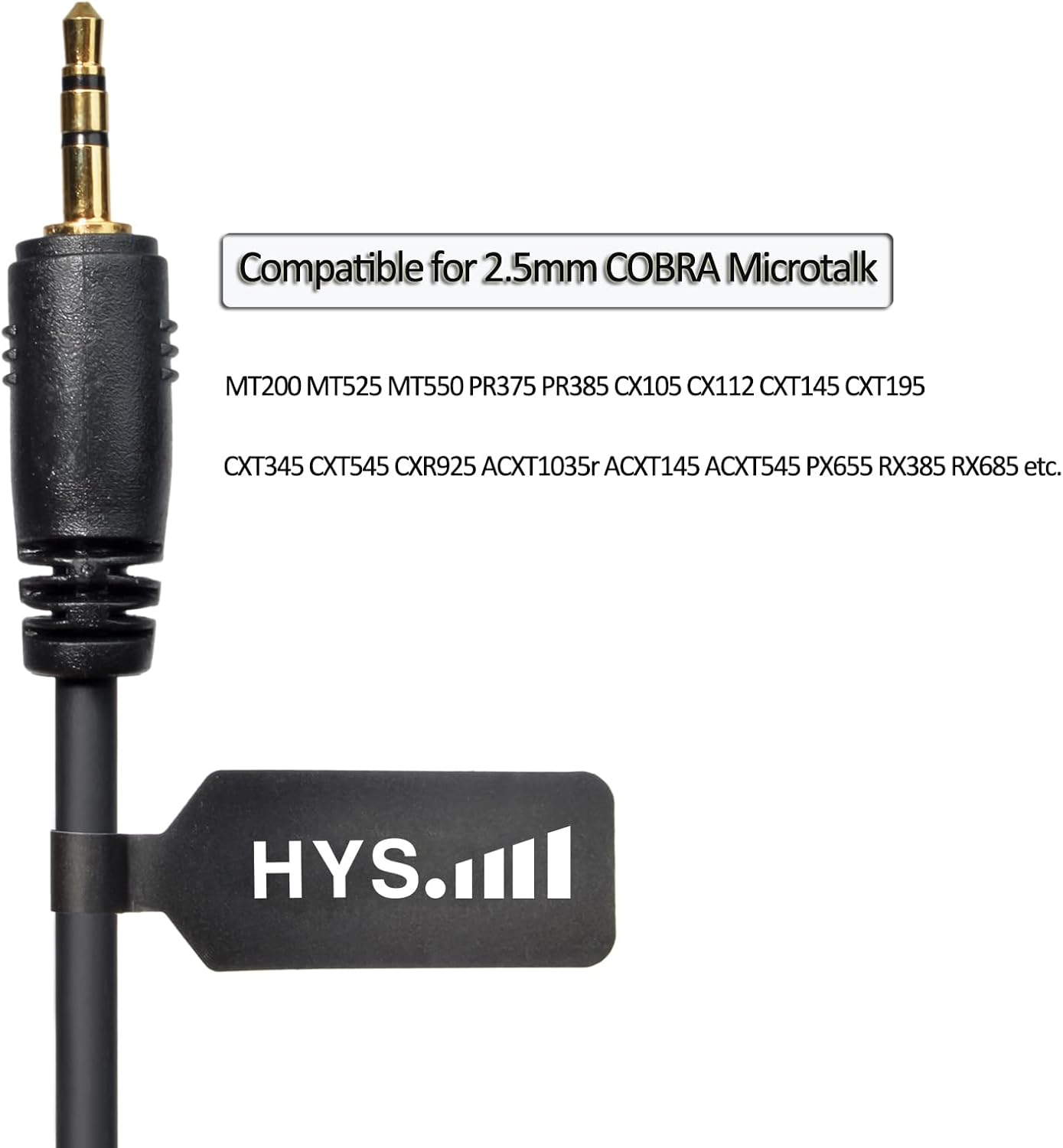
Image 3.1: The 2.5mm jack for connecting to compatible radios.
- Position the Earpiece: Place the G-shape earpiece comfortably in your ear. The acoustic tube should route discreetly behind your ear.

Image 3.2: Proper placement of the earpiece and earbud.
- Secure the PTT/Mic Unit: Clip the Push-to-Talk (PTT) and microphone unit to your lapel or clothing in a convenient location for easy access. This unit contains the microphone and the PTT button.

Image 3.3: The PTT/microphone unit with its clothing clip.
Note: Ensure the earpiece is compatible with your specific radio model. Refer to the compatibility list in the Specifications section.
4. Operating Instructions
Using your HYS Surveillance Headset for communication is straightforward:
- Receiving Audio: Once connected, audio from your two-way radio will be transmitted directly to the earpiece. Adjust your radio's volume for comfortable listening.
- Transmitting Audio (Push-to-Talk - PTT):
- To speak, press and hold the PTT button located on the inline unit.
- Speak clearly into the microphone.
- Release the PTT button when you have finished speaking to return to receive mode.

Image 4.1: Illustration of headset components and their function during use.
5. Maintenance and Care
To ensure the longevity and optimal performance of your HYS Surveillance Headset, follow these maintenance guidelines:
- Cleaning:
- Wipe the earpiece, acoustic tube, and PTT unit with a soft, damp cloth.
- Avoid using harsh chemicals or abrasive cleaners.
- Ensure the earpiece and acoustic tube are dry before use.
- Storage: Store the headset in a clean, dry place away from direct sunlight and extreme temperatures.
- Eartip Replacement: If the eartip becomes worn or damaged, replace it with a new one to maintain hygiene and sound quality. Gently pull off the old eartip and push on a new one.
6. Troubleshooting
If you encounter issues with your HYS Surveillance Headset, refer to the following common problems and solutions:
| Problem | Possible Cause | Solution |
|---|---|---|
| No audio or unclear audio from earpiece. |
|
|
| Microphone not transmitting or unclear transmission. |
|
|
| Headset does not fit comfortably. |
|
|
If the problem persists after trying these solutions, please contact HYS customer support.
7. Specifications
| Feature | Detail |
|---|---|
| Model | H09 |
| Brand | HYS |
| Connectivity Technology | Wired (PU cable) |
| Headphones Jack | 2.5 mm Jack |
| Compatible Devices | Cobra Microtalk series (MT200, MT525, MT550, PR375, PR385, CX105, CX112, CXT145, CXT195, CXT345, CXT545, CXR925, ACXT1035r, ACXT145, ACXT545, PX655, RX385, RX685, etc.) FRS/GMRS two-way radios. Incompatible with: Cobra Talkabout series, MH230R, MR350R, and Cobra Marine radios. |
| Control Type | Push to Talk (PTT) |
| Earpiece Shape | Rounded tip (G-shape) |
| Material | Metal (for clip), PU (for cable) |
| Color | Black |
| Item Weight | 0.16 ounces |
| Special Feature | Lightweight |
8. Support and Warranty
For technical assistance, product inquiries, or warranty information, please contact HYS Communication directly through their official channels or the retailer where the product was purchased.
Please retain your proof of purchase for warranty claims.