
Introduction
Thank you for choosing the Crehora Electric Foot Callus Remover. This device is designed to effectively remove calluses and dead skin, providing professional-grade foot care at home. Please read this manual thoroughly before first use to ensure safe and optimal operation.
Product Overview
The Crehora Electric Foot Callus Remover features an upgraded powerful motor with two adjustable speeds, allowing for customized treatment based on your skin's needs. It comes with four wider and larger roller heads of varying grits, an LED light for enhanced visibility, and a rechargeable battery with a digital display. Its IPX7 waterproof design makes it suitable for both wet and dry use, and a safety travel lock prevents accidental activation.

This image displays the main unit of the Crehora Electric Foot Callus Remover, a sleek black device with a comfortable grip. Surrounding it are callouts highlighting its primary features: four larger roller heads, an LCD battery display, an integrated LED light, IPX7 waterproof rating, a safety travel lock, and automatic spin drying capability. The device is shown in a splash of water, emphasizing its waterproof nature.
Important Safety Information
- Use with caution. Do not apply excessive pressure to avoid injury.
- Keep the device out of reach of children.
- Do not use on broken, irritated, or infected skin. Consult a medical professional if you have diabetes or poor circulation.
- Always follow the instructions provided in this manual.
- Ensure the device is fully charged before initial use to maximize battery life and performance.
Setup
1. Charging the Device
Before first use, fully charge the electric callus remover. The built-in 1200mAh lithium battery requires approximately 4 hours for a full charge, providing up to 120 minutes of continuous use. The digital electronic display will show the battery percentage.
- Connect the charging cable to the device and a suitable USB power source (e.g., USB charger, computer, power bank, car charger).
- The battery display will indicate charging progress.
- Once fully charged, disconnect the device from the power source.
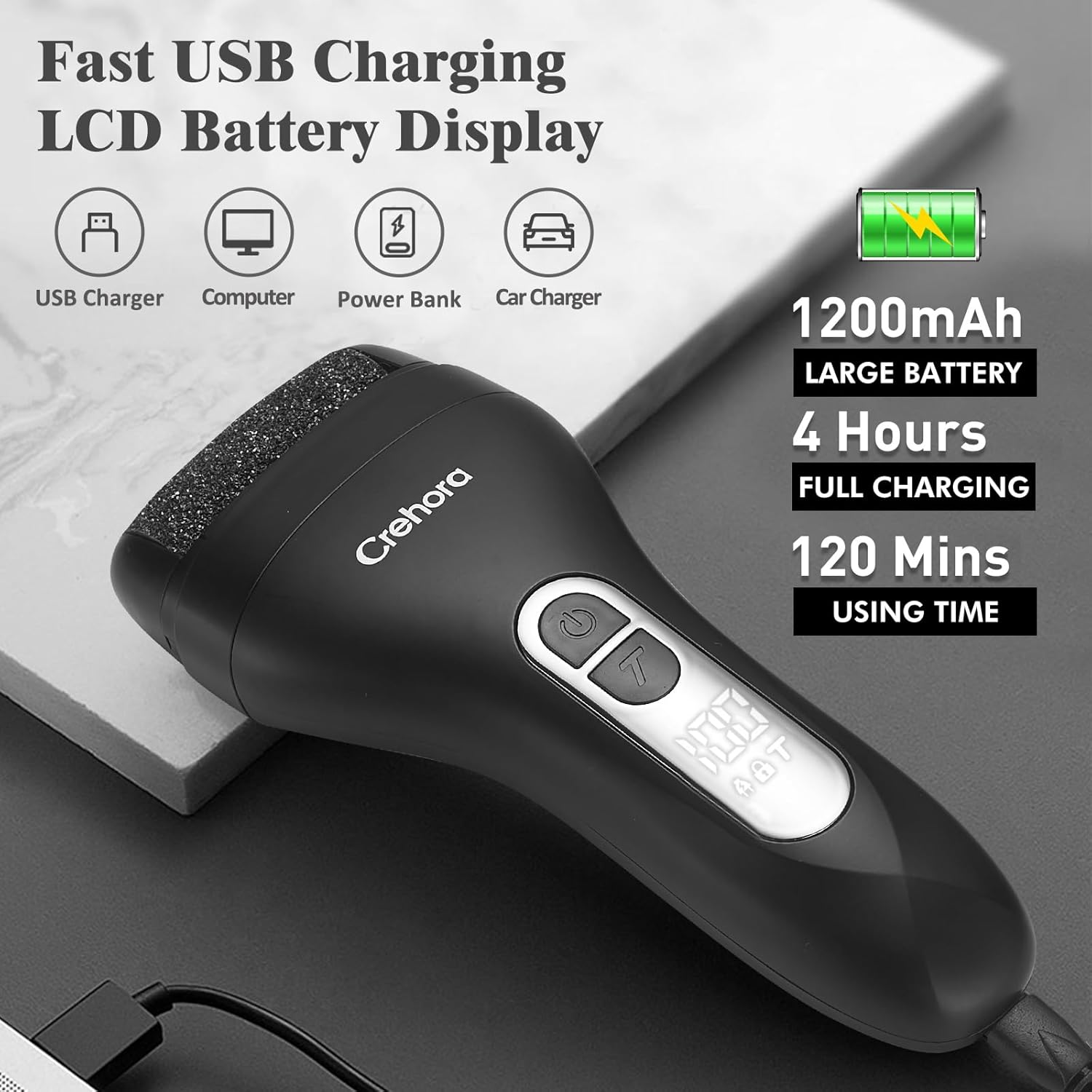
This image shows the Crehora Electric Foot Callus Remover being charged via a USB cable. The device's LCD screen clearly displays '100', indicating a full charge. Accompanying text emphasizes the 1200mAh large battery, 4 hours for full charging, and 120 minutes of usage time.
2. Installing/Changing Roller Heads
The device comes with four roller heads: 1 fine, 1 regular, and 2 coarse. Choose the appropriate head based on the thickness of your calluses.
- To remove a roller head, press the release button on the side of the device and gently pull the head off.
- To install a new roller head, align it with the slot and push until it clicks into place.

This image illustrates the Crehora Electric Foot Callus Remover alongside its four interchangeable roller heads. The text labels each type: one fine roller head for daily care, one regular roller head for newly formed calluses, and two coarse roller heads for hard and thick calluses, allowing users to select the most suitable option.
3. Safety Travel Lock
The safety travel lock prevents accidental activation during storage or travel.
- To lock the device: Long press the power button for 8 seconds. A lock icon will appear on the display.
- To unlock the device: Long press the power button for 3 seconds. The lock icon will disappear.
Operating Instructions
- Prepare Your Feet: For best results, soak your feet in warm water for a few minutes to soften the skin, then wipe them dry. The device is suitable for both wet and dry use.
- Select Roller Head: Choose the appropriate roller head (fine, regular, or coarse) based on the condition of your calluses.
- Power On: Press the power button to turn on the device. The LED indicator light will automatically illuminate, providing light to the target area.
- Adjust Speed: The device has two adjustable speeds: a low speed (2000RPM/min) for daily foot care and a high speed (2300RPM/min) for stubborn calluses. Press the speed adjustment button to switch between modes.
- Remove Calluses: Gently move the rotating roller head over rough, dead skin areas. Do not apply excessive pressure or stay in one area for too long to avoid irritation.
- Post-Treatment: After removing calluses, rinse your feet thoroughly and apply a moisturizing cream to keep your skin smooth and hydrated.

This image presents a clear, three-step guide for foot care using the electric callus remover. Step 1 shows feet in a warm foot bath, indicating preparation. Step 2 depicts the callus remover in action on a foot, illustrating the removal process. Step 3 shows a hand applying moisturizing cream to a foot, emphasizing post-treatment care.
Maintenance
1. Cleaning the Device
The Crehora Electric Foot Callus Remover has an IPX7 waterproof design, allowing for easy cleaning.
- After each use, remove the roller head.
- Rinse the roller head and the main body of the device under running water.
- Use the provided cleaning brush to remove any remaining dead skin particles from the roller head and the device.
- Allow all parts to air dry completely before reassembling or storing.
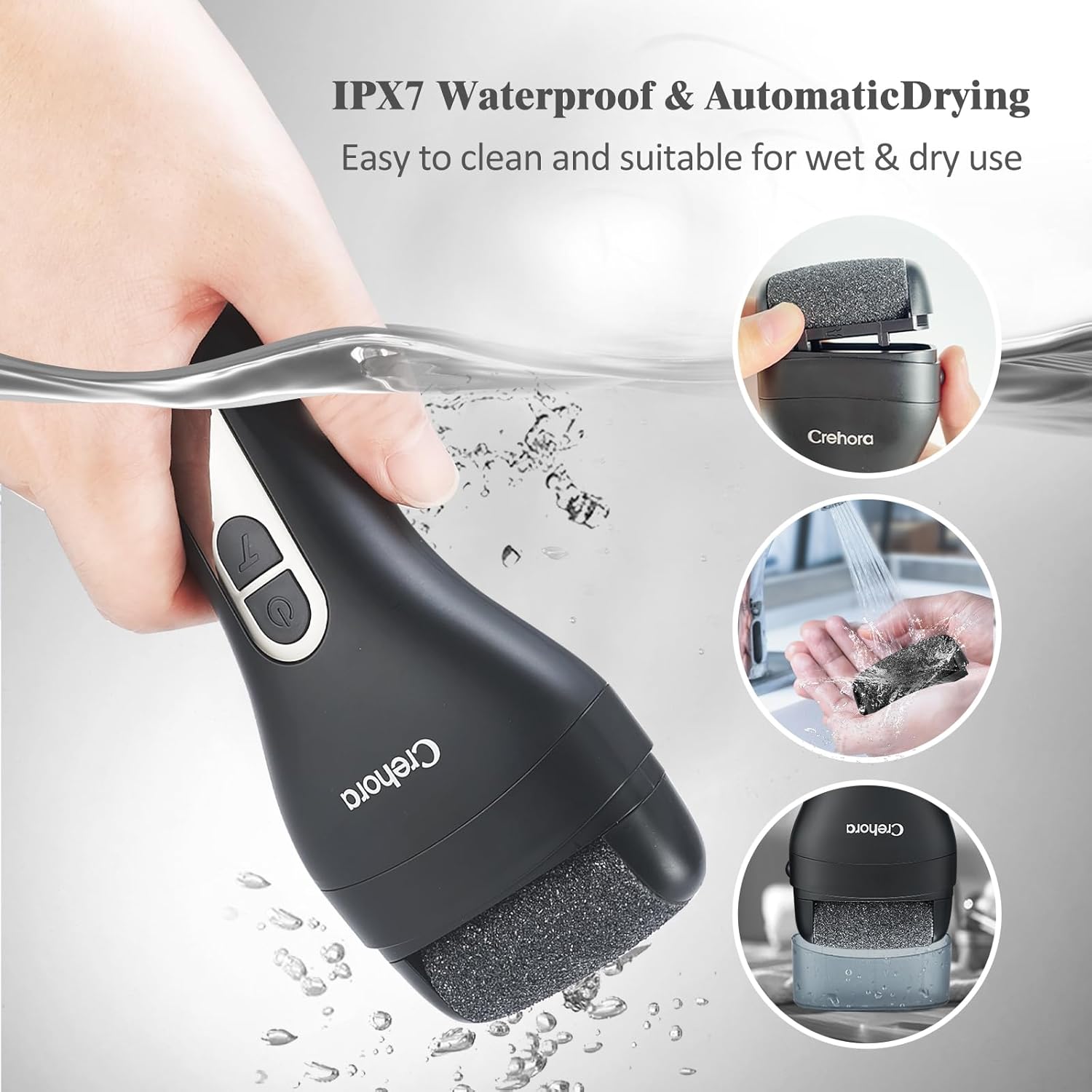
This image demonstrates the waterproof features of the Crehora Electric Foot Callus Remover. The main image shows the device being held over water, while smaller insets illustrate the roller head being rinsed under running water and the device placed in a drying cover. Text emphasizes its IPX7 waterproof rating and suitability for wet and dry use, as well as easy cleaning.
2. Storing the Device
- Store the device in a cool, dry place away from direct sunlight.
- Ensure the safety travel lock is activated before storing to prevent accidental power-on.
Troubleshooting
| Problem | Possible Cause | Solution |
|---|---|---|
| Device does not turn on. | Low battery or safety travel lock is active. | Charge the device fully. Deactivate the safety travel lock by long-pressing the power button for 3 seconds. |
| Roller head stops spinning or slows down. | Excessive pressure applied or roller head is clogged. | Reduce pressure during use. Clean the roller head and device thoroughly. Replace the roller head if worn. |
| Device not charging. | Faulty charging cable or power source. | Ensure the charging cable is properly connected. Try a different USB power source or cable. |
Specifications
- Model: B0CLV3J21H
- Brand: Crehora
- Product Dimensions: 7.09 x 3.15 x 1.58 inches
- Item Weight: 0.36 Kilograms (12.7 ounces)
- Material: Acrylonitrile Butadiene Styrene (ABS)
- Battery: 1200mAh Lithium Ion (included)
- Charging Time: Approximately 4 hours
- Usage Time: Up to 120 minutes
- Speed Settings: 2 (Low: 2000RPM/min, High: 2300RPM/min)
- Waterproof Rating: IPX7
- Roller Heads: 4 (1 Fine, 1 Regular, 2 Coarse)
Warranty and Support
Crehora products come with a one-year warranty. If you encounter any problems during use, please contact our customer service team for satisfactory after-sales support. Refer to your purchase documentation for contact details.