
1. Introduction
The NEEWER FS150 LED Video Light is a high-performance continuous output lighting solution designed for professional photography and videography. This manual provides detailed instructions for the safe and effective use of your device, ensuring optimal performance and longevity.
2. Safety Information
- Do not look directly into the light source when the light is on.
- Keep the device away from water and other liquids to prevent electric shock.
- Ensure proper ventilation during operation to prevent overheating.
- Use only the provided power adapter and cables.
- Do not attempt to disassemble or repair the unit yourself. Contact authorized service personnel.
- Keep out of reach of children.
3. Package Contents
Verify that all items listed below are included in your package:
- 1 x FS150 LED Video Light
- 1 x Standard Reflector
- 1 x Protective Cover
- 1 x Power Adapter
- 1 x Power Cord (US Plug)
- 1 x User Manual

Image: NEEWER FS150 LED Video Light with standard reflector, power adapter, and carrying bag, illustrating the complete package contents.
4. Product Features
- 130W Powerful Compact Studio Light: The FS150 features premium COB LEDs for superior brightness, offering 130W output without flickers and a maximum illuminance of 102000lux/m. Its portable design (3.8lb/1.7kg, 7.9"x5.1"x4.7"/200x130x120mm) includes a 180° tilting tripod stand mount adapter for flexible angle setups. Ideal for portraits, camera photography, videography, podcasts, interviews, YouTube/TikTok video recording, filming, live streaming, and studio photoshoots.

Image: Close-up view of the NEEWER FS150 COB LED, emphasizing its powerful 130W output and high illuminance.

Image: A user demonstrating the compact and portable nature of the NEEWER FS150 LED light.
- Precise PWM Dimming & Cool Daylight: Utilizing PWM dimming technology, brightness levels are precisely adjustable from 0 to 100% in 1% increments. Four dimming types (exponential, logarithmic, S, and linear) allow for accurate lighting adjustment in various conditions. High CRI 97+ and TLCI 98+ ensure faithful color rendition. The 5600K cool daylight provides a uniform color temperature. Nine special effects enhance video creativity. Suitable as a key light or fill light.
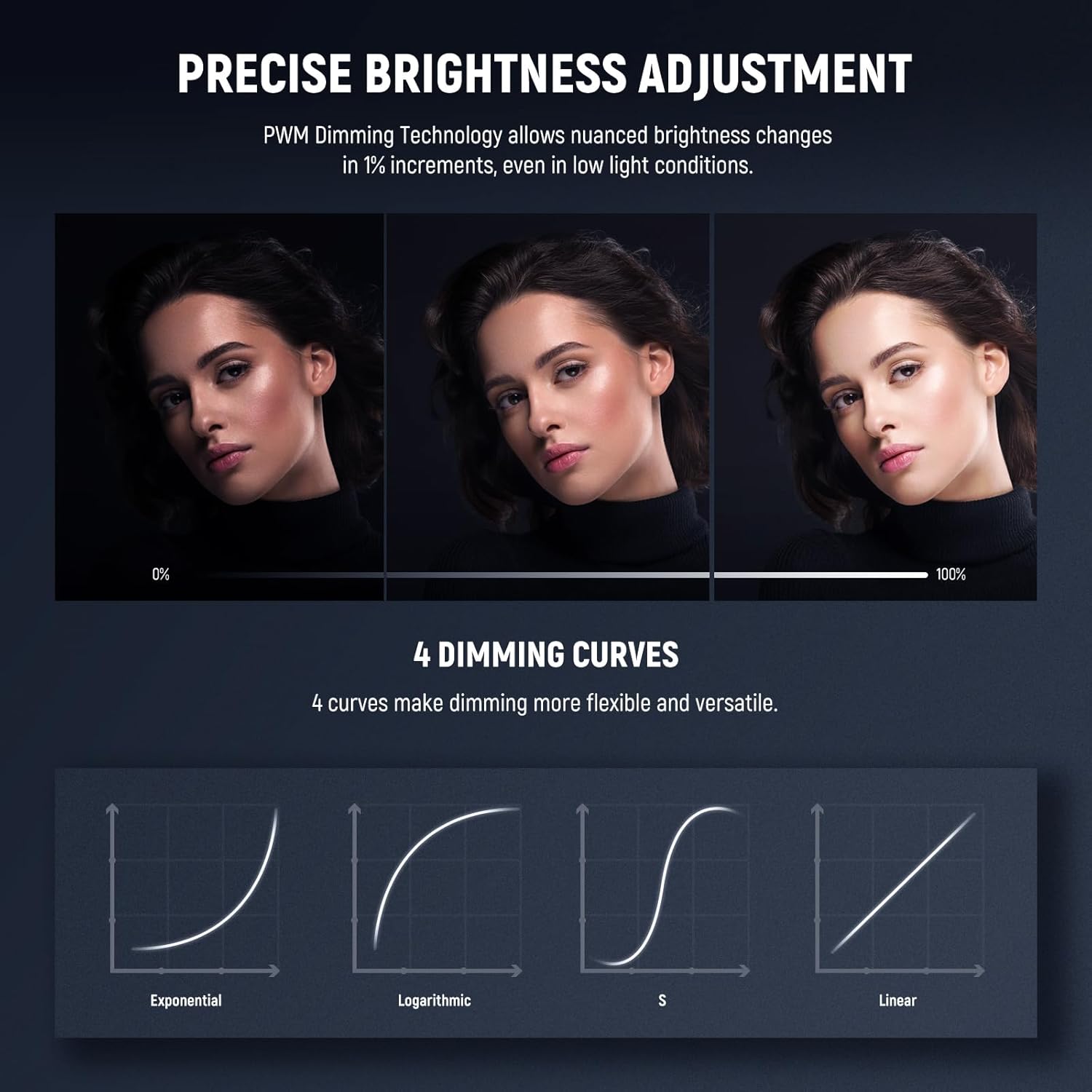
Image: Display illustrating the precise brightness adjustment and various dimming curves of the FS150.

Image: Demonstrating the 5600K cool daylight output and flicker-free operation of the FS150.

Image: Visual representation of the 9 special FX scene effects, such as lightning and paparazzi, for creative video production.
- Infinity App & 2.4G Wireless Control: The NEEWER APP supports group control and OTA firmware updates, offering advanced lighting functions like Light Source, Source Match, CTO/B, and FX Music. The built-in 2.4G system allows group control of different NEEWER models (e.g., SL90 Pro, RGB1, MS60C) across 00-99 channels. Setting all lights to the same channel enables synchronized changes.

Image: Demonstrating the NEEWER app for wireless control and the 2.4G remote control system.
- Standard Bowens Mount & Quiet Fan: The included reflector with a scale pattern interior ensures even light distribution. The Bowens mount is compatible with various light shapers like softboxes, snoots, and beauty dishes. An umbrella socket allows simultaneous use of a photography umbrella and reflector. The quiet cooling fan automatically reduces heat based on operating temperature, providing overheating protection and a silent shooting environment.

Image: Illustration of the universal Bowens mount, showing compatibility with various light modifiers and an umbrella hole.
- Dual Power Sources with Cable Lock: Supports two power input voltages (19.6V/14.8V). The light can be powered by the included AC adapter and power cord for continuous operation. The XLR power input features a cable lock to prevent accidental disconnections, ensuring constant and reliable illumination. It can also operate on a V-mount battery (sold separately) for convenient, cordless lighting.

Image: Detailed view of the FS150's dual power supply options, clear LCD screen, and cable lock design.
5. Setup Instructions
- Unpacking and Inspection: Carefully remove all components from the packaging. Inspect the light and accessories for any signs of damage.
- Attaching the Protective Cover: Before use, ensure the protective cover is removed from the COB LED. Reattach it when storing the light to protect the LED.

Image: Close-up of the COB LED, illustrating the area where the protective cover is attached/removed.
- Mounting the Light: Attach the FS150 to a compatible light stand using the 180° tilting tripod stand mount adapter. Securely tighten the locking knob to prevent movement.
- Attaching the Standard Reflector: Align the three mounting points on the standard reflector with the corresponding slots on the Bowens mount of the light. Twist the reflector clockwise until it locks into place. To remove, press the release button and twist counter-clockwise.
Image: Diagram illustrating the attachment of a Bowens mount accessory to the FS150.
- Power Connection:
- AC Power: Connect the power adapter to the light's XLR power input, ensuring the cable lock engages. Plug the power cord into the adapter and then into a suitable power outlet.
- V-Mount Battery (Optional): For portable operation, attach a compatible V-mount battery (sold separately) to the light's V-mount battery plate. Ensure it is securely locked.

Image: Illustration of the dual power supply options, showing both AC adapter and V-mount battery connections.

Image: Close-up of the XLR cable lock, ensuring a secure power connection.
6. Operating Instructions
- Powering On/Off: Press the power switch located on the back of the unit to turn the light on or off. The LCD screen will illuminate upon power-on.
- Adjusting Brightness: Use the intensity control dial to adjust the brightness from 0% to 100% in 1% increments. The FS150 offers four dimming curves (exponential, logarithmic, S, and linear) for precise control. Press the MODE/MENU button to cycle through dimming curve options.

Image: The control panel of the FS150, showing the intensity dial and LCD display with dimming curve options.
- Using Special Effects (FX Modes): The FS150 includes 9 special effects to add creative flair to your videos. Press the FX button to enter FX mode, then use the control dial to select from effects such as Lightning, Paparazzi, Defective Bulb, Explosion, Welding, CCT Flash, CCT Pulse, INT Loop, and TV. Adjust frequency and intensity as needed.
Image: Visual representation of the 9 special FX scene effects, such as lightning and paparazzi, for creative video production.
- 2.4G Wireless Control: The FS150 features a built-in 2.4G system for remote control. Set the light to a specific channel (00-99) using the control panel. If you have multiple compatible NEEWER lights, set them to the same channel for synchronized group control.
- NEEWER App Control: Download the NEEWER app from your device's app store. Pair your FS150 light via Bluetooth. The app allows for comprehensive control over brightness, dimming curves, special effects, and offers advanced functions like Light Source, Source Match, CTO/B, and FX Music. It also supports OTA firmware updates.

Image: A smartphone displaying the NEEWER app interface for controlling the FS150 LED light wirelessly.
7. Maintenance
- Cleaning: Regularly clean the light body and reflector with a soft, dry cloth. Do not use abrasive cleaners or solvents. Ensure the COB LED is free from dust and debris.
- Storage: When not in use, store the FS150 in its protective carrying bag in a cool, dry place. Ensure the protective cover is on the COB LED.
- Fan Maintenance: The integrated cooling fan is designed for quiet operation and efficient heat dissipation. Ensure the fan vents are not obstructed to maintain optimal performance and prevent overheating.
8. Troubleshooting
| Problem | Possible Cause | Solution |
|---|---|---|
| Light does not turn on. | No power supply; loose cable connection; faulty power adapter/battery. | Check power cord and adapter connections. Ensure the power outlet is functional. Verify V-mount battery is charged and correctly attached. |
| Brightness cannot be adjusted. | Control dial malfunction; light in a locked mode. | Ensure the intensity lock is not engaged. Try resetting the light (refer to manual for specific reset procedure if available). |
| Remote control/App not working. | Incorrect channel setting; Bluetooth not paired; app issues. | Verify the light and remote/app are on the same 2.4G channel. Ensure Bluetooth is enabled on your device and the light is paired. Restart the app or light. |
| Light overheats. | Obstructed fan vents; prolonged use at high power in confined space. | Ensure fan vents are clear. Operate in a well-ventilated area. Reduce brightness if necessary. |
9. Specifications
| Feature | Detail |
|---|---|
| Model Number | FS150 |
| Power Output | 130W |
| Color Temperature | 5600K (Daylight) |
| Max. Illuminance | 102000lux/1m |
| CRI | 97+ |
| TLCI | 98+ |
| Dimming Range | 0-100% |
| Dimming Types | Exponential, Logarithmic, S, Linear |
| Special Effects | 9 FX Modes |
| Control Methods | On-board, 2.4G Wireless, NEEWER App |
| Mount Type | Bowens Mount |
| Power Input | 19.6V/14.8V (AC Adapter or V-mount battery) |
| Product Dimensions | 7.9 x 5.1 x 4.7 inches (200x130x120mm) |
| Item Weight | 3.8lb / 1.7kg (Light body only) |
10. Warranty & Support
For warranty information, technical support, or service inquiries, please contact NEEWER customer service through their official website or the retailer where the product was purchased. Keep your purchase receipt as proof of purchase.