
QUOLIX Q-268
QUOLIX Q-268 Kids Walkie Talkies User Manual
Model: Q-268
Product Overview
The QUOLIX Q-268 Walkie Talkies are designed for children aged 3-12, offering a fun and easy way to communicate. These rechargeable walkie talkies feature clear sound quality, a built-in LED flashlight, and VOX functionality for hands-free operation. They are ideal for indoor and outdoor activities, promoting communication and imaginative play.

Figure 1: QUOLIX Q-268 Walkie Talkies in various colors.
Package Contents
Upon opening the package, verify that all items are present and in good condition:
- 4 x QUOLIX Q-268 Walkie Talkies
- 4 x USB Charging Cables
- 4 x Belt Clips
- 4 x Lanyards
- 1 x English User Manual
Key Features
- Rechargeable Battery: Built-in Lithium Ion battery with USB-C charging.
- Clear Sound Quality: Features noise cancellation technology for clear communication.
- VOX Function: Voice-activated transmission for hands-free communication.
- LED Flashlight: Integrated flashlight for use in low-light conditions.
- 22 Channels: Multiple channels for varied communication options.
- Compact and Durable Design: Made from high-quality ABS plastic with rounded corners, suitable for children.
- Portable: Includes belt clip and lanyard for easy carrying.
- Safety Certified: FCC certified and made with kid-friendly materials.
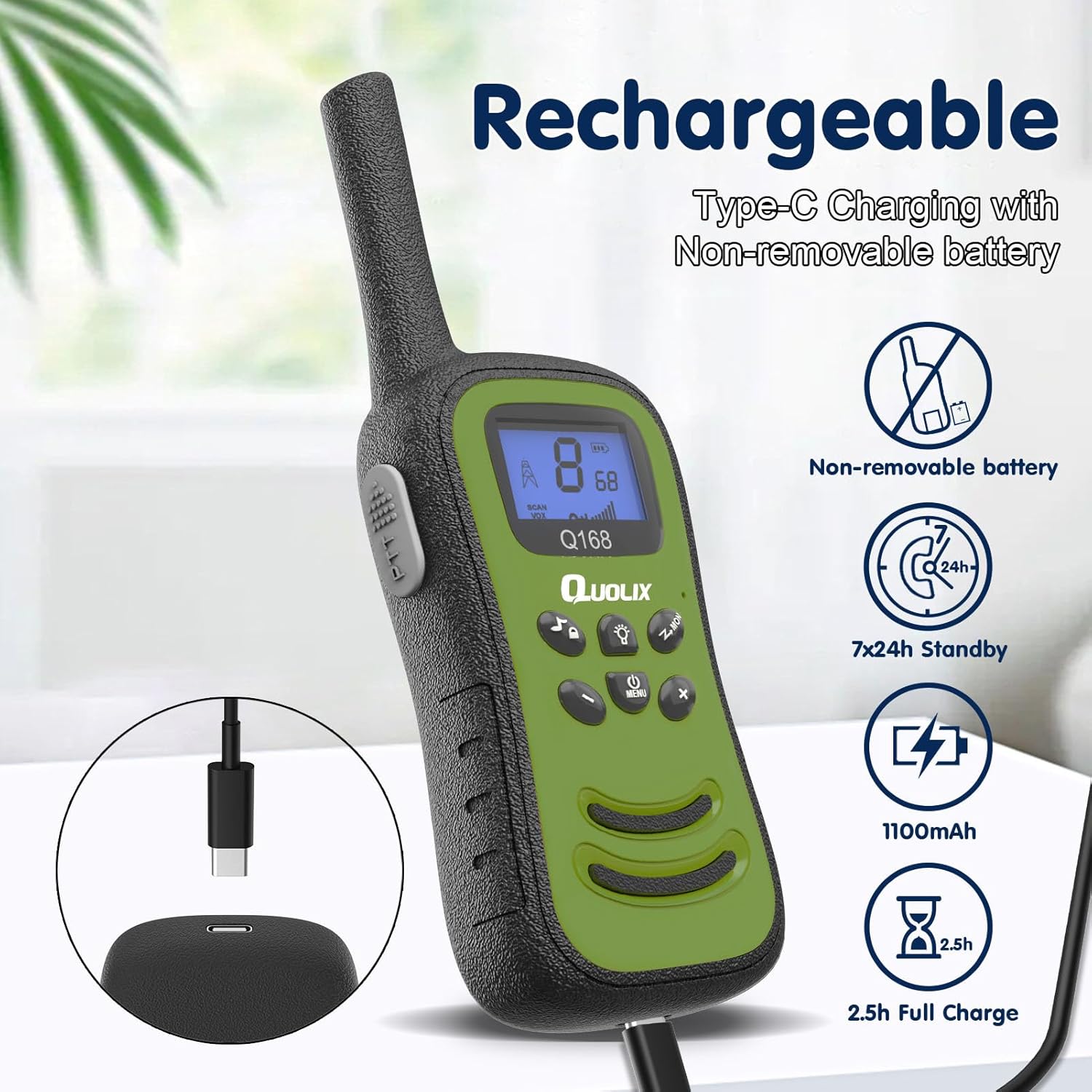
Figure 2: Rechargeable feature with USB-C charging.

Figure 3: Labeled features of the walkie talkie.
Setup and Charging
Initial Charging
Before first use, fully charge the walkie talkies. Each unit has a built-in, non-removable Lithium Ion battery.
- Connect the provided USB-C charging cable to the charging port on the walkie talkie.
- Connect the other end of the USB-C cable to a compatible USB power adapter (not included) or a computer USB port.
- The charging indicator light will illuminate. A full charge typically takes approximately 2.5 hours.
- Once fully charged, the indicator light may change or turn off, depending on the model. Disconnect the cable.
The walkie talkies offer approximately 7 days of standby time on a full charge.
Operating Instructions
Power On/Off
- To power on: Press and hold the Power/Menu button until the screen illuminates.
- To power off: Press and hold the Power/Menu button until the screen turns off.
Adjusting Volume
Use the UP and DOWN buttons to adjust the speaker volume. Adjusting the volume can also help block out background noise for clearer reception.
Changing Channels
The walkie talkies have 22 available channels.
- Press the Menu button once. The channel number on the display will flash.
- Use the UP or DOWN buttons to select the desired channel.
- Press the Menu button again or wait a few seconds for the selection to be confirmed.
For communication, all walkie talkies must be set to the same channel.
Transmitting (Push-to-Talk - PTT)
To speak to another walkie talkie:
- Ensure both walkie talkies are on the same channel.
- Press and hold the PTT (Push-to-Talk) button located on the side of the unit.
- Speak clearly into the microphone (MIC) located near the bottom of the display.
- Release the PTT button when finished speaking to allow the other party to respond.
VOX Function (Voice-Activated Transmission)
The VOX function allows for hands-free communication without pressing the PTT button.
- Press the Menu button multiple times until the VOX icon (usually "VOX" or a microphone symbol) flashes on the display.
- Use the UP or DOWN buttons to select the VOX sensitivity level (e.g., 1-3, with 1 being most sensitive). Or select "OFF" to disable VOX.
- Press the Menu button again to confirm the setting.
When VOX is active, the walkie talkie will automatically transmit when it detects your voice.
Using the LED Flashlight
The built-in LED flashlight provides illumination in dark environments.
- To turn on the flashlight: Press the Flashlight button (often indicated by a light bulb icon).
- To turn off the flashlight: Press the Flashlight button again.
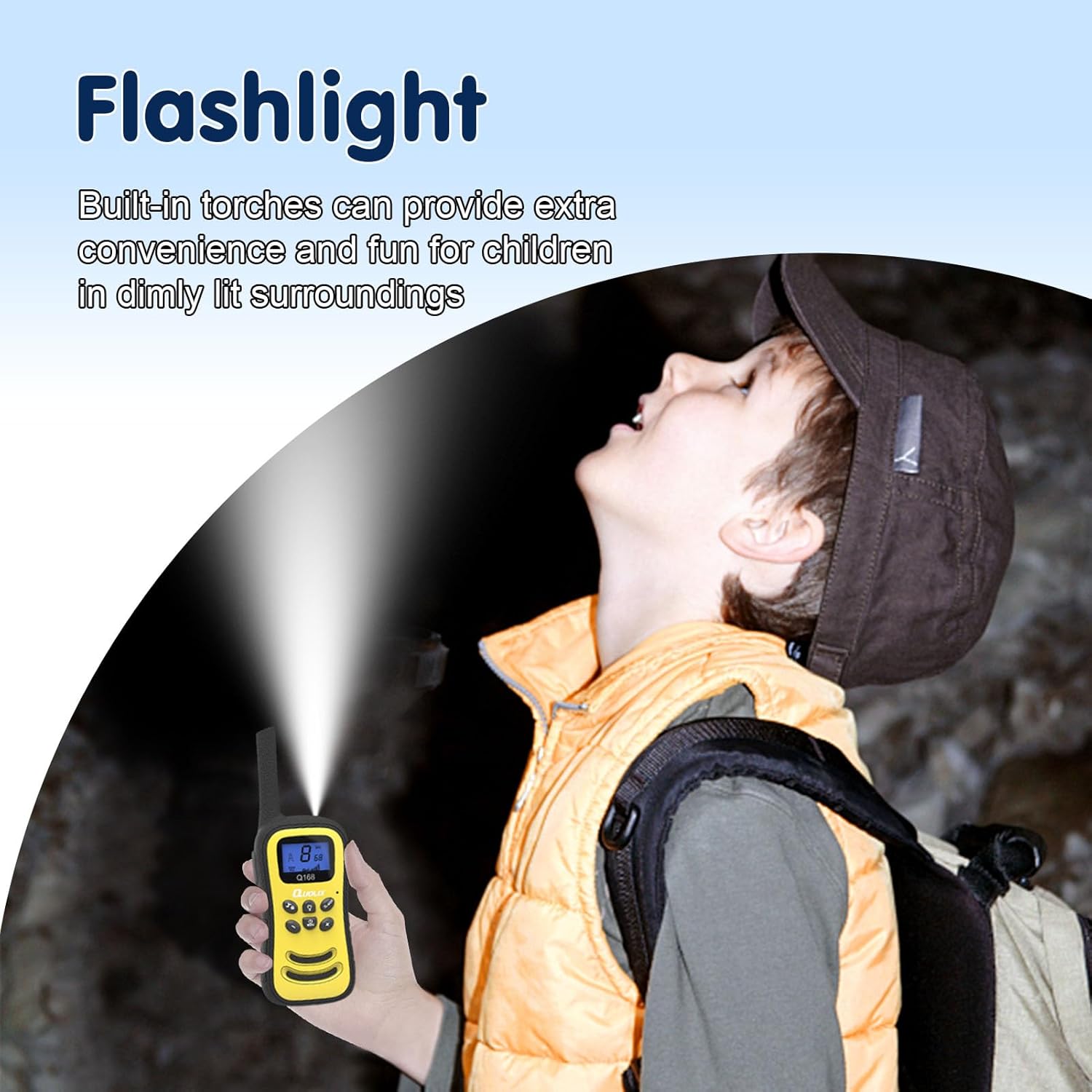
Figure 4: Using the integrated LED flashlight.
Key Lock Function
The key lock prevents accidental channel changes or button presses during play.
- To activate key lock: Press and hold the Lock button (often indicated by a key icon). A lock icon will appear on the display.
- To deactivate key lock: Press and hold the Lock button again. The lock icon will disappear.
Maintenance and Care
- Cleaning: Wipe the walkie talkies with a soft, damp cloth. Do not use harsh chemicals or abrasive cleaners.
- Storage: Store the walkie talkies in a cool, dry place when not in use. Avoid extreme temperatures.
- Battery Care: To prolong battery life, avoid fully discharging the battery frequently. Recharge when the low battery indicator appears.
- Water Resistance: These walkie talkies are NOT water resistant. Avoid exposure to water or excessive moisture.
- Impact: While designed to be durable, avoid dropping the units from significant heights to prevent damage.
Troubleshooting
| Problem | Possible Cause | Solution |
|---|---|---|
| No power | Battery is depleted. | Charge the walkie talkie using the provided USB-C cable. |
| Cannot communicate with other walkie talkie | Units are on different channels. Units are out of range. Volume is too low. | Ensure all units are on the same channel. Move closer to the other unit (maximum range is approximately 500 feet in ideal conditions). Increase the volume. |
| Static or unclear sound | Interference from other electronic devices. Units are too close together. Weak signal due to distance or obstacles. | Move away from other electronic devices. Maintain a reasonable distance between units (at least 5 feet). Move to an open area or closer to the other unit. |
| VOX not working | VOX sensitivity is too low or VOX is off. | Adjust VOX sensitivity to a higher level or ensure VOX is enabled in the menu. |
Specifications
| Feature | Detail |
|---|---|
| Model Number | Q-268 |
| Brand | QUOLIX |
| Item Weight | Approximately 1.1 pounds (total package) |
| Package Dimensions | 9.88 x 7.95 x 1.61 inches |
| Battery Type | 1 Lithium Ion battery (included, non-removable) |
| Battery Capacity | 1100mAh |
| Charging Time | Approx. 2.5 hours |
| Number of Channels | 22 |
| Frequency Range | 462.5625MHz ~ 462.7125MHz |
| Maximum Talking Range | Up to 500 feet (in ideal conditions) |
| Tuner Technology | UHF |
| Voltage | 3.7 Volts |
| Water Resistance Level | Not Water Resistant |
| Special Features | Integrated Flashlight, Lightweight, Noise Reduction, Rechargeable, Shockproof |
Warranty and Support
QUOLIX provides a 1-Year Warranty for this product from the date of purchase.
Additionally, QUOLIX offers a 45-day money-back guarantee. If you encounter any issues or require assistance, please contact QUOLIX customer support. They aim to respond to inquiries within 16 hours.
For support, please refer to the contact information provided in the included user manual or visit the official QUOLIX website.