1. Introduction
Thank you for choosing the HK10 Pro Max Smartwatch. This device combines advanced technology with a sleek design to enhance your daily life. Featuring a vibrant 2.02-inch AMOLED display, integrated ChatGPT, Bluetooth calling, and comprehensive health monitoring, your smartwatch is designed for convenience and performance. Please read this manual carefully to ensure proper use and to fully utilize all its functions.
2. What's in the Box
Upon unboxing your HK10 Pro Max Smartwatch, please verify that all the following items are included:
- HK10 Pro Max Smartwatch
- Charging Cable (Wireless Charger)
- Two Watch Straps (Orange and Black)
- User Manual
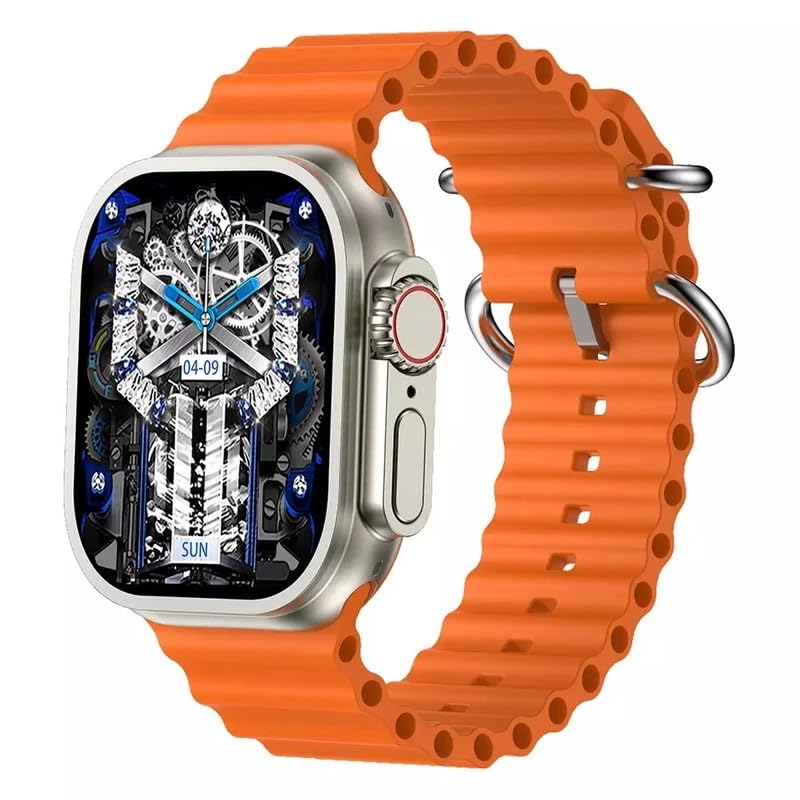
Image: The HK10 Pro Max Smartwatch packaging box, indicating the model and key features.
3. Setup
3.1 Charging the Smartwatch
Before first use, fully charge your smartwatch. Place the watch on the wireless charging pad. The charging icon will appear on the screen. A full charge typically takes approximately 2-3 hours.

Image: The HK10 Pro Max Smartwatch being charged wirelessly on its charging pad.
3.2 Power On/Off
- Power On: Press and hold the side power button until the screen lights up.
- Power Off: Press and hold the side power button, then select 'Power Off' on the screen.
3.3 App Installation and Pairing
To unlock the full potential of your smartwatch, download and install the WearFit Pro application on your smartphone.
- Scan the QR code provided in the manual or on the watch screen, or search for 'WearFit Pro' in your smartphone's app store (App Store for iOS, Google Play Store for Android).
- Install and open the WearFit Pro app.
- Enable Bluetooth on your smartphone.
- In the WearFit Pro app, navigate to 'Device' and select 'Add Device'.
- Select 'HK10 Pro Max' from the list of available devices to pair.
- Confirm the pairing request on both your smartphone and smartwatch.
4. Operating Instructions
4.1 Basic Navigation
- Swipe Up: Access quick settings/notifications.
- Swipe Down: View notifications.
- Swipe Left/Right: Navigate through widgets and main functions.
- Tap: Select an item or open an application.
- Side Button: Press to return to the home screen or access the app menu.
4.2 Bluetooth Calling
Once paired with your smartphone, you can make and receive calls directly from your smartwatch.
- Making a Call: Access the dial pad or contacts list on your watch to initiate a call.
- Receiving a Call: When a call comes in, you can answer or reject it directly from the watch screen.

Image: The smartwatch screen showing a dial pad and call logs, demonstrating the Bluetooth call feature.
4.3 Customizing Watch Faces
Personalize your smartwatch with a variety of watch faces available through the WearFit Pro app or directly on the watch.
- On the Watch: Long-press the home screen, then swipe left or right to browse and select a new watch face.
- Via WearFit Pro App: Open the app, go to 'Dial Market' to explore and download additional watch faces.
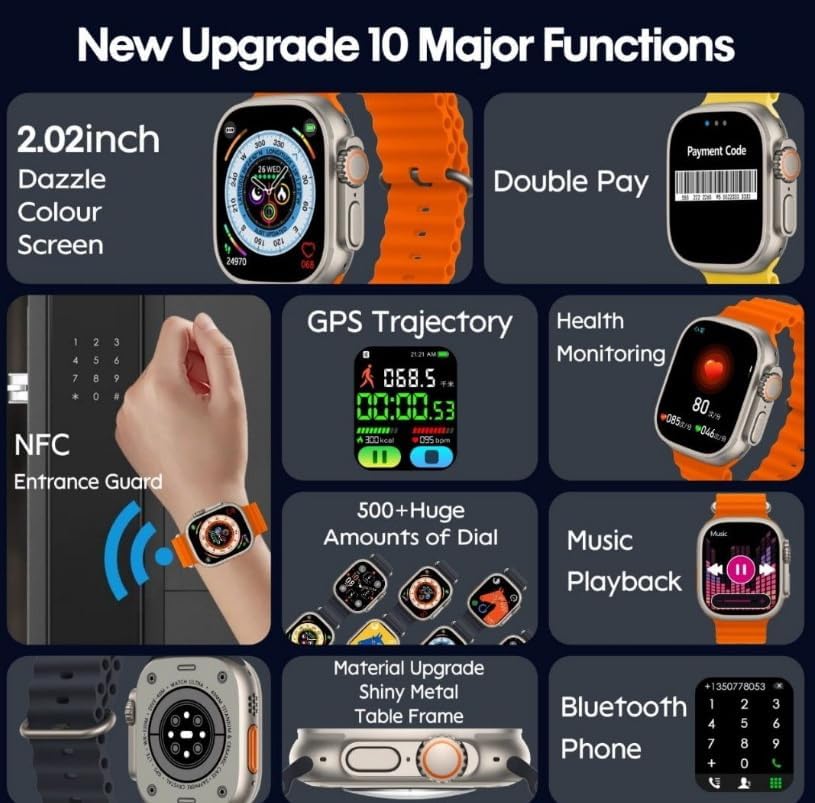
Image: A collection of diverse and colorful watch faces displayed on the HK10 Pro Max Smartwatch.
4.4 ChatGPT Feature
The HK10 Pro Max Smartwatch integrates ChatGPT, allowing for interactive AI communication directly from your wrist. Access the ChatGPT application from the app menu to engage in conversations, ask questions, and receive information.
4.5 NFC Functionality
The smartwatch supports NFC (Near Field Communication) for convenient access control or other compatible NFC applications. Refer to the WearFit Pro app for setup and usage details related to NFC features.
4.6 Health Monitoring
Your smartwatch continuously monitors various health metrics. Access these features through the watch's menu or the WearFit Pro app:
- Heart Rate Monitoring
- Blood Oxygen Monitoring
- Sleep Tracking
- Step Counter (Pedometer)
- Calorie Burn Tracking
4.7 Other Functions
- Music Playback: Control music playing on your smartphone.
- Audio Recording: Utilize the built-in microphone for voice recordings.
- Find My Phone: Locate your paired smartphone by triggering an alarm sound.
- Notifications: Receive alerts for calls, messages, and app notifications.
5. Maintenance
To ensure the longevity and optimal performance of your HK10 Pro Max Smartwatch, follow these maintenance guidelines:
- Cleaning: Wipe the watch screen and body with a soft, dry cloth. For stubborn smudges, use a slightly damp cloth and immediately dry. Avoid harsh chemicals or abrasive materials.
- Water Resistance: The watch is IP68 water-resistant, meaning it can withstand dust and immersion in water up to 1.5 meters for 30 minutes. It is suitable for daily use and light water activities, but not recommended for swimming, diving, or hot showers.
- Strap Care: Clean the watch straps regularly. If using silicone straps, wash with mild soap and water, then air dry.
- Storage: Store the watch in a cool, dry place when not in use. Avoid extreme temperatures.
6. Troubleshooting
If you encounter issues with your smartwatch, refer to the following common problems and solutions:
| Problem | Solution |
|---|---|
| Watch does not power on | Ensure the watch is fully charged. If it still doesn't turn on, try resetting by holding the power button for 10-15 seconds. |
| Unable to pair with smartphone | Make sure Bluetooth is enabled on your phone and the watch. Restart both devices. Ensure the WearFit Pro app has necessary permissions. |
| Inaccurate health data | Ensure the watch is worn snugly on your wrist, not too tight or too loose. Clean the sensor on the back of the watch. |
| Notifications not received | Check notification settings in the WearFit Pro app and on your phone. Ensure the app is running in the background and has notification access. |
| Short battery life | Reduce screen brightness, disable unnecessary features (e.g., continuous heart rate monitoring if not needed), and limit frequent screen wake-ups. |
7. Specifications
| Feature | Detail |
|---|---|
| Model Name | HK10 Pro Max |
| Brand Name | Generic |
| Screen Size | 2.02 inches AMOLED |
| Resolution | 390 x 435 pixels |
| Product Dimensions | 49 x 44 x 14.4 mm |
| Battery Capacity | 320 mAh |
| Water Resistance | IP68 |
| Connectivity Technology | USB |
| Wireless Standard | Bluetooth |
| Special Features | ChatGPT, NFC, Bluetooth Calling, Audio Recording, Find My Phone |
| GPS | No GPS |
| Item Shape | Rectangular |
| Compatible App | WearFit Pro |
8. Safety Information
Please read and follow these safety precautions to prevent injury or damage to your device:
- Do not attempt to disassemble, repair, or modify the device. This may cause damage, fire, or electric shock.
- Keep the device away from extreme temperatures, direct sunlight, and high humidity.
- Avoid dropping or subjecting the device to strong impacts.
- Do not use the device while driving or operating heavy machinery.
- Consult a medical professional before starting any new exercise regimen or if you have pre-existing health conditions that may be affected by using a smartwatch.
- Keep out of reach of children.
9. Warranty and Support
For warranty information and customer support, please refer to the documentation provided at the time of purchase or contact your retailer. Keep your proof of purchase for any warranty claims.


