
1. Introduction
This manual provides detailed instructions for the operation and maintenance of your TOPROAD Bluetooth Speaker, model SB-A01. Please read this manual thoroughly before using the product to ensure proper function and to extend its lifespan. Keep this manual for future reference.
2. Package Contents
Please verify that all items listed below are included in your package:
- 1 x Portable Bluetooth Speaker
- 1 x USB Charging Cable
- 1 x 3.5mm Audio Cable
- 1 x RCA Cable
- 1 x User Manual
- 1 x Remote Control

3. Product Overview and Controls
Familiarize yourself with the speaker's components and controls:

- Volume +/-: Rotate the knob to adjust the volume. Press to power ON/OFF.
- LED Indicator: Displays the speaker's status (e.g., Bluetooth pairing, charging).
- Power ON/OFF: Integrated with the volume knob.
- Previous: Press to go to the previous track.
- Play/Pause/Call: Press to play or pause music. Press to answer or end calls.
- Next: Press to go to the next track.
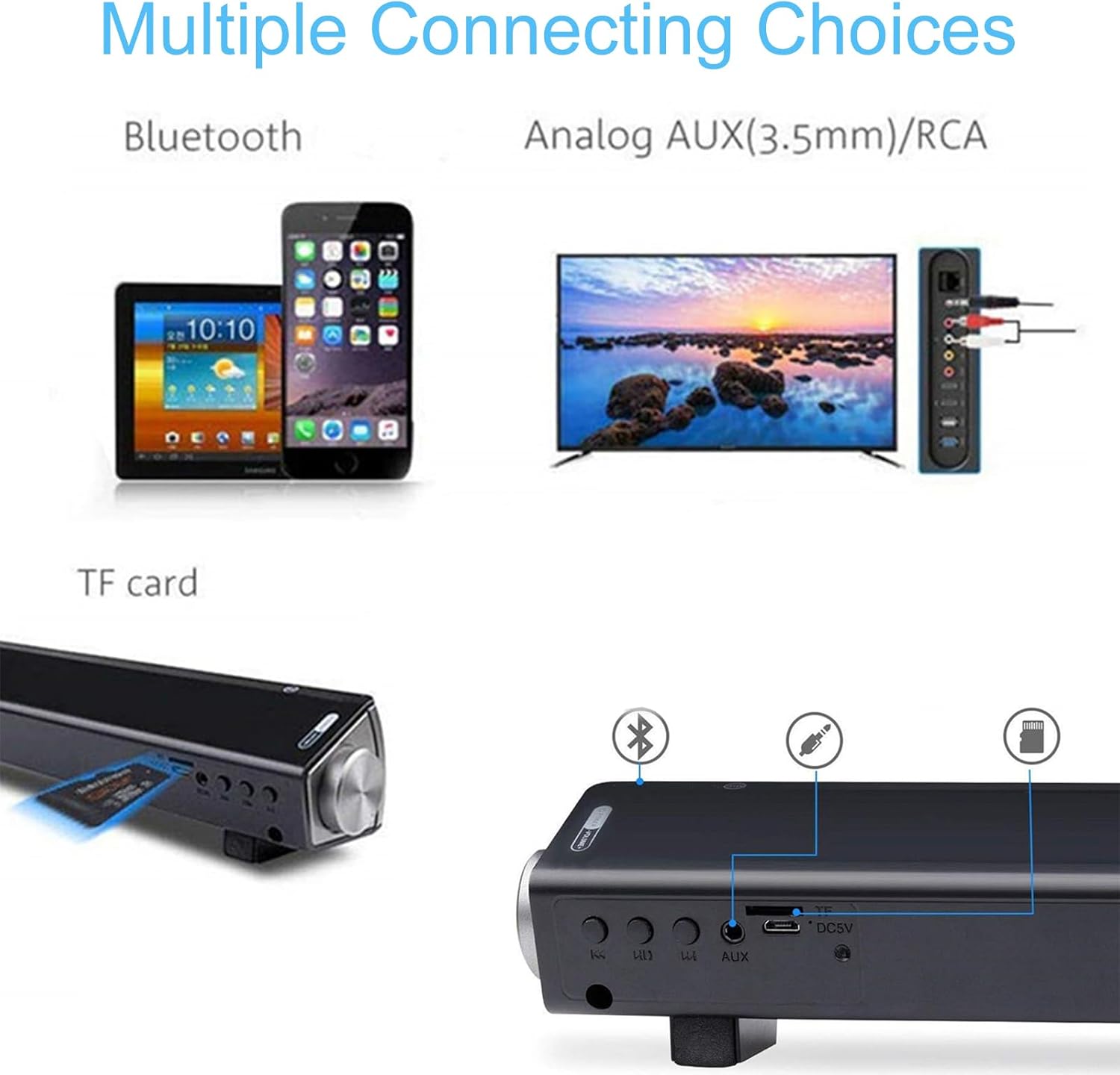
- 3.5mm AUX Input: Connect external audio devices using the 3.5mm audio cable.
- TF Card Slot: Insert a TF (MicroSD) card for direct music playback.
- DC 5V Power Input: Connect the USB charging cable for power and charging.
4. Setup
4.1 Initial Charging
Before first use, ensure the wireless speaker is fully charged. Connect the provided USB cable to the DC 5V Power Input on the speaker and the other end to a USB power adapter (not included) or a computer's USB port. The LED indicator will show charging status.
4.2 Powering On/Off
To power on the speaker, press and hold the Volume knob. To power off, press and hold the Volume knob again.
5. Operating Modes
The TOPROAD Bluetooth Speaker supports multiple audio input modes:
5.1 Bluetooth Mode
The speaker automatically enters Bluetooth mode upon powering on. The LED indicator will flash, indicating it is ready for pairing. On your device (smartphone, tablet, PC), enable Bluetooth and search for "TOPROAD SB-A01" or similar. Select it to pair. Once connected, the LED indicator will become solid, and you can play audio wirelessly.
5.2 Audio Link Mode (AUX/RCA)
Connect the speaker to your audio source (e.g., projector, PC, TV) using the provided 3.5mm audio cable or RCA cable. The speaker will automatically detect the connection and switch to Audio Link mode. You can then play music from your connected device.
5.3 TF Card Mode
Insert a TF (MicroSD) card containing audio files into the TF Card Slot. The speaker will automatically switch to TF Card Play mode and begin playing the audio files. (Note: TF card is not included).
5.4 USB-DAC Mode
Connect the speaker to your computer or laptop via the USB cable. Most modern computers will recognize the speaker as an audio output device. Select the speaker as your default audio output in your computer's sound settings to play audio directly through the USB connection.
6. Basic Operation
6.1 Volume Adjustment
Adjust the volume using the rotary knob on the speaker or the volume controls on your connected device. It is recommended to increase the volume on your device first, then fine-tune with the speaker's knob.
6.2 Music Playback
Use the Play/Pause, Previous, and Next buttons on the speaker or the remote control to manage your audio playback.
6.3 Hands-Free Calling
When connected via Bluetooth to a smartphone, the built-in microphone allows for hands-free calls. Press the Play/Pause/Call button to answer or end a call.
7. Maintenance
To ensure the longevity and optimal performance of your speaker, follow these maintenance guidelines:
- Clean the speaker with a soft, dry cloth. Do not use abrasive cleaners or solvents.
- Keep the speaker away from water, moisture, and extreme temperatures.
- Avoid dropping the speaker or subjecting it to strong impacts.
- Store the speaker in a cool, dry place when not in use for extended periods.
8. Troubleshooting
If you encounter issues with your speaker, please refer to the following common problems and solutions:
| Problem | Possible Cause | Solution |
|---|---|---|
| No power | Battery is depleted. | Charge the speaker using the provided USB cable. |
| No sound or low volume | Volume on speaker or connected device is too low. Incorrect input mode selected. | Increase volume on both the speaker and your connected device. Ensure the correct input mode (Bluetooth, AUX, TF Card, USB-DAC) is active. |
| Bluetooth pairing fails | Speaker is not in pairing mode. Device is too far from speaker. Interference. | Ensure speaker is in Bluetooth pairing mode (flashing LED). Move device closer to speaker. Turn off other Bluetooth devices to reduce interference. |
| Remote control not working | Battery in remote is depleted or incorrectly inserted. Obstruction between remote and speaker. | Check and replace the remote control battery. Ensure no objects are blocking the line of sight between the remote and the speaker's sensor. |
9. Specifications
| Model Name | Bluetooth Speaker (SB-A01 / SOUNDBAR LP-S08) |
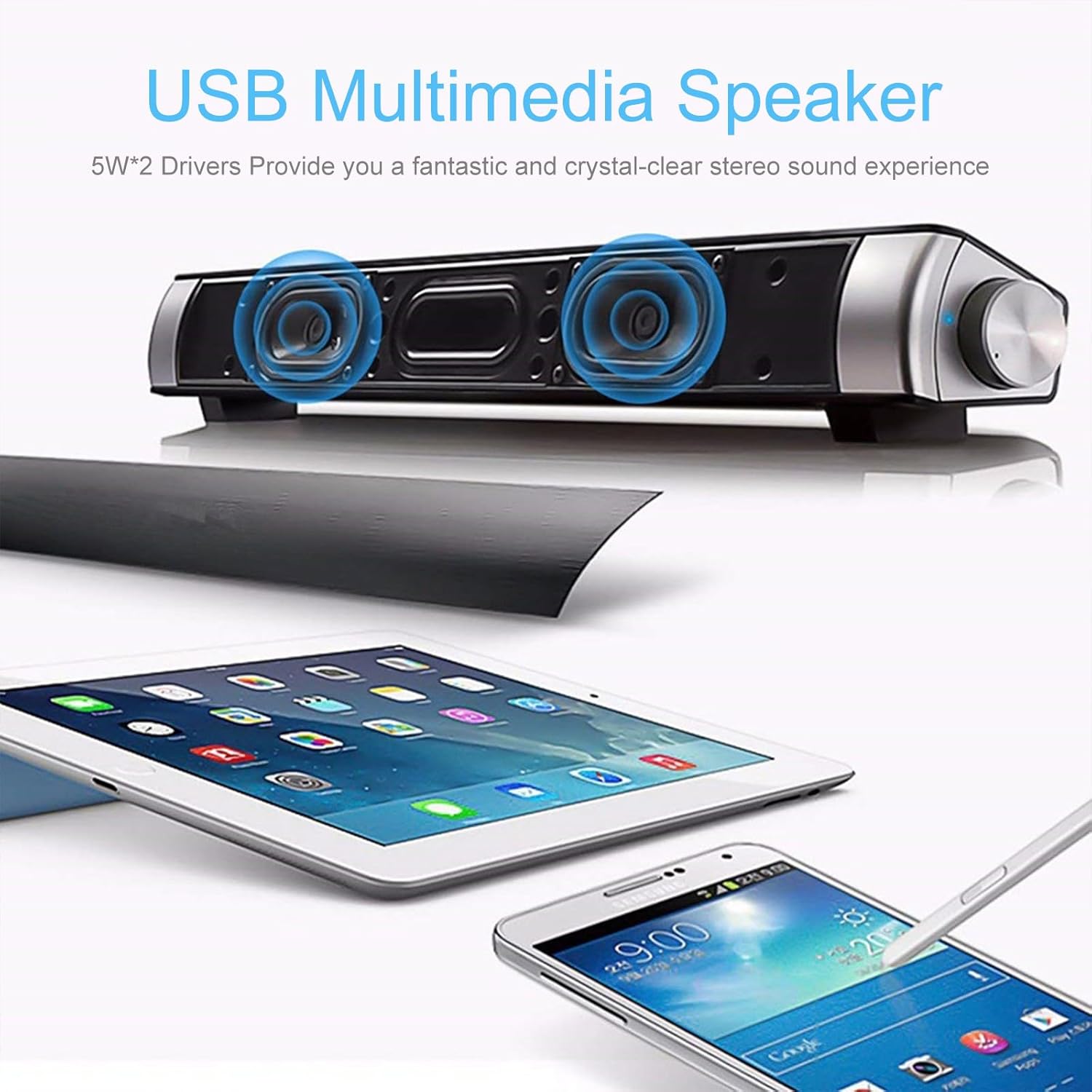
| Output Power | 10 Watts (5W*2) |
| Speaker Unit Size | 4 Ohm (40 Millimeters) |
| Battery | 3.7V 2000mAh Lithium Ion (included) |
| Power Supply | DC 5V |
| Frequency Response | 100Hz-18kHz |
| Product Dimensions (L x W x H) | 15.7" x 2.25" x 2.1" (40cm x 5.7cm x 5.3cm) |
| Item Weight | 1.1 lbs (500 Grams) |
| Bluetooth Version | 5.0 |
| Bluetooth Range | Up to 10 meters (33 feet) |
| Signal-to-Noise Ratio | 102 dB |
| Control Method | Manual Knob, Remote Control |
| Connectivity Technology | Bluetooth, AUX Line-in (3.5mm), RCA, USB, TF Card |
| Compatible Devices | Smartphones, Tablets, PCs, Laptops, Projectors, Televisions |
| Material | Plastic |
| Water Resistance Level | Not Water Resistant |
10. Warranty and Support
10.1 Limited Warranty
The TOPROAD Bluetooth Speaker comes with a limited warranty. Please refer to the product packaging or your purchase documentation for specific warranty terms and conditions. This warranty typically covers manufacturing defects under normal use.
10.2 Customer Support
For technical assistance, troubleshooting beyond this manual, or warranty claims, please contact TOPROAD customer support through the retailer where the product was purchased or refer to the contact information provided on the product packaging or official TOPROAD website.