
Introduction
This manual provides detailed instructions for the proper use and maintenance of your MOESAPU F-1000S Golf Range Finder. Please read this manual thoroughly before operating the device to ensure optimal performance and longevity.
The MOESAPU F-1000S is a versatile laser rangefinder designed for golf, hunting, and other outdoor activities. It features high-precision distance measurement, slope compensation, flagpole lock with vibration, continuous scan mode, and speed measurement capabilities.

Image: The MOESAPU F-1000S Golf Range Finder, showcasing its compact design and optical components.
Setup
Package Contents
Before use, please verify that all items are present in the package:
- 1 x MOESAPU F-1000S Golf Range Finder
- 1 x Zipper Bag
- 1 x Rechargeable Lithium Battery (pre-installed)
- 1 x Lens Wiping Cloth
- 1 x Lanyard
- 1 x USB Type-C Charging Cable
- 1 x User's Manual
- 1 x Warranty Card
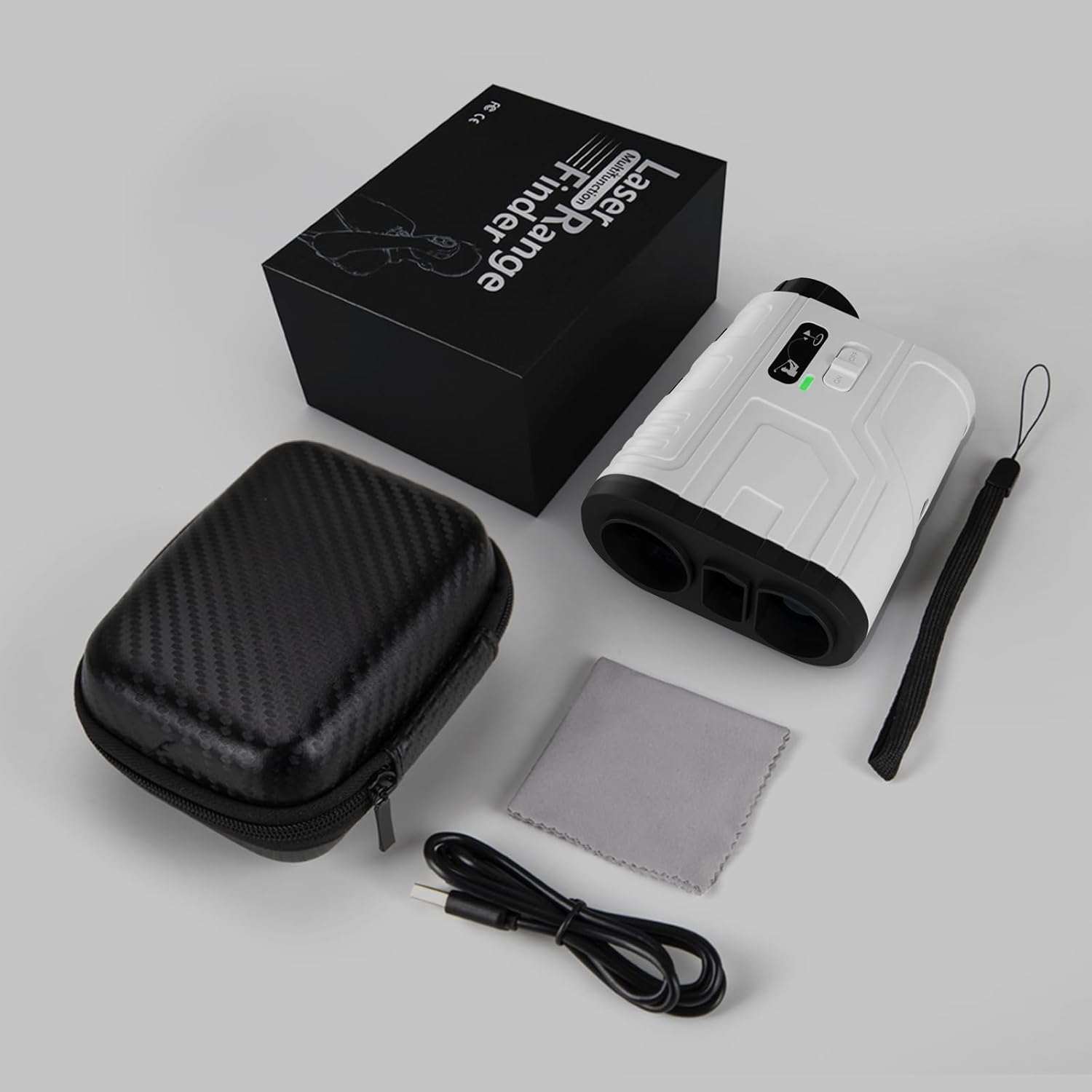
Image: All items included in the MOESAPU F-1000S Range Finder package, including the device, carrying case, charging cable, and accessories.
Charging the Battery
The device is equipped with an 800mAh rechargeable lithium battery. To charge:
- Locate the Type-C charging port on the side of the rangefinder.
- Connect the provided USB Type-C cable to the port.
- Connect the other end of the USB cable to a compatible USB power source (e.g., computer, wall adapter).
- A charging indicator light will illuminate. The light will change color or turn off when charging is complete.
A full charge provides approximately 10,000 measurements.
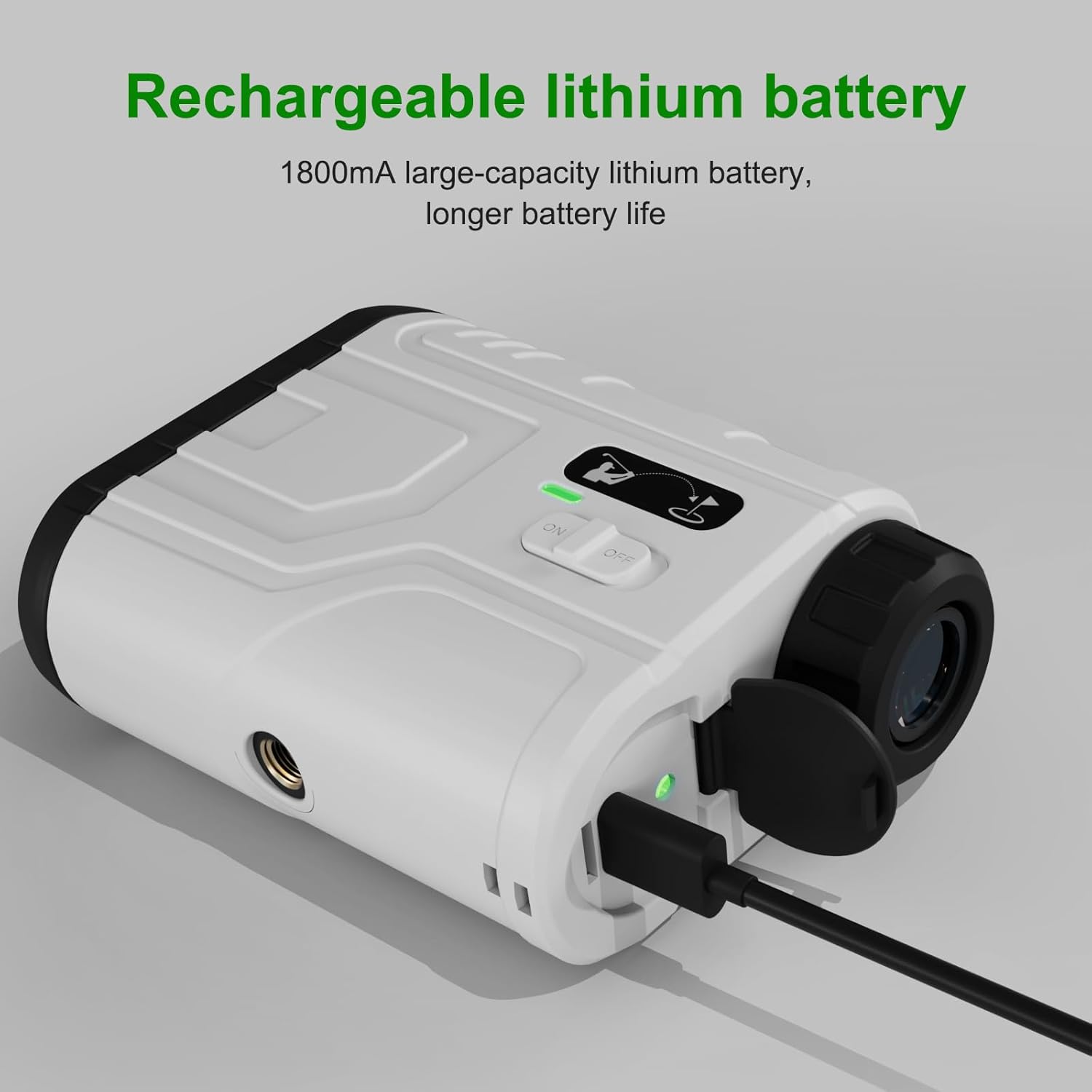
Image: The MOESAPU F-1000S Range Finder connected to a USB-C charging cable, showing the charging port and indicator light.
Adjusting Focus
To ensure a clear view of your target, adjust the eyepiece focus:
- Rotate the focus ring on the eyepiece clockwise or counter-clockwise.
- Adjust until the target image appears sharp and clear.
- This adjustment can accommodate users with myopia or presbyopia, even when wearing glasses.

Image: An exploded view diagram illustrating the internal components of the eyepiece and how to rotate the focus ring for clear vision.
Operating Instructions
Powering On/Off
- To power on, press the Power button.
- The rangefinder will automatically shut down after 8 seconds of inactivity to conserve battery power. Press the Power button again to reactivate.
Mode Selection
The F-1000S offers multiple measurement modes:

Image: The rangefinder displaying icons for Slope, Speed, Flag, and Scanning modes, indicating its multi-functional capabilities.
- Distance Mode: Press the Power button to measure the distance to a target. The rangefinder provides accuracy of ±1 yard for distances up to 1200 yards.
- Slope Compensation Mode (Golf Ballistic Compensation): This mode calculates the adjusted distance based on elevation changes.
- Flagpole Lock with Vibration: When targeting a flagpole, the device will automatically identify and lock onto the closest flag within 5 to 250 yards. Upon successful lock, the rangefinder will vibrate and display the measurement.
- Continuous Scan Mode: Hold down the Power button to activate continuous scanning. This allows for scanning multiple targets or obstacles to obtain various distance readings.
- Speed Measurement Mode: Aim the crosshair at a moving object and press the Power button. The instrument will track the object and display its speed.

Image: Visual representations of the rangefinder's viewfinder in Distance, Speed, and Continuous Scan modes, showing how measurements are displayed.
Using the Slope Switch (Tournament Legal)
The F-1000S features a physical dip switch to enable or disable slope compensation, making it compliant with tournament rules when slope is off.
- To enable slope compensation: Toggle the switch to the left. A green indicator light will be visible, confirming that the slope function is active.
- To disable slope compensation: Toggle the switch to the right. A red indicator light will be visible, confirming that the slope function is inactive. In this state, only direct line-of-sight distance will be displayed, making the device tournament legal.

Image: A close-up of the rangefinder's physical slope switch, indicating the 'ON' (green) and 'OFF' (red) positions for tournament compliance.

Image: An illustration demonstrating how slope compensation affects distance readings and the flagpole lock feature with vibration feedback.
Maintenance
Cleaning
- Use the provided lens wiping cloth to gently clean the optical lenses. Avoid using abrasive materials or harsh chemicals.
- For the device body, wipe with a soft, damp cloth. Do not immerse the device in water.
Storage
- Store the rangefinder in its protective zipper bag when not in use.
- Keep the device in a cool, dry place, away from direct sunlight and extreme temperatures.
Troubleshooting
- Device not powering on: Ensure the battery is charged. Connect the device to a power source using the USB-C cable and allow it to charge.
- Inaccurate readings: Ensure the lenses are clean and free from obstructions. Verify that the focus is properly adjusted. Environmental factors like heavy fog or rain can affect accuracy.
- Difficulty locking onto target: Ensure the target is within the specified range for the mode being used (e.g., 5-250 yards for flagpole lock). Steady your hand or use a stable surface.
- No vibration feedback: Check if the flagpole lock feature is active and if the target is a flagpole within the appropriate range.
Specifications
| Feature | Detail |
|---|---|
| Model Number | F-1000S |
| Measurement Range | 5 - 1200 Yards |
| Accuracy | ±1 Yard (within 300M), ±1 Yard (outside 300M) |
| Magnification | 6x |
| Battery Type | Rechargeable Lithium Ion (800mAh) |
| Charging Port | USB Type-C |
| Automatic Shut-off | 8 seconds of inactivity |
| Dimensions | 10.67 x 7.37 x 3.99 cm (4.2 x 2.9 x 1.57 inches) |
| Weight | 299 g (0.66 lbs) |
| Material | ABS |
| Water Resistance | Waterproof |

Image: The compact size of the MOESAPU F-1000S Range Finder, with its dimensions (96mm x 75mm x 39mm) illustrated for reference.
Warranty Information
The MOESAPU F-1000S Golf Range Finder comes with a 12-month warranty covering product defects. For any manufacturing defects or customer dissatisfaction, please refer to the support section for assistance.
Additionally, a 30-day return policy is available via Amazon for eligible purchases.
Customer Support
For any questions, technical assistance, or warranty claims, please contact customer support. When reaching out, please provide your order number and a clear description of your inquiry.
- Email support is available with a 24-hour reply time.
Refer to the warranty card included in your package for specific contact details or visit the MOESAPU official support channels.