
Introduction
This manual provides instructions for the AULCMEET RM-D657 replacement remote control. Designed for ease of use, this remote offers full functionality for various LG TV models without requiring complex programming.
Setup
1. Battery Installation
To begin using your RM-D657 remote control, you must first install the batteries.
- Locate the battery compartment cover on the back of the remote control.
- Slide the cover downwards or press the latch to open it.
- Insert two (2) AA batteries, ensuring the positive (+) and negative (-) terminals align correctly with the markings inside the compartment.
- Replace the battery compartment cover until it clicks securely into place.
Note: This remote control is designed to work immediately after battery installation. No additional programming or setup is required for compatible LG TV models.
Operating Instructions
The RM-D657 remote control utilizes infrared (IR) technology to communicate with your LG TV. Ensure there is a clear line of sight between the remote's emitter and the TV's IR receiver for optimal performance.
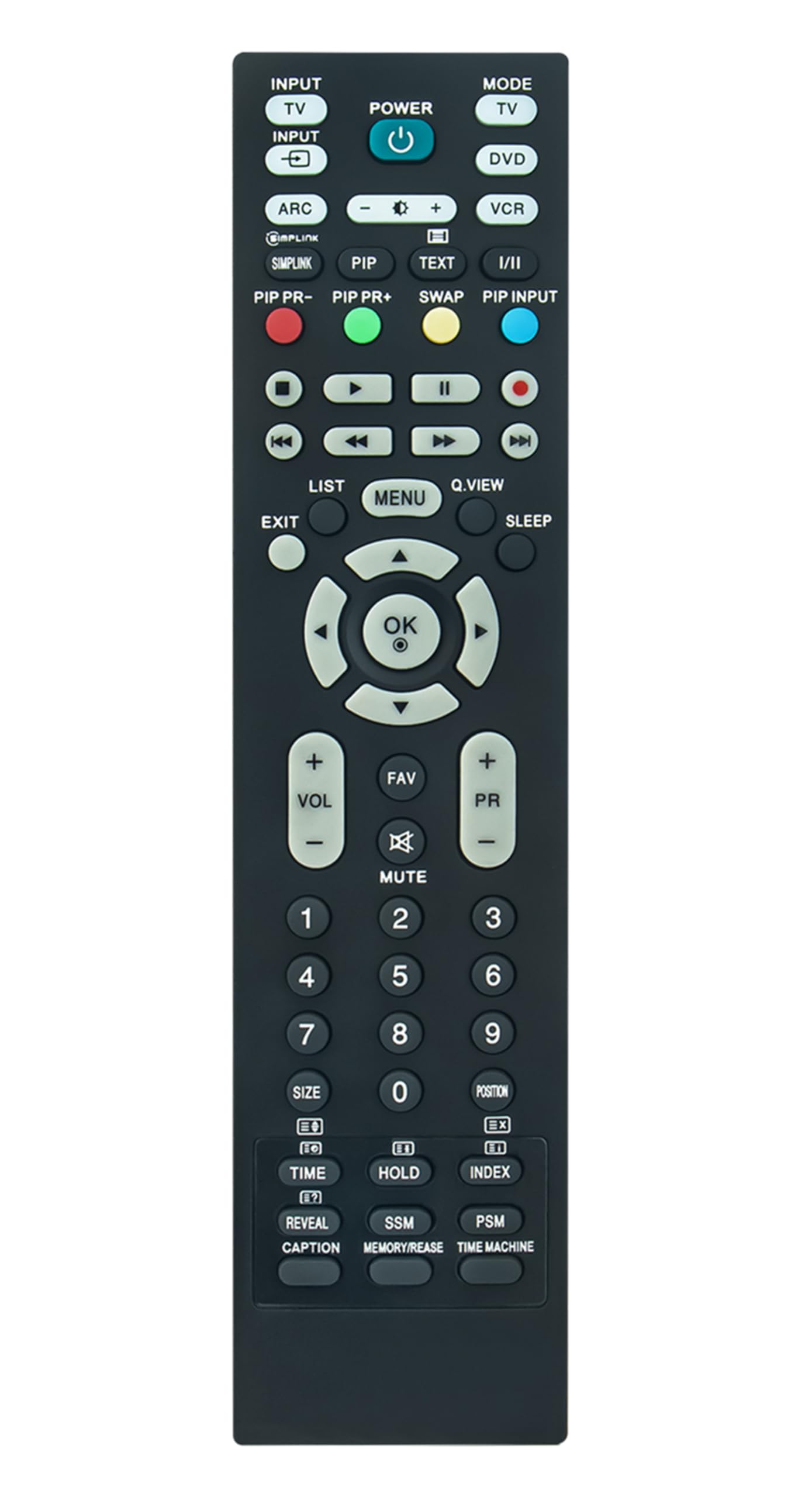
Image: A user operating the remote control to interact with a television.
Basic Functions:
- Power Button: Turns the TV on or off.
- Volume Up/Down: Adjusts the audio level.
- Channel Up/Down: Changes TV channels.
- Number Buttons (0-9): Directly input channel numbers.
- Navigation Pad (Up/Down/Left/Right/OK): Used to navigate menus and select options.
- Menu/Settings: Accesses the TV's main menu or settings.
- Input/Source: Switches between different input sources (HDMI, AV, etc.).
The maximum effective range for this remote control is approximately 33 feet (10 meters).
Maintenance
Cleaning the Remote:
To clean your remote control, gently wipe it with a soft, dry cloth. For stubborn dirt, slightly dampen the cloth with water or a mild, non-abrasive cleaner. Avoid using harsh chemicals or excessive moisture, as this can damage the remote's internal components.
Battery Replacement:
When the remote control's performance degrades or it stops responding, it is likely time to replace the batteries. Follow the battery installation steps outlined in the "Setup" section. Always replace both batteries at the same time with new AA batteries.
Troubleshooting
- Remote not responding:
- Check if the batteries are inserted correctly with the correct polarity.
- Replace old batteries with new AA batteries.
- Ensure there are no obstructions between the remote and the TV's IR receiver.
- Verify that the remote is pointed directly at the TV.
- Limited range or intermittent response:
- Ensure batteries are fresh.
- Remove any objects that might be blocking the signal path.
- Avoid strong light sources (like direct sunlight) that can interfere with IR signals.
- Certain buttons not working:
- This remote is a direct replacement and should function without programming. If specific buttons do not work, ensure your TV model is listed as compatible.
- Clean the remote control, as dirt or debris might be affecting button contacts.
Specifications
| Brand | AULCMEET |
| Model Number | RM-D657 |
| Compatible Devices | LG Televisions (Specific models listed in title) |
| Connectivity Technology | Infrared (IR) |
| Battery Type | 2 x AA Batteries |
| Maximum Range | 33 Feet (10 meters) |
| Special Feature | Ergonomic design |
| Item Weight | 3 Ounces |
| Dimensions (L x W x H) | 5"L x 1"W x 0.5"H |
Warranty and Support
The AULCMEET RM-D657 remote control comes with a 1-year warranty from the date of purchase. This warranty covers manufacturing defects under normal use.
For technical support or warranty claims, please contact your retailer or the manufacturer directly. Keep your purchase receipt as proof of purchase.