
1. Introduction
This manual provides comprehensive instructions for the RadioMaster R86C V2 6CH 2.4GHz SBUS Nano Receiver. This receiver is designed for remote control applications, offering reliable signal reception and compatibility with various protocols. Please read this manual thoroughly before operating the device.
The RadioMaster R86C V2 receiver supports 6 PWM channels and 8 SBUS channels. It operates on a 2.4GHz frequency range and is compatible with FrSky D8, FrSky D16, and Futaba SFHSS signal formats. It also features RSSI output for signal strength monitoring.
2. Product Overview
The RadioMaster R86C V2 is a compact and lightweight receiver designed for various RC models. It features a 'KEY' button for binding, an 'LED' indicator for status, and clearly labeled channel outputs.
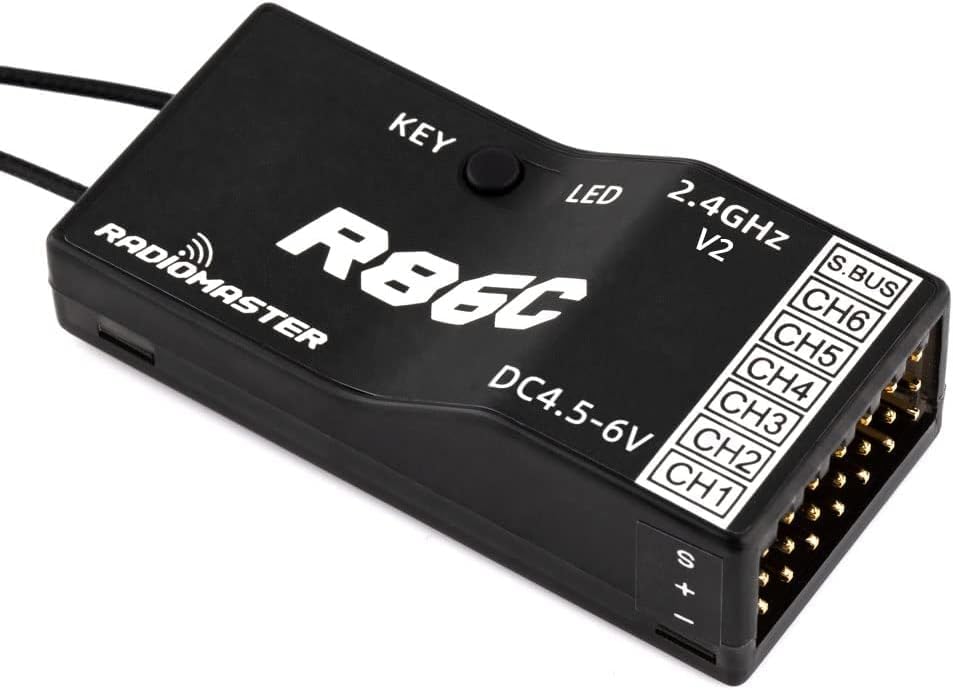
Front view of the RadioMaster R86C V2 receiver, showing the 'KEY' button, 'LED' indicator, '2.4GHz V2' label, 'DC4.5-6V' power input, and channel outputs (S.BUS, CH6-CH1).

Top-down view of the RadioMaster R86C V2 receiver, highlighting the 'KEY' button, 'LED' indicator, '2.4GHz V2' label, 'DC4.5-6V' power input, and clearly labeled channel outputs (S.BUS, CH6-CH1).

Angled view of the RadioMaster R86C V2 receiver, providing a clear perspective of the connection pins for S.BUS and channels 1-6, along with the power input section.
3. Setup and Binding
Follow these steps to bind your RadioMaster R86C V2 receiver to your compatible remote control:
- Initiate Bind Mode: Press and hold the BIND button on the receiver. While holding the button, connect power to the receiver. After approximately 3 seconds, the receiver's LED will turn RED, indicating it is in bind mode.
- Bind with Remote Control: On your remote control, select the appropriate protocol (e.g., D8, D16, or SFHSS) from its multi-protocol menu. Then, select and activate the [BIND] option. The red light on the receiver will flash, confirming a successful bind.
- Complete Binding: Exit bind mode on your remote control. Disconnect power from the receiver, then reconnect power. The LED on the receiver should now be solid RED, indicating that the binding process is complete. If the LED does not turn solid RED, repeat steps 1 and 2.
4. Operating Instructions
4.1 Fail-safe Protection
Fail-safe settings are crucial for safe operation. Configure them as follows:
- Set Fail-safe Values: Within 10 seconds of powering on the receiver, press the BIND button once. The receiver will save all current channel values from your remote control as the fail-safe values.
- Prevent Accidental Changes: After 10 seconds from power-on, the BIND button's function for setting fail-safe will be disabled. This prevents unintended changes to fail-safe settings during model preparation for flight.
4.2 RSSI Output
The RadioMaster R86C V2 receiver provides RSSI (Received Signal Strength Indication) output. This receiver has a total of 9 channels: 8 standard control channels and one dedicated RSSI output channel.
- Channels 1-8 are controlled by the remote controller.
- The 9th channel outputs the signal strength (RSSI) value from the receiver itself. This value can be read by a flight controller and transmitted to an OSD (On-Screen Display) device to show real-time signal strength during flight.
5. Specifications
Detailed technical specifications for the RadioMaster R86C V2 6CH Receiver:

Image illustrating the dimensions of the RadioMaster R86C V2 receiver, showing a length of 45mm, width of 21.2mm, and height of 12.7mm.

The RadioMaster R86C V2 receiver placed on a digital scale, displaying a weight of 8.00 grams.
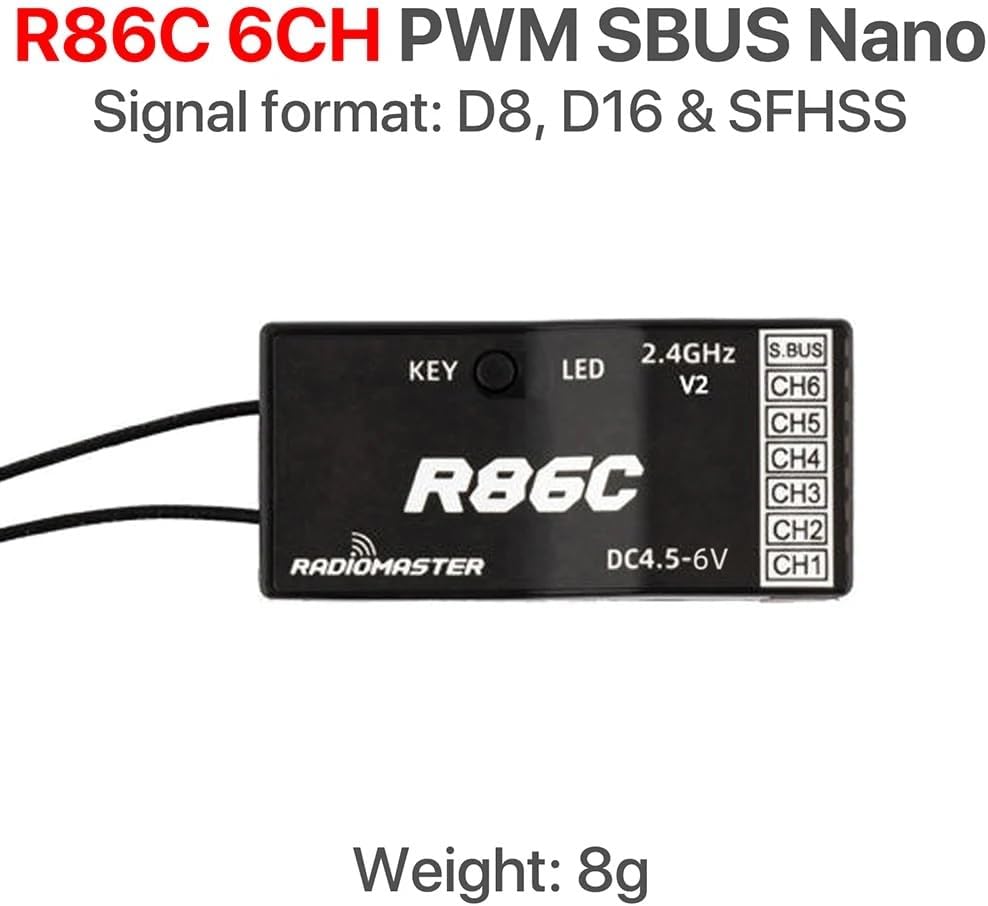
Diagram showing the RadioMaster R86C V2 receiver with its key features: 6-channel PWM, SBUS output, and compatibility with D8, D16, and SFHSS signal formats.
| Feature | Description |
|---|---|
| Channels | 6 channels (PWM), 8 channels (SBUS) |
| Frequency Range | 2400-2483.5Mhz |
| Power Input Range | 4.5-6V |
| Signal Format | D8, D16 & SFHSS Compatible |
| Output Format | PWM / SBUS |
| Control Distance | More than 1km |
| Antenna Length | 15 cm |
| Size | 45 x 21.2 x 12.7 mm |
| Weight | 8 grams |
6. Troubleshooting
6.1 Binding Issues
If you encounter difficulties binding the receiver to your transmitter:
- Verify Protocol: Ensure that the correct signal format (D8, D16, or SFHSS) is selected on your remote control, matching the receiver's compatibility.
- Power Cycle: Ensure the receiver is properly power-cycled after initiating bind mode and after completing the bind process.
- Distance: During binding, keep the receiver and transmitter in close proximity (e.g., within 1 meter).
- Interference: Minimize potential sources of 2.4GHz interference during the binding process.
- Transmitter Compatibility: Confirm your transmitter's module or internal RF supports the D8, D16, or SFHSS protocols. Some older or specific Futaba transmitters might not be fully compatible despite supporting SFHSS.
7. Maintenance
To ensure the longevity and optimal performance of your RadioMaster R86C V2 receiver, follow these general maintenance guidelines:
- Keep Dry: Protect the receiver from moisture and humidity. Water damage can lead to malfunction.
- Avoid Extreme Temperatures: Do not expose the receiver to excessively high or low temperatures.
- Clean Gently: If cleaning is necessary, use a soft, dry cloth. Avoid using solvents or harsh chemicals.
- Secure Mounting: Ensure the receiver is securely mounted in your model to prevent vibrations or impacts from damaging internal components.
- Antenna Placement: Position the antennas away from carbon fiber, metal, or other conductive materials that can shield the signal. Ensure they are oriented for optimal signal reception.
8. Support
For further assistance or technical support, please refer to the official RadioMaster website or contact your retailer. No specific warranty information is provided in this manual.


