
1. Product Overview
The Digiroot Universal Stylus Pen is designed for precise interaction with various touchscreen devices. It features an LED power display, fast charging capabilities, and magnetic adsorption for convenient storage.
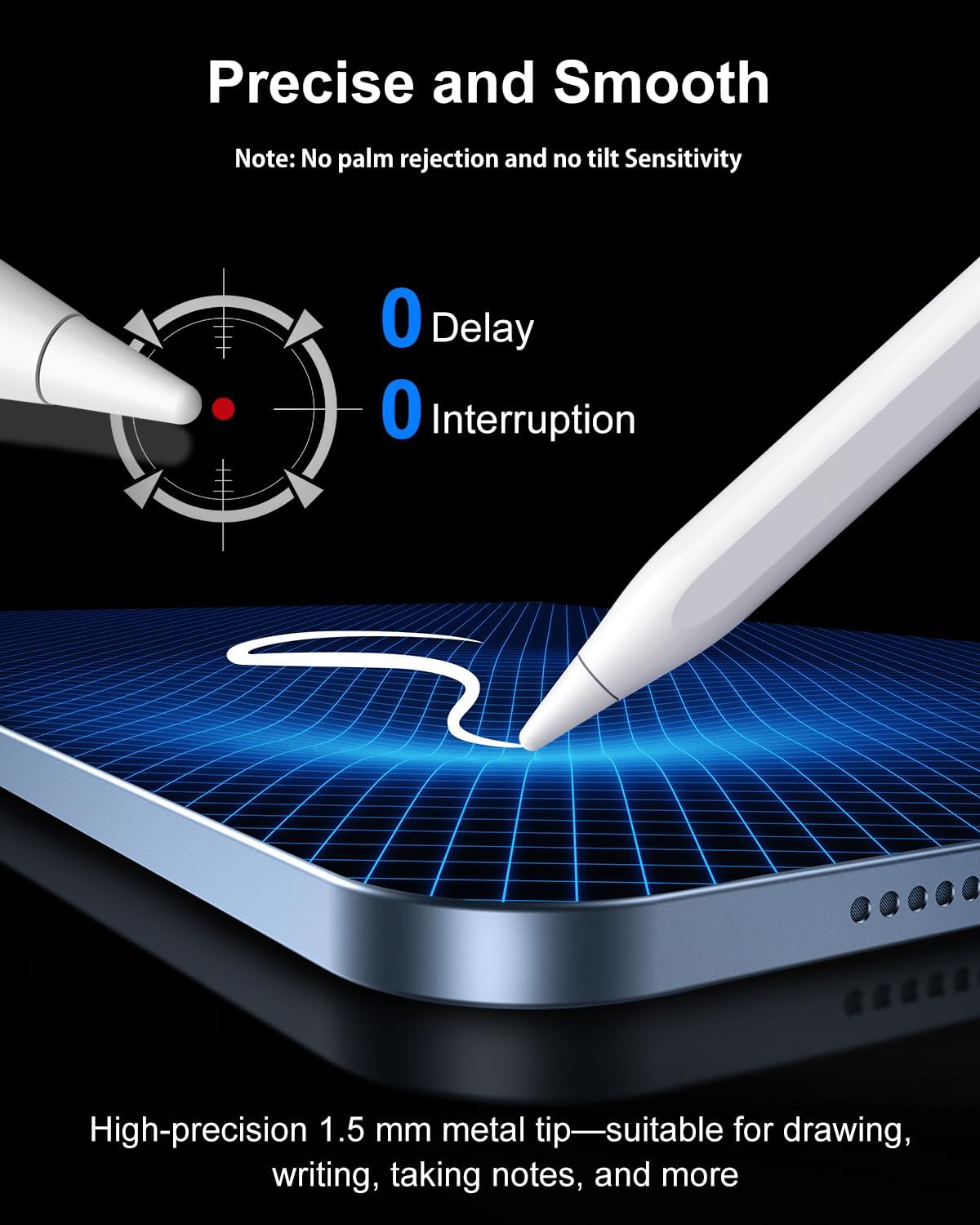
Image: The Digiroot Universal Stylus Pen, shown with its packaging and three replacement tips.
Package Contents:
- 1 x Universal Stylus Pen
- 3 x Replaceable Pen Tips
- 1 x Type-C Data Cable
- 1 x Dust Cover
2. Setup and Charging
2.1 Charging the Stylus Pen
Before initial use, fully charge the stylus pen. The pen features an LED digital display that shows the remaining battery life.
- Connect the provided Type-C data cable to the charging port on the stylus pen.
- Connect the other end of the cable to a compatible USB power source.
- A full charge takes approximately 15 minutes, providing up to 10 hours of use.
- The LED display will indicate charging status and battery percentage.

Image: The stylus pen connected to a USB-C charging cable, illustrating the fast charging feature and battery life.
2.2 Powering On/Off
The stylus pen supports one-click operation and does not require Bluetooth pairing.
- To turn on: Press the button located on the side of the pen. The LED display will illuminate.
- To turn off: Press the button again.
- The pen will automatically shut down after 5 minutes of inactivity to conserve battery.

Image: A hand demonstrating how to press the power button on the stylus. The image also shows the three replaceable tips and instructions for tip removal and installation.
2.3 Replacing Pen Tips
The stylus comes with three replaceable POM tips for extended use.
- To remove: Gently turn the existing pen tip counterclockwise until it detaches.
- To install: Align a new tip and turn it clockwise until it is securely fastened.
2.4 Magnetic Adsorption
The stylus can be magnetically attached to compatible devices for easy storage and portability.

Image: The stylus pen shown magnetically adhering to the side of a tablet, demonstrating its convenient storage feature.
Note: Magnetic adsorption is only compatible with devices that have magnetic interfaces. This stylus does not support wireless charging.
3. Operating Instructions
3.1 Device Compatibility
The Digiroot Universal Stylus Pen is compatible with a wide range of touchscreen devices.
- Compatible Devices: iPhone (XR, XS, XS Max, 11, 12, 13, 14, 15, 16, 17, SE), Samsung Galaxy (S9, S10, S20, S21, S22, S23, S24, S25, S26, A14, A15, A24, A25, A26, A34, A35, A36, A52, A53, A54, A55, A56), Motorola (G Stylus, G Power, Edge 50, Edge 70 Pro, Razr Ultra), Nintendo Switch, Switch 2, and other Android/HarmonyOS smartphones and tablets.
- Not Compatible With: iPad, Microsoft Surface devices, Amazon Fire, Kindle, Chromebook, or Samsung EMR screens.

Image: The stylus pen positioned among a variety of compatible devices, including smartphones, tablets, and a Nintendo Switch, illustrating its universal compatibility.
3.2 Precision and Responsiveness
The 1.2 mm POM tip provides pixel-level accuracy for writing and drawing.
- Experience high responsiveness with no breakpoints or delays.
- Suitable for writing small text, drawing fine lines, and general navigation.
Note: This stylus does not support palm rejection or pressure sensitivity.
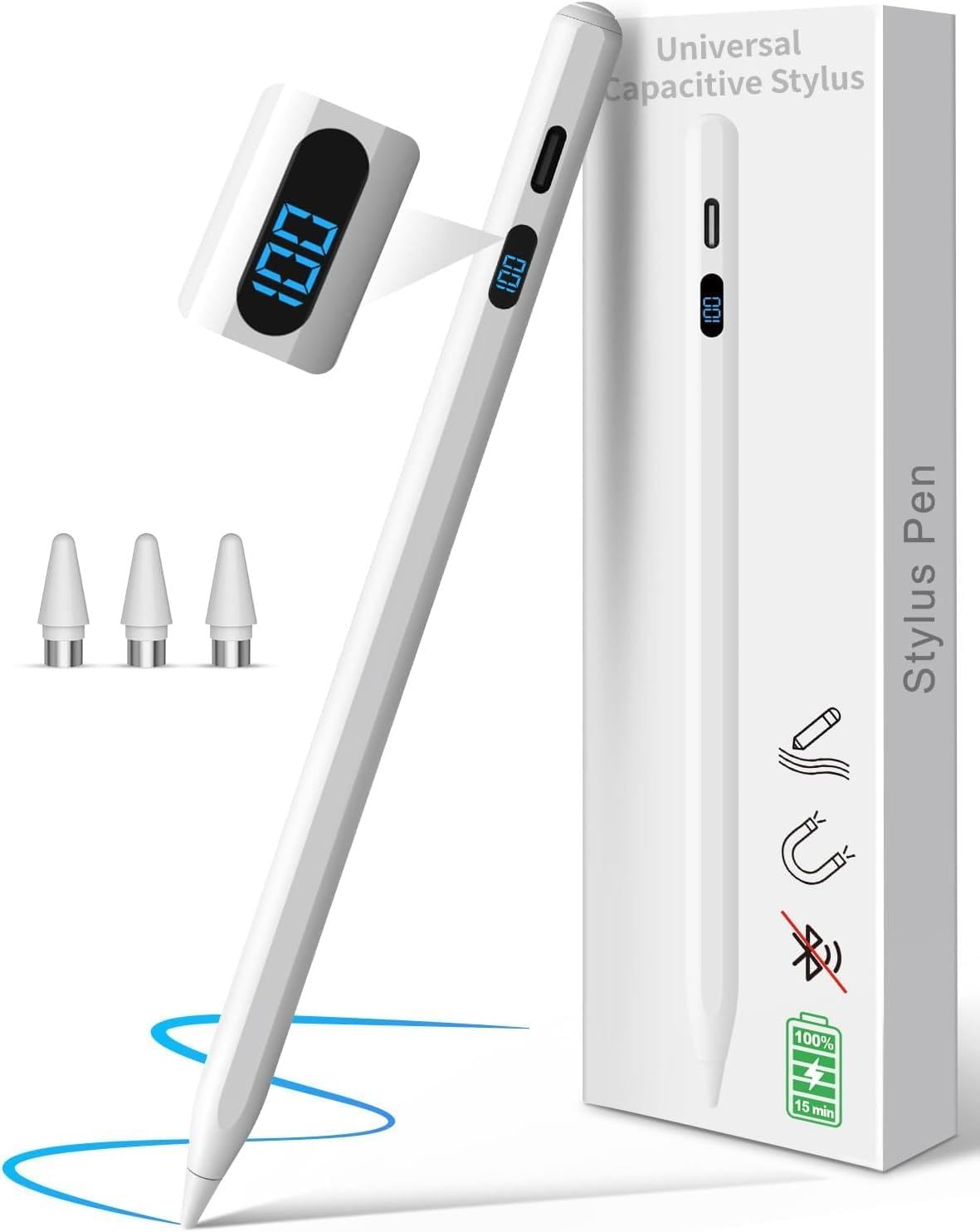
Image: The stylus pen drawing a smooth line on a tablet screen, highlighting its precision and lack of delay or interruption.
3.3 General Usage
The stylus can be used for various tasks across compatible devices.

Image: A collage of four scenarios demonstrating the stylus in use: writing on a smartphone, playing a game on a Nintendo Switch, working on a tablet, and drawing on a smartphone.
Watch this video for a demonstration of the Digiroot Stylus Pen in action:
Video: An official product video from Digiroot-US demonstrating the features and usage of the stylus pen with various devices.
4. Maintenance
4.1 Cleaning
- Use a soft, dry cloth to clean the body of the stylus pen.
- For the pen tip, gently wipe with a lint-free cloth. Avoid using harsh chemicals or abrasive materials.
4.2 Tip Care
- Inspect the pen tip regularly for wear and tear.
- Replace the tip if it becomes damaged or less responsive to maintain optimal performance. Refer to section 2.3 for tip replacement instructions.
5. Troubleshooting
5.1 Stylus Not Responding
- Check Battery: Ensure the stylus pen is sufficiently charged. Refer to the LED display for battery level.
- Power On: Confirm the pen is turned on by pressing the power button.
- Device Compatibility: Verify that your device is listed as compatible in section 3.1.
- Screen Condition: Ensure your device's screen is clean and free of debris.
- Restart Device: Sometimes, restarting your touchscreen device can resolve connectivity issues.
5.2 Charging Issues
- Cable Check: Ensure the Type-C data cable is securely connected to both the pen and the power source.
- Power Source: Try a different USB power adapter or port.
- Cable Damage: Inspect the charging cable for any signs of damage. Use the original cable or a certified replacement.
6. Specifications
| Feature | Detail |
|---|---|
| Brand | DIGIROOT |
| Model Number (ASIN) | B0GSDX3LVM |
| Color | White |
| Material | Aluminum |
| Item Dimensions (L x W x H) | 7.1 x 3.2 x 0.7 inches |
| Battery Type | 1 Nonstandard Battery (included) |
| Charging Time | Approx. 15 minutes for 10 hours use |
| Automatic Shutdown | After 5 minutes of inactivity |
| Tip Material | POM (1.2 mm) |
7. Warranty and Support
7.1 Warranty Information
This Digiroot Stylus Pen comes with a 1-year warranty from the date of purchase. Please retain your proof of purchase for warranty claims.
7.2 Customer Support
For further assistance, technical support, or warranty inquiries, please contact Digiroot customer service through the retailer's platform or visit the official Digiroot website.

