
Introduction
This manual provides detailed instructions for the installation, operation, and maintenance of your IMSTAM Fitcamx 2K Dual Cam 64GB Dash Cam. Please read this manual thoroughly before using the product to ensure correct usage and optimal performance. This dash cam is designed to record driving footage, providing security and evidence in case of incidents.
Product Overview and Features
The IMSTAM Fitcamx Dash Cam is a high-resolution vehicle recording device designed for seamless integration and reliable performance. Key features include:
- 2K Front and 1080P Rear Recording: Captures high-definition video from both front and rear perspectives.
- 64GB Memory Card Included: Provides ample storage for recorded footage.
- Advanced Chipset & Lens: Equipped with a Novatek chip and f/1.6 large aperture lens for enhanced image quality.
- CMOS Sensor: Improves image performance in various lighting conditions.
- Superior Night Vision: Wide Dynamic Range (WDR) technology ensures clear recordings even in low-light environments.
- Loop Recording: Automatically overwrites the oldest footage when the memory card is full, ensuring continuous recording.
- G-Sensor: Detects sudden collisions and automatically saves and locks relevant footage to prevent overwriting.
- Wi-Fi & App Connectivity: Allows for easy access, download, and management of recordings via a smartphone application.
- Integrated Design: Designed to blend with the vehicle's interior, mimicking the original rearview mirror cover.
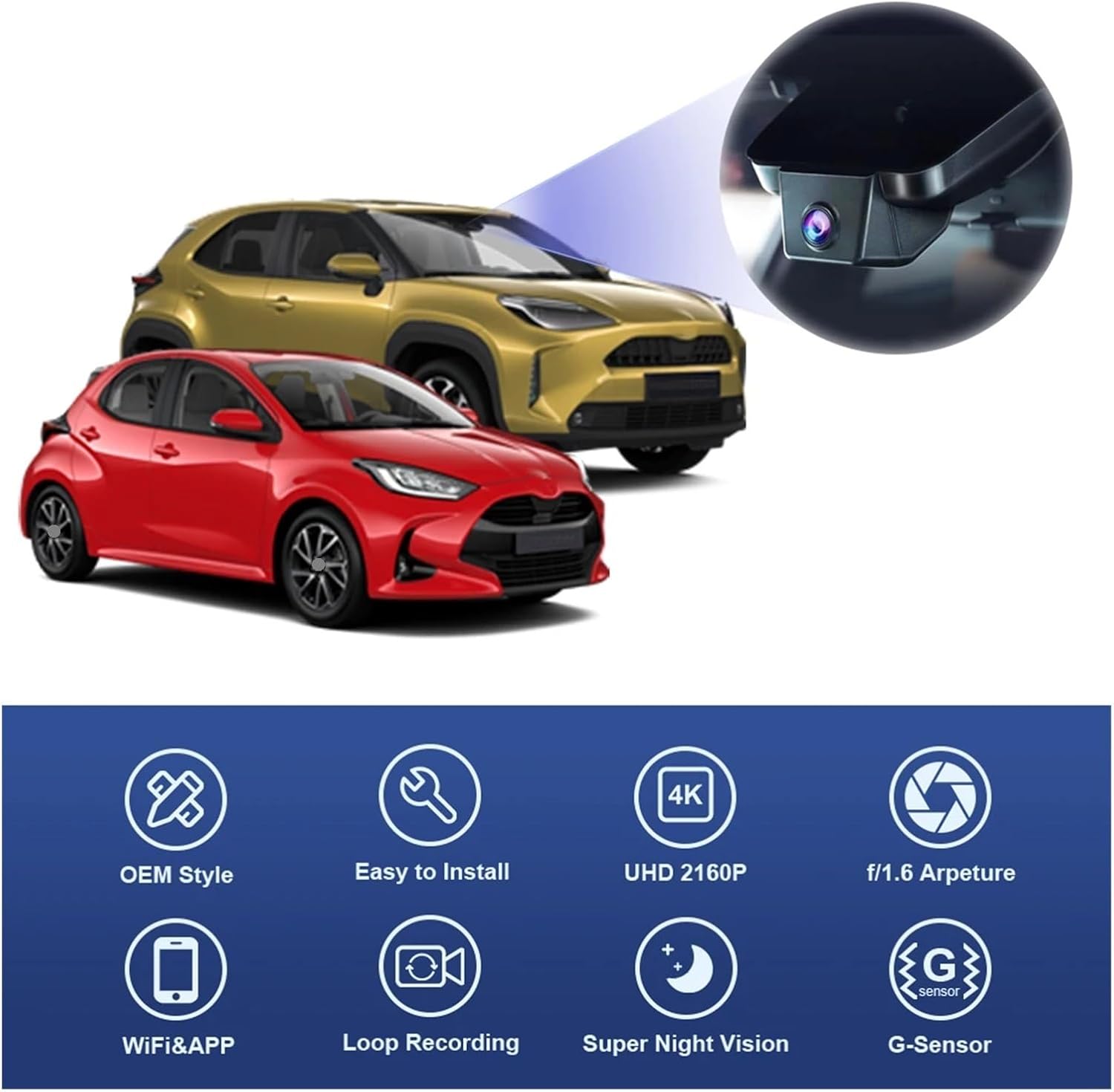
Image: Key features of the Fitcamx Dash Cam.
Package Contents
Verify that all items are present in the package:
- 1 × Dash Cam Unit (2K Dual Cam)
- 1 × Memory Card (64GB)
- 1 × Front Cam Cable
- 1 × Removal Pry Tool
- 1 × User Manual
- 1 × 1080P 360° Rotation Rear Camera (for Dual Cam models, mounts on rear windshield or faces cabin)
Compatibility
This dash cam is compatible with the following vehicle models:
- Toyota Yaris 4th Gen (XP210) 2020-2023
- Toyota Yaris Cross 4th Gen (XP210) 2020-2023
- Toyota Yaris Hybrid 4th Gen (XP210) 2020-2023
Note: This product is not compatible with Toyota YARiS GR models.
Setup and Installation
The Fitcamx Dash Cam is designed for a plug-and-play installation, integrating seamlessly with your vehicle's existing components. It draws power from the ACC sensor. The default cable provided is for plug-and-play installation. If a fuse box cable or OBD cable is required, please contact customer support.
Follow these steps for installation:
- Push forward to remove front cover: Gently push the original front cover of the rearview mirror assembly forward to detach it.
- Remove the back cover: Carefully remove the original back cover from the rearview mirror assembly.
- Transfer orange clips: Transfer any orange clips from the original cover to the new dash cam unit.
- Unplug the A.C.C. connector: Locate and unplug the A.C.C. power connector from the vehicle's wiring.
- Connect the Y cable: Connect the provided Y-cable to the A.C.C. connector and the dash cam.
- Push backward to mount the front cover: Align the dash cam unit and push it backward to secure the front cover.
- Mount the back cover: Attach the new back cover to the dash cam unit, ensuring it clicks into place.
- Installation done: Verify that the dash cam is securely mounted and powered on.

Image: Installation Tutorial Steps.

Image: Before and After Installation View.
Operating Instructions
Power On/Off
The dash cam powers on automatically when the vehicle's ignition is turned on and powers off when the ignition is turned off.
Recording
Upon powering on, the dash cam will automatically begin recording. Footage is saved to the installed memory card.
Loop Recording
When the memory card reaches its full capacity, the dash cam will automatically overwrite the oldest unlocked video files to continue recording. This ensures continuous operation without manual intervention.
G-Sensor (Emergency Recording)
The built-in G-Sensor detects sudden impacts or collisions. When triggered, it automatically locks the current video segment, preventing it from being overwritten by loop recording. These locked files are stored in a separate folder on the memory card.
Wi-Fi and Mobile App Usage
To access, download, edit, and share your dash cam footage, connect your smartphone to the dash cam via Wi-Fi using the dedicated mobile application.
- Wi-Fi Connection: Download the official Fitcamx app from your smartphone's app store. Turn on the dash cam and enable Wi-Fi on your phone. Connect to the dash cam's Wi-Fi network (SSID and password typically found in the manual or on the device).
- Download Video: Once connected, open the app to browse recorded videos. Select desired clips and download them to your phone's gallery.
- Preview Video: Stream live footage or review recorded videos directly through the app.
- Edit Video: The app may offer basic editing functions such as trimming or cropping video segments.
- Share Video: Share downloaded or edited videos directly from the app to social media or other platforms.

Image: Mobile App Interface for Wi-Fi Connection and Video Management.
Maintenance
- Clean the Lens: Regularly clean the dash cam lens with a soft, lint-free cloth to ensure clear video quality. Avoid abrasive materials.
- Format Memory Card: It is recommended to format the memory card periodically (e.g., once a month) to maintain optimal performance and prevent data corruption. Back up important files before formatting.
- Firmware Updates: Check the manufacturer's website or app for available firmware updates to ensure your dash cam has the latest features and bug fixes.
- Operating Temperature: Avoid exposing the dash cam to extreme temperatures for extended periods, as this can affect battery life and component longevity.
Troubleshooting
| Problem | Possible Cause / Solution |
|---|---|
| Dash cam does not power on. |
|
| Recording stops or freezes. |
|
| Poor video quality. |
|
| Wi-Fi connection issues. |
|
| G-Sensor not triggering or too sensitive. |
|
Specifications
| Model Name | LI1984921 |
| Brand | IMSTAM |
| Video Capture Resolution | 2K (Front), 1080p (Rear) |
| Connectivity Technology | USB, Wi-Fi |
| Mounting Type | Adhesive Mount (Integrated) |
| Optical Sensor Technology | CMOS |
| Item Weight | 50 Grams (1.76 ounces) |
| Color | Black |
| Included Components | Dash Cam, Memory Card, Front Cam Cable, Removal Pry Tool, User Manual, Rear Camera |
Warranty and Support
For warranty information, technical support, or service inquiries, please refer to the contact details provided with your purchase documentation or visit the official IMSTAM website. Keep your purchase receipt as proof of purchase for warranty claims.