
findtime FMSD3306
findtime Women’s Digital Watch
User Manual
Introduction
Thank you for choosing the findtime Women’s Digital Watch. This versatile timepiece combines analog and digital displays with a robust design, making it suitable for both daily wear and outdoor activities. It features a durable TPU strap, Japanese movement, and multiple functions including alarm, stopwatch, LED backlight, and dual time display. This manual provides detailed instructions to help you set up, operate, and maintain your watch.

Product Overview: A detailed front view of the findtime Women's Digital Watch in black, showcasing its analog and digital displays, multiple buttons, and sporty design.
Watch Components
Familiarize yourself with the buttons and display areas of your findtime watch.
- MODE Button: Cycles through different modes (Time, Alarm, Stopwatch, Date).
- LIGHT Button: Activates the LED backlight.
- START Button: Used to start/stop functions in Stopwatch mode, and adjust settings in setting modes.
- RESET Button: Used to reset functions in Stopwatch mode, and select items in setting modes.
- Analog Display: Traditional hour and minute hands.
- Digital Display: Shows time, date, and other digital functions.

Watch in Environment: The findtime watch displayed on a sandy surface, highlighting its suitability for outdoor and casual settings.
Setup: Setting Time and Date
To ensure accurate timekeeping, follow these steps to set the time and date on your watch.
- Entering Time Setting Mode:
From the normal time display, press the MODE button repeatedly until the seconds start flashing on the digital display. This indicates you are in the time setting mode.
- Adjusting Seconds:
Press the RESET button to reset the seconds to 00. If the current seconds are between 30 and 59, pressing RESET will reset them to 00 and add one minute to the current time.
- Moving to Next Setting:
Press the START button to move the flashing selection to the next setting item (e.g., Hours, Minutes, Year, Month, Day, 12/24H format).
- Adjusting Values:
While an item is flashing, press the RESET button to increase its value. Hold RESET to rapidly advance the value.
- Setting 12/24 Hour Format:
When the 12/24H indicator is flashing, press RESET to toggle between 12-hour (with AM/PM indicator) and 24-hour (military time) formats.
- Exiting Setting Mode:
Once all settings are adjusted, press the MODE button to return to the normal time display. The flashing will stop.
Operating Functions
Your findtime watch is equipped with several useful functions. Navigate through them using the MODE button.
1. Alarm Function
The alarm can be set to sound at a specific time daily.
- Press MODE until "AL" or the alarm time appears on the digital display.
- Press START to select the hour or minute to set (the selected value will flash).
- Press RESET to adjust the flashing value.
- Press MODE to exit alarm setting mode.
- To turn the alarm ON/OFF, in alarm mode, press RESET to toggle the alarm symbol (bell icon) on or off.
2. Stopwatch Function
Use the stopwatch to measure elapsed time.
- Press MODE until "ST" or "STOP" appears on the digital display. The stopwatch will show 00:00:00.
- Press START to begin timing.
- Press START again to pause timing.
- Press RESET to clear the stopwatch to 00:00:00.
- To resume timing after pausing, press START.
3. Hourly Chime
The hourly chime sounds a short beep every hour on the hour.
- In normal time display mode, press MODE twice to enter the alarm setting mode.
- Press RESET to toggle the hourly chime ON/OFF. Look for a small icon (often a bell or speaker) to indicate its status.
4. LED Backlight
The LED backlight illuminates the digital display for easy viewing in low light conditions.
- Press the LIGHT button (usually on the top left) to activate the backlight. It will stay on for a few seconds.
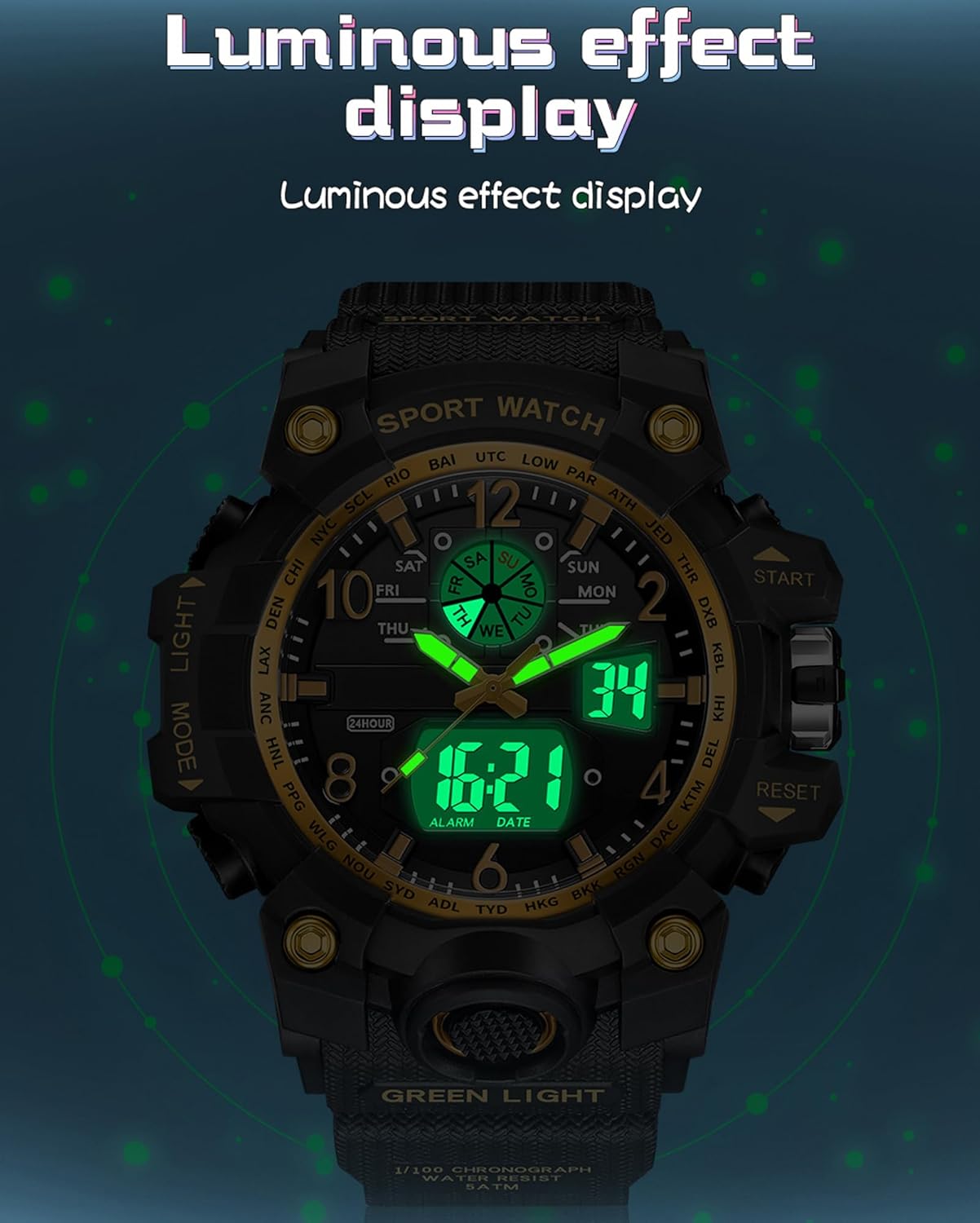
Luminous Display: The watch face illuminated by its LED backlight, showing the time clearly in a dark environment.

Nine Key Functions: A visual representation of the watch's main features, including week calendar, luminous display, stopwatch, waterproofing, shock resistance, alarm, dual time, hourly chime, and long-lasting battery.
Maintenance
Proper care will extend the life and maintain the performance of your findtime watch.
- Water Resistance: Your watch is 50M waterproof, suitable for cold bath, rain, or washing hands. DO NOT use in hot water or steam. DO NOT press any buttons while the watch is submerged in water.
- Cleaning: Wipe the watch with a soft, dry cloth. For stubborn dirt, a slightly damp cloth can be used, followed by drying. Avoid harsh chemicals.
- Battery: The watch uses a Japanese original battery designed for low power consumption and long endurance. Battery replacement should ideally be performed by a professional watch repair service.
- Storage: When not in use for extended periods, store the watch in a cool, dry place away from direct sunlight and extreme temperatures.

Waterproof Feature: The watch shown with water droplets, illustrating its 50-meter water resistance for daily use.
Troubleshooting
If you encounter issues with your watch, try these common troubleshooting steps.
| Problem | Possible Cause / Solution |
|---|---|
| Difficulty setting time/alarm. |
|
| Digital display is blank or dim. |
|
| Buttons are unresponsive. |
|
| Analog hands do not match digital time. |
|

Shockproof Design: The watch's robust construction, designed to withstand impacts and provide durability for active lifestyles.
Specifications
Detailed technical specifications for your findtime Women's Digital Watch.
| Feature | Detail |
|---|---|
| Product Dimensions | 8.66 x 1.81 x 0.63 inches |
| Item Weight | 1.55 ounces |
| Model Number | FMSD3306 |
| Department | womens |
| Date First Available | July 14, 2023 |
| Manufacturer | findtime |
| Clasp Type | Buckle |
| Water Resistance | 50M (Please refer to Maintenance section for details) |
| Display Type | Digital and Analog Dual Display |
| Movement | Japanese Movement |
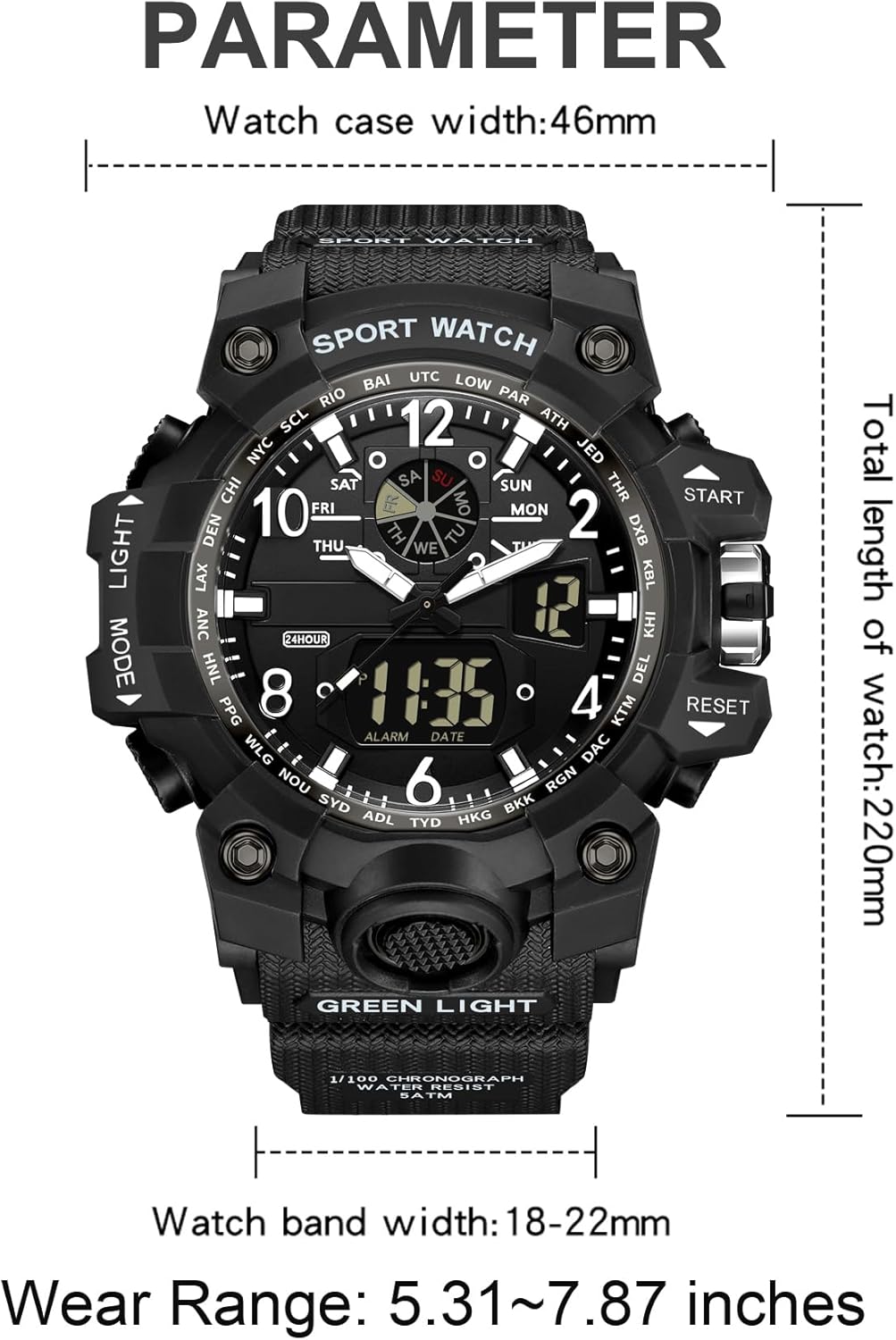
Product Dimensions: A visual guide detailing the watch's measurements, including case width, total length, band width, and recommended wear range.
Warranty and Support
Your findtime Women's Digital Watch comes with a commitment to quality and customer satisfaction.
- Warranty: We offer a 12-month warranty from the date of purchase. This warranty covers manufacturing defects and issues arising from normal use. It does not cover damage caused by misuse, accidents, unauthorized repairs, or failure to follow the instructions in this manual.
- Customer Support: If you have any questions, concerns, or require assistance with your watch, please contact our customer support team. You can typically find contact information on the seller's page where you purchased the product or through the official findtime website.
- Online Resources: For additional tips, FAQs, or product updates, please visit the official findtime brand store on Amazon: findtime Amazon Store.