
Introduction
Thank you for choosing the Nakamichi TW018ENC+ Wireless Earphones. This manual provides detailed instructions on how to set up, operate, maintain, and troubleshoot your new earphones. Please read this manual carefully before use to ensure optimal performance and longevity of your device.

Image: The Nakamichi TW018ENC+ wireless earphones, showing both earbuds and the charging case with its LED display.
Setup
1. Unboxing and Initial Charge
Upon opening the package, ensure all components are present:
- Nakamichi TW018ENC+ Wireless Earphones (Left and Right)
- Charging Case
- USB Type-C Charging Cable
- Ear Tips (S, M, L sizes)
- User Manual (this document)
Before first use, fully charge the earphones and the charging case. Place the earphones into the charging case. Connect the USB Type-C cable to the charging case and a power source. The LED display on the case will indicate the charging status and battery percentage.
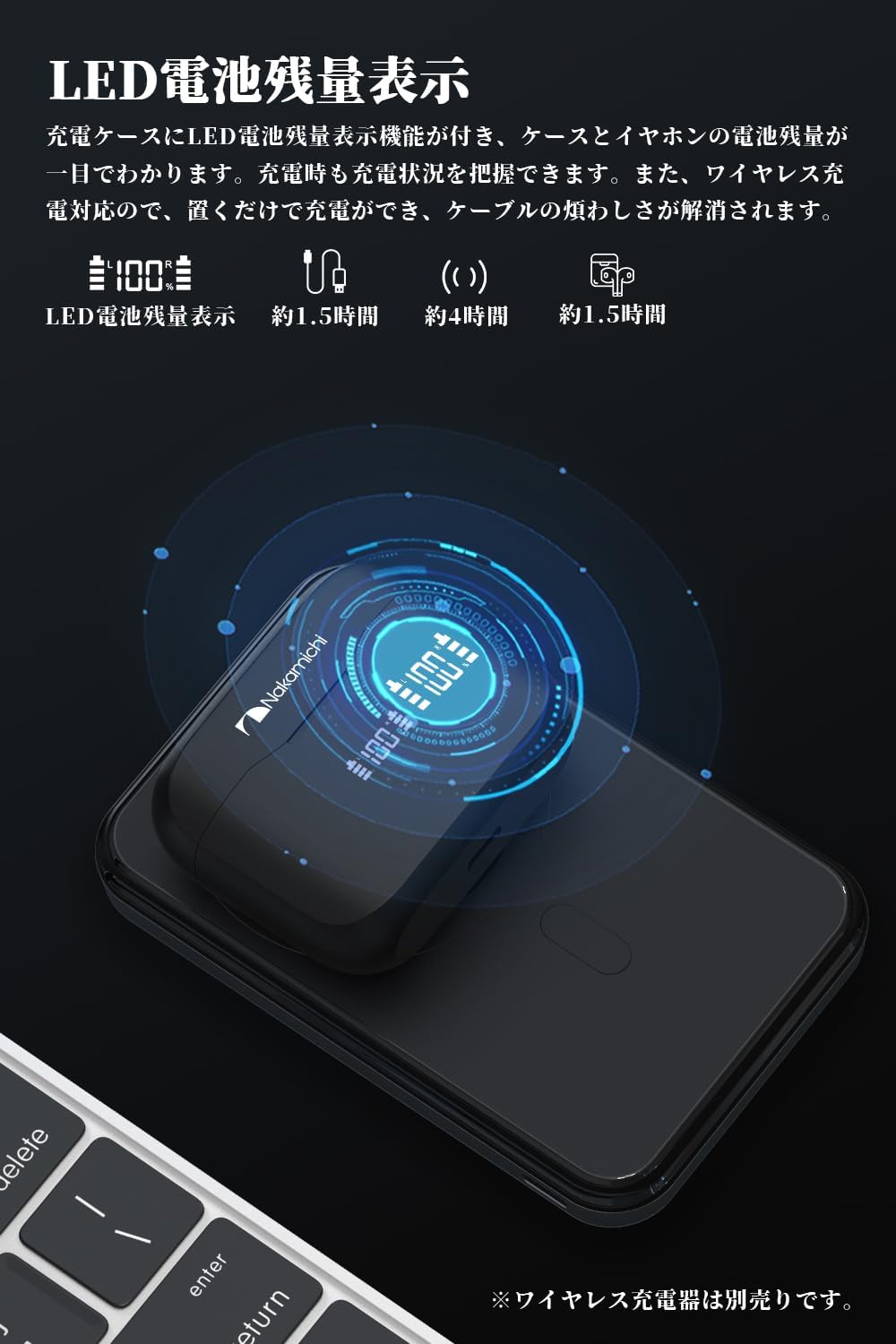
Image: The charging case displaying battery levels, illustrating both wired Type-C and wireless charging options.
2. Bluetooth Pairing
- Ensure the earphones are charged and inside the charging case.
- Open the charging case lid. The earphones will automatically enter pairing mode.
- On your device (smartphone, tablet, computer), enable Bluetooth.
- Search for available Bluetooth devices and select "Nakamichi TW018ENC+" from the list.
- Once connected, a voice prompt will confirm successful pairing.
The earphones support Bluetooth 5.3 for a stable and efficient connection.
Operating Instructions
Touch Controls
The Nakamichi TW018ENC+ earphones feature high-sensitivity touch controls on each earbud. The following actions can be performed by tapping the touch area:
| Action | Left Earbud | Right Earbud |
|---|---|---|
| Play/Pause Music | Single Tap | Single Tap |
| Next Track | Triple Tap | |
| Previous Track | Triple Tap | |
| Volume Up | Double Tap | |
| Volume Down | Double Tap | |
| Answer/End Call | Single Tap | Single Tap |
| Reject Call | Long Press (2s) | Long Press (2s) |
| Activate Voice Assistant | Long Press (2s) | Long Press (2s) |
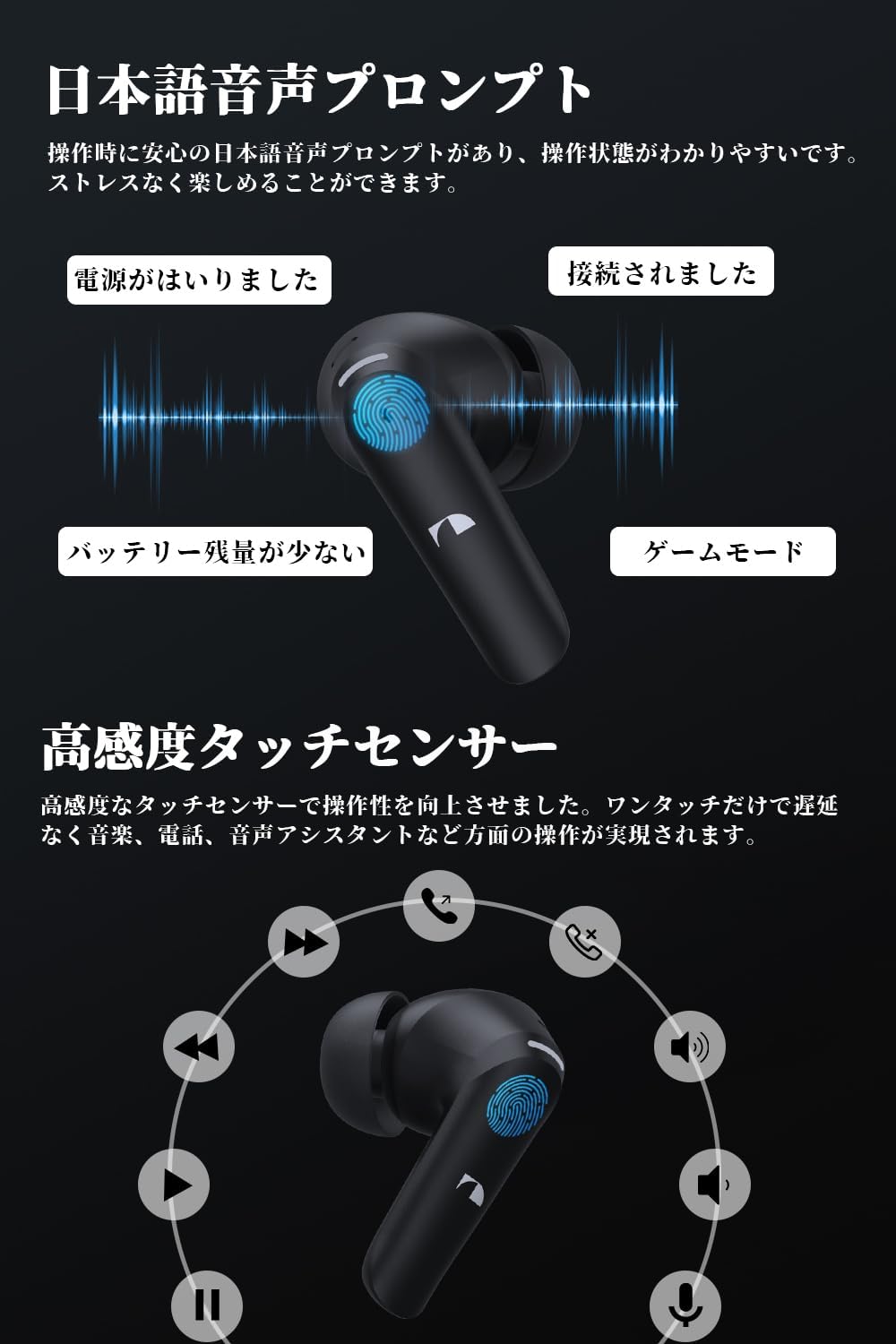
Image: Visual representation of touch control functions on the earbuds, along with examples of Japanese voice prompts.
Game Mode (Low Latency)
For an optimized gaming experience with reduced audio delay, activate Game Mode:
- Tap either the left or right earbud four times consecutively to toggle Game Mode on/off.

Image: A user enjoying a mobile racing game with the Nakamichi TW018ENC+ earphones, highlighting the low-latency game mode.
Single Earbud Mode
You can use either the left or right earbud independently for music playback or calls. Simply take one earbud out of the case, and it will automatically connect to your device if already paired.

Image: An illustration demonstrating the flexibility of using both earbuds or a single earbud for audio and calls.
ENC Noise Reduction for Calls
The earphones feature ENC (Environmental Noise Cancellation) technology to ensure clear hands-free calls by reducing ambient noise. This is particularly effective in noisy environments like public transport or cafes.
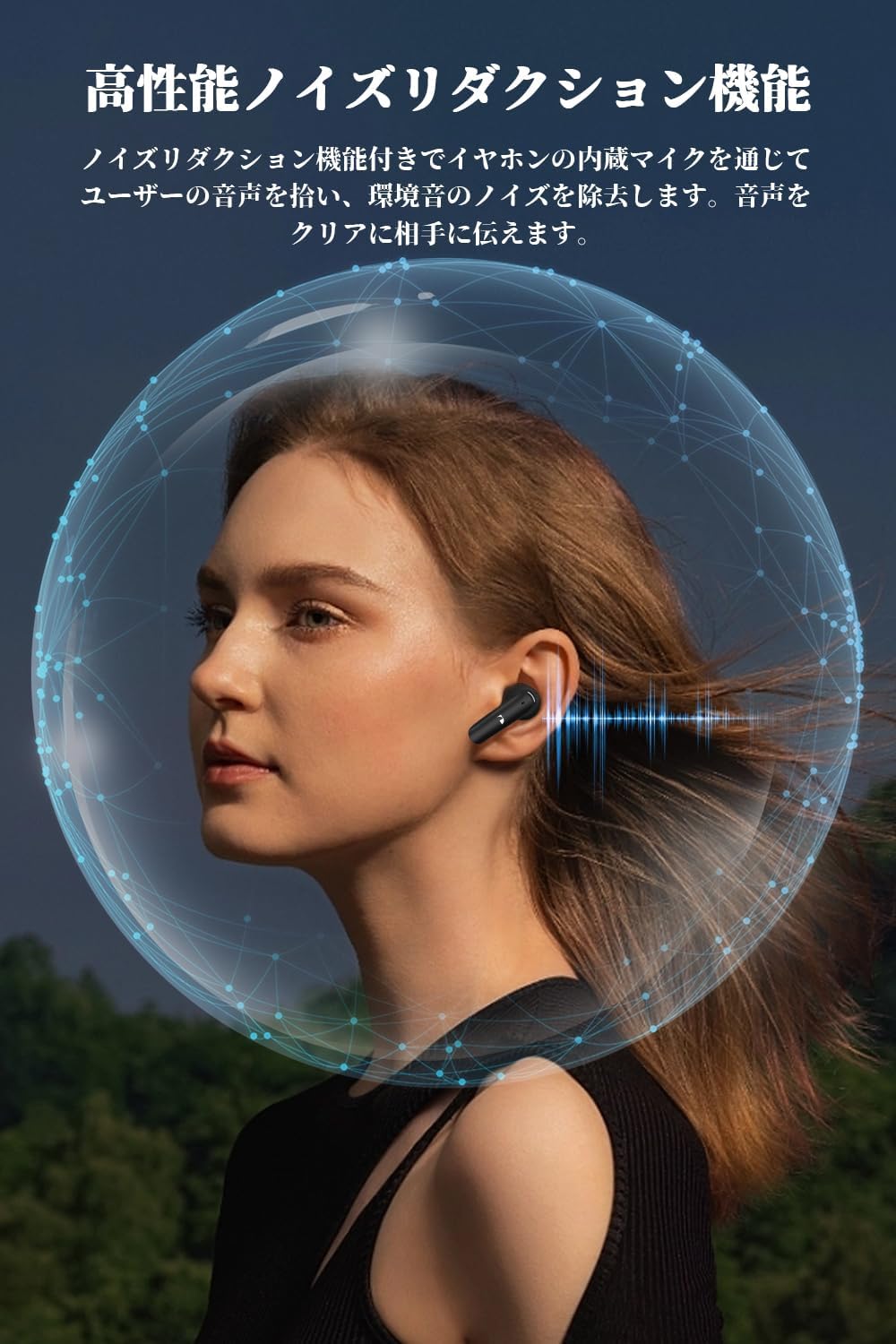
Image: A visual representation of the ENC noise reduction feature, showing a woman using the earphones with a sound-filtering sphere around her head.
Battery and Charging
The earphones provide up to 7 hours of playback on a single charge. With the charging case, the total playback time extends to approximately 35 hours.

Image: A graphic illustrating the 7-hour playback time for the earbuds and the extended 35-hour total playback with the charging case.
LED Power Display
The charging case features an LED display that clearly shows the battery percentage of the case (0-100%) and the individual charging status of the left and right earbuds. This allows you to monitor battery levels at a glance.

Image: The charging case with its LED display clearly showing the battery percentage of the case and the charging status of both earbuds.
Charging Methods
The charging case supports two charging methods:
- USB Type-C Charging: Connect the included USB Type-C cable to the charging port on the case and a power source.
- Wireless Charging: Place the charging case on a compatible wireless charging pad.
Choose the method that best suits your convenience.
Maintenance
Cleaning
- Regularly clean the earbuds and charging case with a soft, dry, lint-free cloth.
- Remove ear tips and clean them with mild soap and water, then dry thoroughly before reattaching.
- Gently clean the charging contacts on both the earbuds and inside the case to ensure proper charging.
Storage
When not in use, store the earphones in their charging case to protect them from dust and damage. Store in a cool, dry place away from extreme temperatures.
Water Resistance
The earphones are designed with a degree of water resistance. However, they are not waterproof. Avoid submerging them in water or exposing them to heavy rain. Dry them thoroughly if they get wet from sweat or light splashes.
Troubleshooting
If you encounter any issues with your Nakamichi TW018ENC+ earphones, please refer to the following common solutions:
- No Sound from One Earbud: Ensure both earbuds are fully charged. Place them back in the case, close the lid, wait a few seconds, then open the lid and try again. Re-pair the earphones with your device.
- Earphones Not Pairing: Make sure Bluetooth is enabled on your device and the earphones are in pairing mode. Turn off Bluetooth on other nearby devices that might be trying to connect. Try resetting the earphones (refer to specific reset instructions if available in a separate quick start guide, otherwise, a full charge and re-pairing often resolves this).
- Charging Issues: Ensure the charging cable is securely connected and the power source is working. Clean the charging contacts on both the earbuds and the case. If using wireless charging, ensure the case is properly aligned on the charging pad.
- Unintended Touch Control Activation: When adjusting the earphones in your ear, try to avoid touching the sensitive control area. Familiarize yourself with the correct way to handle the earbuds to prevent accidental taps.
- Volume Too High/Low: Adjust the volume directly on your connected device. If the minimum volume is still too loud, check your device's audio settings for additional volume control options.
If the problem persists after trying these steps, please contact customer support.
Specifications
| Feature | Detail |
|---|---|
| Connectivity Technology | Wireless |
| Wireless Communication Technology | Bluetooth 5.3 |
| Included Components | Instruction Manual, Charging Case, Ear Tips, USB-C Charging Cable, Wireless Earphones |
| Target Audience | Adult |
| Compatible Devices | Windows, iOS, Mac, Android |
| Control Type | Touch Control |
| Cable Feature | Cable-free |
| Water Resistance Level | Water Resistant |
| Manufacturer Model Number | TW018ENC+ |
| Package Dimensions | 13 x 11.7 x 4.2 cm; 120 g |
| Ear Placement | In-Ear |
| Headphone Form Factor | Earbuds |
| Impedance | 32 Ohms |
| Noise Control | Sound Isolation (ENC) |

Image: A detailed overview of the product specifications and a visual list of included package contents.
Warranty and Support
The Nakamichi TW018ENC+ Wireless Earphones come with a one-year warranty from the date of purchase.
In the unlikely event of any quality issues or if you require assistance with your product, please contact our customer support team. We are committed to providing sincere and dedicated support.
Contact Method:
Please use one of the following methods to reach us:
- Go to your 'Account Services' > 'Order History' > Find your order > Click on 'Seller' > 'Ask a Question'.
- Alternatively, go to 'Seller' > 'Seller Page' > Click the 'Ask a Question' button in the upper right corner.


