
1. Introduction
Thank you for choosing the Marsyu Smartwatch. This device is designed to be your personal health assistant, offering advanced monitoring features and smart functionalities to enhance your daily life. Please read this manual carefully to ensure proper use and optimal performance of your smartwatch.
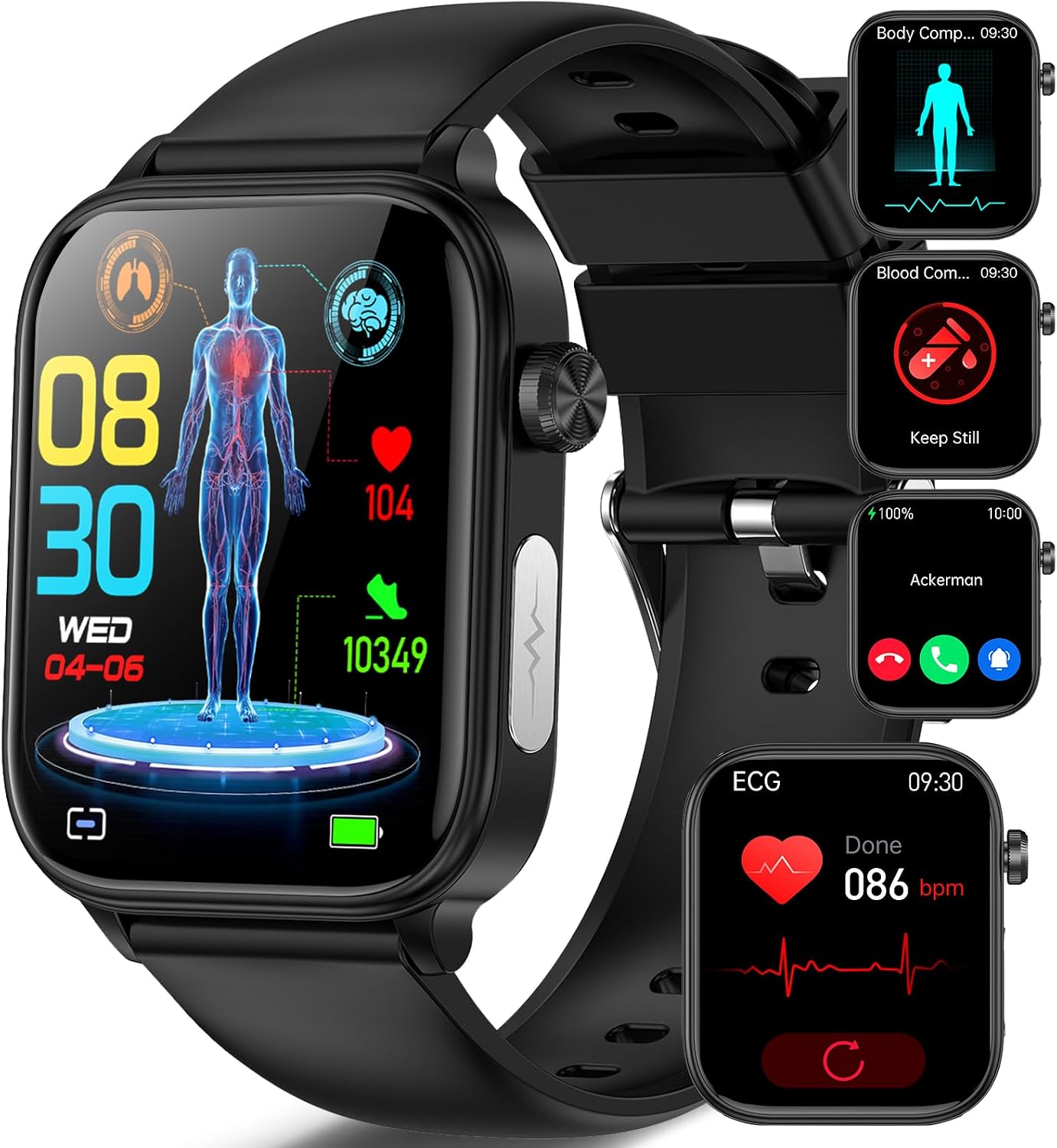
The Marsyu Smartwatch features a sleek design and a vibrant display, showing various health metrics.
2. What's in the Box
Upon opening your Marsyu Smartwatch package, you should find the following items:
- 1 x Marsyu Sport Smartwatch with Silicone Strap
- 1 x User Manual (English)
- 1 x Magnetic Charging Cable

The package includes the smartwatch, user manual, and magnetic charging cable.
3. Setup Guide
3.1 Charging the Smartwatch
Before first use, fully charge your smartwatch. Connect the magnetic charging cable to the charging points on the back of the watch and plug the USB end into a compatible USB power adapter (not included).

The smartwatch offers long-lasting battery life with quick charging.
3.2 App Download and Pairing
To unlock all features, download the 'H-Band' app on your smartphone.
- Search for "H-Band" on Google Play Store (for Android) or Apple App Store (for iOS).
- Download and install the app.
- Ensure Bluetooth is enabled on your smartphone.
- Open the H-Band app and follow the on-screen instructions to connect your device. Select the corresponding watch model (ET570) and confirm pairing.

Follow these steps to download the app and connect your smartwatch.
3.3 Proper Wearing
For accurate health monitoring, wear the smartwatch correctly. It should be snug but comfortable, positioned about 1-2 fingers' width below your wrist bone.

Ensure the watch is worn correctly for optimal performance.
4. Operating Instructions
4.1 Display and Navigation
The smartwatch features a 1.96-inch HD touchscreen. Swipe left/right or up/down to navigate through menus and features. The main button on the side typically serves as a power button, menu entry, and return to home screen.

Customize your watch face from over 200 options or use your own photos.
4.2 Health Monitoring Features
The Marsyu Smartwatch offers comprehensive health monitoring:
- ECG & HRV Monitoring: Press and hold the side ECG button for 60 seconds to perform an ECG. Detailed reports are available in the H-Band app.
- Blood Components (Uric Acid & Blood Lipids): Real-time monitoring without needle punctures. Data is saved in the app.
- Body Composition Analysis: Hold the ECG button for 30 seconds on the body composition page to measure body fat, muscle, and protein.
- Heart Rate, Blood Pressure, SpO2, Body Temperature: Continuous 24-hour monitoring. View detailed analysis in the H-Band app.
- Sleep Monitoring: Tracks sleep stages (awake, REM, light, deep) from 10 PM to 8 AM, providing a comprehensive analysis of your sleep quality.
- Health Glance Function: Quickly view multiple health metrics (heart rate, blood pressure, SpO2, body temperature) with a single click in 30 seconds.
- Fatigue Detection & Emotion Detection: Measure your fatigue level and current emotional state in 30 seconds.

Innovative ECG & PPG monitoring provides detailed heart health insights.

Monitor blood components like uric acid and blood lipids in real-time.

Measure body composition including fat, muscle, and protein.

Perform a quick physical exam to check vital signs.

Monitor your sleep patterns and quality for better rest.
4.3 Smart Functions
- Bluetooth Calls & Notifications: Connect via Bluetooth 5.0 to make/receive calls, add contacts, view call logs, and receive messages from various apps directly on your watch.
- SOS Emergency Call: Add emergency contacts in the H-Band app. In an emergency, long-press the side encoder for 3 seconds, then tap the SOS icon on the watch to call pre-set contacts.
- Music Control: Control music playback on your smartphone directly from the watch.
- Alarm: Set alarms via the H-Band app to receive vibrations on your watch.
- Sedentary Reminder: Set reminders to move after periods of inactivity.
- Weather Forecast: View current weather and forecasts.
- Calculator: Basic calculator function on the watch.
- Remote Camera: Use your watch as a remote shutter for your phone's camera.
- Find Phone: Locate your misplaced phone by making it ring.
- Period Monitoring: For female users, track menstrual cycles (requires setting gender in app).
- Games: Enjoy simple games on your smartwatch.

Stay connected with Bluetooth calls and smart notifications.

The SOS button allows for quick emergency calls to pre-set contacts.
4.4 Fitness Tracking
The smartwatch supports over 100 sports modes and tracks your activity:
- Activity Tracking: Monitors steps, distance, and calories burned using a precise gravity sensor.
- Sports Modes: Choose from various modes like running, fitness, yoga, basketball, cycling, etc., to track specific workouts.
- GPS Positioning: Enable GPS on your phone to track your route and pace during outdoor activities via the H-Band app.
- MET Monitoring: Real-time MET (Metabolic Equivalent of Task) monitoring helps you understand exercise intensity and optimize calorie consumption.

Track your fitness with over 100 sports modes and detailed activity metrics.
Official product video showcasing the 2025 New Smartwatch with ECG and other features.
5. Maintenance
5.1 Water Resistance (IP68)
The smartwatch is IP68 water and dust resistant, suitable for daily use like hand washing, sweating, and light rain. It is not suitable for immersion, hot showers, saunas, or diving. Prolonged exposure to water or high humidity may reduce its protective effect over time.

The smartwatch is IP68 rated, making it resistant to splashes and sweat.
5.2 General Care
- Clean the watch regularly with a soft, dry cloth.
- Avoid exposing the watch to extreme temperatures or direct sunlight for extended periods.
- Do not attempt to disassemble or repair the watch yourself.
6. Troubleshooting
If you encounter any issues with your Marsyu Smartwatch, please refer to the following common solutions:
| Problem | Possible Solution |
|---|---|
| Watch not turning on | Ensure the watch is fully charged. Connect to the charging cable and allow it to charge for at least 30 minutes before attempting to power on. |
| Cannot pair with phone | Ensure Bluetooth is enabled on your phone and the watch. Restart both devices. Make sure the H-Band app is updated to the latest version. Check if the watch is already paired with another device. |
| Inaccurate health data | Ensure the watch is worn correctly and snugly on your wrist. Clean the sensors on the back of the watch. Note that data is for reference only and not for medical diagnosis. |
| Notifications not received | Check app permissions for H-Band on your phone to ensure notification access is granted. Ensure the watch is connected via Bluetooth and notifications are enabled in the H-Band app settings. |
If the problem persists, please contact Marsyu customer support for assistance.
7. Specifications
| Feature | Detail |
|---|---|
| Brand | Marsyu |
| Model Name | NX13 |
| Model Number | ET570 |
| Display Size | 1.96 inches |
| Display Type | HD Touchscreen |
| Battery Life (Normal Use) | 3-7 Days |
| Battery Life (Standby) | 20+ Days |
| Charging Time | Approx. 2 Hours |
| Battery Capacity | 260 mAh (Lithium Polymer) |
| Wireless Type | Bluetooth 5.0 |
| Water Resistance | IP68 |
| Compatible Devices | Smartphones (Android/iOS) |
| Item Weight | 150 g |
8. Important Notes and Disclaimer
- This product is not a medical device. Data provided by ECG, HRV, heart rate, blood pressure, blood oxygen, and sleep monitoring are for reference only and cannot be used as a basis for diagnosis.
- The HRV function for scientific sleep monitoring must be activated via the APP and worn for more than 2.5 hours overnight. Data is for reference only and does not constitute a diagnostic basis.
- The private mode for blood composition and blood pressure can be set in "My Device" after connecting the watch via the APP.
- Women's health management requires connection to the APP, and gender must be set to female in personal data before use.
- The watch is dust and splash resistant for daily use and not suitable for immersion, hot showers, saunas, etc. The protective effect may decrease with daily wear.
- Battery life is up to 7 days (with Bluetooth calls and music playback disabled) and 2-3 days under normal use. After enabling 24-hour monitoring and message notifications, follow-up time may be reduced to 1 or 2 days.

Please read these important notes regarding the use and data accuracy of your smartwatch.
9. Warranty and Support
Marsyu provides a standard warranty for this product. For warranty details, technical support, or any inquiries, please contact Marsyu customer service through the retailer where you purchased the product or visit the official Marsyu website.
We are committed to providing users with smart portable devices that offer high playability, cost-effectiveness, and a good user experience. Based on quality and excellence, Marsyu prioritizes the customer concept and encourages users to embrace health, love life, explore nature, and stay connected with the world.


