
1. Product Overview and Compatibility
This GUPFIX back glass replacement kit is designed for the iPhone 14 Pro Max. It includes a high-quality back glass panel with pre-installed adhesive and a set of repair tools to facilitate the replacement process.
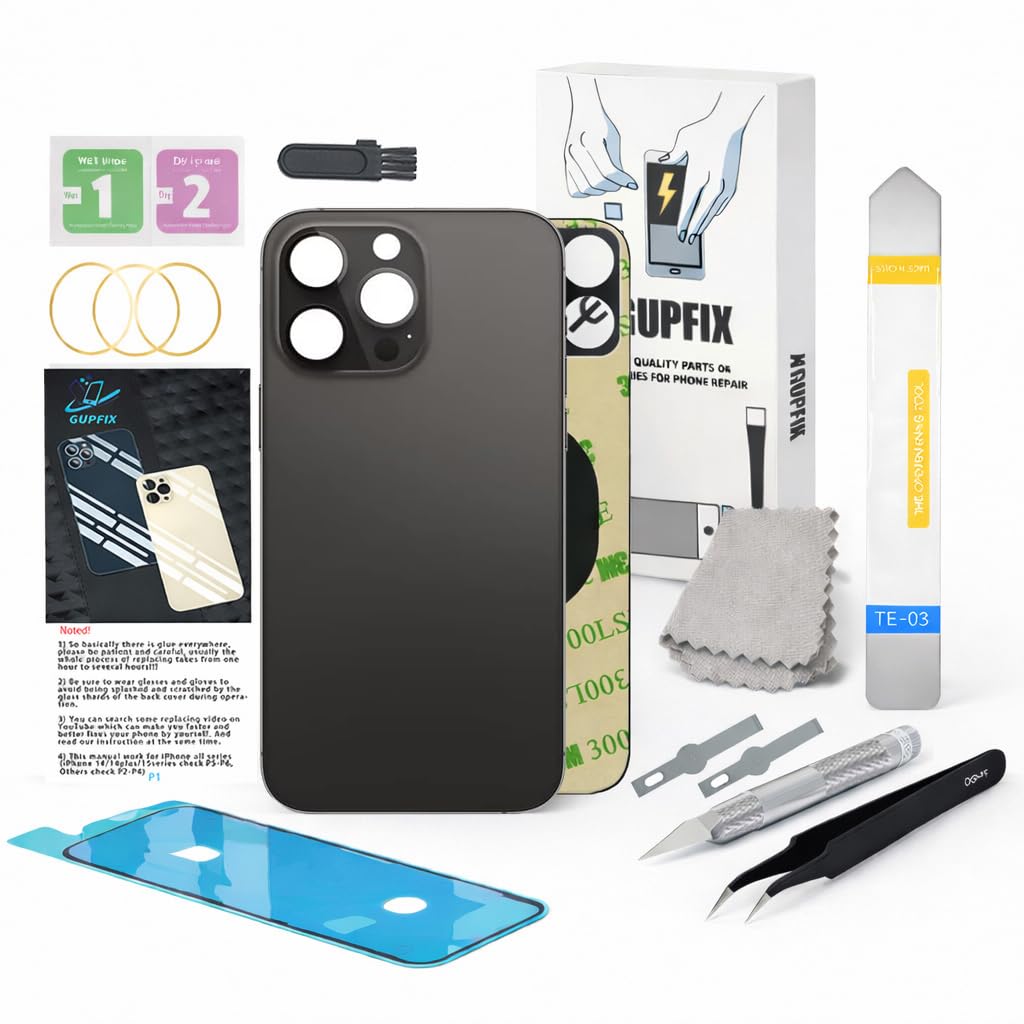
Image: GUPFIX Space Black back glass replacement for iPhone 14 Pro Max.
Important: This back glass is only compatible with the iPhone 14 Pro Max. Please verify your phone model before proceeding with the installation.

Image: Guide to verify your iPhone model number. Ensure your device is an iPhone 14 Pro Max.
2. Important Notes Before Installation
- Difficulty Level: Replacing the back glass is a challenging procedure, especially for individuals without prior experience. The original glass is often fused into the frame with strong adhesive.
- Professional Assistance: If you find the replacement process difficult, it is highly recommended to seek assistance from a professional repair shop, ideally one equipped with a laser machine for glass removal.
- Full Disassembly: While it is possible to replace the back glass directly, for first-time users, it is advisable to fully disassemble the device and remove the entire back housing.
- Patience is Key: Removing the old, broken glass is the most time-consuming and difficult part of the process. Continuous heating may be required. Exercise patience throughout the procedure.
- Video Instructions: Search for relevant replacement videos on platforms like YouTube and follow the instructions carefully alongside this manual.

Image: Important considerations before attempting the back glass replacement.
3. Package Contents
Your GUPFIX back glass replacement kit includes the following items:
- 1x Back Glass Replacement for iPhone 14 Pro Max (Space Black) with pre-installed adhesive.
- 1x Opening tool for disassembling the iPhone.
- 1x Tweezers for handling small components and adhesive seals.
- 1x Cleaning brush and wipes for removing glass shards and fingerprints.
- 3x Rubber bands for securing the new back glass during adhesive curing.
- 1x Metal knife with two No.17 knife heads for removing broken glass.

Image: Overview of the repair tools provided in the kit.
4. Installation Guide
Follow these steps carefully for the back glass replacement. Remember to consult online video guides for visual assistance.
4.1 Prepare Your Workspace
Ensure you have a clean, well-lit, and organized workspace. Turn off your iPhone and disconnect it from any power sources.
4.2 Remove the Broken Back Glass
- Apply heat to the edges of the back glass to soften the adhesive. A heat gun or hairdryer can be used. Apply heat evenly and avoid overheating any single area.
- Carefully use the metal knife and opening tool to pry up the broken glass. Work slowly and meticulously to avoid damaging internal components.
- Once the broken glass is removed, thoroughly clean the frame of any remaining adhesive residue and glass shards using the provided cleaning brush and wipes. Ensure the surface is smooth and free of debris for optimal adhesion of the new glass.
4.3 Install the New Back Glass
The replacement back glass features a larger camera hole, which eliminates the need to remove the existing camera bezel/lens. This design simplifies the installation process.

Image: The new back glass with pre-installed adhesive and a larger camera hole.
- Carefully peel off the protective film from the pre-installed double-sided 3M adhesive on the new back glass.
- Align the new back glass precisely with the phone's frame, ensuring the camera hole aligns correctly with the camera module.
- Gently press the new back glass onto the frame, applying even pressure across the entire surface to ensure proper adhesion.
- Use the provided rubber bands to bind the phone for a few hours (e.g., 2-4 hours) to allow the adhesive to cure and create a strong bond.

Image: Visual comparison of a phone with broken back glass versus a phone with the new back glass installed.
5. Specifications
| Product Name | Back Glass Replacement for iPhone 14 Pro Max |
| Model Number | iPhone 14 Pro Max |
| Color | Space Black |
| Material | High-quality OEM Glass |
| Features | Pre-installed adhesive, larger camera hole design |
| Dimensions | 3.5 x 0.71 x 7.1 inches |
| Item Weight | 4.2 ounces |
6. Warranty and Support
This back glass cover replacement comes with a one-year warranty. If you encounter any questions or issues regarding the product or its installation, please contact GUPFIX customer support for assistance.
For further support, you may visit the official GUPFIX store on Amazon: GUPFIX Store