
1. Product Overview
The Besbule Coffee Mug Warmer is a versatile device designed to keep your beverages warm, wirelessly charge compatible smartphones, and provide an additional USB charging port. It features multiple temperature settings and an automatic shut-off function for safety and convenience.

Image 1: Besbule Coffee Mug Warmer with a mug and a smartphone charging wirelessly.
Key Features:
- Three Temperature Settings: Maintain beverage temperature at 113°F (45°C), 131°F (55°C), or 149°F (65°C).
- 8-Hour Auto Shut-Off: Automatically powers off after 8 hours of continuous use for safety and energy saving.
- 15W Wireless Fast Charger: Compatible with various iPhone (13/X and newer) and Samsung/LG models.
- 3A USB Charging Port: Provides fast charging for headphones, tablets, or smartwatches.
- Integrated Phone Stand: Hidden pull-out stand supports vertical and horizontal phone viewing.
- PI Heating Film Technology: Ensures fast, uniform, and durable heating.
- Multi-purpose Use: Suitable for coffee, milk, tea, and melting scented candles.
2. Safety Instructions
- Read all instructions before use and retain for future reference.
- This appliance is for household use only. Do not use outdoors.
- Do not immerse the warmer base in water or other liquids.
- Ensure the power cord is not damaged. If damaged, contact customer support.
- Place the warmer on a stable, flat, heat-resistant surface.
- Avoid touching the heating plate directly when in use, as it becomes hot.
- Keep out of reach of children and pets.
- Use only mugs with flat bottoms for optimal heat transfer.
- Do not use plastic or insulated cups that are not designed for heating.
- Unplug the device when not in use or before cleaning.
3. Setup
- Unpack: Carefully remove all components from the packaging. Verify that all items listed in the 'Packing List' section are present.
- Placement: Position the mug warmer on a flat, stable, and dry surface, away from water sources and flammable materials.
- Power Connection: Plug the power adapter (DC100-240V) into a standard electrical outlet. Connect the other end to the power input port on the warmer.
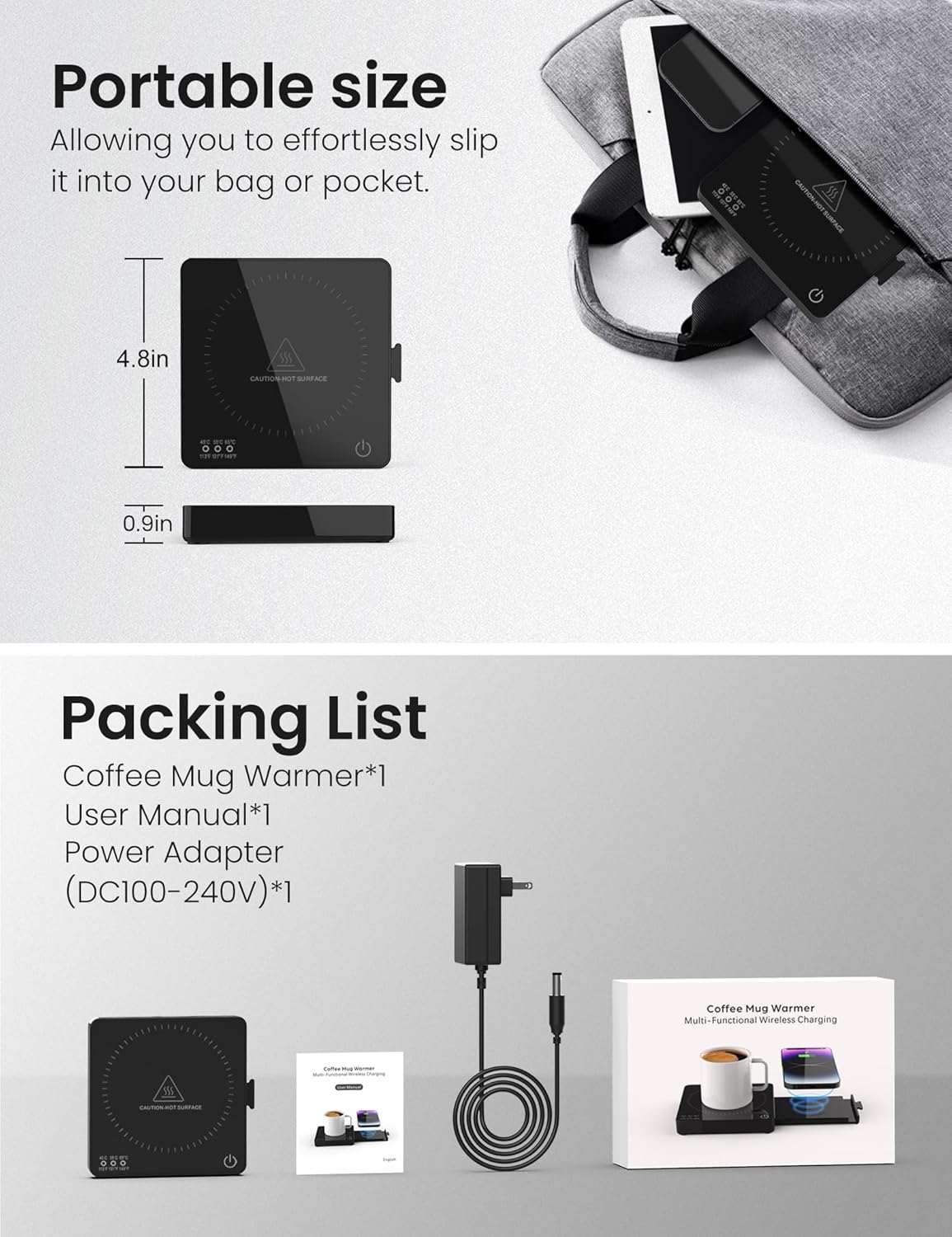
Image 2: Illustration of the product's portable size and included packing list (Mug Warmer, User Manual, Power Adapter).
4. Operating Instructions
4.1. Mug Warmer Function
- Power On: Press the power button on the warmer. The display will illuminate, showing the current temperature setting.
- Place Mug: Place your flat-bottomed mug containing your beverage onto the center of the heating plate.
- Select Temperature: Press the temperature selection button to cycle through the three available settings: 113°F (45°C), 131°F (55°C), and 149°F (65°C). The display will show the selected temperature.
- Auto Shut-Off: The warmer will automatically shut off after 8 hours of continuous operation. You can manually turn it off at any time by pressing the power button.
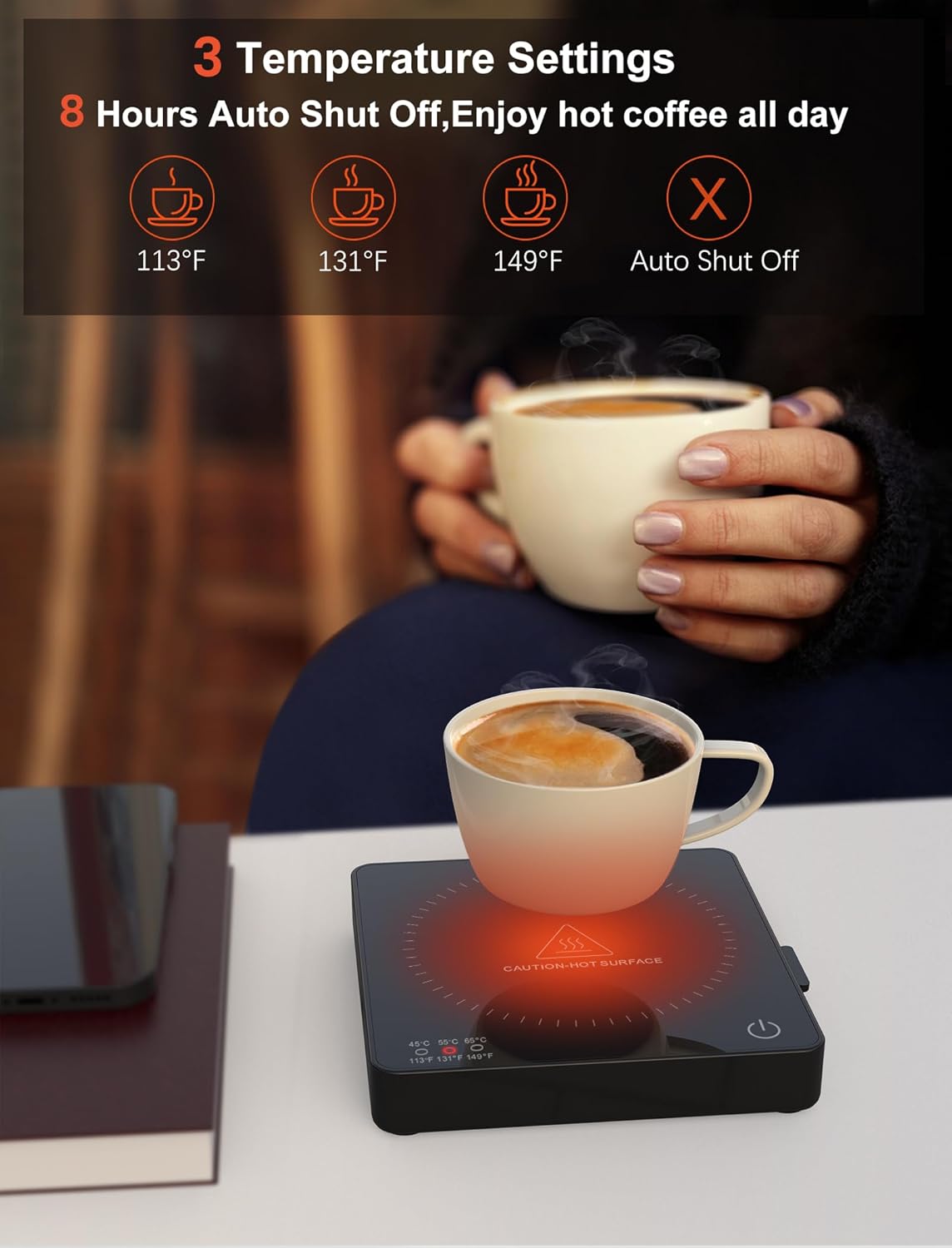
Image 3: Visual representation of the three temperature settings (113°F, 131°F, 149°F) and the 8-hour auto shut-off.
4.2. Wireless Charging Function
- Activate Charger: The wireless charging pad is integrated into the device. Ensure the warmer is plugged into power.
- Place Device: Place your compatible smartphone (e.g., iPhone 13/X and newer, various Samsung/LG models) onto the wireless charging pad. Ensure the phone is centered for optimal charging.
- Charging Indicator: Your phone's screen will indicate that it is charging.

Image 4: A smartphone being charged wirelessly on the 15W charging pad next to a mug on the warmer.
4.3. USB Charging Port Function
- Connect Cable: Locate the 3A USB charging port on the side of the warmer.
- Plug In Device: Connect your device's USB charging cable to the port. This port is suitable for charging headphones, tablets, or smartwatches.

Image 5: A person using the 3A USB-A fast charging port to charge a smartphone.
4.4. Integrated Phone Stand
The warmer includes a hidden pull-out phone stand. Gently pull it out from the side to use. It supports both vertical and horizontal viewing, allowing you to watch videos or make calls while your phone charges.

Image 6: The integrated phone stand supporting a smartphone in both portrait and landscape modes.
4.5. Candle Warmer Function
The heating plate can also be used to safely melt wax cubes or heat scented candles without an open flame, creating a pleasant aroma in your space.

Image 7: A scented candle placed on the warmer, illustrating its use as a flameless candle warmer.
5. Maintenance
- Cleaning: Ensure the warmer is unplugged and completely cool before cleaning. Wipe the surface with a soft, damp cloth. Do not use abrasive cleaners or immerse the device in water.
- Storage: Store the warmer in a cool, dry place when not in use.
6. Troubleshooting
- Device not powering on: Ensure the power adapter is securely plugged into both the warmer and a working electrical outlet.
- Mug not warming: Verify that the mug has a flat bottom for proper contact with the heating plate. Ensure the warmer is powered on and the desired temperature is selected.
- Wireless charging not working: Check if your smartphone is compatible with 15W wireless charging. Ensure the phone is centered on the charging pad. Remove any thick phone cases that might interfere with charging.
- USB charging not working: Ensure the USB cable is securely connected to both the warmer and your device. Try a different USB cable or device to rule out cable/device issues.
- Auto shut-off too soon: The device has an 8-hour auto shut-off. If it's turning off earlier, ensure it's not being accidentally powered off or experiencing power interruptions.
7. Specifications
| Specification | Detail |
|---|---|
| Model Number | YDH-2308 |
| Brand | Besbule |
| Item Weight | 1.19 pounds (0.54 Kilograms) |
| Product Dimensions | 4.8"L x 4.8"W x 0.2"H (approx. 3.94 x 3.94 x 0.39 inches for heating area) |
| Wattage | 15 watts |
| Maximum Temperature | 149°F (65°C) |
| Power Source | AC |
| Material | Plastic |
| Color | Black |
8. Official Product Videos
Besbule Coffee Mug Warmer with 15W Wireless Charger Overview
Video 1: A brief overview of the Besbule Coffee Mug Warmer and its 15W wireless charging capability.
Mug Warmer and Phone Charging Features
Video 2: Demonstrates the mug warming function alongside the phone charging feature.
Multi-functional Use: Coffee, Candles, and Charging
Video 3: Highlights the device's ability to warm beverages, melt candles, and charge devices simultaneously.
Office Gadget: Mug Warmer with Wireless Charger
Video 4: Shows the mug warmer and wireless charger in an office setting, emphasizing its utility as a desk accessory.
9. Warranty and Support
For warranty information and customer support, please refer to the contact details provided in the product packaging or visit the official Besbule website. Keep your purchase receipt as proof of purchase for any warranty claims.