
Introduction
Thank you for choosing the BOROFONE BW37 BT 5.3 Wireless Noise Reduction Earphones. This manual provides essential information for the proper setup, operation, and maintenance of your new earphones. Please read this guide thoroughly before use to ensure optimal performance and longevity of your device.
Package Contents
- BOROFONE BW37 Wireless Earphones (Left and Right)
- Charging Case
- USB Charging Cable
- User Manual
Product Overview
The BOROFONE BW37 earphones are designed for a superior audio experience with true wireless stereo sound and effective noise reduction. Their compact and portable design makes them ideal for daily use and travel.
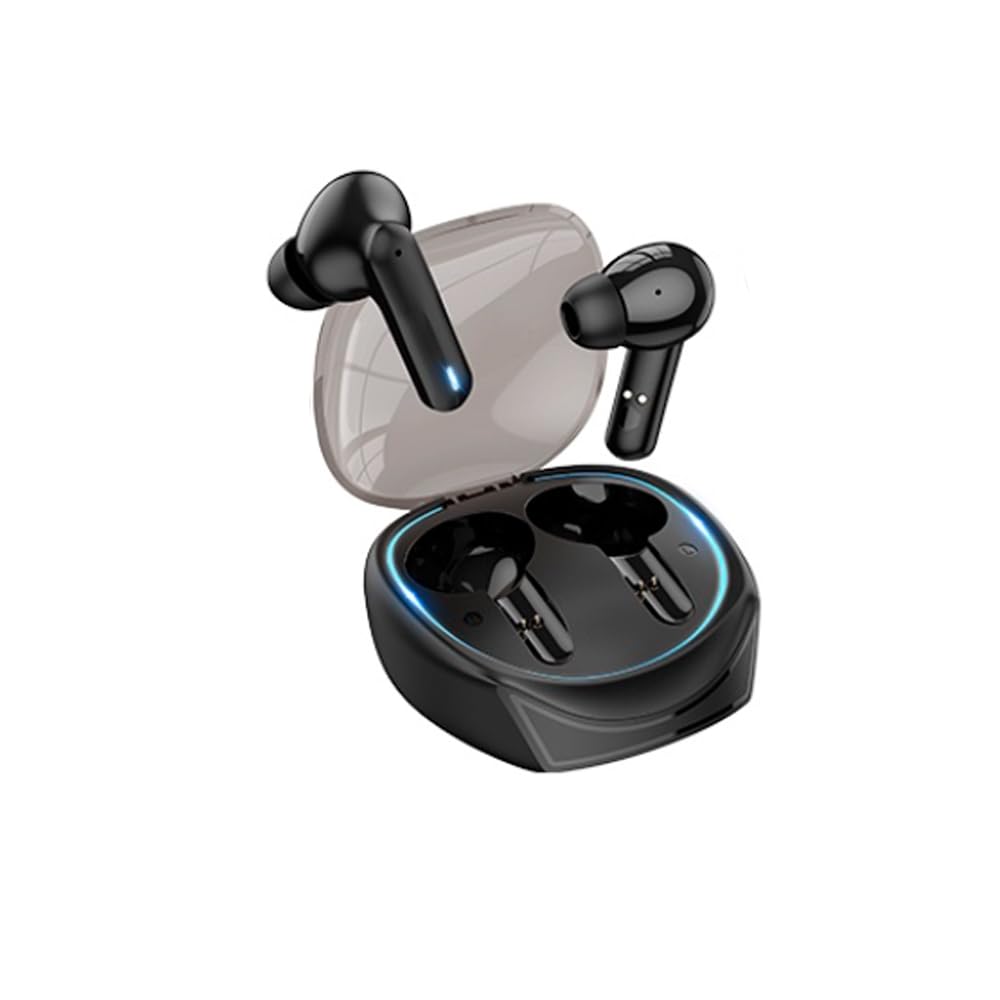
Image: The BOROFONE BW37 wireless earphones are shown nestled within their compact charging case. The case is black, sleek, and designed for portability, with the two individual earbuds visible inside.
Setup
1. Initial Charging
Before first use, fully charge the earphones and the charging case. Place the earphones into the charging case and connect the USB charging cable to the case and a power source. The indicator lights on the case will show the charging status.
2. Pairing with a Device
- Open the charging case. The earphones will automatically power on and enter pairing mode.
- On your device (smartphone, tablet, etc.), enable Bluetooth.
- Search for "BOROFONE BW37" in the list of available Bluetooth devices.
- Select "BOROFONE BW37" to connect. Once connected, you will hear an audible confirmation.
The earphones support automatic pairing. After the initial pairing, they will automatically connect to the last paired device when removed from the case.
Operating Instructions
Power On/Off
- Power On: Open the charging case, or long-press the touch area on both earphones for 3 seconds.
- Power Off: Place the earphones back into the charging case and close the lid, or long-press the touch area on both earphones for 5 seconds.
Music Playback
- Play/Pause: Single tap the touch area on either earphone.
- Next Track: Double tap the touch area on the right earphone.
- Previous Track: Double tap the touch area on the left earphone.
Call Management
- Answer/End Call: Single tap the touch area on either earphone.
- Reject Call: Long-press the touch area on either earphone for 2 seconds.
Voice Assistant
- Activate Voice Assistant: Triple tap the touch area on either earphone.
Master-Slave Switching Technology
The earphones support master-slave switching, allowing either earphone to be used independently. Simply remove one earphone from the case to use it in mono mode. To switch back to stereo, remove the other earphone.
Charging
Charging the Earphones
Place the earphones into the charging case. They will automatically begin charging. The charging time for the earphones is approximately 1 hour.
Charging the Case
Connect the provided USB charging cable to the charging port on the case and a 5V DC power adapter. The indicator lights on the case will show the charging status. The charging case has a battery capacity of 250mAh.
Maintenance
- Clean the earphones and charging case regularly with a soft, dry cloth.
- Avoid using harsh chemicals or abrasive materials for cleaning.
- Keep the charging contacts on both the earphones and the case clean to ensure proper charging.
- Store the earphones in their charging case when not in use to protect them and maintain battery life.
Troubleshooting
| Problem | Possible Solution |
|---|---|
| Earphones do not power on. | Ensure the earphones and charging case are fully charged. |
| Cannot pair with device. | Make sure Bluetooth is enabled on your device. Ensure earphones are in pairing mode. Try forgetting the device in your Bluetooth settings and re-pairing. |
| Only one earphone is working. | Place both earphones back into the charging case, close the lid, then open it again to reset the connection. Ensure both earphones are charged. |
| Poor sound quality or disconnections. | Ensure earphones are within the 10m operating range of your device. Check for interference from other wireless devices. |
| Earphones not charging. | Clean the charging contacts on both earphones and the case. Ensure the charging cable is securely connected and the power source is active. |
Specifications
| Feature | Detail |
|---|---|
| Model | BW37 |
| Bluetooth Version | V5.3 |
| Operating Range | Up to 10 meters |
| Speaker Size | 13mm |
| Transmission Frequency | 2.4GHz |
| Supported Protocols | Hands-free headset, A2DP, AVRCP |
| Earphone Charging Time | Approx. 1 hour |
| Sensitivity | 95±3dB |
| Charging Voltage | DC 5V |
| Product Net Weight | 29.5g |
| Single Earphone Net Weight | 3g |
| Standby Time | 120 hours |
| Music Playback Time | Approx. 4 hours |
| Talk Time | Approx. 4 hours |
| Impedance | 320Ω ± 15% |
| Charging Case Battery Capacity | 250mAh |
| Product Dimensions | 50 x 40 x 25mm |
| Noise Control | Active Noise Cancellation |
| Water Resistance Level | Waterproof |
| Control Method | Touch |
Safety Information
- Do not expose the earphones or charging case to extreme temperatures, direct sunlight, or fire.
- Avoid dropping, disassembling, or modifying the device.
- Keep out of reach of children and pets.
- Do not use the earphones at high volume for extended periods to prevent hearing damage.
- Use only the provided charging cable or a certified equivalent.
Warranty and Support
BOROFONE products are designed and manufactured to the highest quality standards. For warranty information and customer support, please refer to the warranty card included in your package or visit the official BOROFONE website. If you encounter any issues not covered in this manual, please contact customer service for assistance.