
aosu 3K Wireless Outdoor Security Camera (Model C9E2CA11) - User Manual
Comprehensive guide for setup, operation, and maintenance.
1. Introduction
The aosu 3K Wireless Outdoor Security Camera provides advanced surveillance for your property. Featuring 5MP Ultra HD resolution, 360° Pan-Tilt-Zoom (PTZ) with automatic tracking, AI-powered person and vehicle detection, color night vision, and integrated light and sound alarms, this camera offers robust security. Designed for outdoor use, it is solar-powered and IP65 weather-resistant, ensuring reliable performance in various conditions.
2. Package Contents
Verify that all items are present in your package:
- aosu Security Camera (x2)
- Connection Cable
- Charging Cable
- Screw Kit
- User Manual
- Camera Mount Bracket

Image: All components included in the aosu 3K Wireless Outdoor Security Camera 2-pack.
3. Setup Guide
3.1 Mounting the Camera and Solar Panel
Choose a suitable outdoor location for optimal solar exposure and camera coverage. Mount the camera and solar panel securely using the provided screw kit and mount bracket. Ensure the solar panel is positioned to receive direct sunlight for efficient charging.

Image: Camera and solar panel mounted for optimal outdoor surveillance.

Image: Solar panel providing continuous power to the camera.
3.2 Connecting to the App
Download the aosu app from your device's app store. Follow the in-app instructions to pair your camera. The camera supports 2.4 GHz WiFi connectivity. Ensure your smartphone is connected to a 2.4 GHz network during the initial setup process.

Image: Simple connection process using the aosu app.
4. Operating Instructions
4.1 Live View and Event Playback
Access real-time video streams and review recorded events through the aosu app. The app provides instant notifications with snapshots when motion is detected, allowing for quick verification.
Video: Demonstrates vehicle and human detection, automatic tracking, instant notifications, 3K zoom, event playback, and weather resistance features of the aosu camera.

Image: Real-time notifications with quick access options.
4.2 Pan-Tilt-Zoom (PTZ) Control
Utilize the 360° PTZ functionality to remotely adjust the camera's viewing angle. This allows for comprehensive coverage of your property without blind spots. A single tap can quickly move the camera to a predefined view.
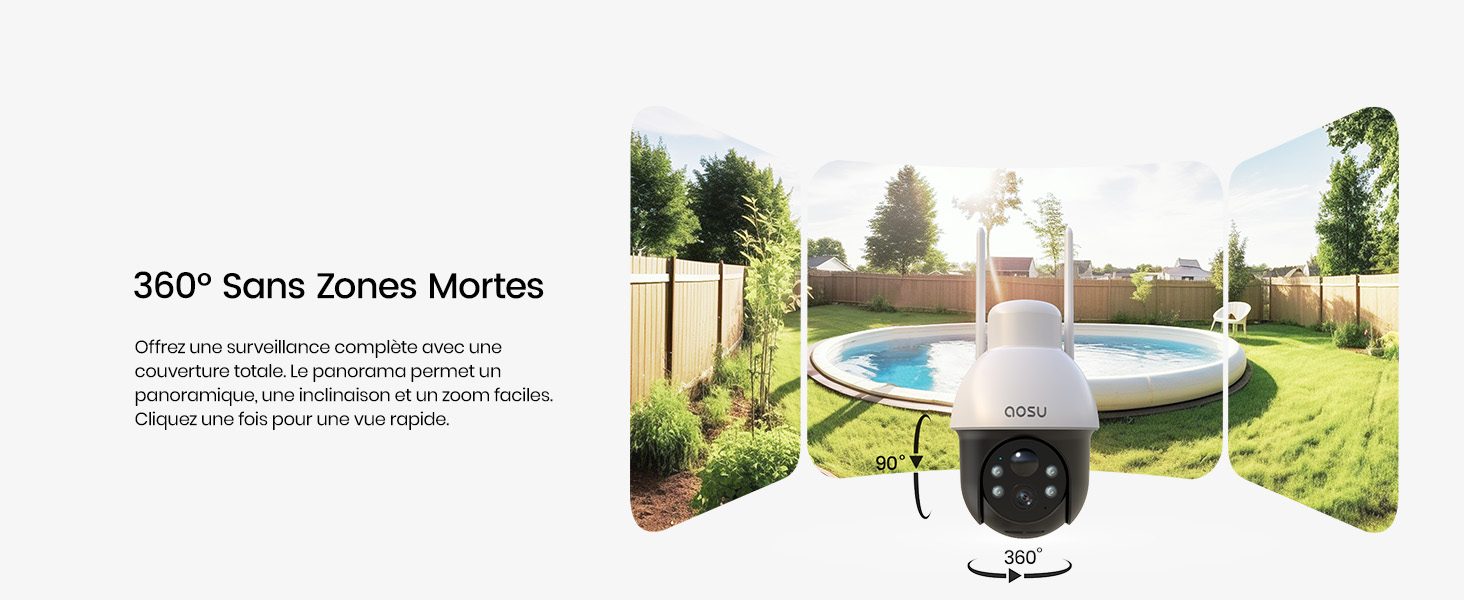
Image: 360-degree panoramic view via the app.
4.3 3K 5MP Ultra HD Resolution
The camera captures video in 3K (2880x1620) 5MP Ultra HD, providing clear and detailed images. The 6x digital zoom allows you to magnify specific areas for closer inspection.

Image: 3K Ultra HD capture revealing fine details like a license plate.
4.4 AI Detection (Person/Vehicle) and Automatic Tracking
The integrated AI analysis intelligently distinguishes between human and vehicle shapes, reducing false alerts from irrelevant movements. When a person or vehicle is detected, the camera can automatically track their movement within the monitored area.

Image: Automatic tracking of detected movement.

Image: AI detection for humans and vehicles to minimize false alarms.
4.5 Color Night Vision and Alarms
The camera features color night vision, enhanced by powerful LED spotlights, to provide clear, full-color video even in low-light conditions. When motion is detected at night, the camera can activate bright spotlights and a sound alarm to deter intruders.
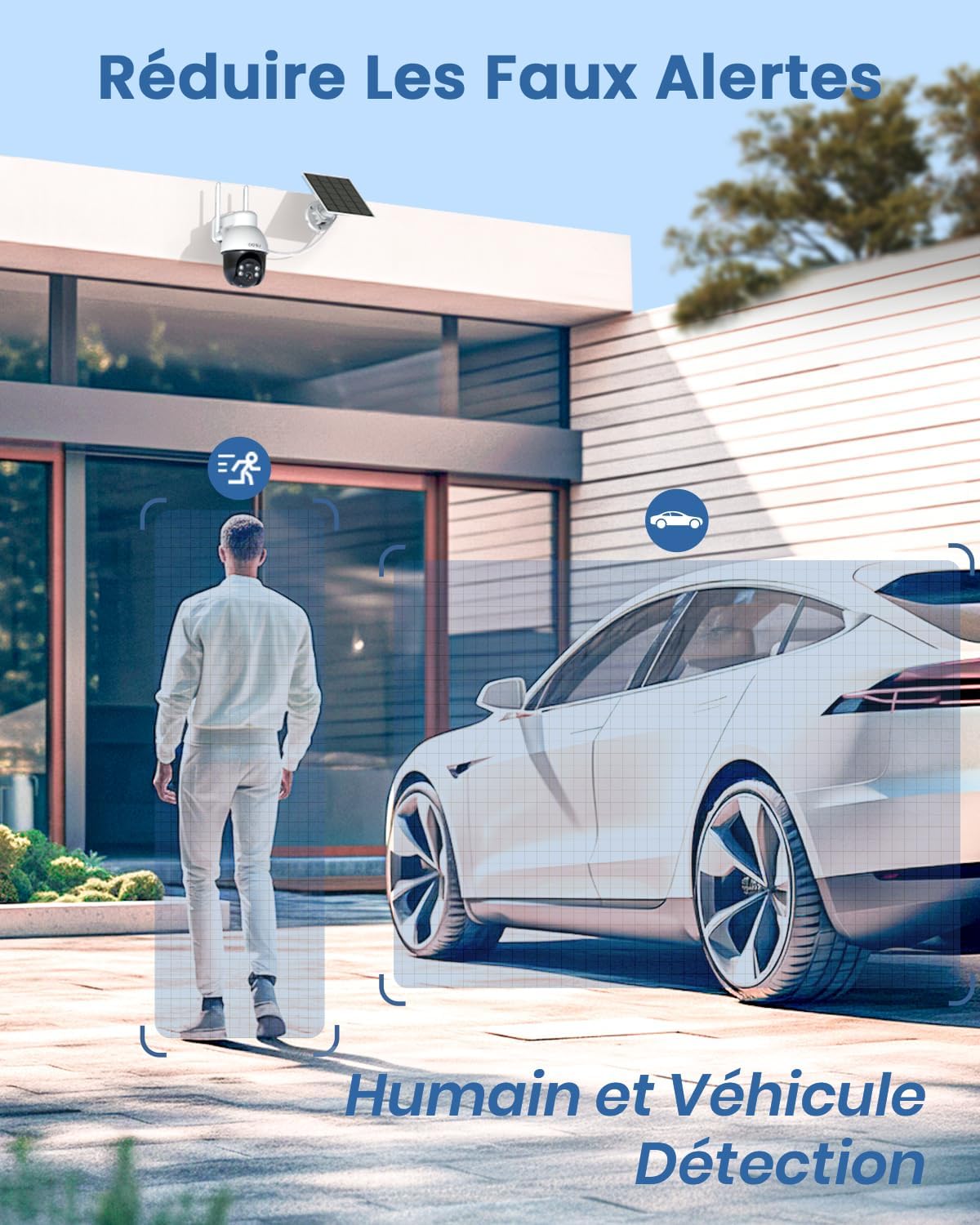
Image: Active defense features with light and sound alarms.
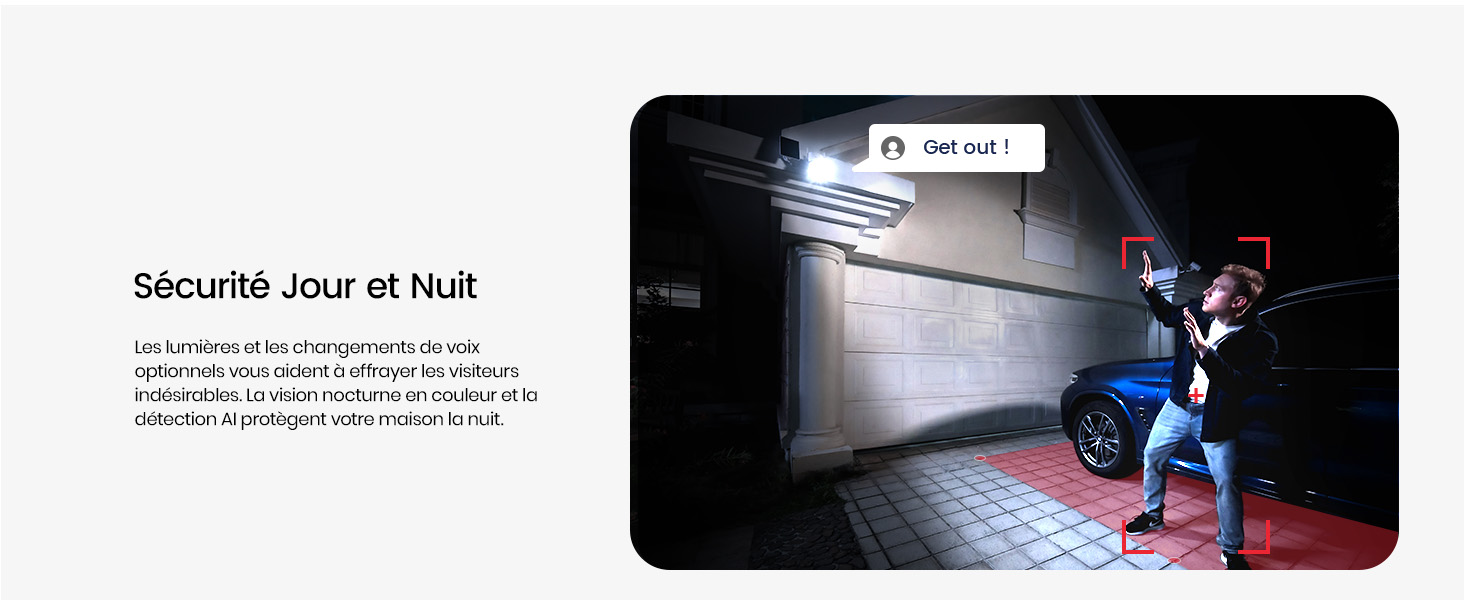
Image: Comparison of black and white night vision versus full-color night vision with spotlights.
4.6 Two-Way Audio
Communicate directly with visitors or deter unwanted guests using the camera's two-way audio feature. The app supports voice modification and noise reduction for clear communication.

Image: Two-way audio communication with voice changer.
4.7 Customizable Detection Zones
Define specific areas within the camera's view for motion detection. This allows you to focus surveillance on critical zones and avoid unnecessary alerts from public areas.

Image: Customizable detection zones for enhanced perimeter security.
4.8 Storage Options
The camera supports local storage via a Micro SD card (up to 128GB, not included) or cloud storage with a subscription. Both options ensure your recordings are secure and accessible.

Image: Micro SD card slot for local storage and cloud storage options.
5. Maintenance
5.1 Solar Charging
The camera is powered by a rechargeable battery and a mobile solar panel. Ensure the solar panel is clean and positioned to receive maximum sunlight to maintain continuous power.
5.2 Weather Resistance
With an IP65 international protection rating, the camera is designed to withstand rain, snow, and other outdoor elements. Regularly check for any debris accumulating on the lens or solar panel.

Image: IP65 weather resistance and operating temperature range.
5.3 Cleaning
Gently wipe the camera lens and solar panel with a soft, damp cloth to remove dust or dirt. Avoid using harsh chemicals that could damage the surfaces.
6. Troubleshooting
- Camera Not Connecting to Wi-Fi: Ensure your Wi-Fi network is 2.4 GHz. Check the signal strength at the camera's location using the in-app tool. Restart your router and the camera.
- Frequent False Alerts: Adjust the detection sensitivity in the app. Utilize customizable detection zones to exclude areas with irrelevant motion (e.g., public sidewalks, moving trees).
- Poor Night Vision: Ensure the camera lens is clean. Check if the spotlights are enabled in the app. Verify there are no obstructions blocking the camera's view or the spotlights.
- Battery Not Charging: Ensure the solar panel is clean and receiving direct sunlight for several hours daily. Check the connection cable between the camera and the solar panel.
- No Two-Way Audio: Check microphone and speaker settings in the app. Ensure your phone's volume is up and the camera's microphone/speaker are not muted.
7. Specifications
| Feature | Detail |
|---|---|
| Brand | aosu |
| Model Name | C9E2CA11 |
| Connectivity Technology | Wireless (Wi-Fi 2.4 GHz) |
| Indoor/Outdoor Use | Outdoor |
| Compatible Devices | Smartphone, Amazon Alexa, Google Assistant |
| Power Source | Battery Powered, Solar Powered |
| Effective Capture Resolution | 5 Megapixels (3K, 2880 x 1620) |
| Viewing Angle | 360 Degrees |
| Zoom Type | Digital Zoom (6x) |
| Night Vision Range | 10 Meters (Color Night Vision) |
| International Protection Rating | IP65 |
| Alert Type | Audio, App Notification, LED Spotlight |
| Item Dimensions | 20.3 x 15.2 x 25.4 cm |
| Country of Origin | China |
8. Warranty and Support
For warranty information, please refer to the documentation provided with your purchase or contact aosu customer service. aosu offers 24/7 online customer support for any inquiries or assistance you may need.

Image: Global access and shared monitoring capabilities.
For further assistance, please visit the official aosu website or contact their customer service directly.