Introduction
Welcome to the instruction manual for your new Xinwld A97 Pro Wireless Earbuds. These earbuds are designed to provide a superior audio experience with advanced features, long battery life, and a comfortable, secure fit. Please read this manual carefully to ensure proper setup, operation, and maintenance of your device.
Product Overview
The Xinwld A97 Pro Wireless Earbuds feature Bluetooth 5.3 technology for stable connections, 32Ω input impedance with Φ13mm dynamic drivers for deep bass and clear sound, and 4 HD microphones for crystal-clear calls. They are IP7 waterproof, making them suitable for various activities.

Image: Xinwld A97 Pro Wireless Earbuds in their light green charging case, displaying battery percentage.
What's in the Box
- Xinwld A97 Pro Wireless Earbuds (Left and Right)
- Charging Case
- USB Charging Cable
- Multiple sizes of ear tips (S, M, L)
- User Manual (this document)
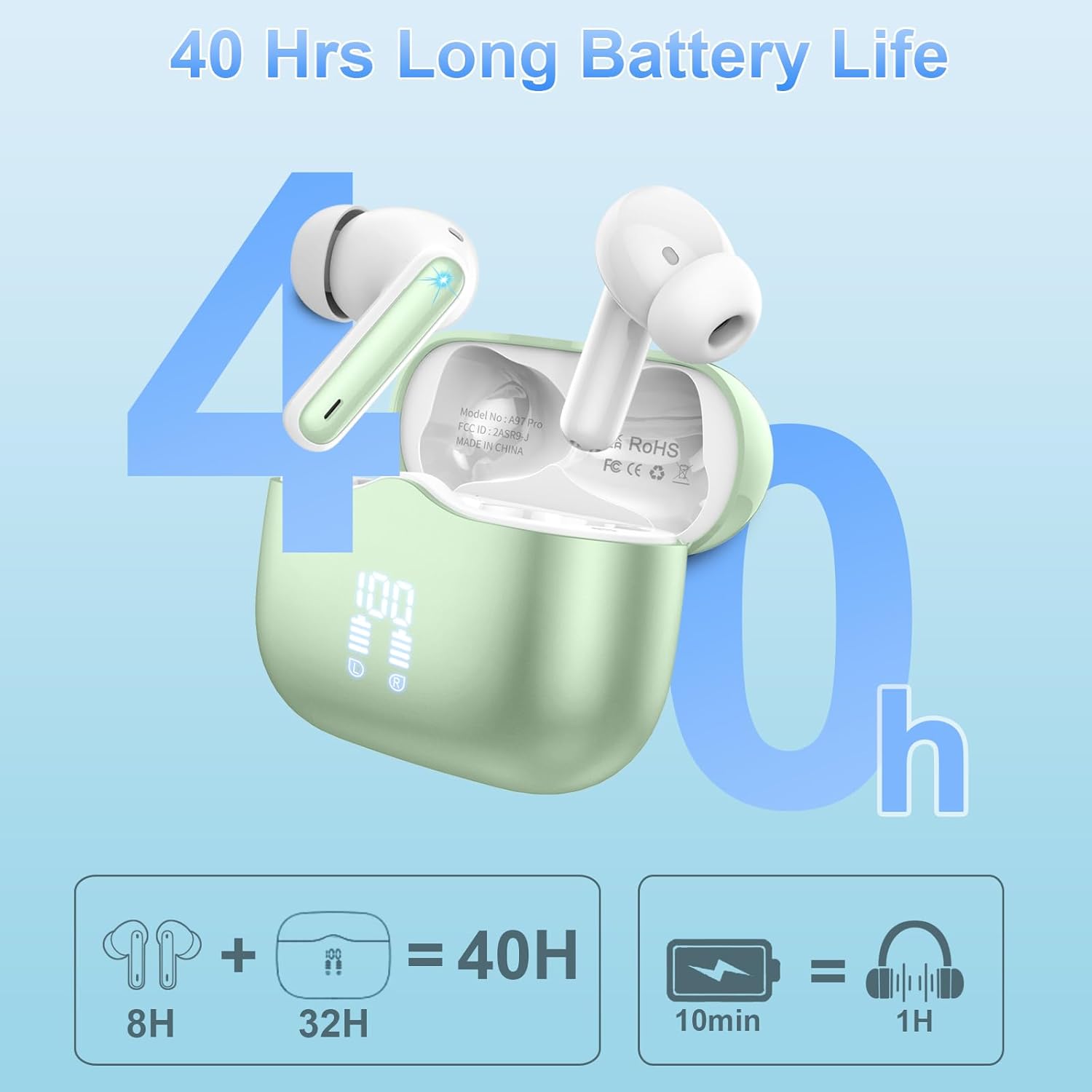
Image: The complete package contents, showing the earbuds, charging case, USB cable, and extra ear tips.
Setup
1. Initial Charging
Before first use, fully charge your earbuds and charging case. Connect the provided USB charging cable to the USB-C port on the charging case and plug the other end into a compatible USB power source. The LED digital display on the case will show the charging progress.
Image: The charging case displaying its battery level, indicating charging status.
2. Pairing with Your Device (One-Step Pairing)
- Ensure the earbuds are in the charging case and the case has sufficient battery.
- Open the charging case. The earbuds will automatically enter pairing mode.
- On your mobile device (smartphone, tablet, laptop), go to Bluetooth settings.
- Search for "A97 Pro" in the list of available devices and select it to connect.
- Once connected, a voice prompt will confirm successful pairing.
For subsequent uses, the earbuds will automatically connect to the last paired device when the case is opened.
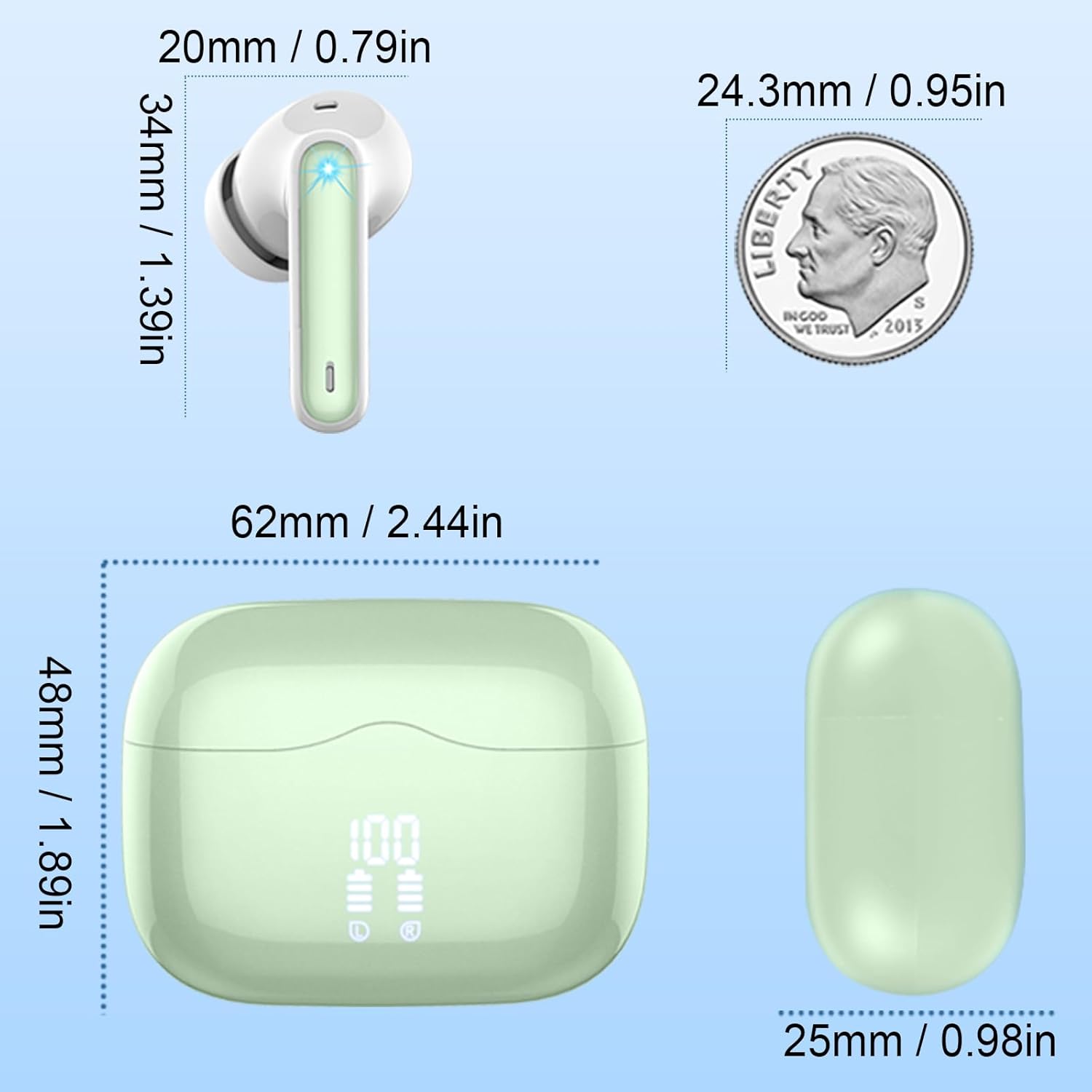
Image: A visual representation of the one-step pairing process, showing the earbuds connecting to a smartphone via Bluetooth.
Operating Your Earbuds
Touch Controls
The Xinwld A97 Pro earbuds feature intuitive touch controls on each earbud. Refer to the table below for common functions:
| Function | Action |
|---|---|
| Play/Pause Music | Double-tap either earbud. |
| Volume Up | Single-tap the Right earbud. |
| Volume Down | Single-tap the Left earbud. |
| Next Track | Long-press the Right earbud. |
| Previous Track | Long-press the Left earbud. |
| Answer/End Call | Double-tap either earbud. |
| Reject Call | Long-press either earbud. |
| Activate Voice Assistant | Triple-tap either earbud. |
Wearing the Earbuds
Select the ear tips that provide the most comfortable and secure fit for optimal sound quality and noise isolation. Gently insert the earbuds into your ears and rotate them slightly until they feel snug.

Image: A woman demonstrating the comfortable fit of the Xinwld A97 Pro Wireless Earbuds.
Maintenance
Cleaning
Regularly clean your earbuds and charging case to ensure optimal performance and hygiene.
- Use a soft, dry, lint-free cloth to wipe the earbuds and charging case.
- For ear tips, remove them from the earbuds and clean with a mild soap solution, then rinse thoroughly and dry completely before reattaching.
- Avoid using abrasive materials, alcohol, or chemical cleaners.
Storage
When not in use, store the earbuds in their charging case to protect them from dust, damage, and to keep them charged.
Battery Care
To prolong battery life, avoid fully discharging the earbuds and charging case frequently. Charge them regularly, even if not in constant use.
Troubleshooting
Earbuds not pairing/connecting:
- Ensure Bluetooth is enabled on your device.
- Make sure the earbuds are fully charged and in the charging case.
- Open the charging case to activate pairing mode.
- If already paired, try "forgetting" the device in your Bluetooth settings and re-pairing.
- Ensure the earbuds are within the 10-meter wireless range of your device.
No sound or low volume:
- Check the volume level on both your device and the earbuds.
- Ensure the earbuds are properly seated in your ears.
- Clean any debris from the earbud speakers and ear tips.
- Reconnect the earbuds to your device.
Earbuds not charging:
- Ensure the charging cable is securely connected to both the case and the power source.
- Check if the charging contacts on the earbuds and inside the case are clean and free of debris.
- Try a different USB port or charging adapter.
Specifications
- Model Name: A97 Pro
- Brand: xinwld
- Connectivity Technology: Wireless (Bluetooth 5.3)
- Audio Driver Type: Dynamic Driver
- Audio Driver Size: 13 mm
- Input Impedance: 32Ω
- Sound Range: 20-20kHz
- Microphones: 4 HD Mics with omnidirectional sound collection
- Playtime (Earbuds): 6-8 hours per charge
- Playtime (with Charging Case): Up to 40 hours total
- Charging Time (Headset): 1.5 hours
- Charging Time (Charging Case): 1.5 hours
- Waterproof Rating: IP7
- Control Type: Touch Control
- Wireless Range: 10 meters
- Item Weight: 0.353 ounces (10 grams)
- Product Dimensions: 0.79 x 0.79 x 0.79 inches
Warranty
Xinwld provides a one-year product warranty for all customers who purchase our products. Within one year from the purchase date, if your product suffers non-human damage or manufacturing defects under normal use conditions, we will provide free repair or replacement services.
Support
Xinwld is committed to providing quality customer service. Our customer service team is always ready to answer your questions, resolve issues, and provide assistance. You can contact our customer service team through online chat or email. We welcome your valuable feedback and suggestions at any time.
For further assistance, please visit the Xinwld Store on Amazon or refer to the contact information provided with your product packaging.
Official Product Videos
Xinwld A97 Pro Wireless Earbuds Overview
Video: An official overview of the Xinwld A97 Pro Wireless Earbuds, showcasing their features and design.