1. Introduction
Thank you for choosing the ROTAI Under Desk Elliptical. This electric seated pedal exerciser is designed to provide a convenient and low-impact workout experience for users of all ages, especially seniors, in both home and office environments. Its compact design and remote control functionality make it an ideal solution for maintaining activity and improving circulation while seated.

Image: The ROTAI Under Desk Elliptical, a compact white and black unit with a remote control shown beside it.
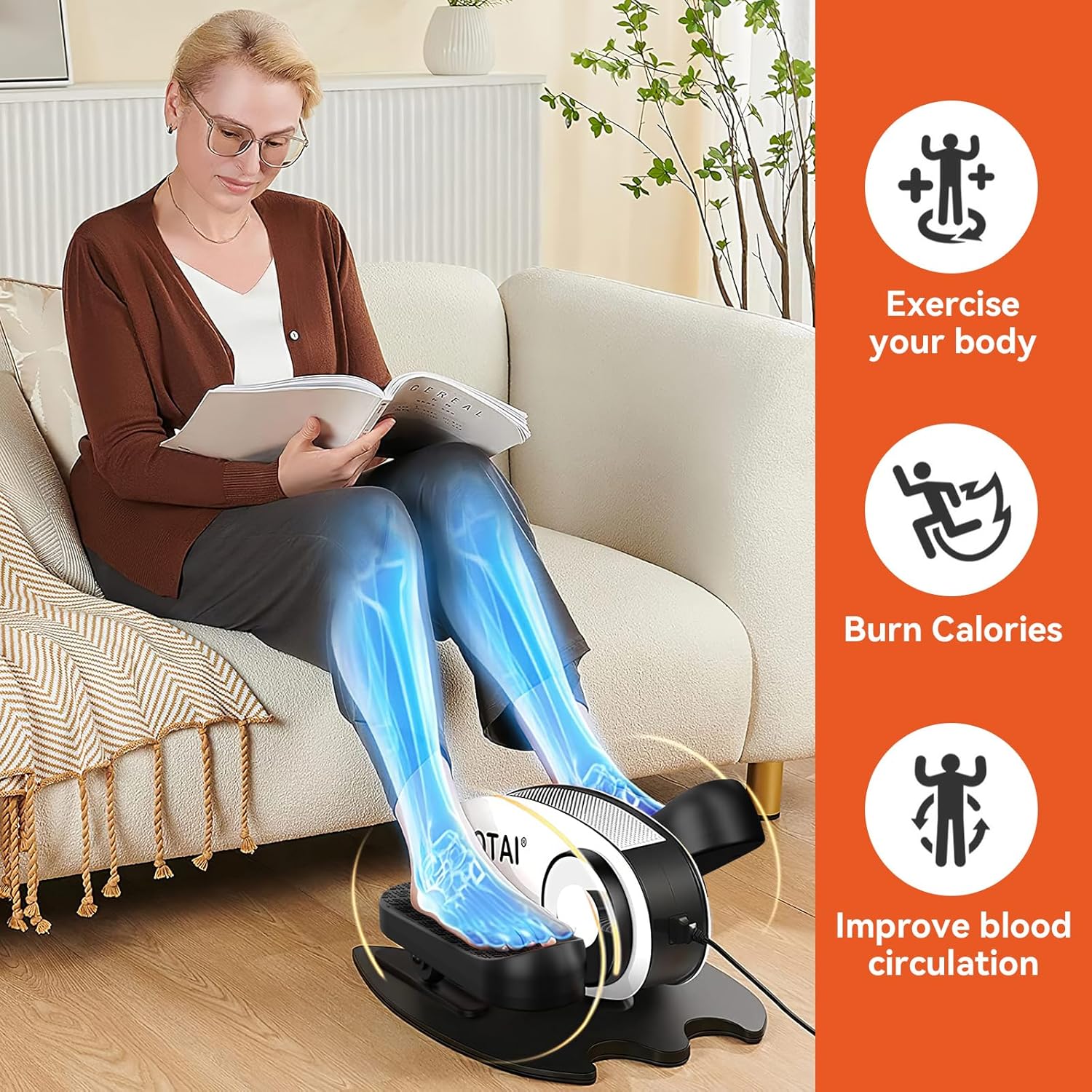
Image: A woman seated on a sofa, using the ROTAI elliptical. Overlays highlight benefits such as "Exercise your body," "Burn Calories," and "Improve blood circulation."
2. Important Safety Information
Please read all instructions carefully before using the ROTAI Under Desk Elliptical. Keep this manual for future reference.
- Consult your physician before starting any new exercise program, especially if you have pre-existing medical conditions.
- Use the device only as described in this manual.
- Ensure the elliptical is placed on a stable, flat surface during use.
- Keep children and pets away from the device during operation.
- Do not insert any objects into the device openings.
- Unplug the device from the power outlet when not in use or before cleaning.
- Do not use if the power cord or plug is damaged.
- Avoid placing the device in direct sunlight or near heat sources.
- This device is intended for seated use only. Do not stand on the pedals.
3. Package Contents
Verify that all items are present in the package:
- ROTAI Under Desk Elliptical Unit
- Remote Control
- Power Adapter
- User Manual (this document)
4. Setup
The ROTAI Under Desk Elliptical comes largely pre-assembled for your convenience.
- Unpack: Carefully remove all components from the packaging.
- Placement: Place the elliptical on a flat, stable surface under your desk or in your desired exercise area. Ensure there is enough space for your legs to move freely without obstruction.
- Power Connection: Connect the power adapter to the elliptical's power input port and then plug it into a standard electrical outlet.
- Remote Control Batteries: Insert 2 AAA batteries (not included) into the remote control, observing the correct polarity.
5. Operating Instructions
The elliptical can be operated using the control panel on the unit or the included remote control.
5.1 Control Panel and Display

Image: Close-up view of the elliptical's intelligent display unit, showing the LCD screen and control buttons.
The LCD display shows various exercise data. The buttons on the unit allow for manual control:
- SCAN: Cycles through display modes (Time, Distance, Speed, Calories, Count).
- TIME: Displays elapsed exercise time.
- DIST: Displays distance covered.
- SPEED: Displays current speed.
- CNT: Displays pedal count.
- CAL: Displays estimated calories burned.
- FN (Function): Changes between powered and manual pedaling modes.
- DIR (Direction): Changes pedaling direction (forward/backward).
- S (Speed): Adjusts the speed level.
- M (Mode): Selects preset exercise modes.
- Power Button: Turns the unit on/off.
5.2 Remote Control

Image: A person's feet on the elliptical pedals, with hands holding the remote control, demonstrating its use for massage mode.
The remote control provides convenient access to all functions without bending down.
- START/STOP: Begins or pauses the exercise.
- FUNCTION: Toggles between powered and manual modes.
- DIRECTION: Reverses the pedaling direction.
- MODE: Cycles through the 5 powerful preset exercise modes.
- SPEED +/-: Increases or decreases the speed level (0-5).
- POWER: Turns the unit on/off.
Note: For optimal remote control performance, point it directly at the elliptical's display unit.
5.3 Exercise Modes and Speed Levels

Image: A visual guide illustrating the 5 speed levels of the elliptical, correlating them with different exercise intensities: Stroll exercise (1-2), Jogging exercise (3-4), and Running exercise (5).
The elliptical offers 5 adjustable speed levels and 5 powerful preset modes to customize your workout intensity and style.
- Speed Levels (0-5): Adjust the motor's speed to match your comfort and fitness level. Lower speeds are ideal for gentle movement and circulation, while higher speeds provide a more vigorous workout.
- Preset Modes: Utilize the 'MODE' button to cycle through pre-programmed exercise routines that vary speed and direction automatically.

Image: A collage showing diverse individuals, including seniors, comfortably using the ROTAI elliptical in various settings such as a living room, office, and next to a rocking chair, emphasizing its versatility.
6. Maintenance
Regular maintenance ensures the longevity and optimal performance of your elliptical.
- Cleaning: Wipe the unit with a soft, damp cloth. Do not use abrasive cleaners or solvents. Ensure the device is unplugged before cleaning.
- Storage: Store the elliptical in a cool, dry place away from direct sunlight and extreme temperatures when not in use for extended periods.
- Inspection: Periodically check the power cord for any damage. Ensure all parts are securely attached.
7. Troubleshooting
If you encounter issues with your ROTAI Under Desk Elliptical, refer to the following common problems and solutions:
| Problem | Possible Cause | Solution |
|---|---|---|
| Unit does not power on. | Not plugged in; Power outlet issue; Damaged power cord. | Ensure power cord is securely plugged into the unit and a working outlet. Try a different outlet. Inspect power cord for damage. |
| Remote control not working. | Dead batteries; Incorrect battery polarity; Remote not pointed at sensor; Obstruction. | Replace batteries. Check battery orientation. Point remote directly at the display unit. Remove any obstructions between remote and unit. |
| Pedals are not moving smoothly. | Obstruction; Unit needs cleaning. | Check for any foreign objects obstructing the pedals. Clean the unit, especially around the pedal mechanisms. |
| Unit makes unusual noise. | Loose part; Internal issue. | Stop use immediately. Check for any loose parts. If noise persists, contact customer support. |
If the problem persists after trying these solutions, please contact ROTAI customer support.
8. Specifications

Image: Diagram showing the dimensions of the ROTAI Under Desk Elliptical: 18.43 inches (length), 15.36 inches (width), and 9.85 inches (height).
| Feature | Detail |
|---|---|
| Brand | ROTAI |
| Model Number | ROTEB004-W |
| Item Weight | 19.25 Pounds (approx. 8.73 kg) |
| Item Dimensions (LxWxH) | 18.43 x 15.36 x 9.85 inches (approx. 46.8 x 39 x 25 cm) |
| Display Type | LCD |
| Speed Levels | 5 (0-5) |
| Working Directions | 2 (Forward & Backward) |
| Control | On-unit buttons, Remote Control |
9. Warranty and Support
ROTAI offers an extended 18-month warranty in addition to Amazon's return policy of 30 days. For warranty registration, technical support, or any inquiries, please contact ROTAI customer service via the email provided in your product packaging or visit the official ROTAI website.
Please have your model number (ROTEB004-W) and purchase date ready when contacting support.


